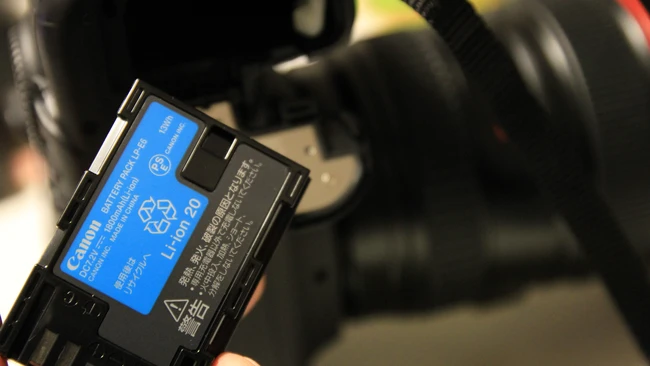
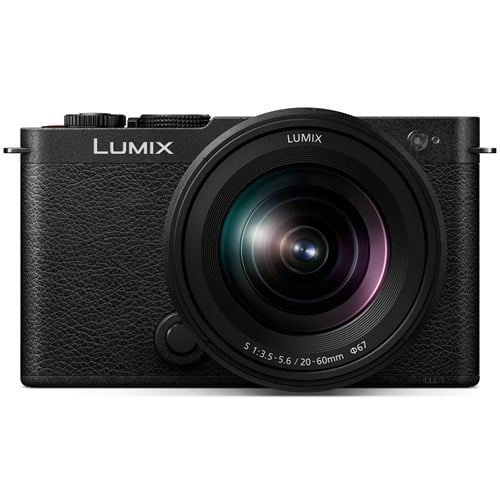
Buy a Canon EOS R7 this afternoon, and the manual will tell you that you can register up to six LP-E6P, LP-E6NH, LP-E6N, or LP-E6 battery packs to it. That last one is the cell Canon put on sale in the EOS 5D Mark II in November 2008, nearly ten years before the RF mount existed. A battery bought for a DSLR still runs a mirrorless camera you can order new today, and that continuity almost never appears as a line in a camera review.
Phone-based content creation has moved well past quick behind-the-scenes clips. Photographers are now shooting more polished promo videos with their phones on a regular basis. That workflow shift changes what your phone needs to be capable of, and internal storage and speed are usually the first barriers. A high-quality portable SSD is worth investing in to help your phone keep up with demands.
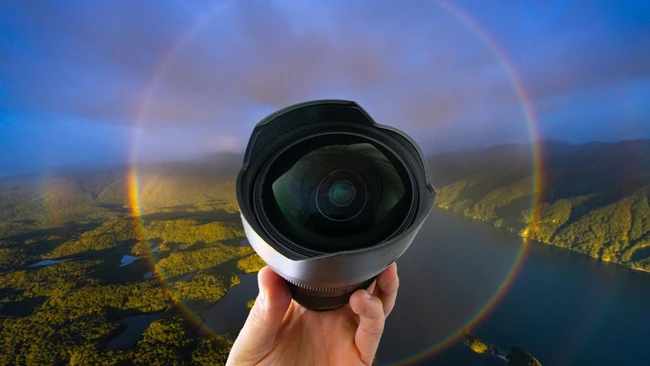
An ultra-wide lens can make a landscape feel like you're standing inside it, or it can shrink a dramatic scene into a flat strip of distant shapes. The difference usually comes down to where you put your feet and how you aim the camera, which makes it one of the hardest lenses to use well and one of the most rewarding once you get the hang of it.
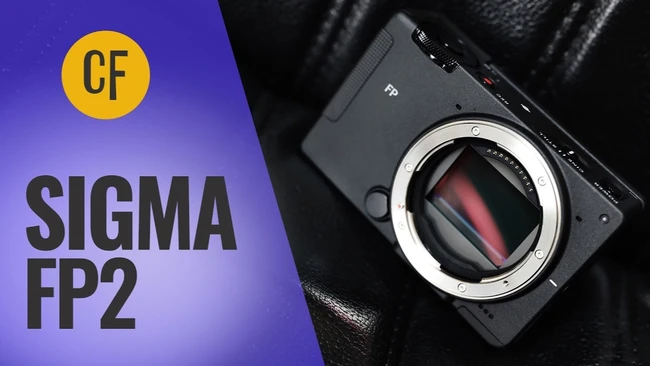
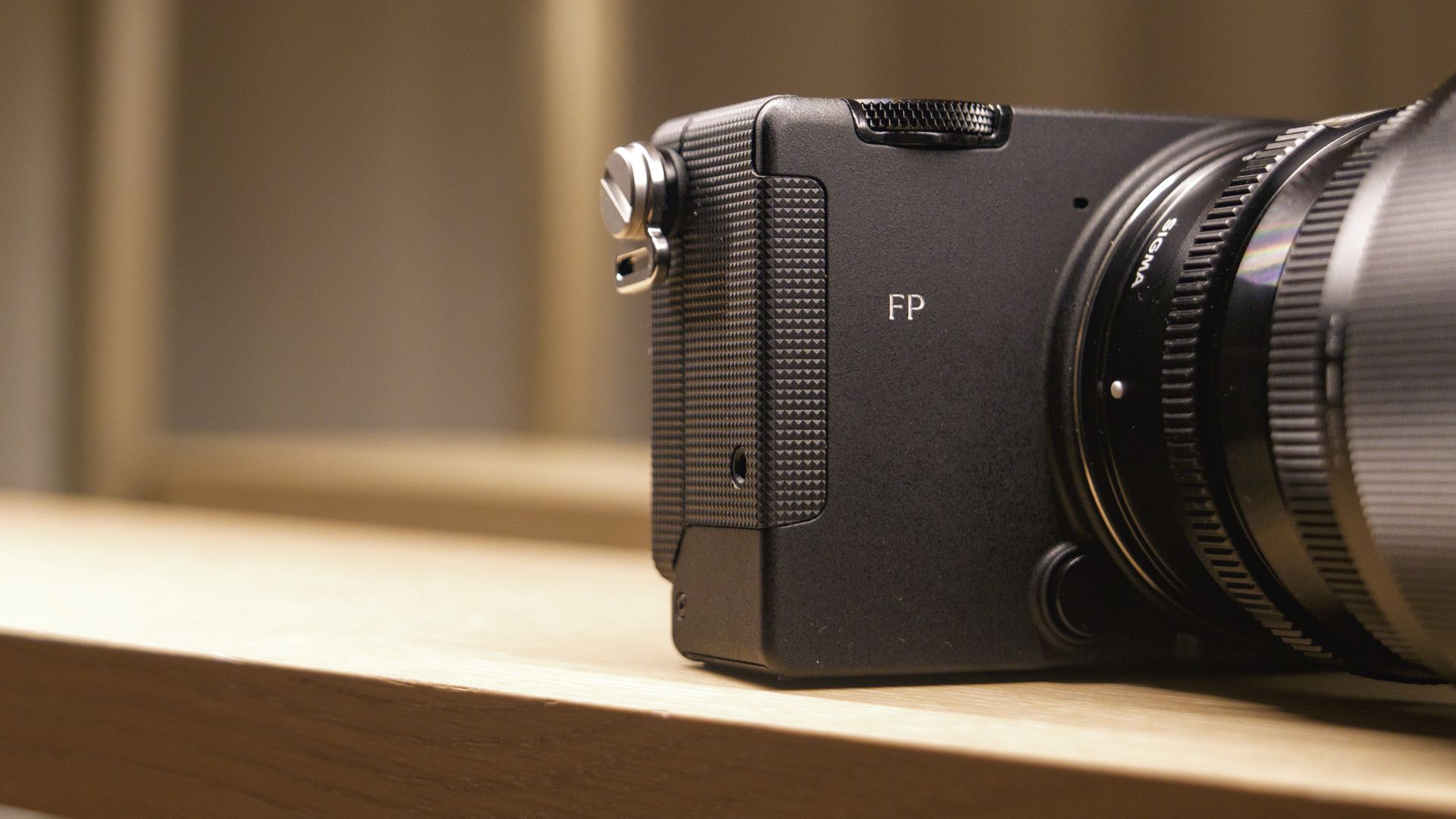
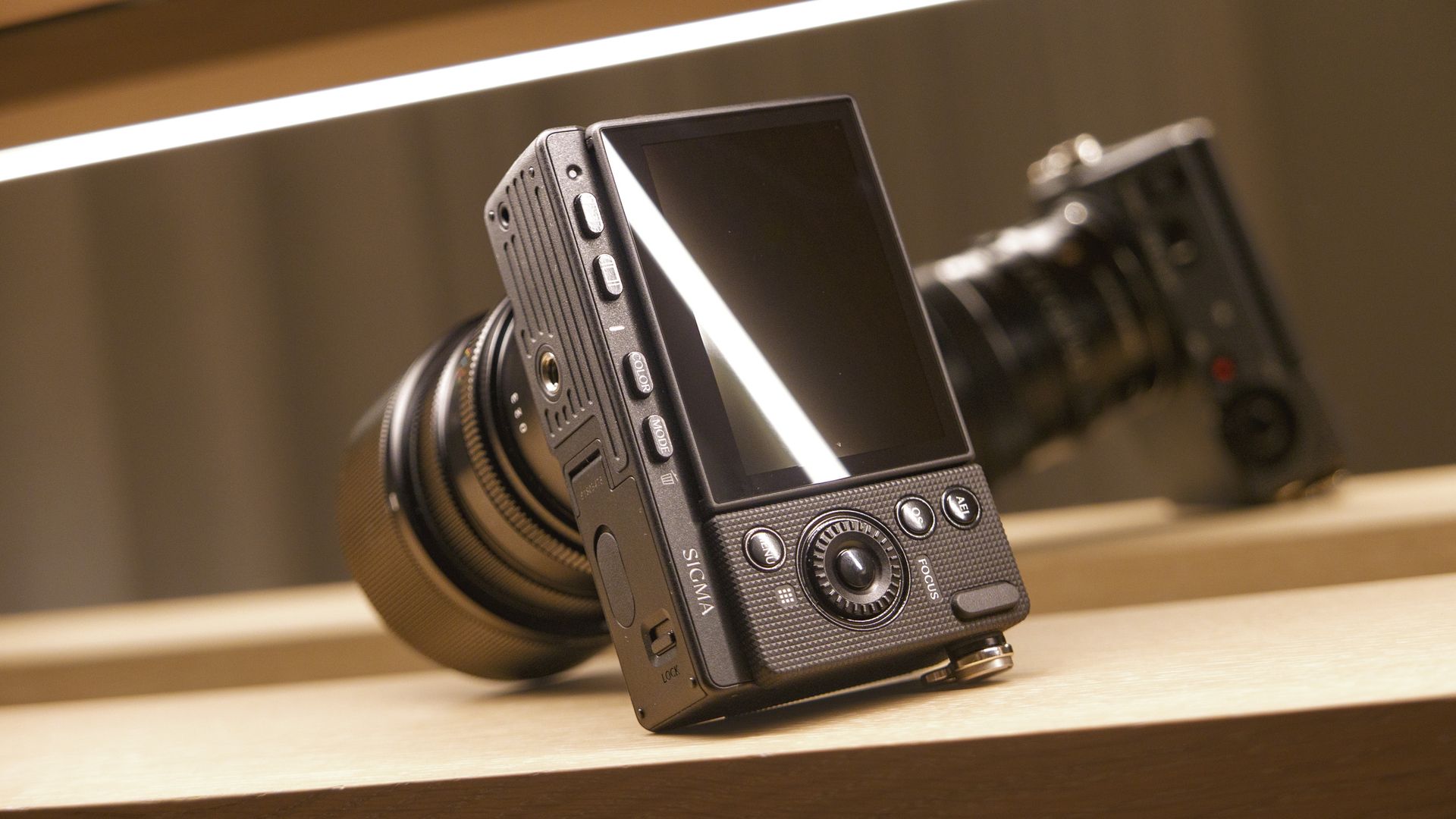
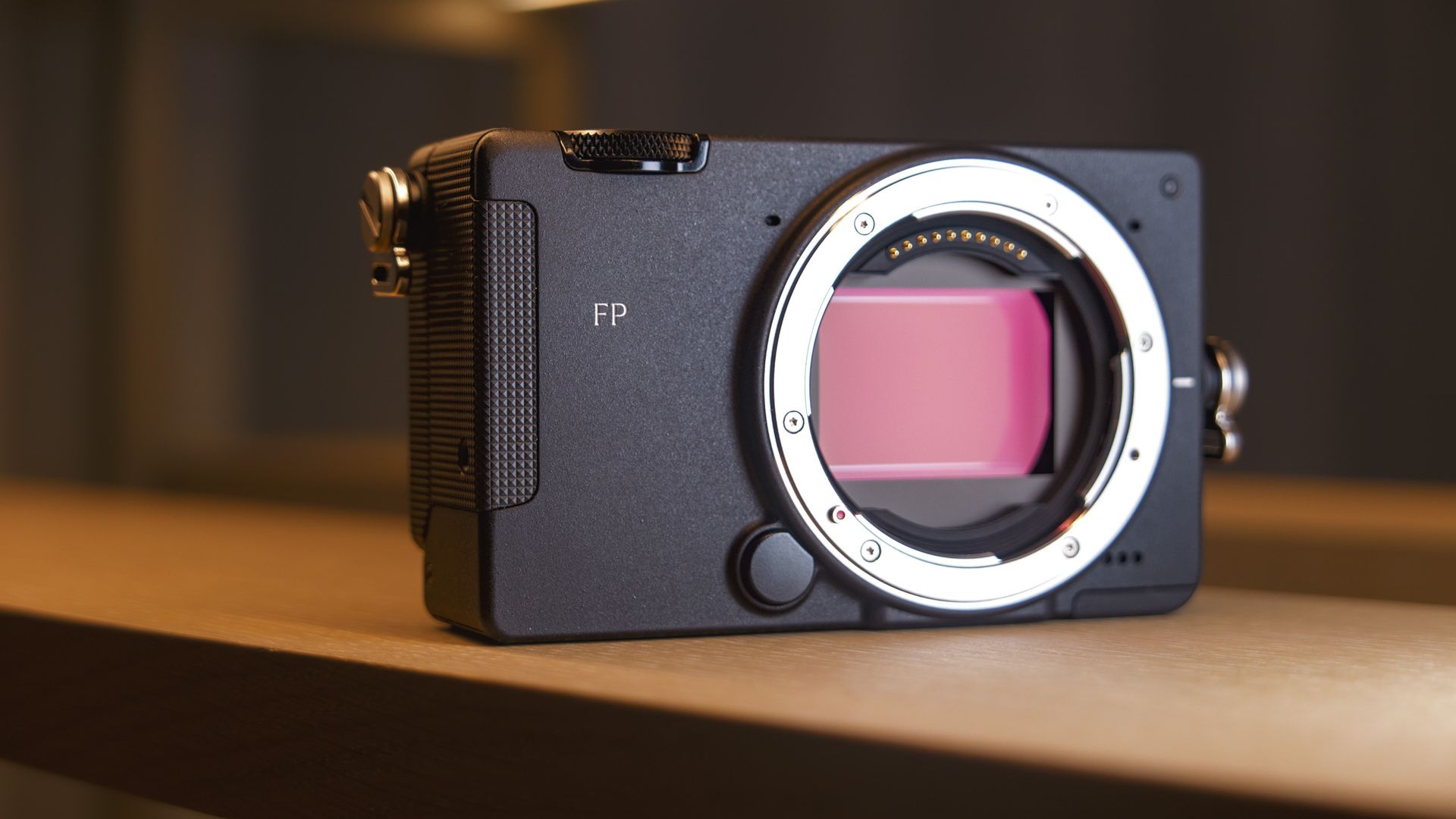
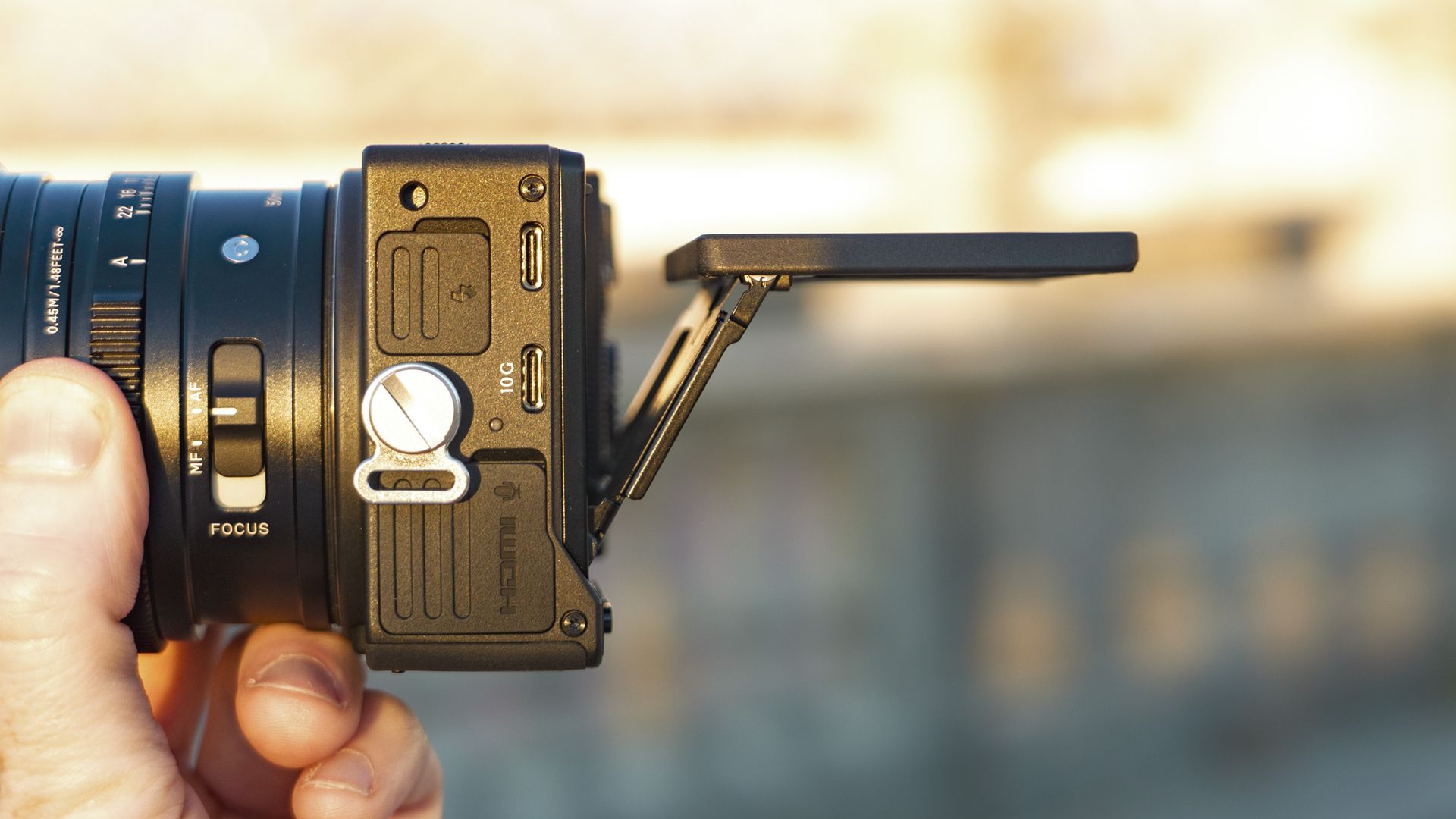
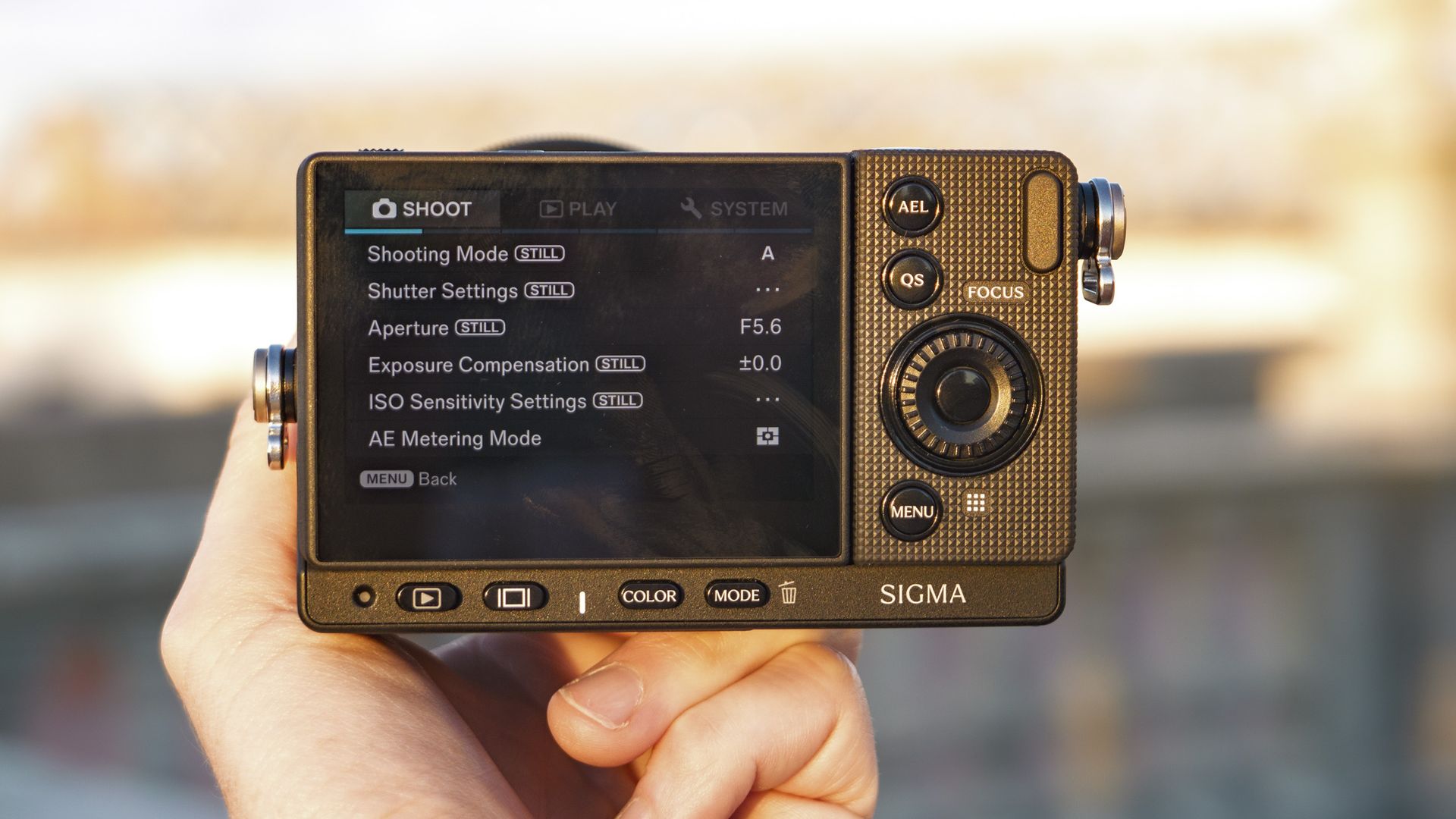
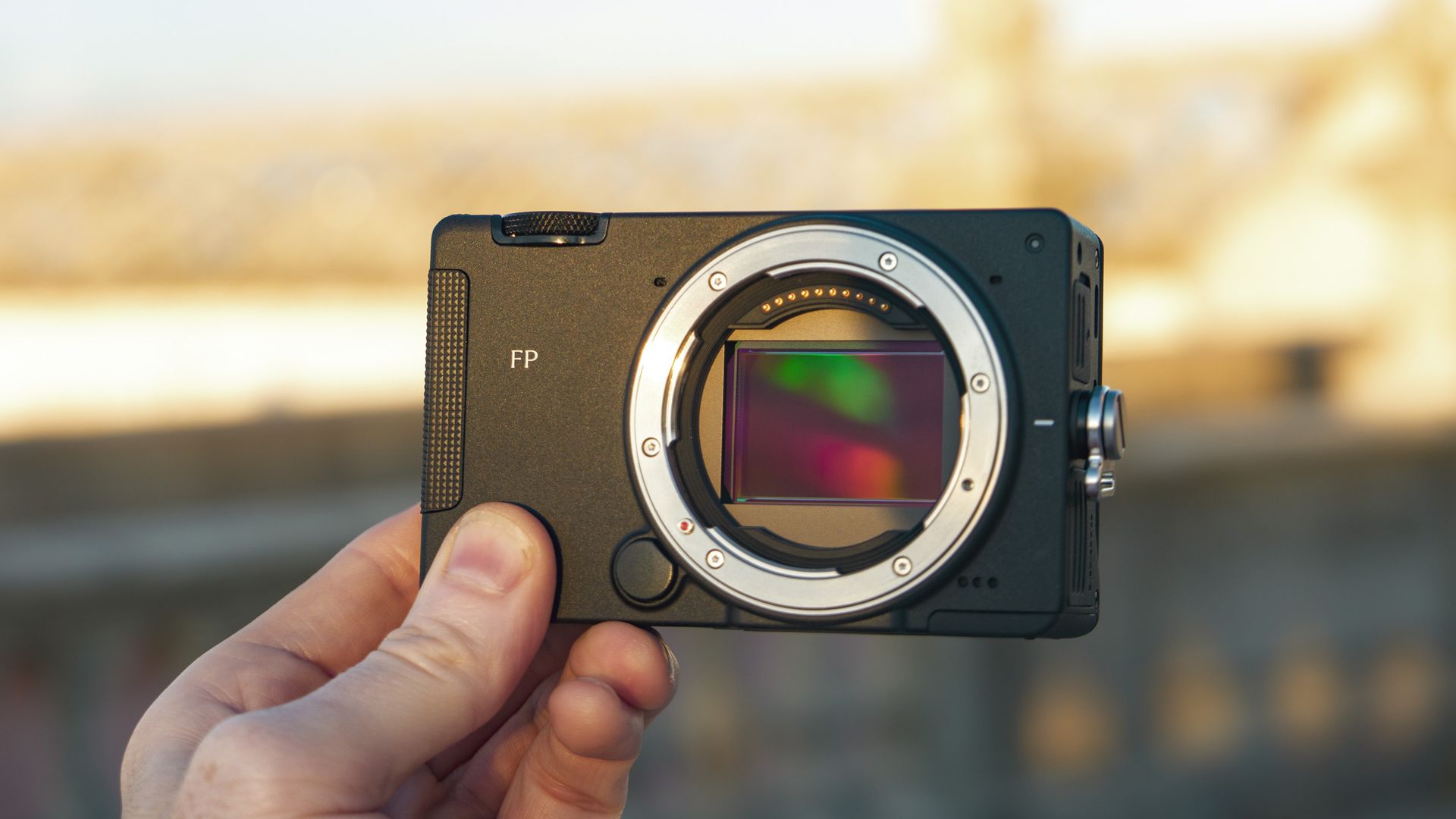
At $2,199 for the body alone, plus roughly $500 more if you want the optional electronic viewfinder, the Sigma fp II asks a lot for a camera with no mechanical shutter and no in-body stabilization. Sigma bills it as the world's smallest full frame camera, and if you carry a camera all day through crowded streets or up a mountainside, that size decides how often the camera leaves the bag at all.
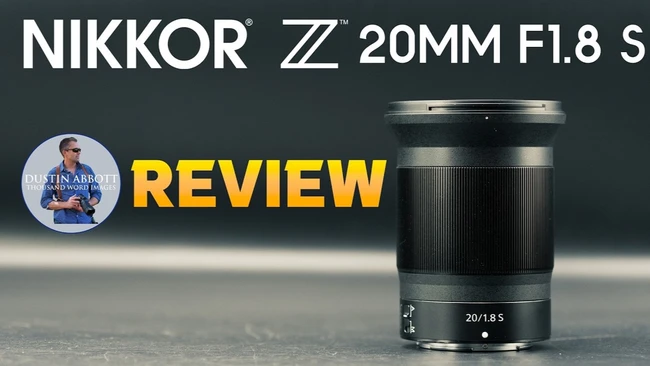
Nikon's NIKKOR Z 20mm f/1.8 S is the biggest, heaviest, and most expensive lens in a series that was supposed to be the lighter, more affordable side of the S-line. Six years after its release, it still has almost no native autofocus competition at 20mm and f/1.8 on Z mount, so how it performs today decides whether you get a bright ultra-wide prime at all without reaching for an adapter.
Viltrox's 28mm "Chip" showed that an autofocus lens barely thicker than a body cap could make a full frame camera feel close to pocketable, and now TTArtisan has a $99 lens that follows the same design almost line for line. With matching prices, nearly identical dimensions, and the same sliding front cover, the TTArtisan 24mm f/3.8 Mini AF has to earn its place through image quality and handling, since it can't stand out on looks.
There are many software packages out there designed to help you organise and edit your photographs, so how do you differentiate yourself from the herd? How about by using AI as much as possible? That’s the direction Skylum’s Luminar Neo has taken, and I’ve taken a look at the results.
Skylum Luminar Neo: Pricing & plans
A welcome one-off fee
Subscription options for regular updates
Keep all features you buy if you cancel
You can pick up Luminar Neo with a 7-day free trial by clicking here.
First the good news: it’s multi-platform, available for both Windows, Macs and mobile platforms (Android, iOS and Chrome). And here’s even better news: you’re not expected to rent this software; it’s a one-time purchase.
The desktop-only version (for either platform) will set you back just under €100. Choosing the ‘All Platforms’ options for around €130 gives you cross device editing, be it on desktop or mobile machines. That tier also allows you to upload your chosen shots to a web gallery.
Finally, the top level will allow you to edit your shots online (that feature isn’t yet ready for prime time), and incudes one year of ‘Luminar Prime’, for €160.
It’s worth focusing on that subscription for a little bit to explain something important: this is a true subscription. It’s like when you subscribe to a magazine: cancel your subscription, and you still have those issues that dropped through your letterbox. Here, subscribing to Luminar Prime unlocks new features over time, and these unlocked features remain yours once your cancel. This is a very important distinction. Once the first year is done, it will cost you around €5 a month or €60 a year to keep using it.
Between you and me, that’s what all subscriptions should be about. Anything else is just rentals.
Be aware that these prices fluctuate a lot and there might be better deals available when you check their website.
Skylum Luminar Neo: Interface
(Image credit: Future)
Clear menus remove the guesswork when editing
Easy to choose the right tool when you need it
The installation process offers you the option of adding a Luminar plugin to either Photoshop, Lightroom, or both, which would offer you all the tools inside a more familiar interface. I though it was important to mention, even though I won’t be looking into this option in this review.
Reviewing so many similar apps as I have, you end up recognising the interface instantly as most are incredibly similar. Sure the sidebar may be on the left instead of the right, but the tools and especially the icons used to activate them are immediately recognisable.
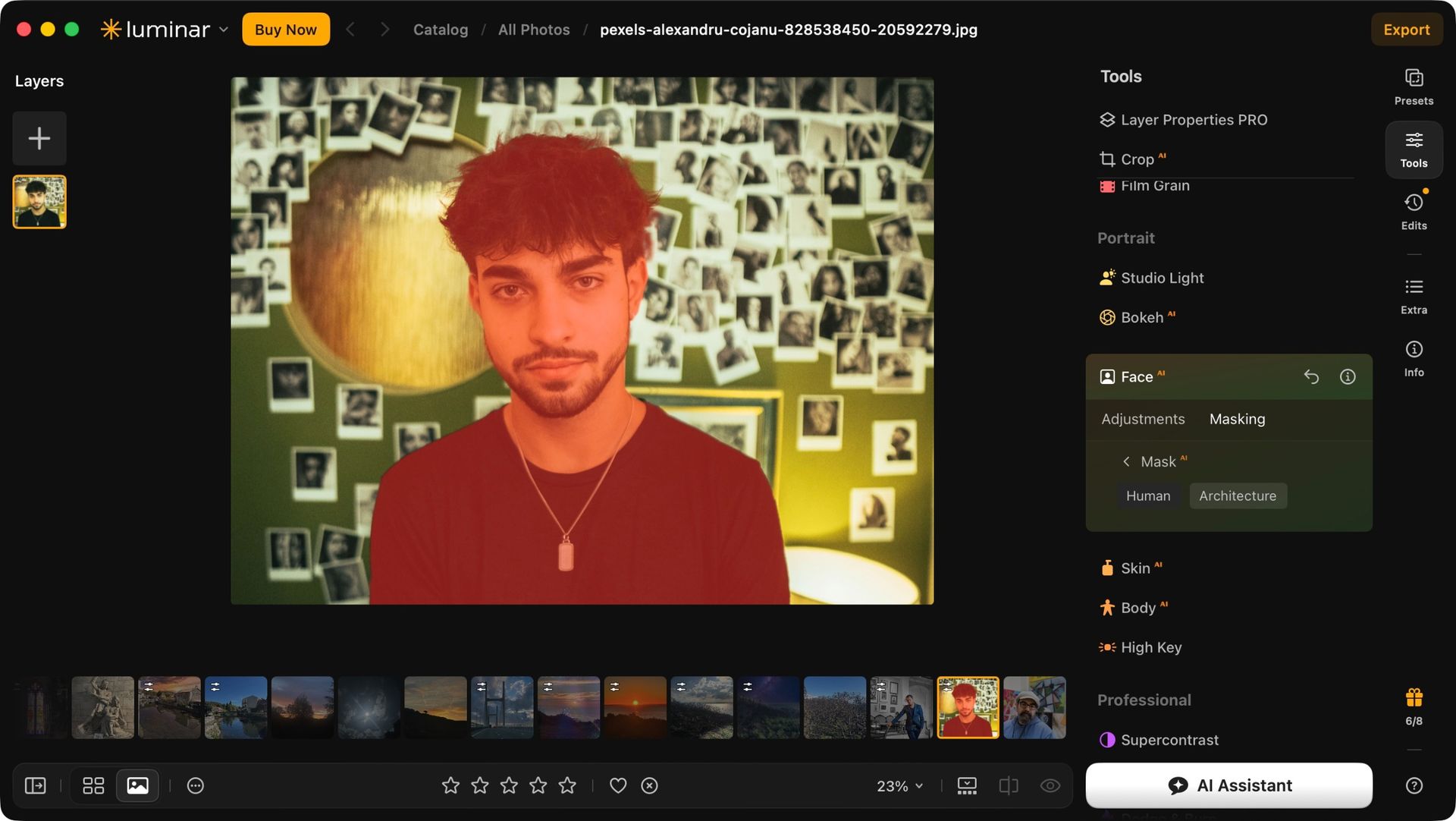
Not so with Luminar Neo, and that’s actually a very good thing. Rather than handing you a bunch of icons for you to use on your photos, the tools are divided into categories. And forget about icons: each section is clearly labelled. Take ‘Essentials’ for instance. That’s where your usual color correction is located, in such submenus as ‘Develop’, ’Enhance’, ‘color’ and ‘Detail’.
Working on a Landscape? Then you need to explore the ‘Landscape’ category, where you’ll find such tools as ‘Sky’, ‘Atmosphere’ and ‘Water Enhancer’. Taken a photo of a person? ‘Portrait’ is where you need to go. ‘Professional’ is where some more advanced options are stored, and ‘Creative’ allows you to let loose and have a little more fun with your image manipulation. Clear, simple, and effective.
Skylum Luminar Neo: Tools
(Image credit: Future)
Tools work extremely well
Simple to make even complex changes to your photos
A good, intuitive, and easy to use interface is one thing, but if the tools aren’t up to scratch, it’s just a fancy wrapper full of useless features.
Thankfully, Luminar Neo is far from that.
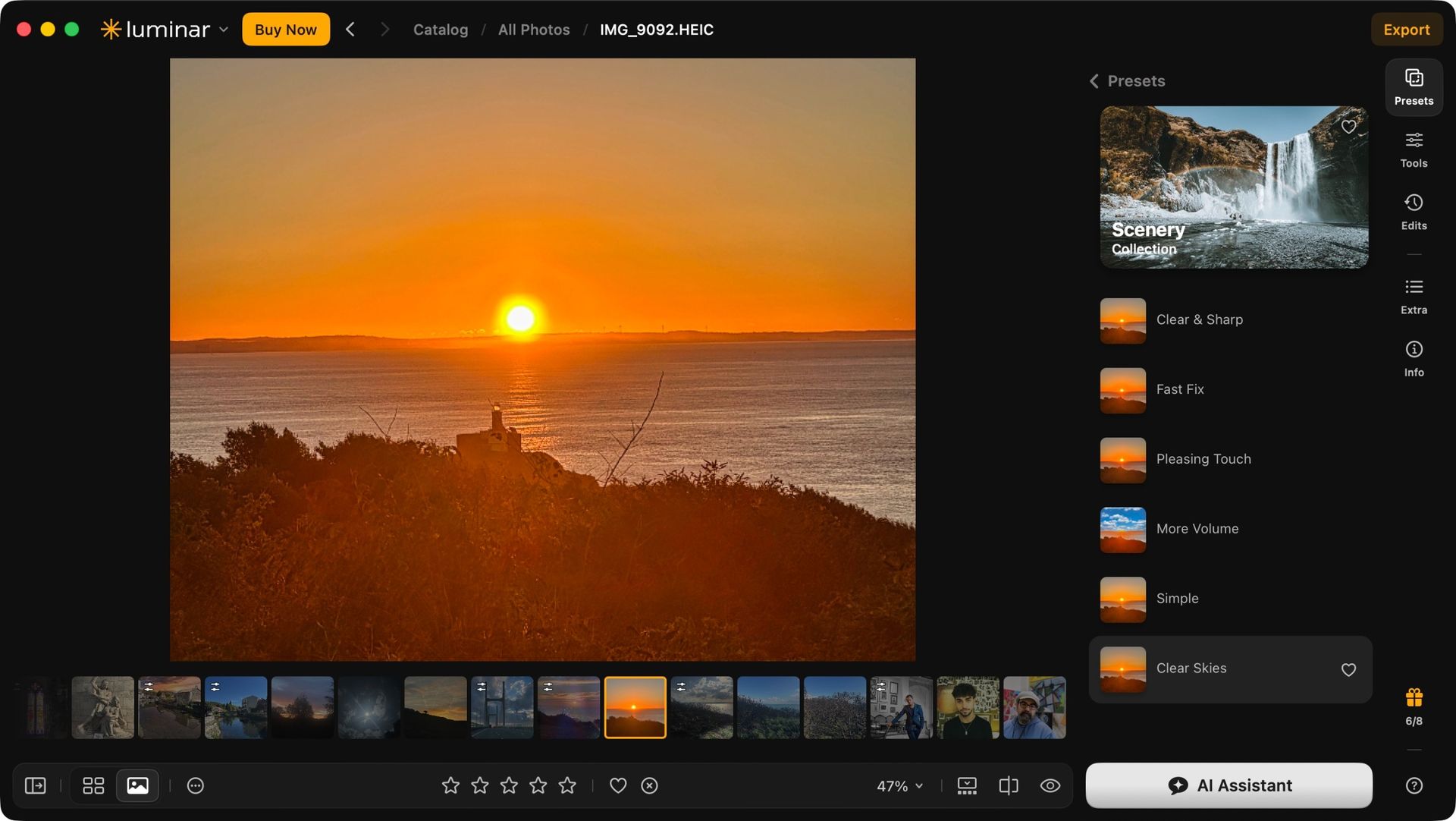
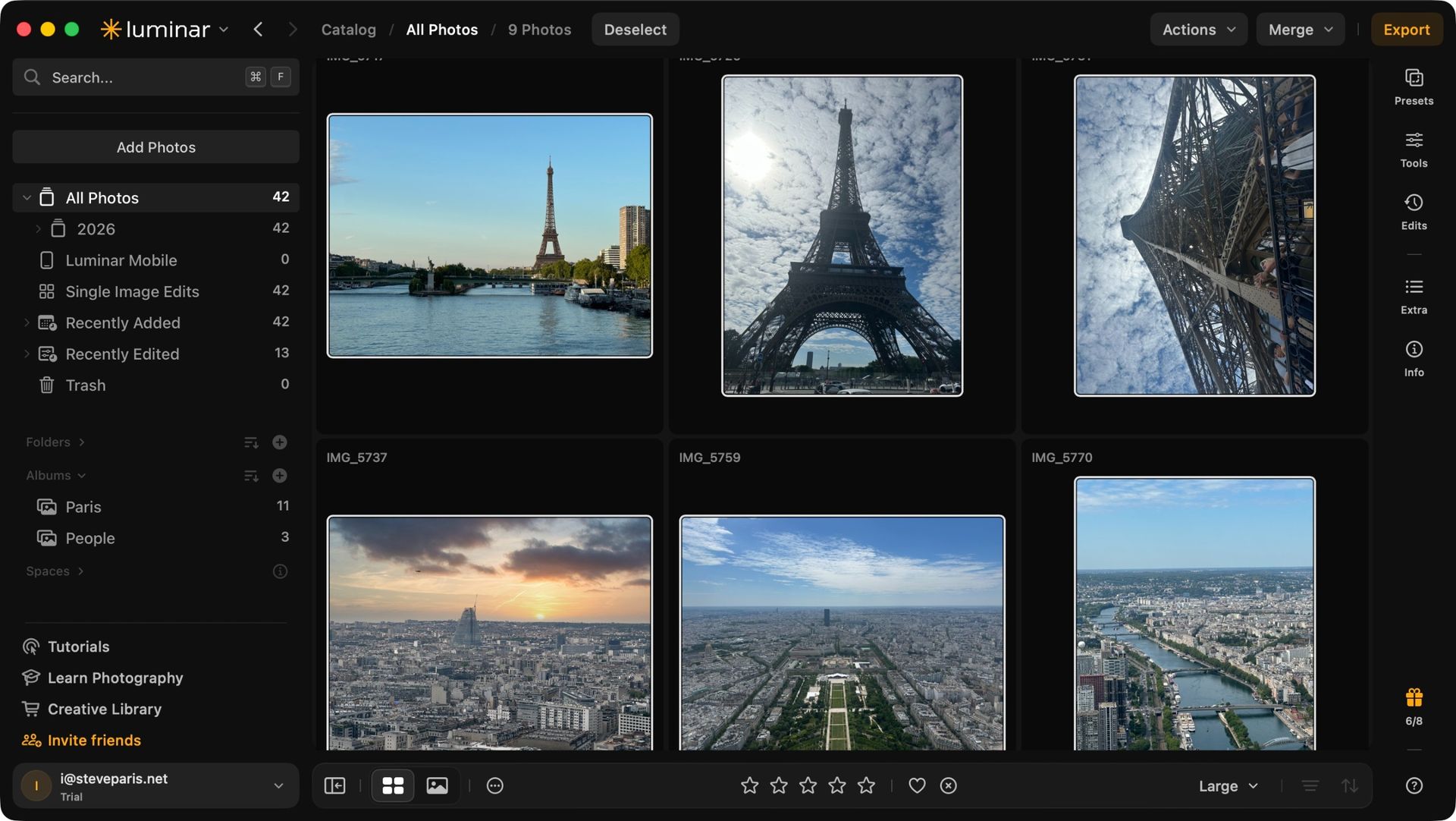
Let’s start with Presets. Luminar Neo comes with a bunch of them, many of which are free. Those that aren’t can be identified with a small shopping trolley icon top right of their thumbnail. As always when it comes to presets, their results will vary but what I appreciated was the fact the software analyses your image and presents you with categories that should match what you’re working on.
For instance I brought up a photo of a sunrise, and was offered ‘sunsets’, ‘scenery’, and ‘easy landscapes’ menus for me to explore. Easy, simple, and of course you’re by no means forced to go down that selected road, but it’s nice when an app feels like it’s working with you.
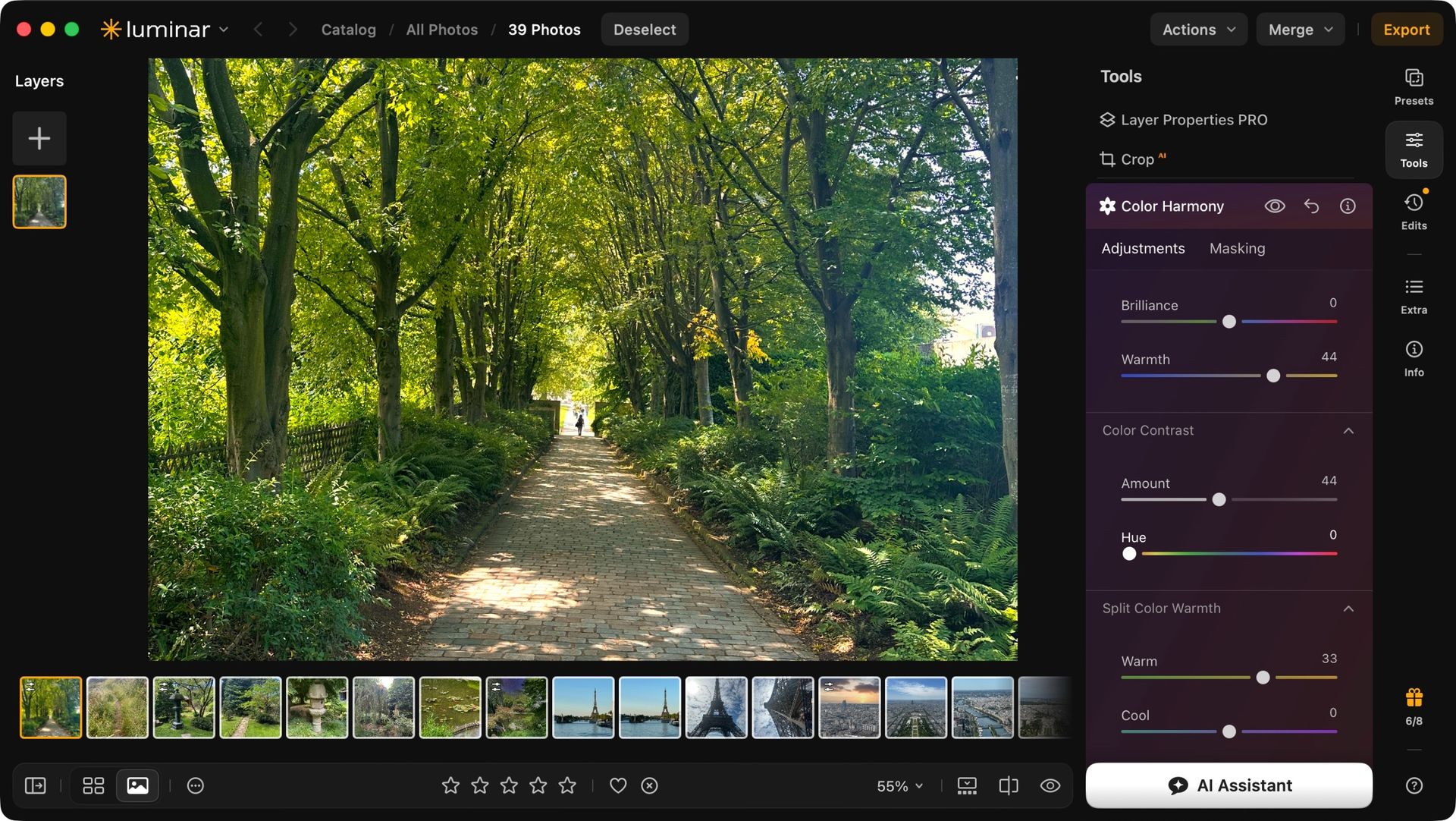
How you work on an image is done with the help of sliders, which makes the process very simple to do and undo. If you’re more of a ‘type the value into a field’ kind of person, you’re free to do that too. You’re also able to work with multiple layers, letting you perform more complex effects on a photo with ease.
You can achieve very good results on your own that way, especially if you know what you’re doing. This is very similar to practically every other image manipulator out there. But what about all that AI I mentioned at the start? That’s where it gets more interesting.
Skylum Luminar Neo: AI
(Image credit: Future)
Many AI-based tools to speed up workflows
Doesn't feel like it's taking over the creative process
This is not generative AI. There are no text prompts or anything like that. This kind of AI is a collection of complex algorithms designed to facilitate a particular task. Think of them as a powered screwdriver as opposed to a manual one. If that’s still not your thing, you can recognise them in the sidebar as those tools are all labelled with a small orange ‘AI’ next to their name.
But I wouldn’t dismiss them out of hand so quickly myself. Let’s take a look at a few examples, starting with ‘Sky’.
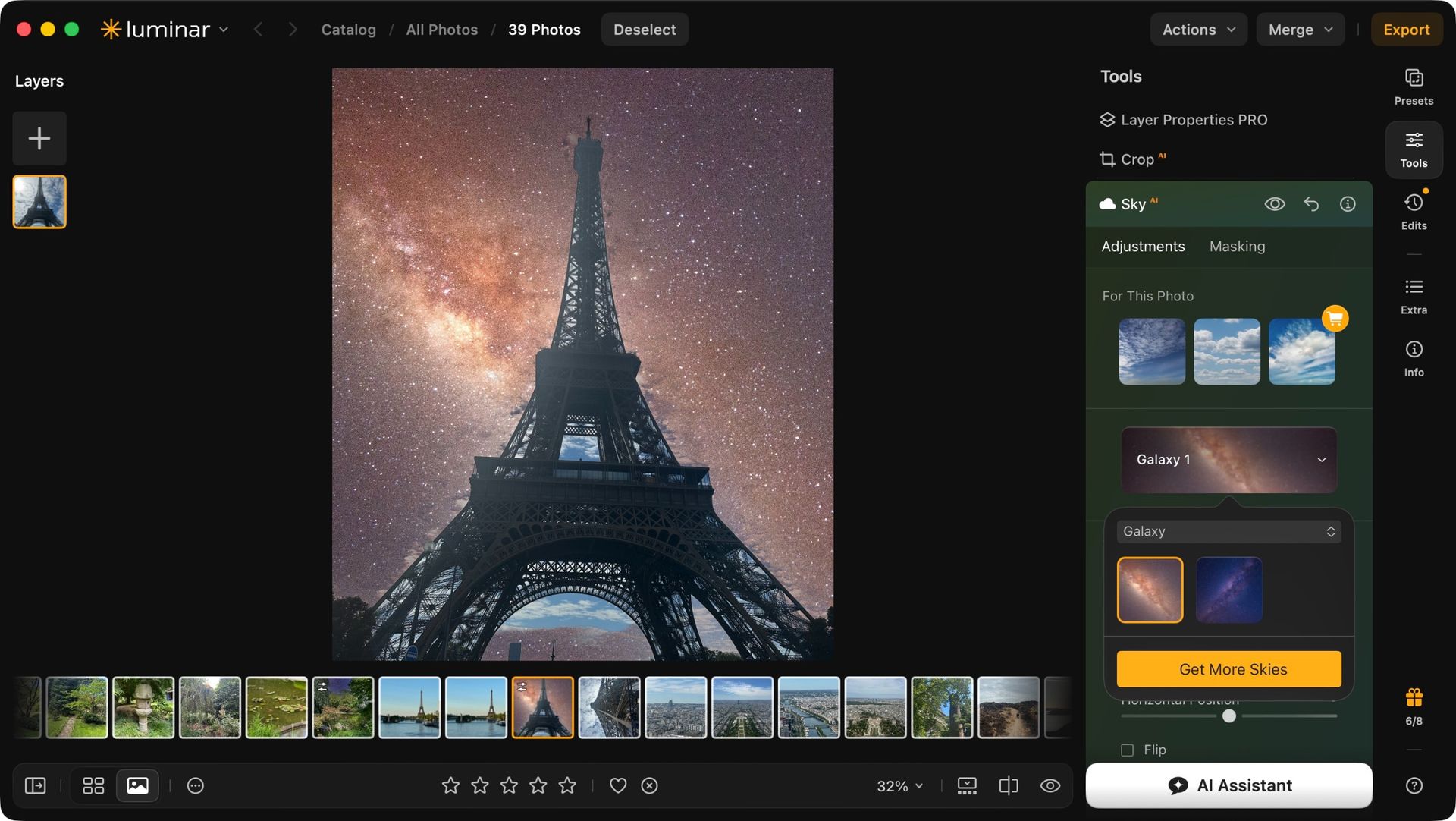
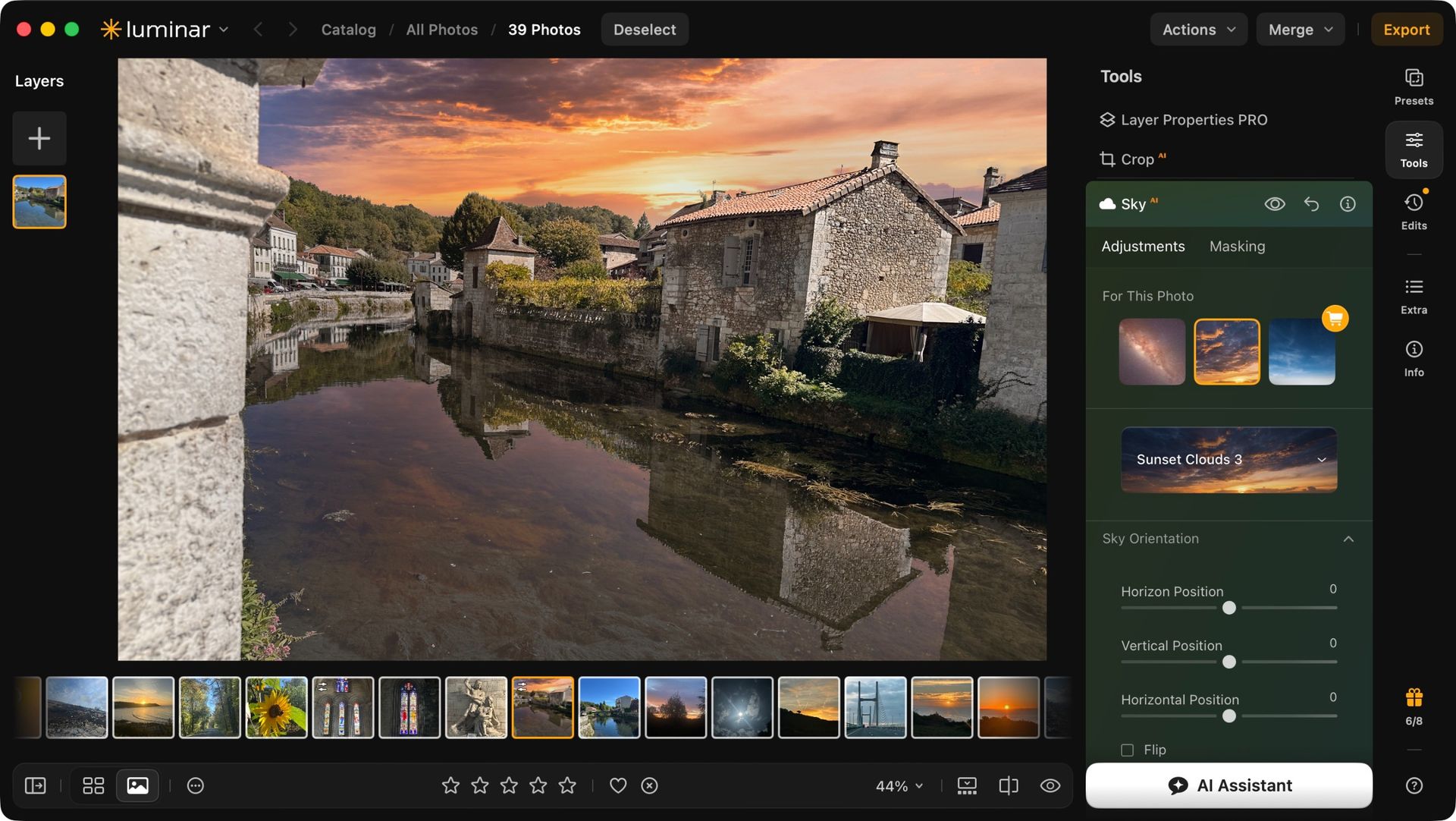
This is the big tentpole feature you might have seen in adverts as it offers the most striking alteration: Luminar Neo can analyse your image, identify the sky and replace it with another. You have 35 to choose from, with the option of acquiring others.
Replacing the sky can be seen as a simple process: just mask what’s blue, cut it out, and add a new sky behind it on a separate layer. But ‘Sky’ goes further, noticing where the sky is reflected somewhere in the image and applying the change there as well, even going as far as altering the colors of the rest of the photo so it blends in with its new sky.
The result can be fantastic. I have a photo of the Eiffel Tower I use to test such features out, as the complex metallic mesh can be a challenge to mask, and Luminar Neo passed with flying colors.
It’s not always perfect of course, but most of the time the results were impressive, and achieved in seconds whereas it would’ve taken me ages to do the same manually.
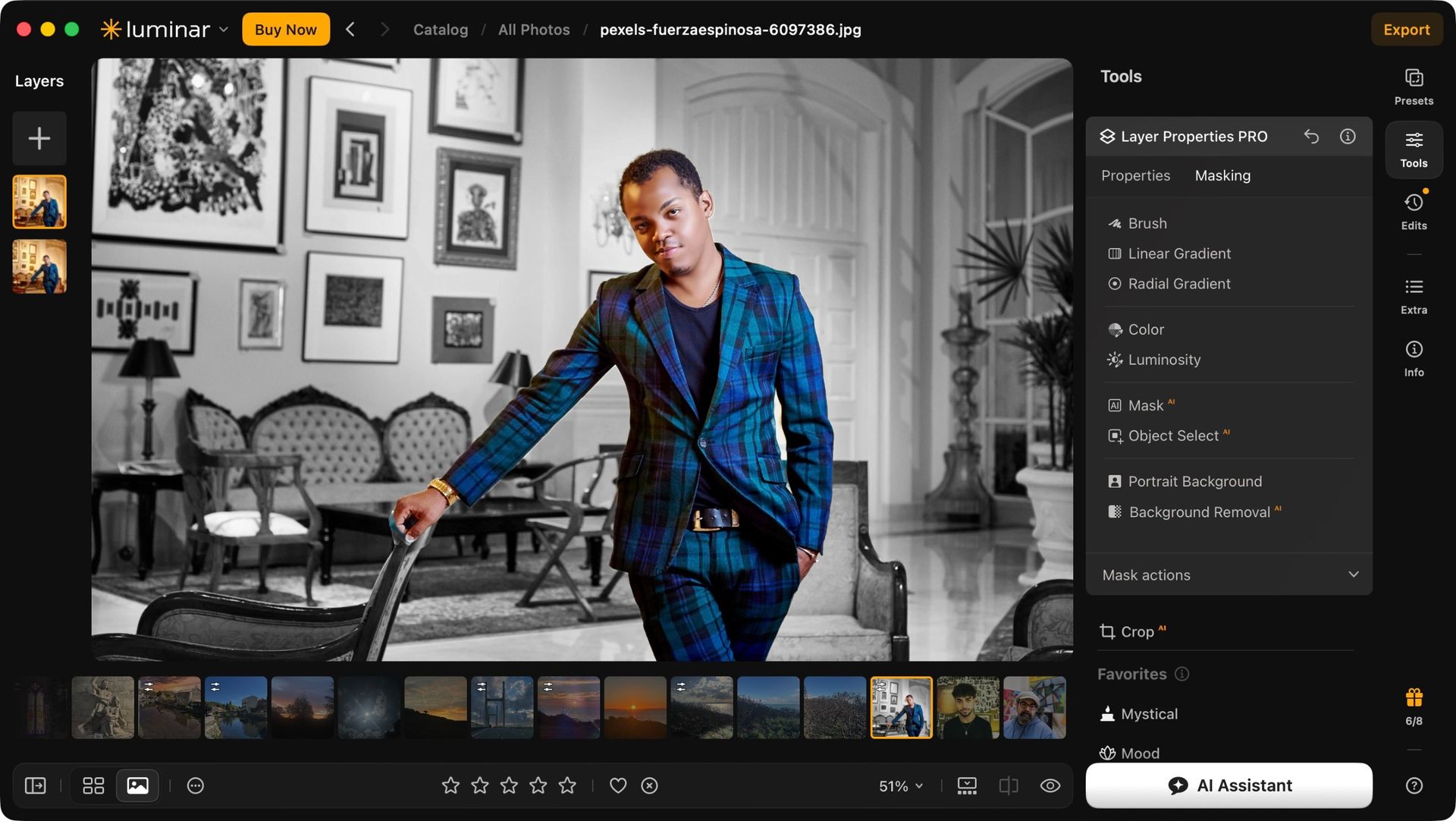
Speaking of masks, Luminar Neo doesn’t have a dedicated tool in its list, but that’s because it’s embedded into pretty much all the others: select a tool, and switch to its ‘Masking’ tab to affect the image solely on a section of your choice. AI does the selection based on your input. For instance I told it to select the human in a photo, and after a few seconds, the mask was perfectly done with no further input needed from me.
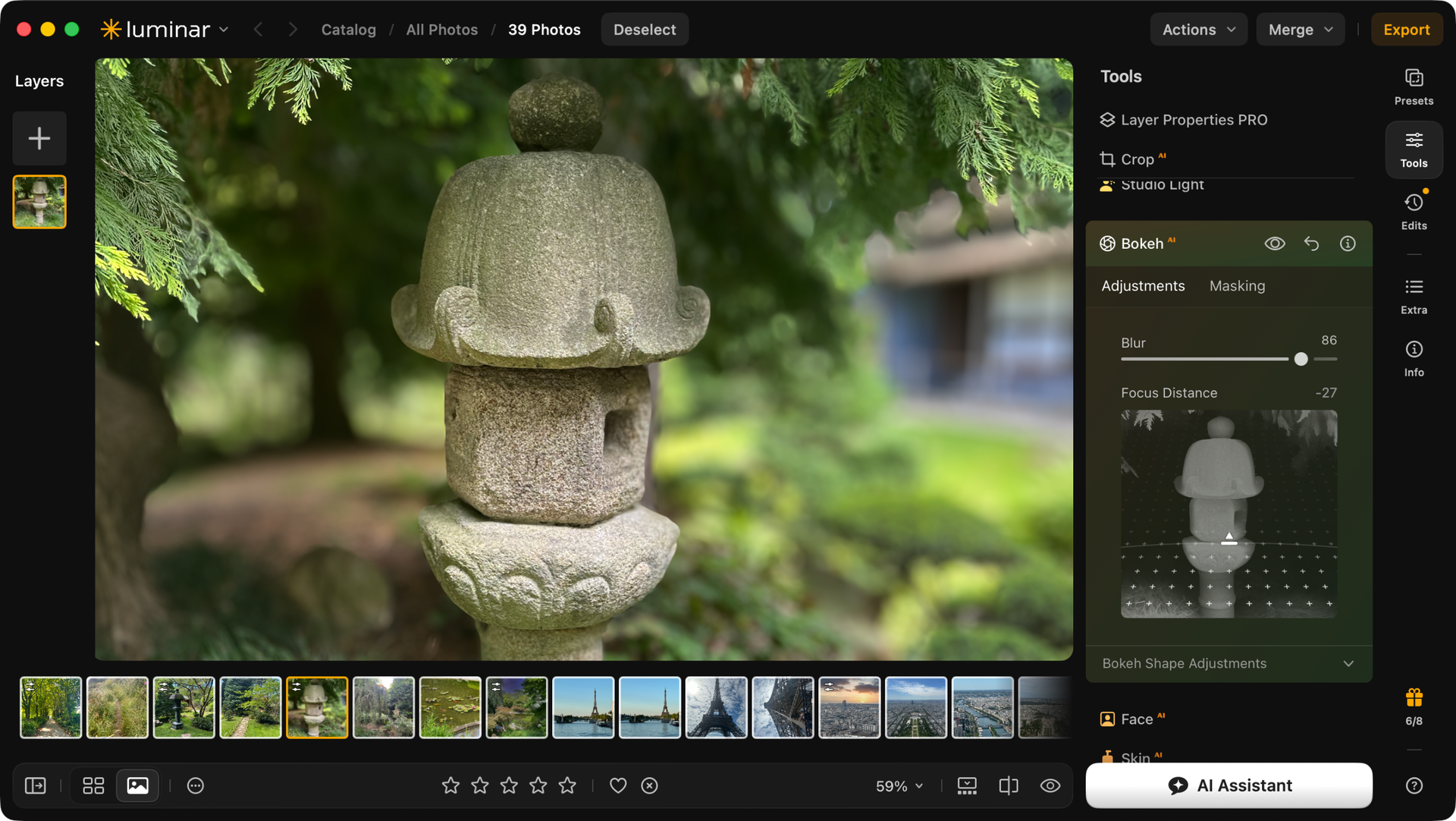
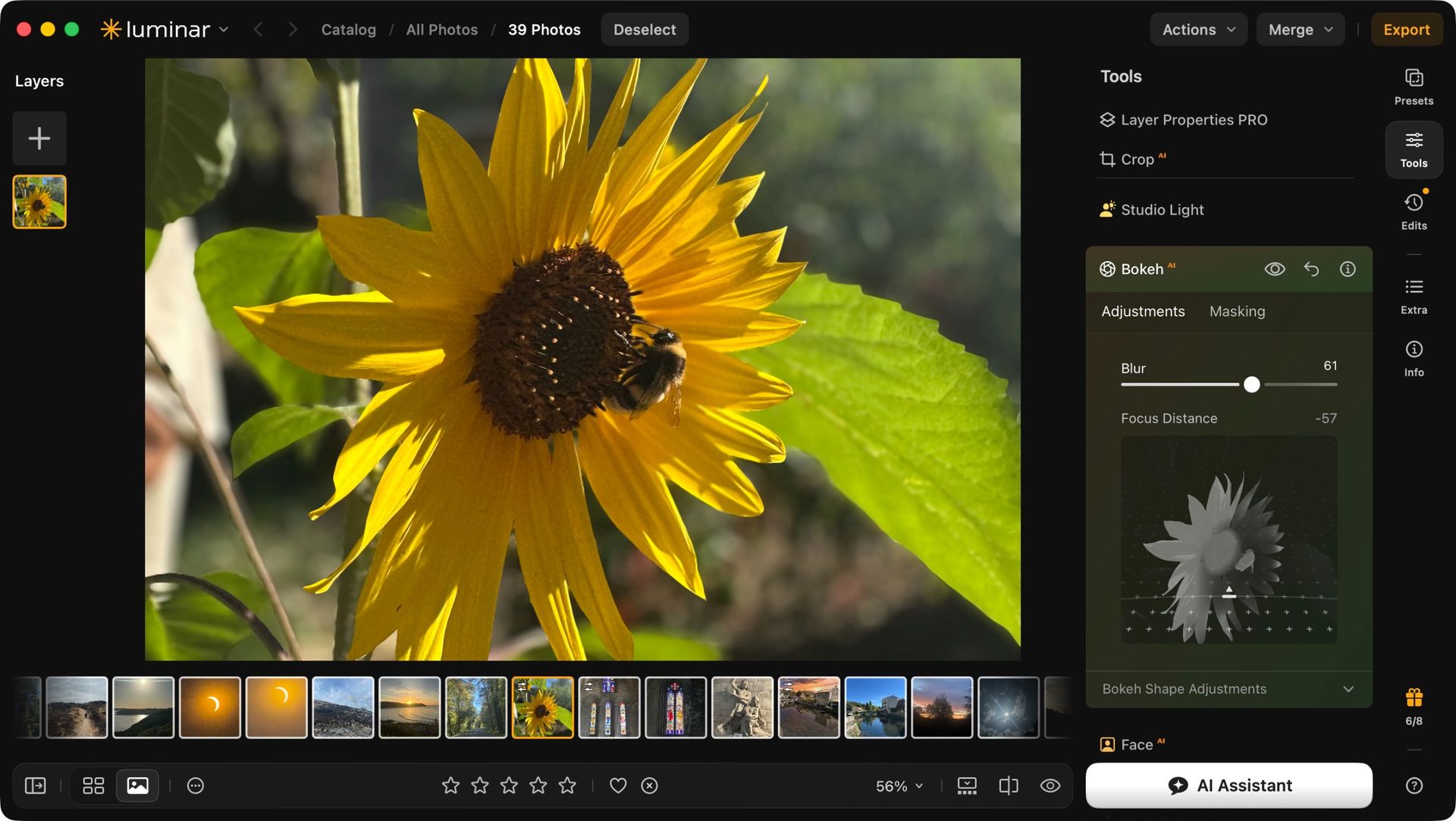
The Bokeh AI tool is also excellent, giving you control over where the effect should be thanks to an easy to understand interface where you drag a slider up or down to limit the extent of the effect.
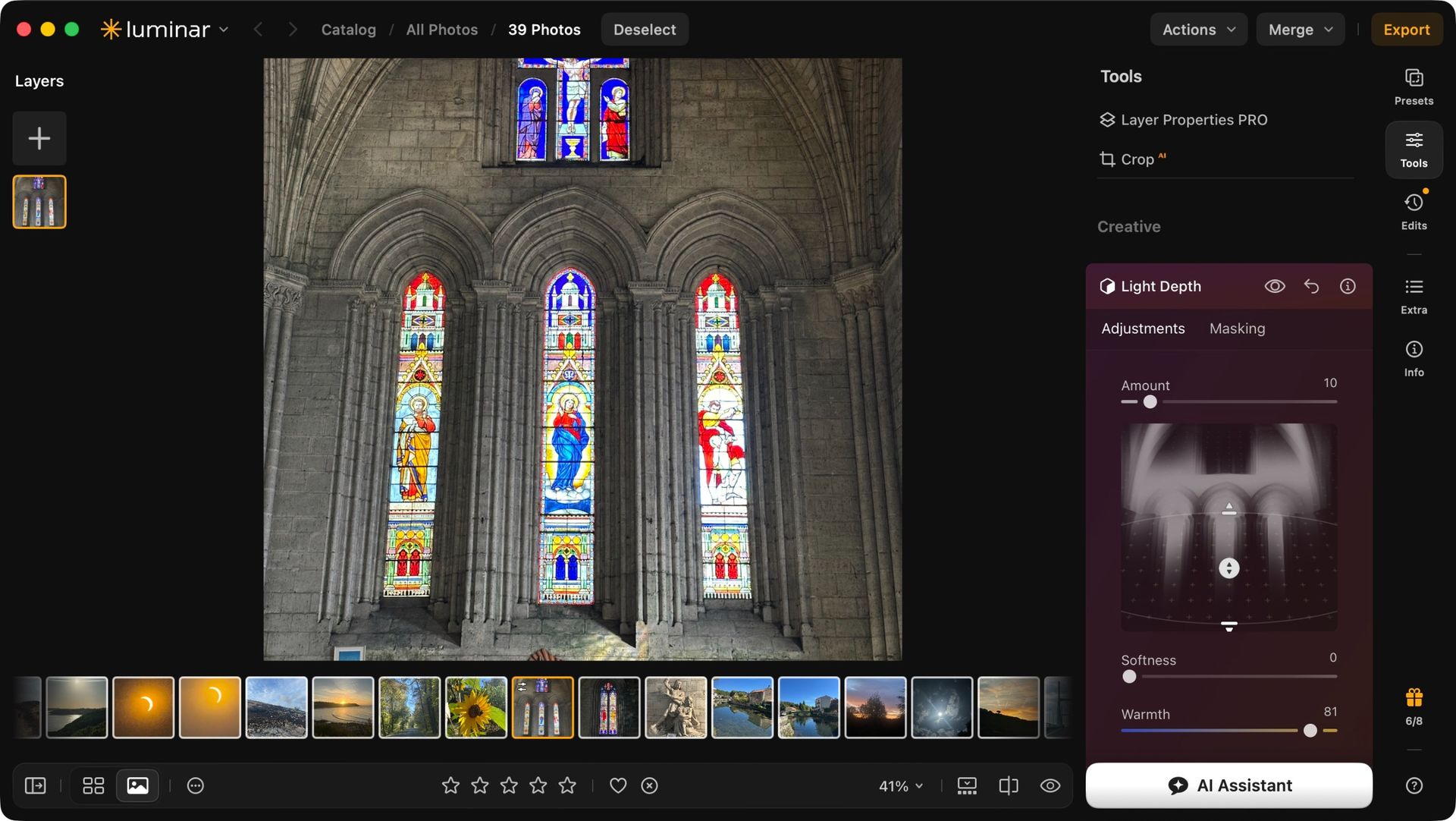
Perhaps the tool I was most impressed by was the Light Depth Tool. Somehow, it does its best to recreate the 3D environment the photo was taken from, allowing you to alter the light in various ways, even placing it in between objects. It’s most impressive.
Skylum Luminar Neo: Extras
(Image credit: Future)
Good selection of additional fine-tuning tools
Pales in comparison to Lightroom for organizing photos
And that’s not all: there’s an ‘Extras’ section where you’ll find tools to help you restore old photographs, increase the resolution of an image, stitch shots together to create a panorama, and more.
Luminar Neo offers you a wealth of features to help you fine tune your images to perfection.
If there’s one thing I’m not that impressed by though, is its organisational feature. Sure you can find folders on your computer and add them to the left sidebar, or create albums and add photos to them, but to be honest, that kind of functionality has been available for years and has been surpassed by most of its competitors.
Put it this way: it’s no threat to Lightroom on that front and maybe that’s why you were given the option to insert Luminar's tools into Lightroom upon install: this software knows its limitations.
Should I buy Luminar Neo?
(Image credit: Future)
Buy it if...
You’re a professional looking for a powerful, well designed and versatile image manipulator which you can actually own rather than subscribe.
Don't buy it if...
You don’t like interfaces that are too different from what you’re used to, and would need software that can handle organising your photos beyond just adding basic folders and albums.
FutureFutureFutureFutureFuture
How I tested Skylum Luminar Neo
As always, when an app is compatible with multiple platforms, I choose the underdog (ie the Mac). I used a laptop running a high-end Apple Silicon chip for my testing, and my machine had no problem with the software.
I did notice that when using some AI tools, it can take a few seconds for the analysis to be done, and the computer’s thinking process was too subtle for me.
Yes there’s a small message beneath the image saying ‘Analysing’. But if you’re more focused on the sliders at the time, you could end up wondering why dragging them isn’t having any effect - until the AI work is done and your slider went to 100, blowing the image up. Thank goodness, like all modern image processing app, everything you do to a photo is non destructive.
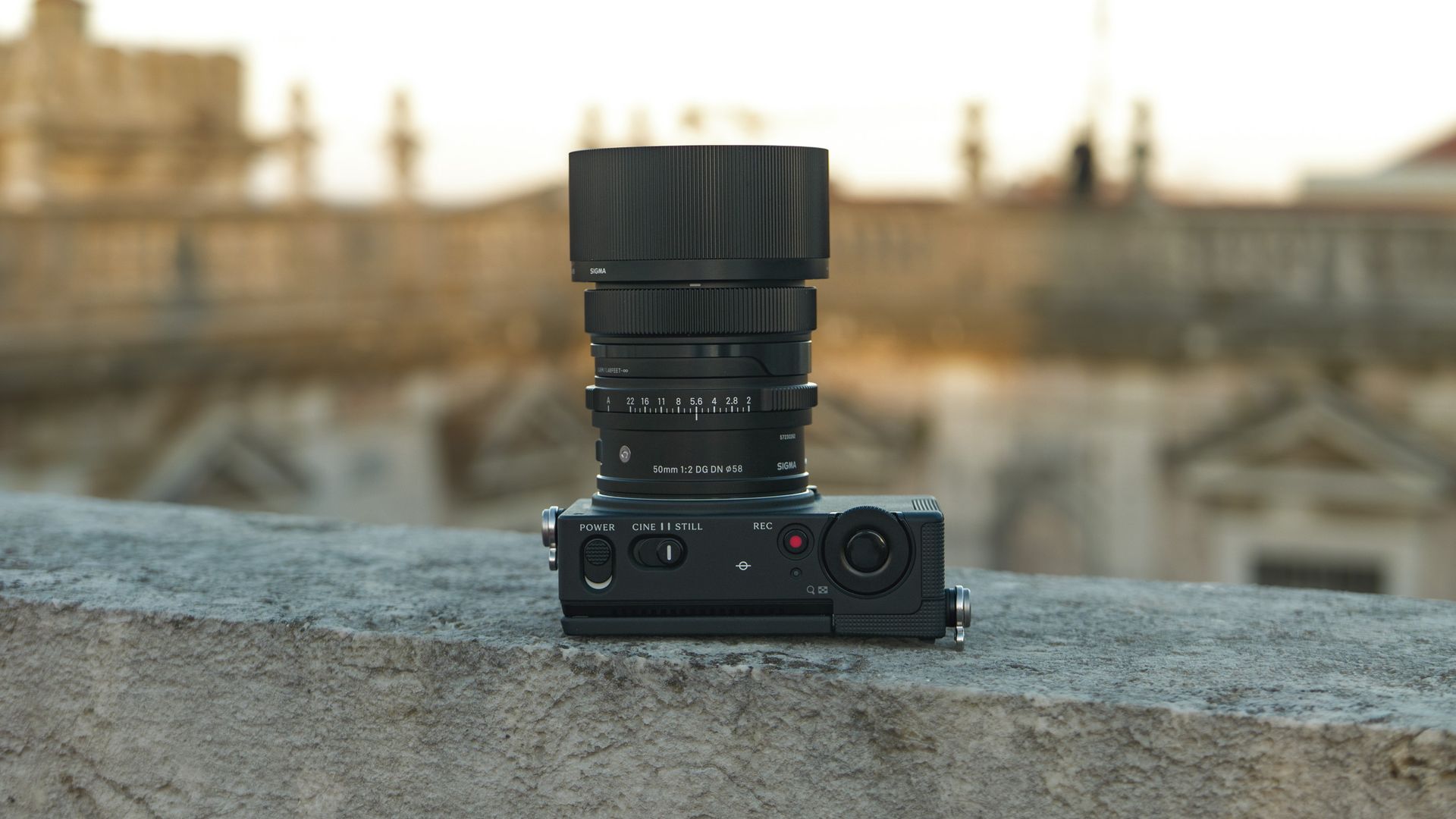
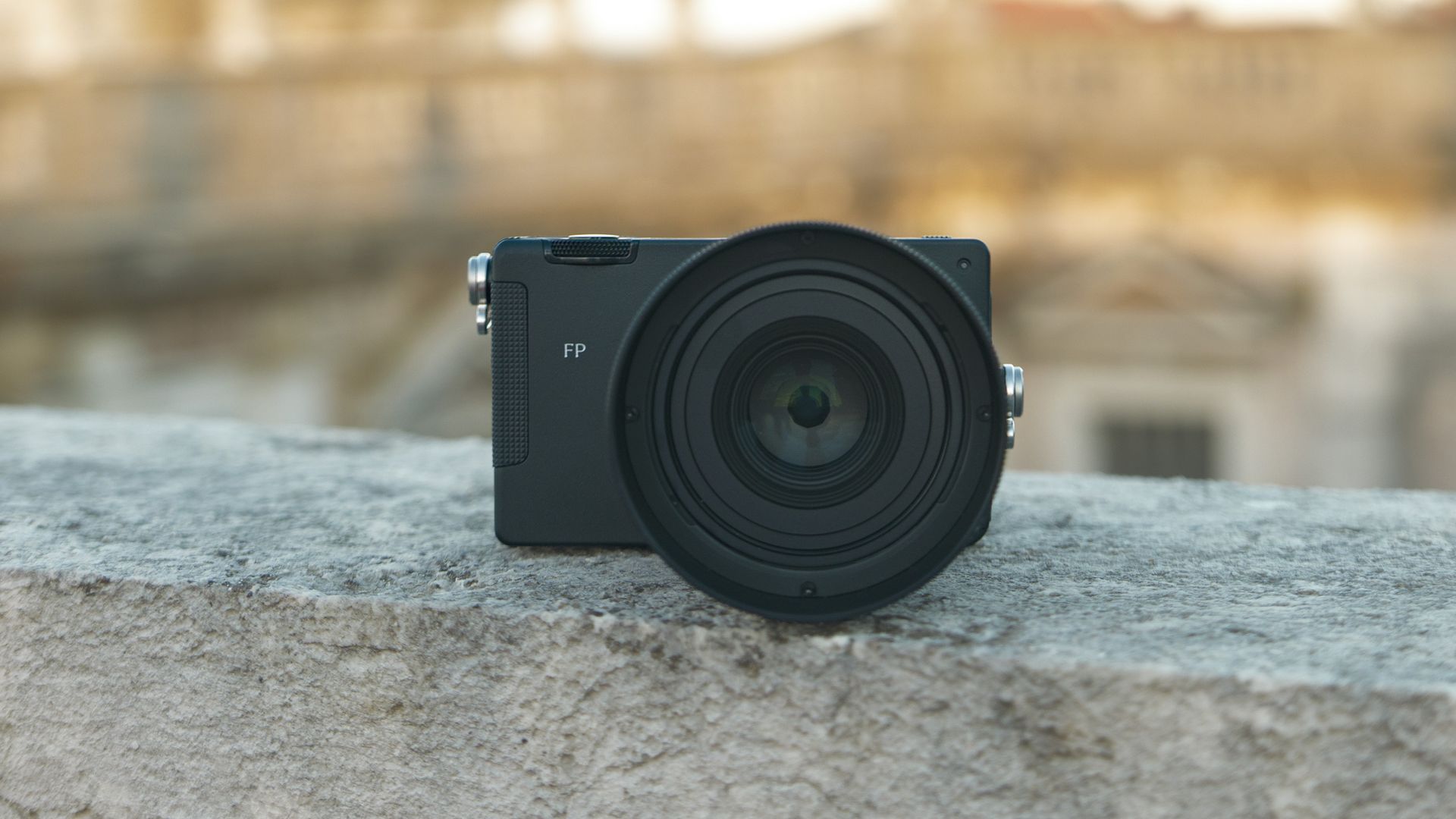
Sigma's FP2 is a successor to the world's smallest full-frame mirrorless camera, the FP, and it's even smaller, despite coming with a bunch of handy upgrades.
The FP2 packs a partially stacked 24.5MP full-frame sensor — one we've seen before in the Nikon ZR and Lumix S1 II. And like those cameras, it shoots 6K open gate video, only with Sigma's L-Log color profile, and RAW video through an external SSD.
It comes with 70GB built-in memory, plus a higher capacity battery — the same unit found in recent full-frame Lumix models like the S1 II and Lumix S9 — and it features a 3.15-inch tilt-touchscreen. All decent upgrades.
Autofocus performance has been improved too — the hybrid phase detection system can track more subjects, with what Sigma says is a 15% boost in speed and accuracy.
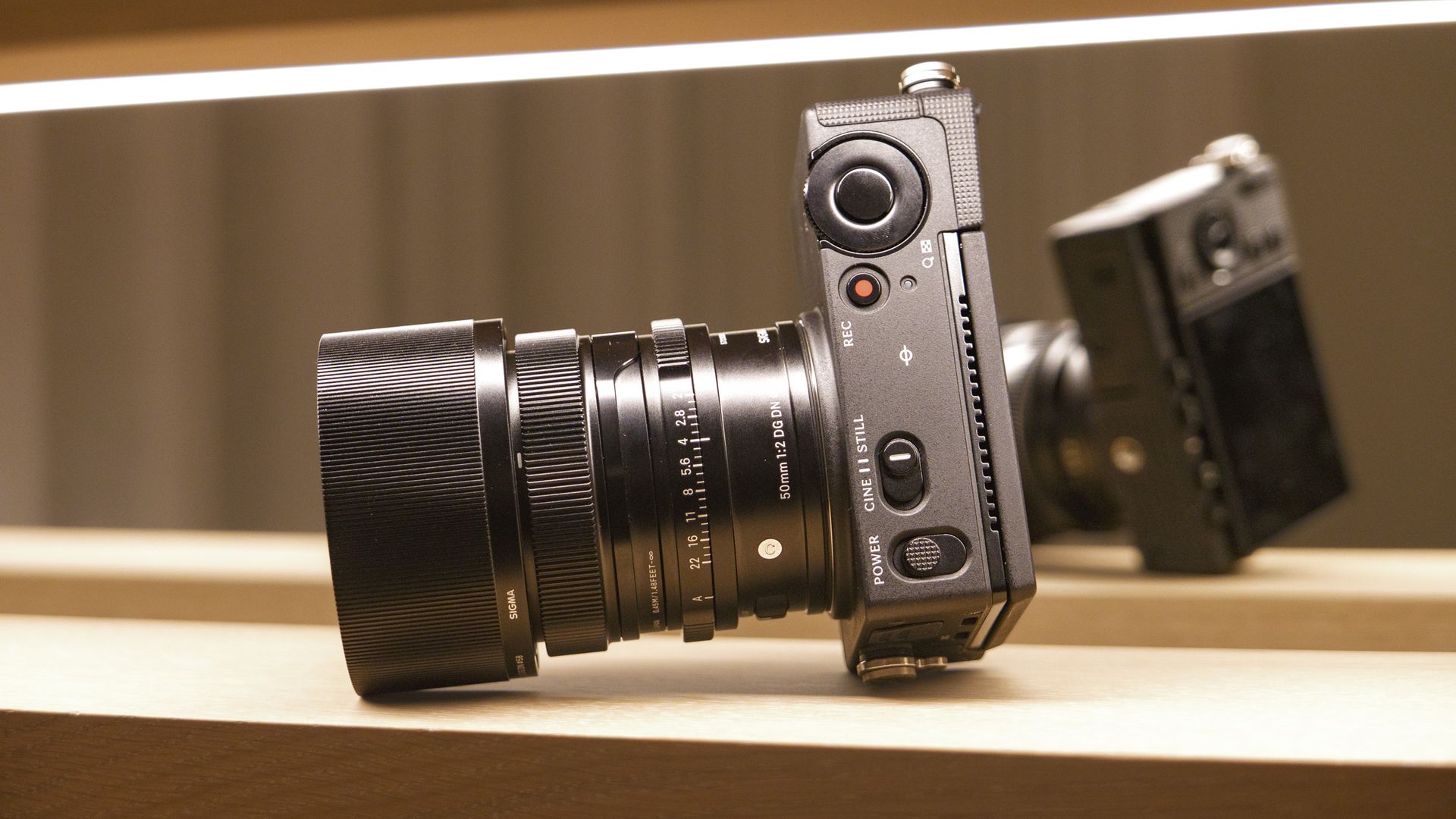
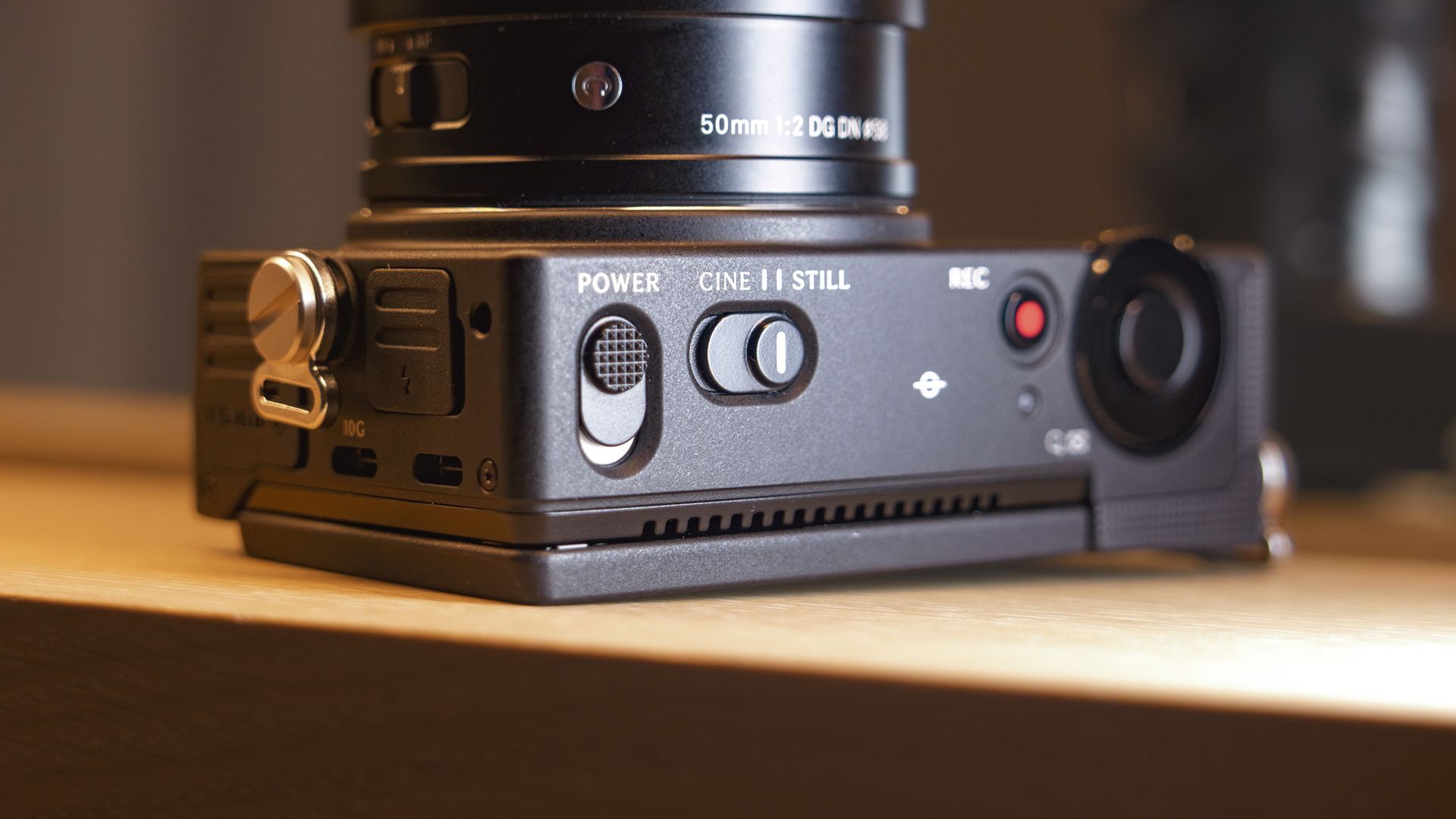
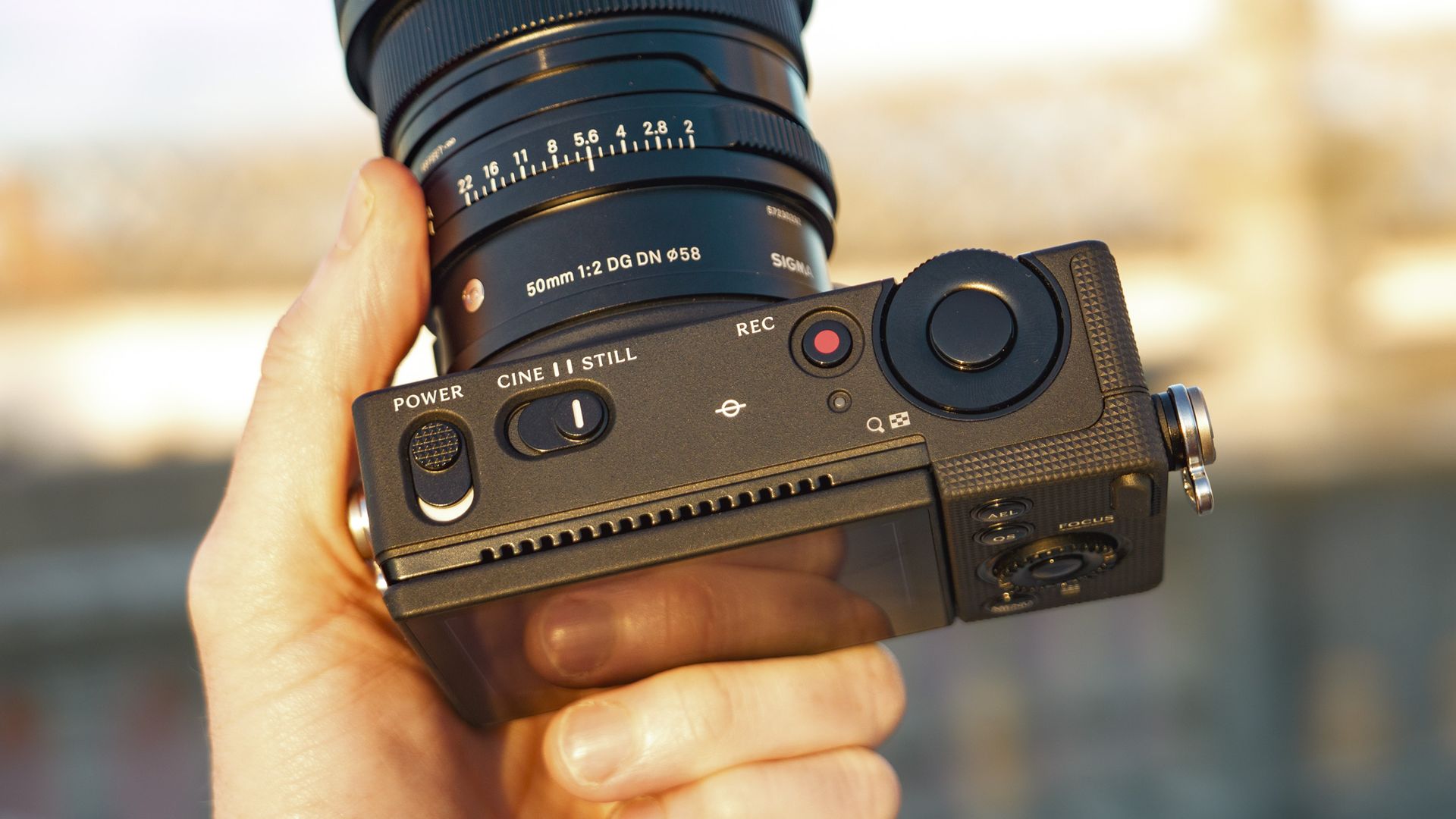
And these features are packed into a diminutive and sturdy metal body with a delightfully simple design and user experience — I love how the photo and video functions are neatly distinguished. It's an attractive package, and a camera that I thoroughly enjoyed having in my hand.
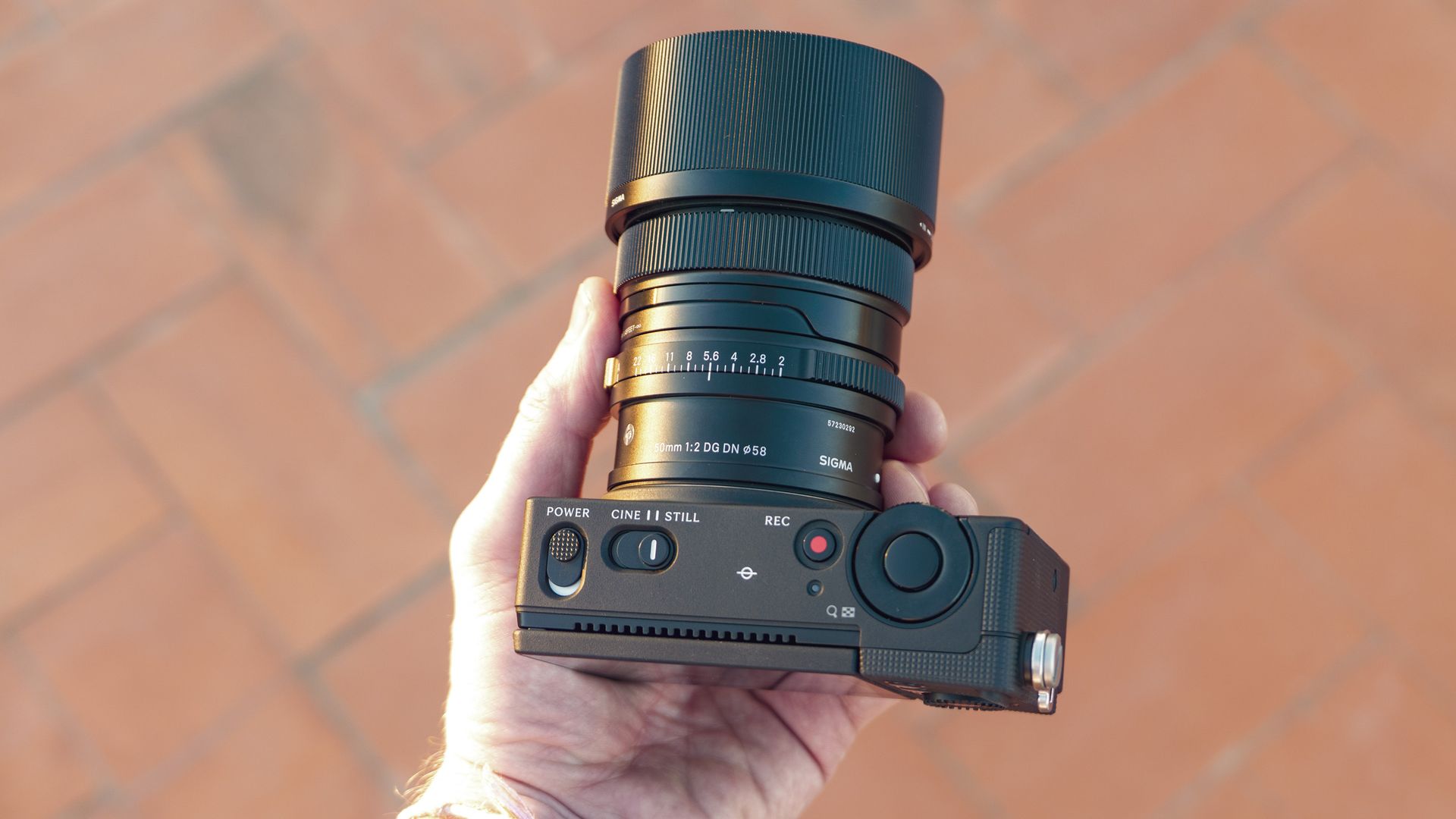
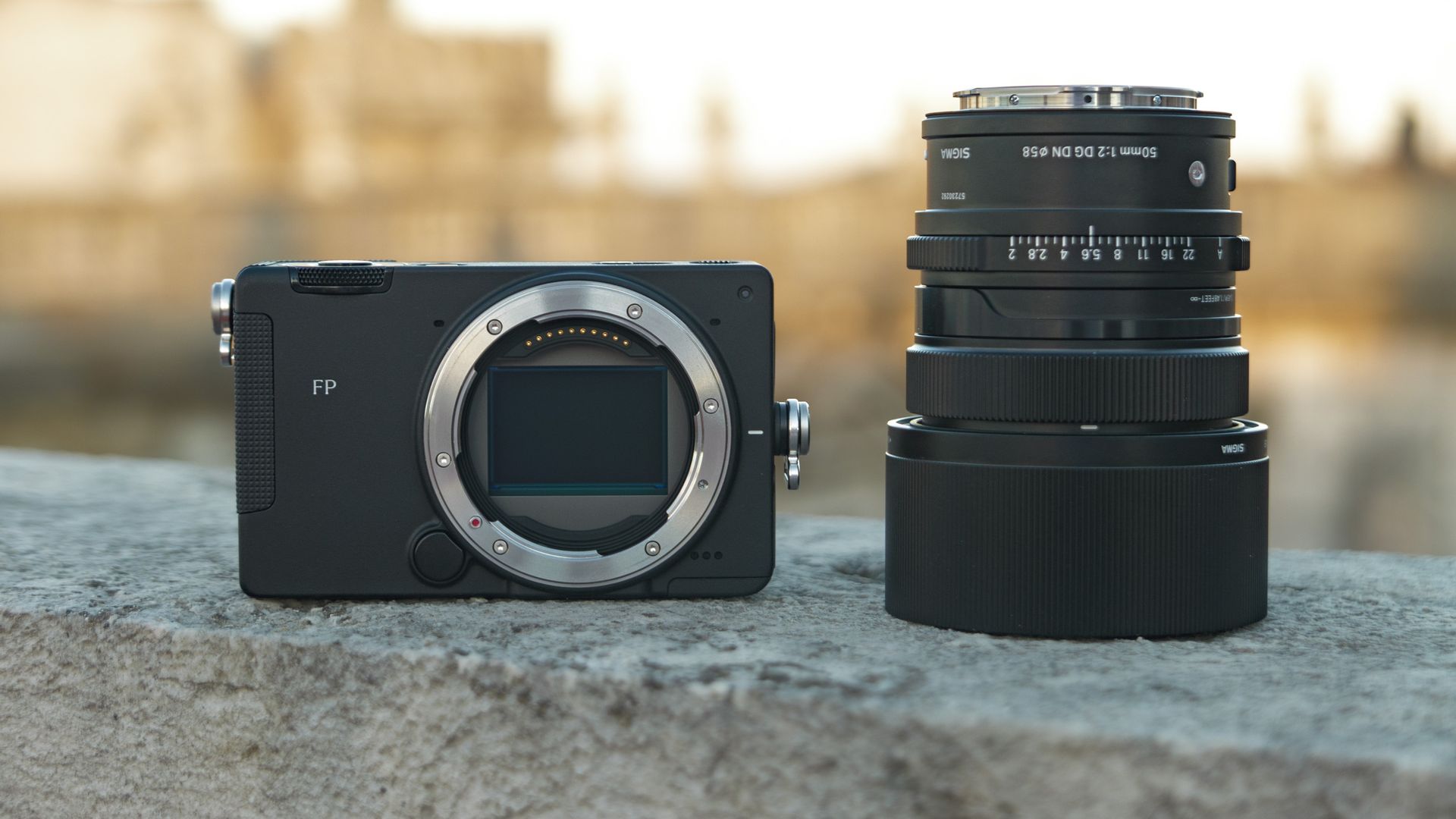
The tiny FP2 body makes regular lenses, like the 50mm F2 DG Contemporary, above, feel large by comparison (Image credit: Tim Coleman)
When considered purely as an upgrade to the original FP, the FP2 is a solid camera. However, Sigma's mission to make the smallest full-frame mirrorless camera comes with compromises, which means the FP2 won't be for everyone. For one, the camera doesn't have in-body image stabilization, whereas the Lumix S9, Lumix S1 II and Nikon ZR do.
There's also no built-in viewfinder, though unlike some rivals, there is an optional EVF and it's a fantastically bright and detailed 5.76m-dot unit that tilts for waist-level shooting.
When shooting photos, I regularly found myself bringing the camera up to my eye, only to remember it didn't have a viewfinder – photo and video creatives will absolutely want to pick up the optional EVF.
That for me is where the FP2 comes undone, somewhat. It's starting price is reasonable, but when you factor in the cost of accessories, the package starts to feel pricey.
There is a miniaturisation premium — Sigma isn't alone in this, however. Overall, there are better value conventional alternatives, but if size and feel matters to you, then the Sigma FP2 is well worth a look.
Sigma FP2: Price and release date
Announced on October 23, 2026, priced from $2,199 / £1,899
Can be purchased with various kits; with the Electronic Viewfinder EVF-21 or 50mm F2 DG | Contemporary lens
Goes on sale from November 11
Here's the EOS R8 Mark II with its dedicated EC-G2 grip attached. The grip purely bulks out the camera — it doesn't feature a battery (Image credit: Tim Coleman)
At first, the Sigma FP2 feels like excellent value — it's a beautifully designed and rugged full-frame camera with impressive specs for $2,199 / £1,899. However, that body-only price is just the beginning for a camera that works best with optional accessories — and for those the cost soon stacks up.
For example, photographers will want the divine EVF-21 5.76m-dot tilt electronic viewfinder, which which adds $500 / £500 to the cost when bought with the camera, and it costs even more when purchased separately. Or how about the camera and lens kit with 50mm F2 DG | Contemporary, which I had for the review and you can see in the pictures, which costs $2749 / £2419.
Other accessories include the Hot Shoe Unit HU-21 (same flash terminal as OM System / Lumix), base plate BPL-21, LCD viewfinder LVF-21 and battery charger BC-91. Sigma is still a decent value brand, but you just need to be aware that this camera system benefits from costly extras, and if you're upgrading that the likes of the EVF are not forwards / backwards compatible with the original Sigma FP.
Hybrid phase detection AF with subject Tracking AF (Human / Dog + Cat + Bird, with Eye AF)
Continuous shooting:
Up to 20fps (electronic shutter)
Video:
6K up to 60fps, Open Gate, up to 10-bit, L-Log profile
Viewfinder:
N/A, optional 5.76m-dot tilt EVF
Screen:
3.15-inch tilt touchscreen, 2.1m-dots
Storage:
70GB usable internal, single SD/SDHC/SDXC slot
Battery
370 stills / 130 mins video
Dimensions:
112.8 x 69.9 x 41.8 mm / 4.4 x 2.8 x 1.6 in
Weight:
460g / 16.2 oz. (including SD card and battery) or 376g / 13.3 oz without
Sigma FP2: Design
Even smaller than the original FP, but a fraction heavier
Modular design with handy (albeit pricey) accessories, such as the lovely EVF
Wonderfully simple user experience and interface
The FP2 carries the DNA of the original FP, but comes with some welcome design improvements. Crucially, it stays true to Sigma's core mission with this series — make the smallest full-frame mirrorless camera available.
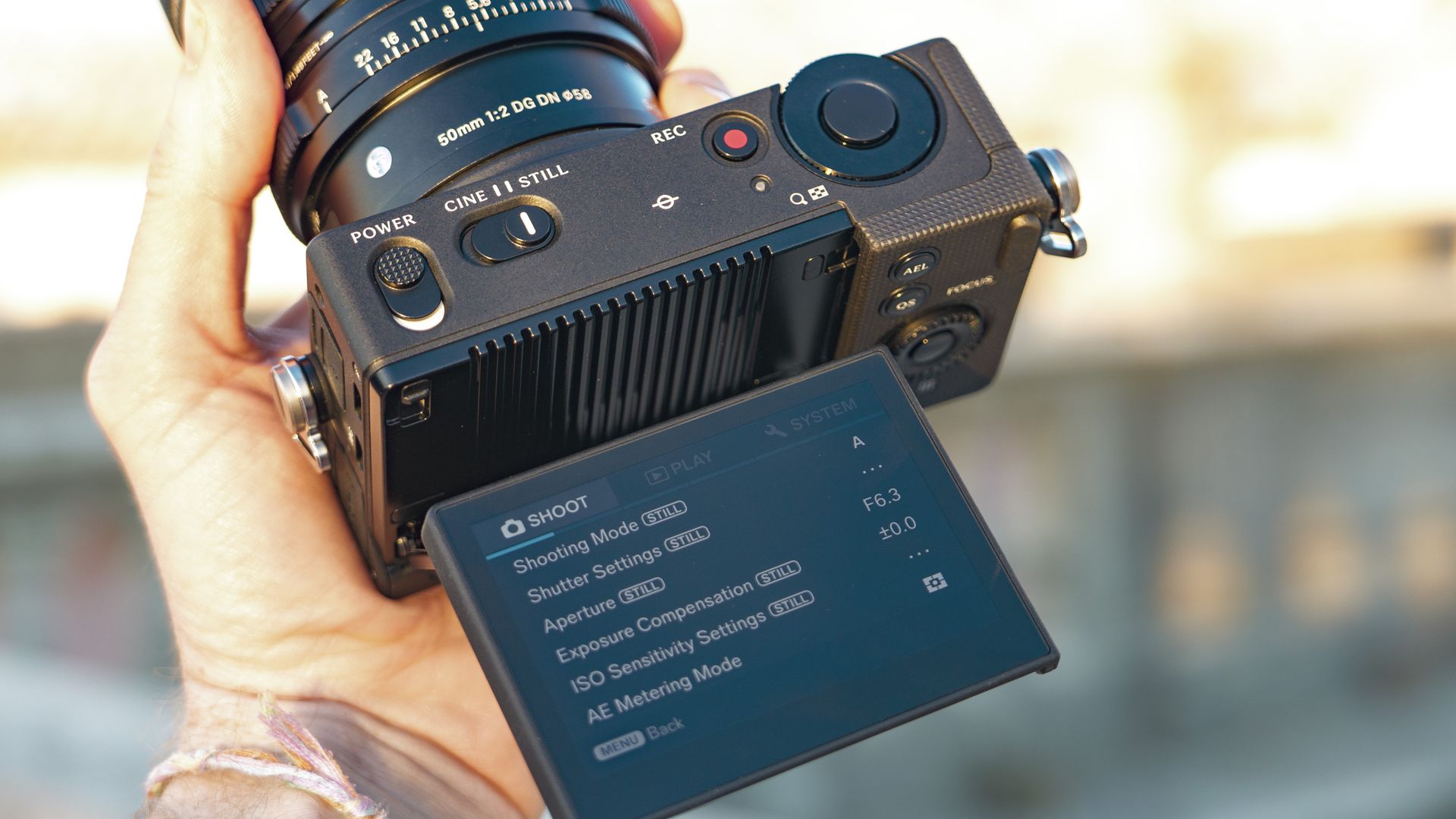
It's designed as a photo and video hybrid, with a chunky switch to choose between the two and a neatly arranged menu for each discipline — the settings remain unique when you move between the two.
There's a chunky exposure dial, and a line of buttons neatly arranged under the screen, including one for color profiles (there are 13 presets, Log and RAW video options).
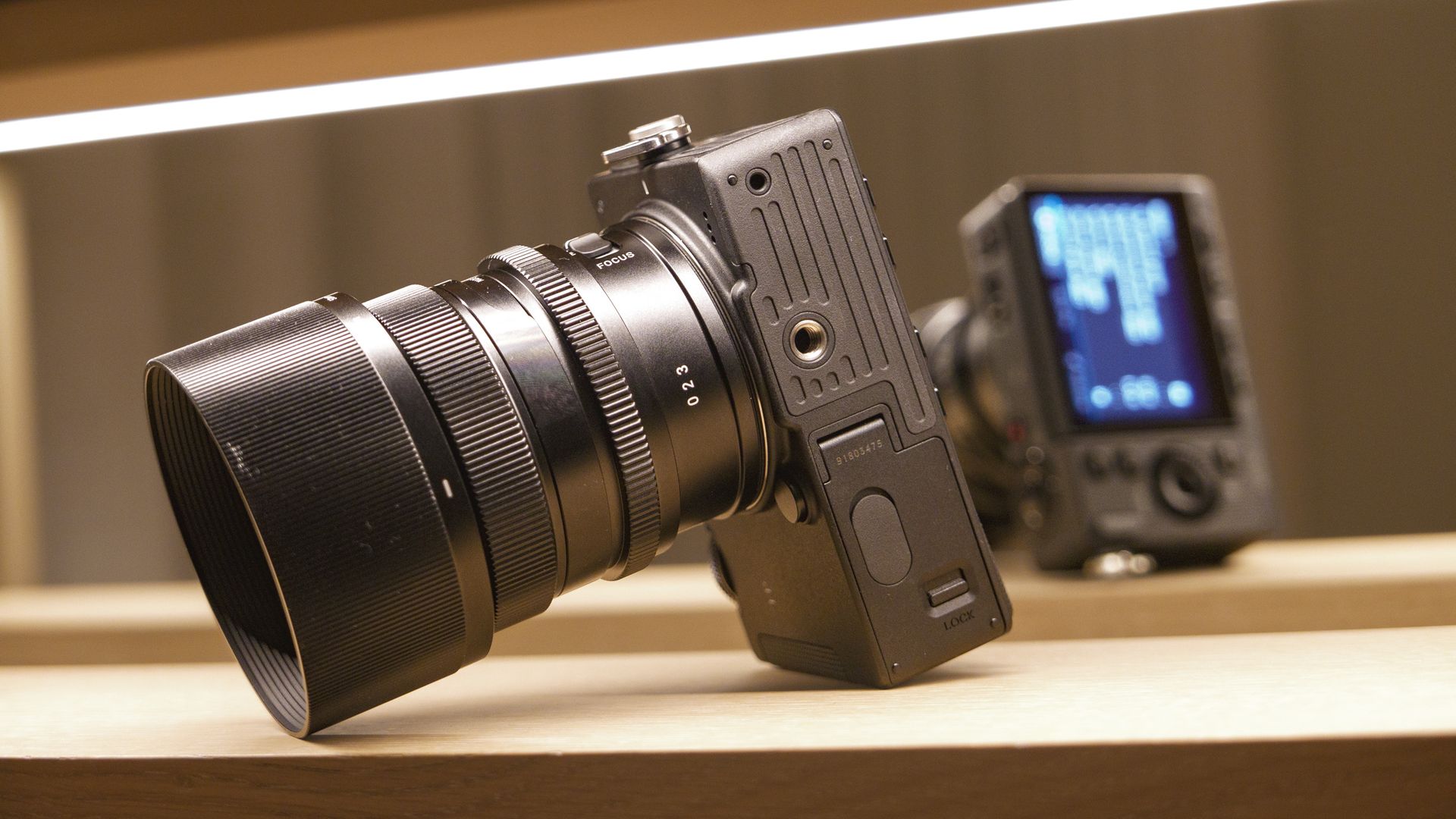
The 3.15-inch touchscreen is a tilt-type — impressive considering the camera is thinner than the FP, which has a fixed screen. Pulling the screen out reveals vents which presumably keep the camera cool during high-resolution video recording.
Tim ColemanTim ColemanTim ColemanTim ColemanTim ColemanTim ColemanTim Coleman
We don't get an EVF, which is no surprise given the size of the camera. However, Sigma sells the FP2 in a kit with the EVF-21 electronic viewfinder.
I actually think the modular design makes perfect sense. Shooting video and don't need a viewfinder? You have the tiniest full-frame shooter. Out taking photos and want the display? Add it on.
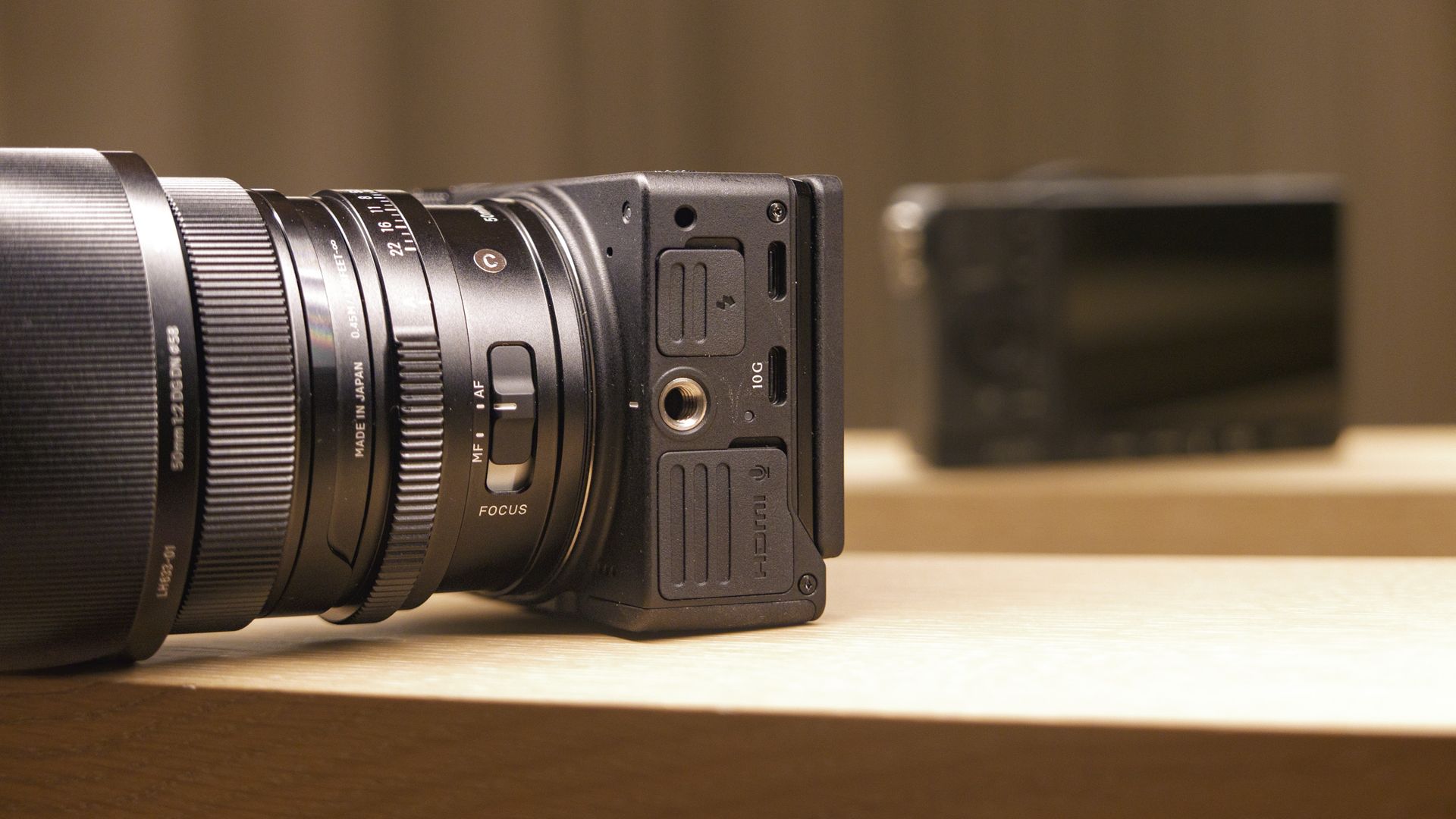
And I really did enjoy the display — albeit my brief experience with it. It connects to the camera's side through one of the two USB-C ports, and it's a 5.76m-dot tilt type.
Sigma has added internal memory, with 70GB of usable memory, plus there's the SD card slot. I used the internal memory a lot, and had no operational issues — I wish more cameras included internal memory like the FP2 does.
And then there's the battery — the same type as used in recent Lumix cameras, for a healthy shot-life that belies the compact size of the camera. I don't think I've seen such a large battery squeezed into such a small space before — Sigma really has worked wonders to keep the FP2 this small.
Tim ColemanTim ColemanTim ColemanTim ColemanTim ColemanTim ColemanTim ColemanTim Coleman
Naturally, there are compromises for the handling of such a small camera, besides the lack of viewfinder and flash. For one, it's flat-fronted, meaning there's no sculpted hand grip for a secure hold. That's no such problem with small lenses, but the FP2 is so small that even compact primes feel chunky by comparison.
It's true: when stripped back to its basic setup, there is no smaller camera in this class. But to get the most out of the camera, it needs bulking out, all adding to the cost.
What I will say is that the FP2 does modular very well indeed. Its two screw mounts for accessories are handily placed, and they can host the (supplied) loops used to secure the camera's strap, which is a neat bit of design.
The FP2's design isn't for everyone, but after almost two weeks of shooting with the camera, I really did appreciate and enjoy it, and can see how it will appeal to certain users.
Sigma FP2: Performance
24.5MP partially stacked full-frame sensor, no stabilization
6K open gate video recording up to 60fps, plus 4K slow motion up to 120fps
13 color profile presets and Log, but RAW video must be recorded through an external drive
Improved autofocus performance and built-in memory
We've seen the 24.5MP partially stacked sensor before in various Panasonic Lumix and Nikon models, including the Lumix S1 II and Nikon Z6 III. In the Sigma FP2, however, the sensor is not stabilized, which makes handheld video recording much trickier.
I've included a sample reel below, which demonstrates how challenging it can be to record steady video handheld, even with a steady hand. There is a solution, mind you, and that's to record gyro data which can be used to apply stabilization to footage afterwards using specialist software. Alternatively, of course, the camera can be mounted to a gimbal.
I love the photo and video quality I was able to get from the Sigma FP2 and 50mm F2 DG Contemporary lens: 6K open gate video with a choice of 13 color presets make for quick and versatile output, in various aspect ratios for social media (4K vertical video is possible), while the Log profile is a better bet for users who want to edit after the fact.
Photos can be recorded in RAW and JPEG format, and Sigma cameras use the DNG RAW format, which is universally accepted in editing software. For high-speed action, the FP2 can shoot at a rate of up to 20fps, and for sequences up to 180 frames before the buffer slows up — a decent performance.
Sigma says that autofocus performance has been improved by 15% over the FP, with a broader range of subject detection. I found autofocus snappy on people, and it was smooth and subtle enough for video, too, but haven't had the chance to try it out extensively on other subjects, including animals.
There's 70GB of usable built-in memory, which proved reliable during my test. However, it's not possible to record the memory-hungry RAW video using built-in memory or SD card — you'll need an external SSD for that.
Another tiny full-frame L-mount mirrorless camera with powerful 6K video features and versatile color profiles, available for a fraction of the price of the FP2. I wasn't sold by the camera at launch, but several firmware upgrades later it's arguably the best value full-frame camera for users who shoot a lot of video and it has image stabilization. Like the FP2, there's no viewfinder, but unlike the FP2 there's no option to add one. The FP2's design feels more rugged, and it's modular.
Another diminutive, excellent value big hitter for video, the Nikon ZR has the same 24.5MP partially stacked sensor as the FP2 but it's stabilized, a monstrously big and bright 4-inch screen that beats rivals (flip-out, not tilt), and delicious 6K RED RAW color profiles. Like the FP2, the ZR supports 32-bit float audio, and benefits from kitting out with accessories, while it has a decent range of Z-mount lenses to choose from.
I had the camera for 1-2 weeks before its announcement, along with the 50mm F2 DG Contemporary lens
I tried the EVF-21 electronic viewfinder
I shot a variety of photos and videos, all handheld
Sigma introduced the camera to TechRadar a week or two ahead of its global launch, where I saw the FP2, 50mm F2 DG Contemporary lens and various accessories, including the new 5.76m-dot EVF for the FP2.
I was loaned the camera and lens only for my review, and have made the most of that time, taking the gear with me on a break to Lisbon in Portugal where I used it extensively for portraiture and travel photography.
All my images and videos were shot handheld, with no stabilization for video footage. I tried the various color profiles for video and shot in 6K and 4K.
Smart bird feeders have quietly become one of the busiest corners of the camera world. Hang one in your yard, garden or on a balcony railing and it’ll snap and film every feathered visitor automatically, often identifing the species for you, too. We’ve tested plenty of them here at TechRadar — you’ll find the best in our guide to the best bird feeder cameras — and the Kiwibit Bird Feeder 2 Pro is the latest to land in my garden.
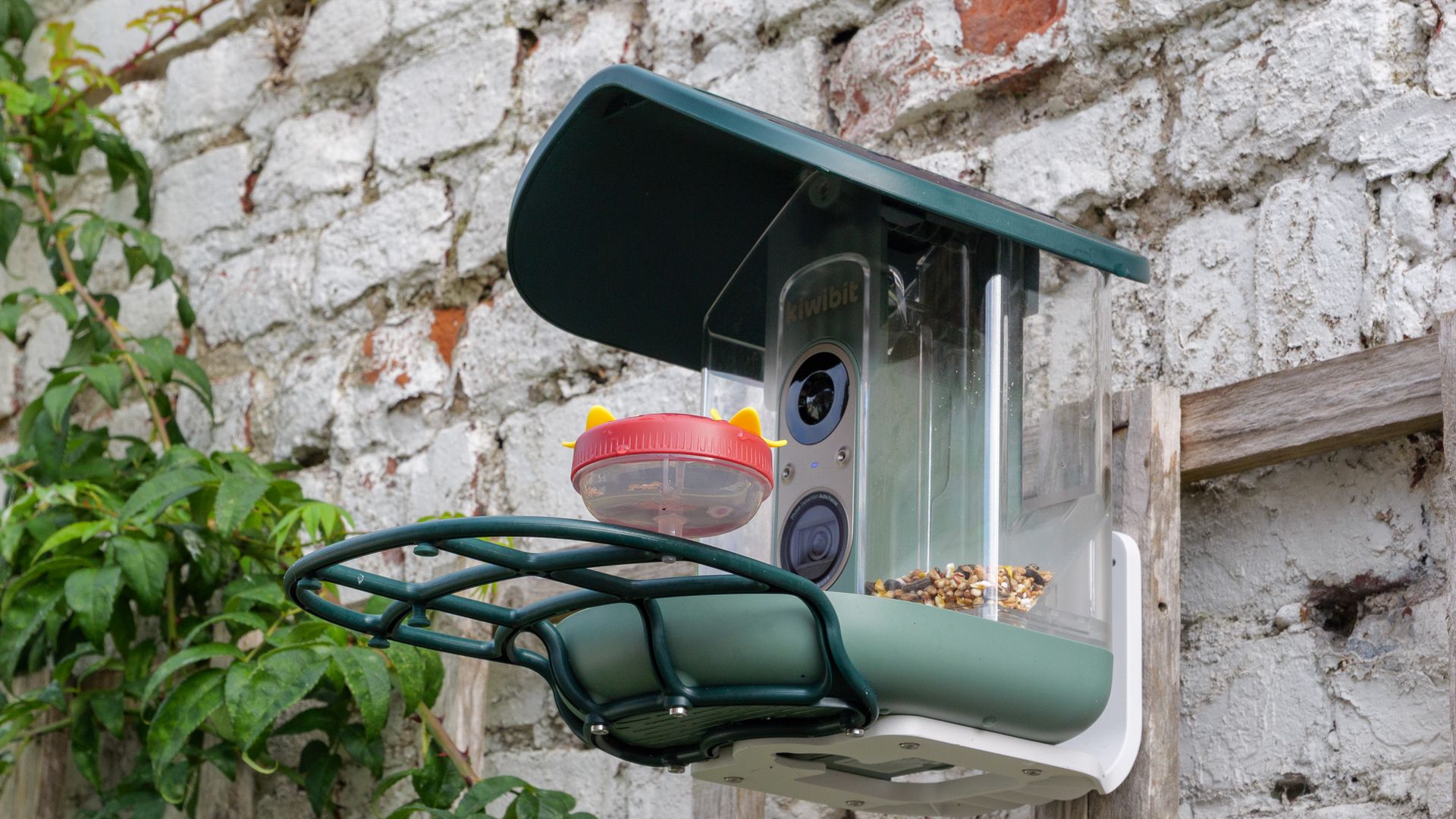
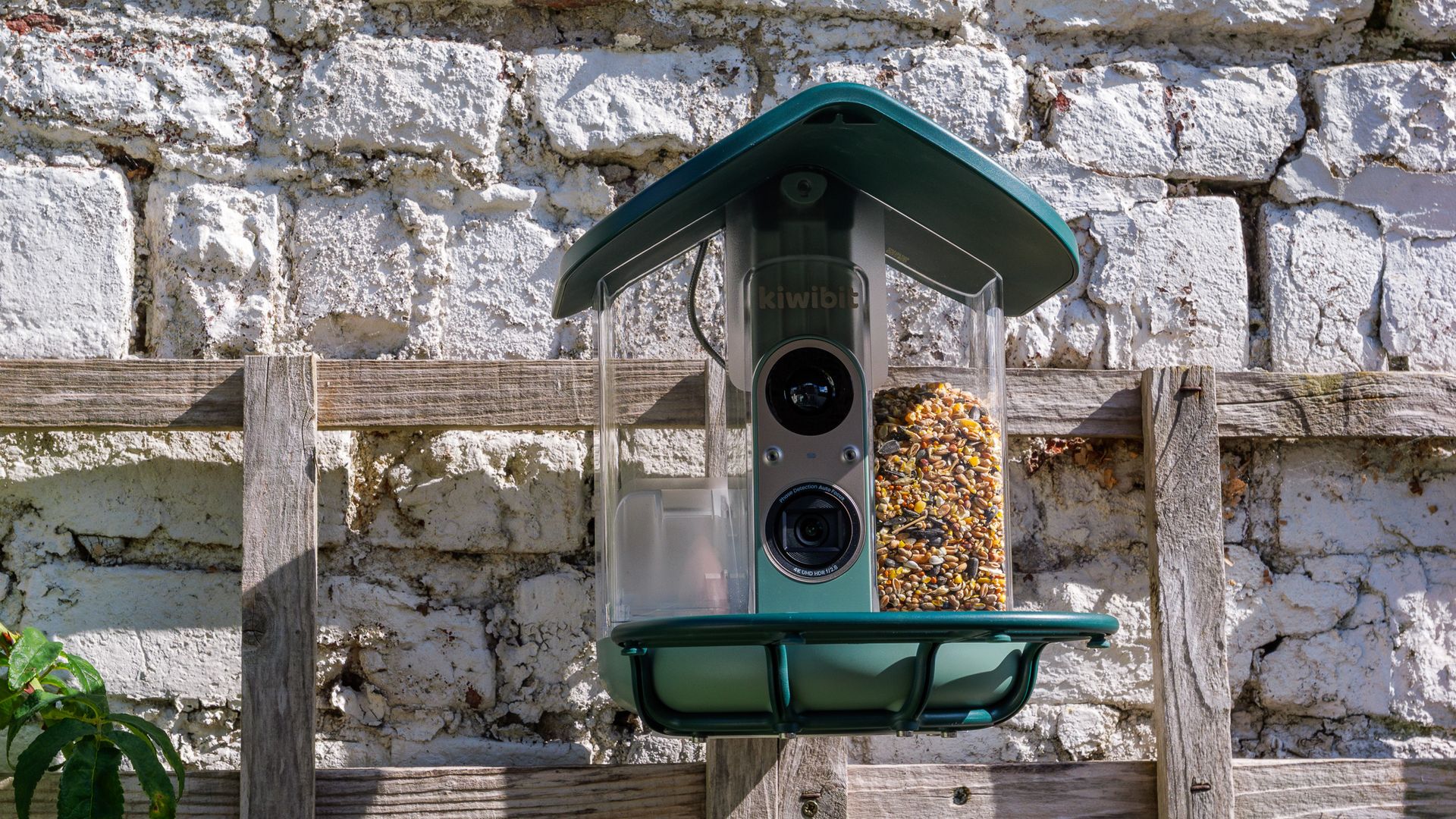
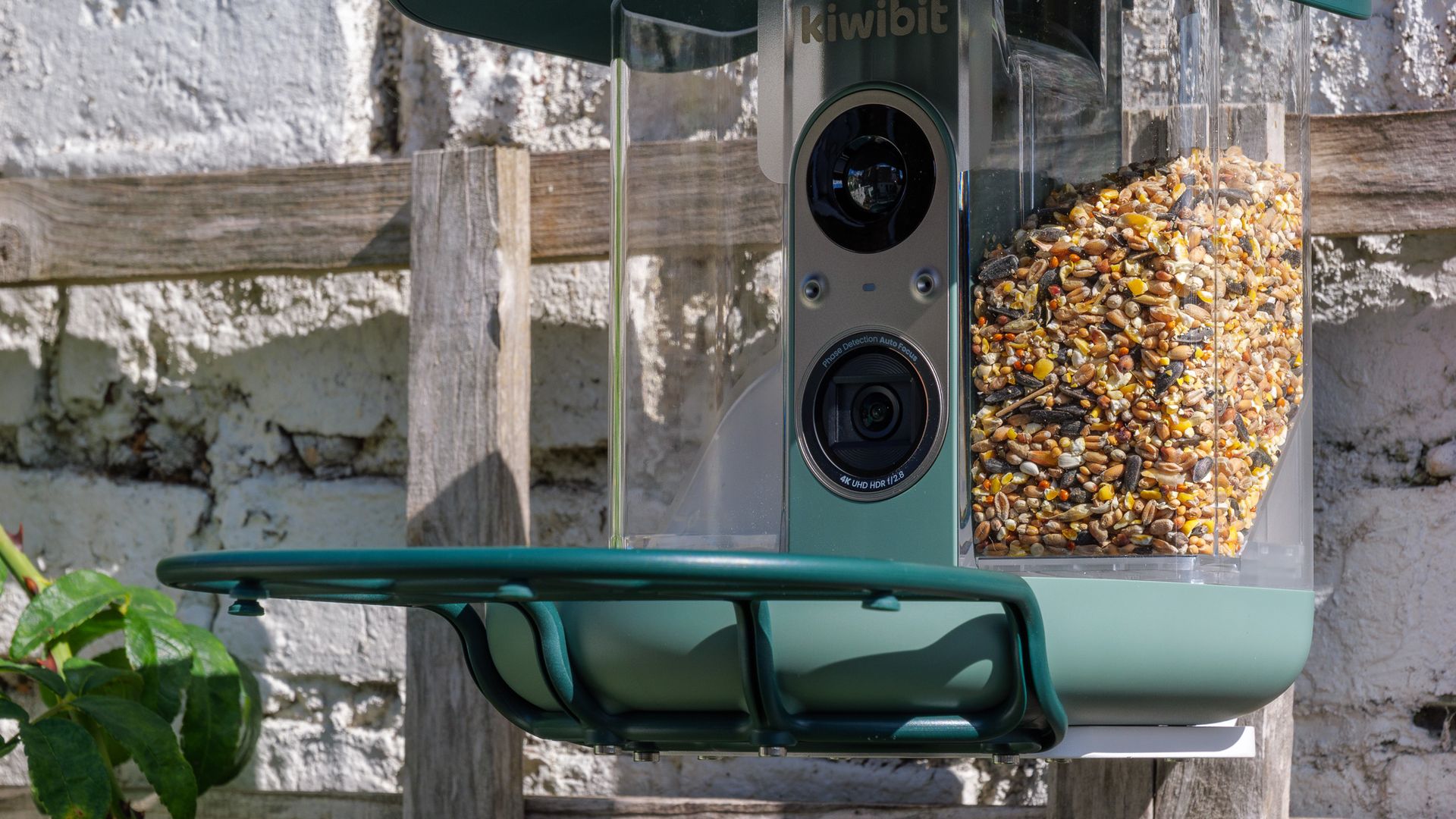
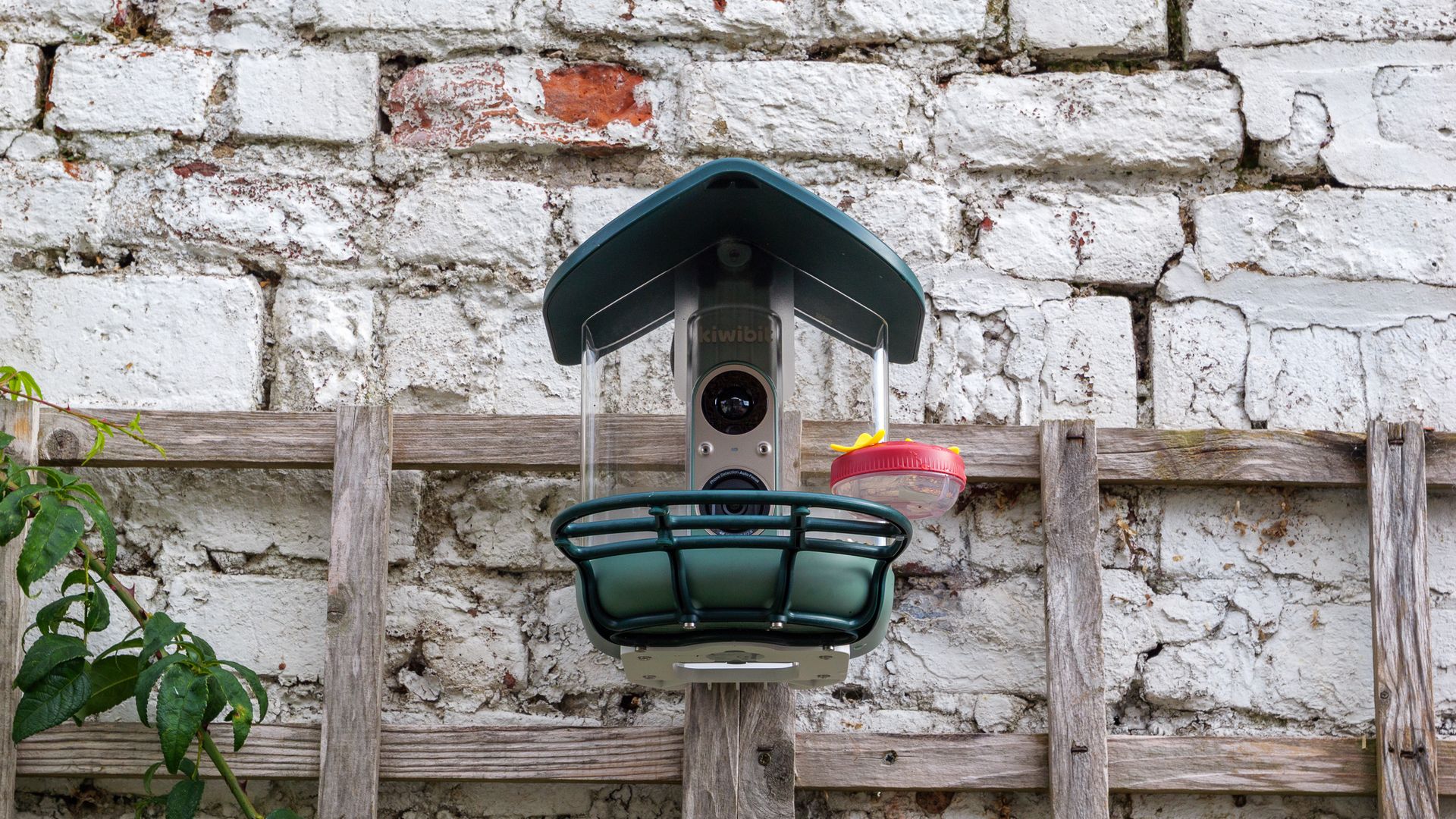
If it looks familiar, that’s because it’s clearly a descendant of the Kiwibit Beako, which we tested last year. The headline upgrade is in the camera: Kiwibit says this is the first bird feeder camera to combine 4K HDR with phase-detection autofocus (PDAF), the kind of focusing tech you’ll find in a decent smartphone. The other big change is a roof with solar panels built into it, so there’s no separate panel to mount and wire up.
(Image credit: Future | Sam Kieldsen)
That roof turns out to be one of the feeder’s best features. After an initial charge I never needed to plug it in again during testing, and the battery hovered near full. The rest of the hardware impresses too: the plastic shell is tough and well finished, mounting it took minutes, and lifting out the two-chamber seed hopper for a refill or clean is about as easy as it gets.
The camera is a game of two halves, though. Photos and 4K clips are crisp, and the autofocus generally locks on to birds reliably — though ones that hop right into the seed tray can get too close for it focus. The biggest frustration is motion: 4K is limited to 15 frames per second, which makes footage look juddery, and the 120fps slow-motion mode currently produces clips that are little better than slideshows. The 1080p 60fps mode is the pick of the bunch.
Then there’s the app, which is cluttered and hard to navigate, and keeps its most compelling feature — AI species identification — behind a Kiwibit Plus subscription. That ID system was accurate in my testing, even if it can only name one species per clip. Taken as a whole, the Bird Feeder 2 Pro’s hardware is impressive, but its software and video modes need to catch up.
Kiwibit Bird Feeder 2 Pro: price and availability
$279.99 in the US with 'lifetime AI' included, or $219.99 without
£289.99 in the UK; launching Q1 2027
Kiwibit Plus subscription priced from $7.99 per month
The Kiwibit Bird Feeder 2 Pro is currently on sale in the US for $219.99, or $279.99 with a lifetime subscription to the Kiwibit Plus service. It’s due to arrive in the UK in the first quarter of 2027, priced at £289.99.
That price puts it in premium territory, alongside the likes of the Bird Buddy 2. And there’s a running cost to factor in, because AI species identification and several other app features require a Kiwibit Plus subscription, which costs from $89.99 (a UK price is TBC) per year or $7.99 a month.
Kiwibit Bird Feeder 2 Pro: key specs
Camouflage EZ BirdFeed specs
Photo
Up to 12MP
Video
4K at 15fps; 1080p at 60fps or 120fps
Lens
130-degree field of view
Memory
Up to 128GB microSD card (not included)
Dimensions
9.8 x 8.7 x 8.9 inches / 25 x 22 x 22.7cm
Weight
4.08lbs / 1.85kg
Connectivity
USB-C, Dual-band Wi-Fi 6
Battery
5,200mAh battery, 5W solar panel
Kiwibit Bird Feeder 2 Pro: design
Solar panels built into the hinged roof
Removable 1.7l dual-compartment hopper
IP65 rated and works in -4F to 122F (-20C to 50C) temperature range
Side by side with the Kiwibit Beako, the Bird Feeder 2 Pro is almost a dead ringer. The one key difference is up on top, with the solar panels now built into the roof. It’s a smart move that cuts down on clutter, as you don’t need to find somewhere else to mount a panel or route a cable.
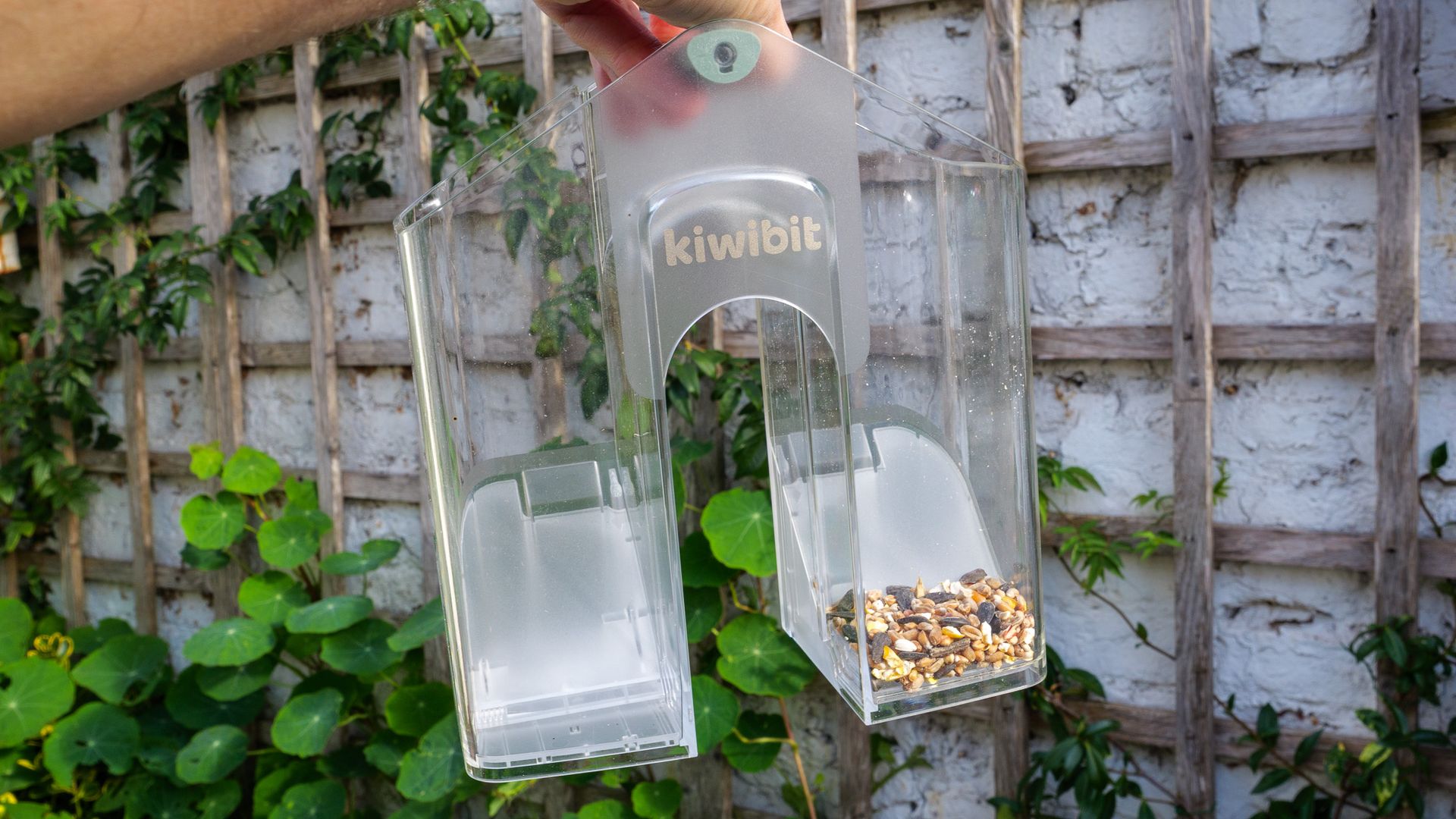
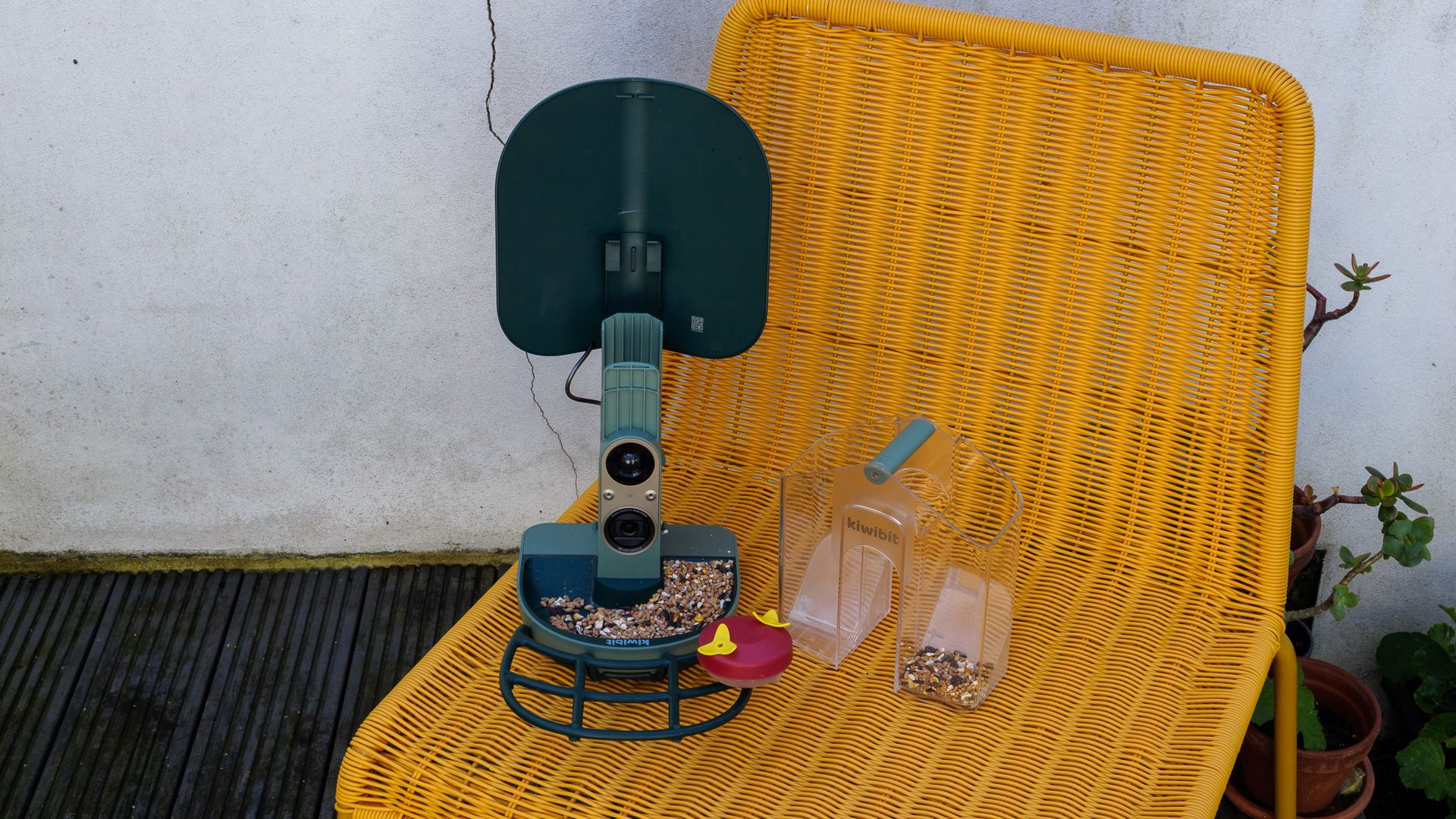
The same roof also hides one of the feeder’s best design touches. Flip it up (it just requires you to press a button to release a latch) and you can lift the seed hopper straight out to clean or refill it. That hopper has two compartments, so you can offer two different seed mixes if you like, and each one has its own sliding door for shutting off the supply.
The body is almost entirely plastic, which won’t appeal to everyone. There are wooden and metal bird feeder cameras out there, and personally I’d prefer either material on something that lives in my garden. I also wonder whether the green plastic will fade in the sun over time, although I didn’t notice any change in my few weeks of testing.
Future | Sam KieldsenFuture | Sam KieldsenFuture | Sam KieldsenFuture | Sam Kieldsen
On the plus side, this is solid, hard-wearing plastic, and the feeder feels sturdier than others I’ve reviewed — the hinged roof, for instance, opens and closes without a hint of rattle. It’s IP65 rated and Kiwibit says it’ll work in temperatures from -4F to 122F (-20C to 50C), so bad weather shouldn’t be a worry for the electronics inside.
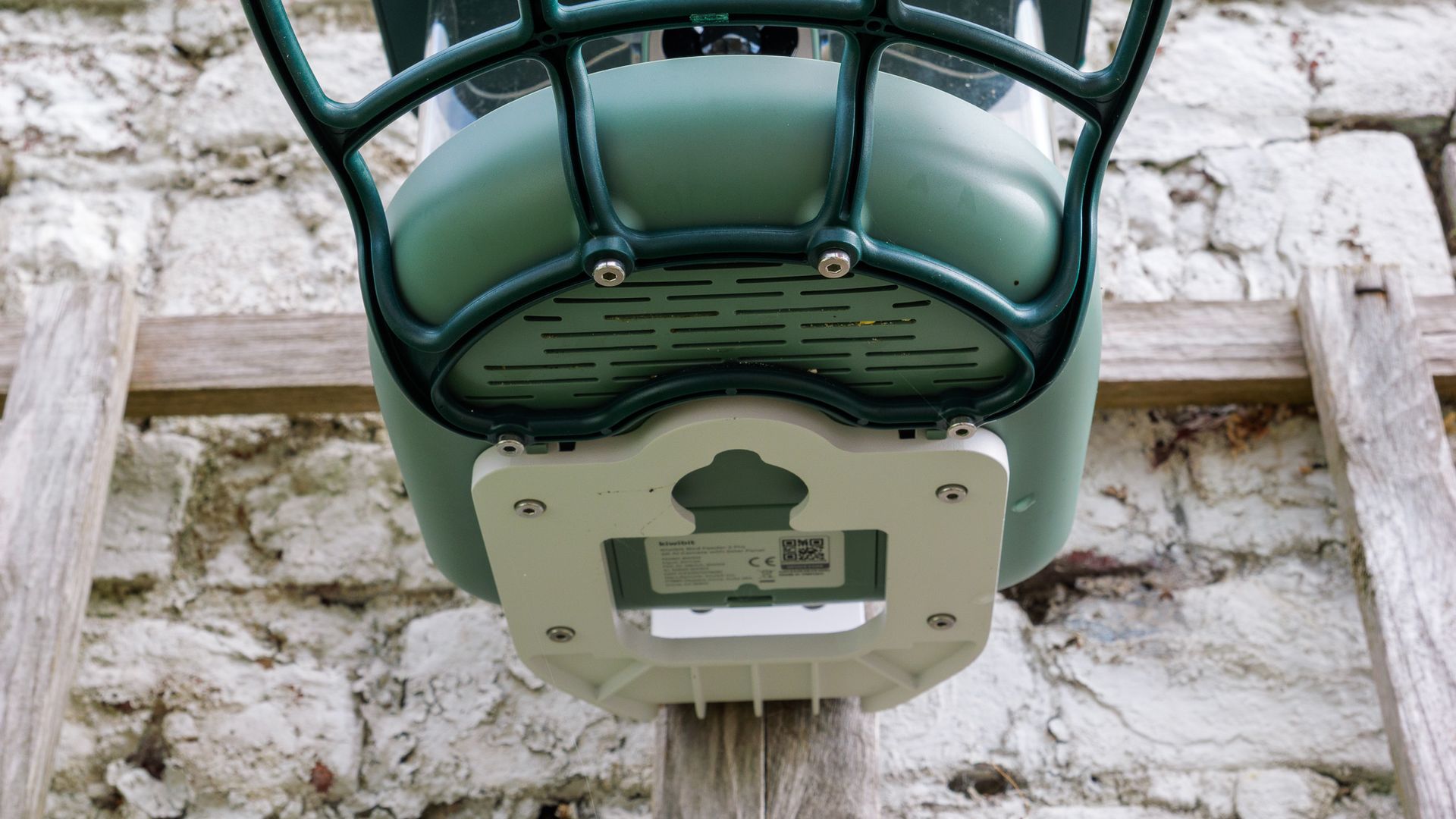
My review sample came with three mounting options: a fabric strap for wrapping around a tree or lamppost, a pole mount for stick it on the top of poles up to one inch (25.4mm) in diameter, and a wall bracket. I used the bracket to fix the feeder to a trellis against the back wall of my courtyard garden, and it took no time at all. A positioning sticker in the box shows you where to drill two guide holes, then two screws (also supplied) hold the bracket in place. There are wall plugs in the box too, should you need them.
Future | Sam KieldsenFuture | Sam KieldsenFuture | Sam Kieldsen
The feeder itself attaches to the bracket with four small hex screws, and the same screws secure the perch. An Allen key is included in the box, but make sure you keep it somewhere safe or have a spare, as you’ll be in a pickle without one. My sample also came with a water beaker that clips on to the perch.
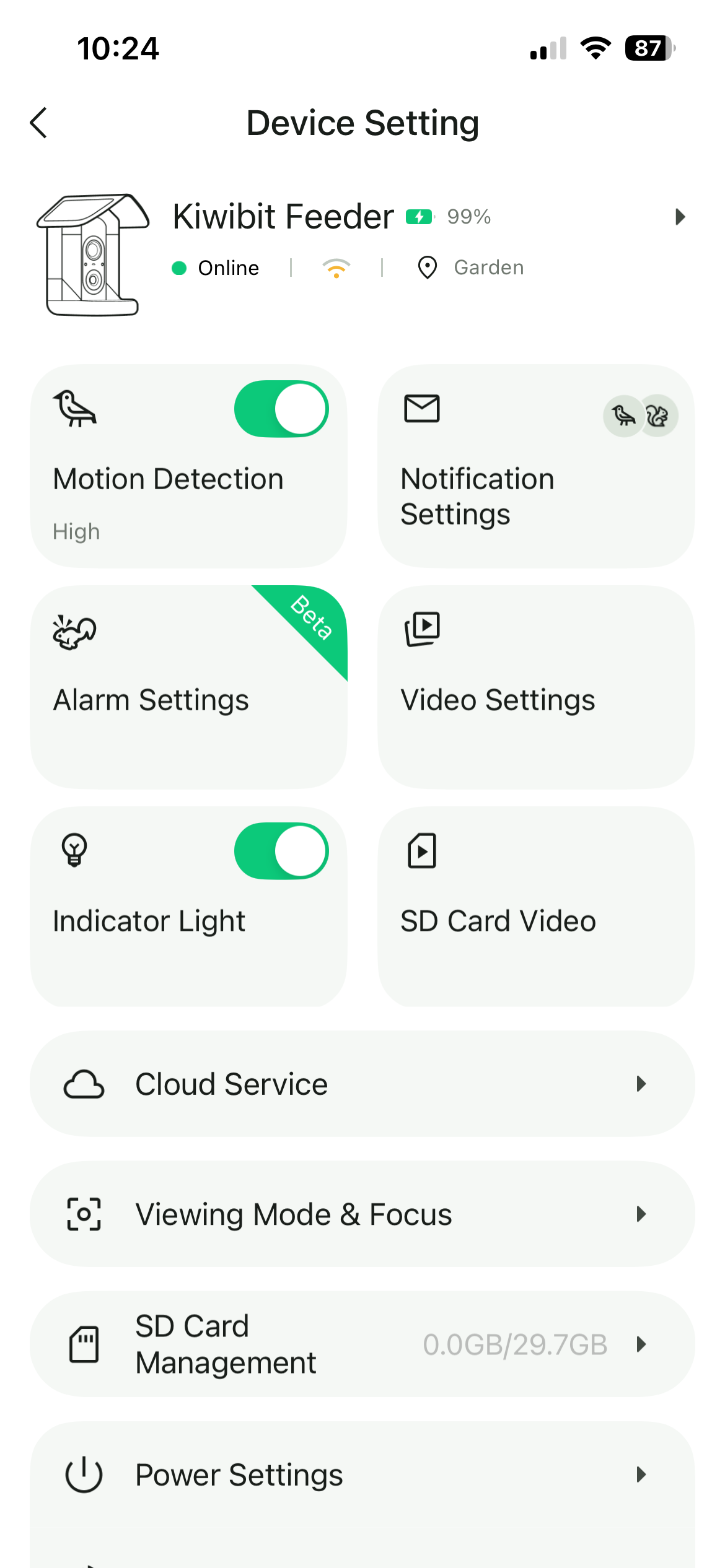
Power comes from a rechargeable, removable battery that’s topped up by the solar roof panels, and the combination works very well. I fully charged the battery via USB-C before installation, as the manual instructs, and haven’t charged it manually since — weeks later, it’s still sitting at 99% capacity. To be fair, my testing took place in a sunny late summer and early autumn, and I positioned the feeder to catch a few hours of direct sun each day. I’m curious to see how it copes with the gloomier winter months here in southeast England.
Kiwibit Bird Feeder 2 Pro: performance
4K video capped at 15fps
AI species ID requires a Kiwibit Plus subscription
Phase-detection autofocus with a 130-degree view
Some bird feeder cameras I’ve tested have struggled to stay connected to my home Wi-Fi, but the Bird Feeder 2 Pro’s dual-band connection was stable throughout, even though the signal was rarely at full strength. The live feed kicked in from my phone without much delay, whenever I requested it.
Everything runs through Kiwibit’s app, and frankly it isn’t very well designed. There are too many sections with vague names, I regularly forgot where things lived, and getting to my photos and videos took more taps than it should. A simpler, pared-back layout would make a big difference.
There are some nice touches, mind you. Each species gets a written description, the Nature Expert section answers your bird questions, and the Collection page gives you a quick rundown of every species your camera has spotted. The catch is that many of the best features — especially the AI species identification, which feels like a core reason to buy this feeder — sit behind a Kiwibit Plus subscription. Kiwibit gave me a code for a year’s access, but for everyone else it’s an extra $89.99 on top of an already premium price, and the feeder feels noticeably less capable without it.
Future | Sam KieldsenFuture | Sam KieldsenFuture | Sam KieldsenFuture | Sam KieldsenFuture | Sam KieldsenFuture | Sam Kieldsen
The identification itself was largely accurate. Only five species visited during my testing period, and the feeder correctly named four of them. That one miss was interesting, though: in a clip featuring a robin, a sparrow and a blue tit, only the robin was identified. That was the only clip containing a blue tit, so it appears the system tags just the first species it spots in each video. I’ve no doubt it would have recognized the blue tit on its own, but it’s a shame it can’t log multiple species in one clip.
Image quality is a more complicated story. 4K videos and photos generally look good, with plenty of sharpness and clarity, and the autofocus is accurate. There's even a microphone to capture sound, and it's nice to hear the birds chomping away on seeds or tweeting at each other. But 4K video is capped at just 15fps, which I found baffling. It makes clips look jerky, and it put me off using the 4K mode altogether. Why couldn't it just be 24fps or 30fps?
Future | Sam KieldsenFuture | Sam KieldsenFuture | Sam KieldsenFuture | Sam KieldsenFuture | Sam KieldsenFuture | Sam KieldsenFuture | Sam KieldsenFuture | Sam Kieldsen
Shooting in 4K does have one perk: the software may automatically pull a 12MP Ultra HD “Keyshot” still from your footage. These are sharpened and upscaled for extra detail, but I found them a little over-sharpened, and they’re oddly large files at around 10MB each, given the modest resolution. You can’t pick the frame yourself, either — the software chooses for you, and it doesn’t always choose well. There’s a second type of auto photo, called SwiftShot, which is generated in Ultra Slow Motion mode and is meant to freeze birds in flight. That never happened for me; every SwiftShot I got showed a bird sitting on the feeder, and in noticeable less detail than with the Ultra HD Keyshots.
Video clips are 10 seconds long by default, but extendable to three minutes. I’d have liked to catch birds flying in more often, but my videos generally started with the visitor already perched.
There are two slow-motion modes, both 1080p: 60fps and 120fps. The 120fps mode doesn’t appear to work properly at the time of writing. Whatever settings I tried, the footage seemed to be captured at 15fps, so it plays back like a slideshow when slowed down. I was expecting something akin to the iPhone's buttery-smooth slow-motion mode, but this is in the single digits frames-per-second wise. I’ve reported this to Kiwibit and I hope a firmware update fixes it, because for now it’s useless as a video mode. It may be intended mainly for grabbing crisp stills of birds in motion, but since you can’t choose the frame yourself and have to rely on Kiwibit’s cloud processing to pick it, that’s not much consolation.
The 60fps mode is far better. Played back at half speed you get smooth 30fps slow motion, or at quarter speed you get the same 15fps as the 4K clips. It lacks the fine detail of 4K, but its smoothness at normal and half speed makes it the sweet spot of the lineup for me. One quirk to note: neither slow-motion mode records sound, even when you play clips back at normal speed.
Autofocus is generally reliable, but birds that came right into the seed tray, rather than staying on the perch, were sometimes out of focus. They seem to be inside the minimum focus distance, which was also an issue with the Beako. It’s not a huge deal, but it’s annoying when a bird’s body is sharp and its eyes and beak are soft.
Sharing and saving photos and videos is easy – you just hit the share button when viewing in the app and you get the option to download the file to your phone, or share via a variety of means. Subscribers also get cloud storage for all their files.
Should you buy the Kiwibit Bird Feeder 2 Pro?
Buy it if...
You want detailed 4K stills
Its 4K photos are sharp and clear, and the phase-detection autofocus is accurate.
You never want to charge a battery
The solar roof kept the battery near full for weeks without me plugging it in once.
You want easy upkeep
The removable two-chamber hopper makes refilling and cleaning quick and lets you offer two seed mixes.View Deal
Don't buy it if...
You want smooth video
4K is capped at 15fps, and the 120fps slow-motion mode currently plays back like a slideshow.
You don’t want a subscription
AI species identification, a key selling point, is locked behind Kiwibit Plus.
You’d prefer a natural-looking feeder
It’s almost entirely plastic, so look elsewhere if you’d rather have wood or metal in your garden.
Kiwibit Bird Feeder 2 Pro: also consider
Bird Buddy 2
Priced at around $299 / £300, the Bird Buddy 2 also has a solar roof, and its app is far more polished and enjoyable to use, with free AI species ID. Its standard video is only at 1080p resolution, though, with 2K reserved for subscribers.
If you’re in Europe and value matters more than image quality, this £139 feeder is hard to beat. It offers AI bird ID with no subscription and twin roof-mounted solar panels, but its 1080p images can’t match the Kiwibit’s crisp detail.
Mounted on a garden trellis for several weeks in late summer/early fall
Tested all video modes, including both slow-motion settings
Used the app with a Kiwibit Plus subscription
I installed the Kiwibit Bird Feeder 2 Pro in my garden in southeast England using the supplied wall bracket, fixing it to a trellis in a spot that got a few hours of direct sunlight a day. After fully charging the battery via USB, I left it to run on solar power for the rest of the testing period, which ran through late summer into early autumn.
I tested the feeder with the Kiwibit app on my phone, using a year’s Kiwibit Plus subscription supplied by Kiwibit to access the AI species ID and other premium features. I tried every video mode, including 4K and both 1080p slow-motion settings, compared the automatically generated KeyShot and SwiftShot stills, and checked the AI identifications against the birds I could see in each clip.
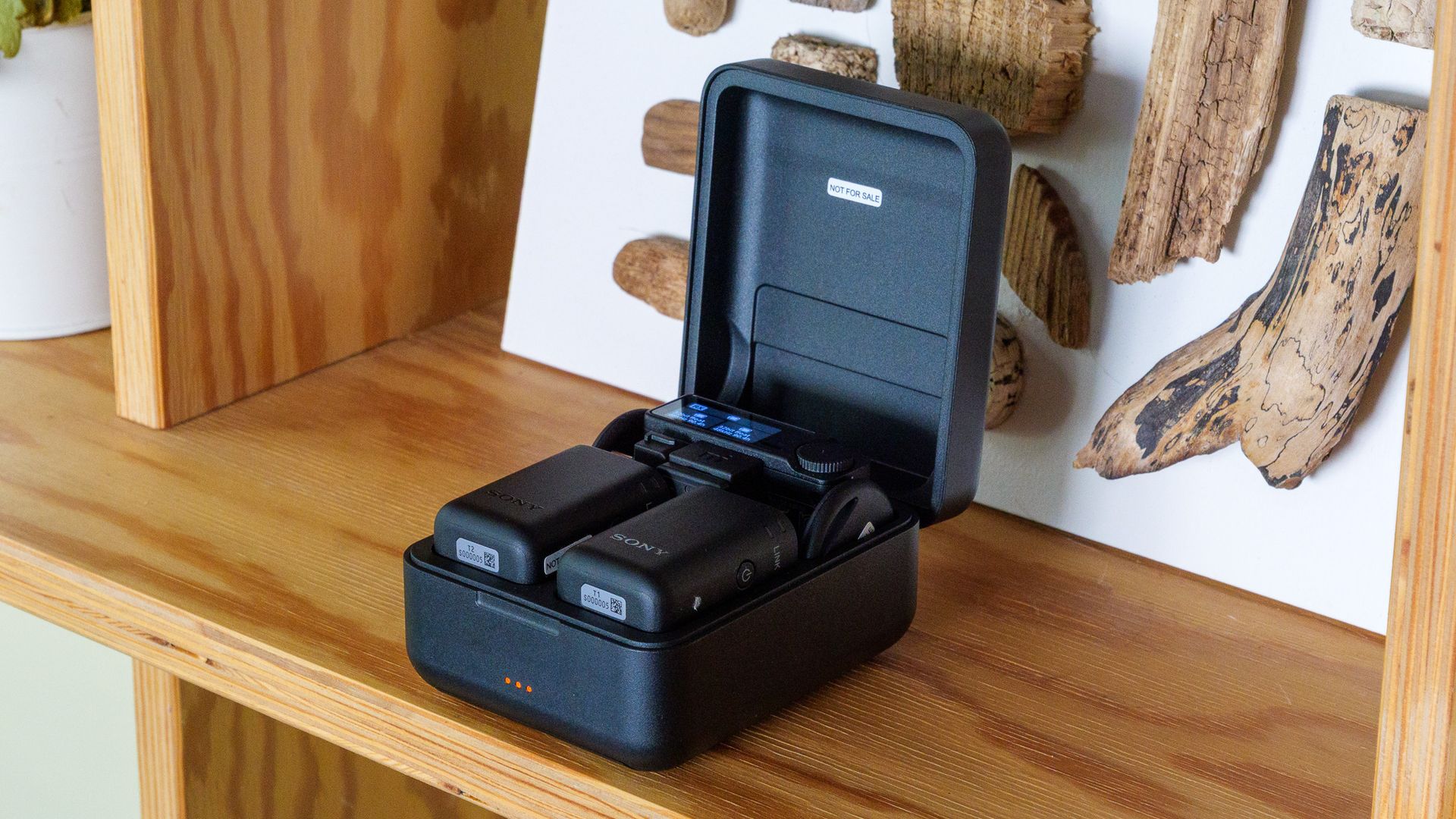
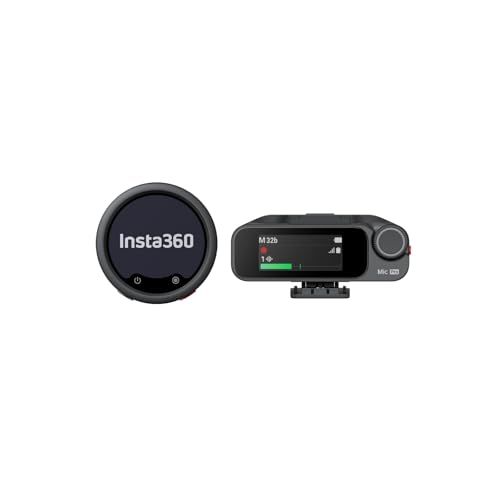
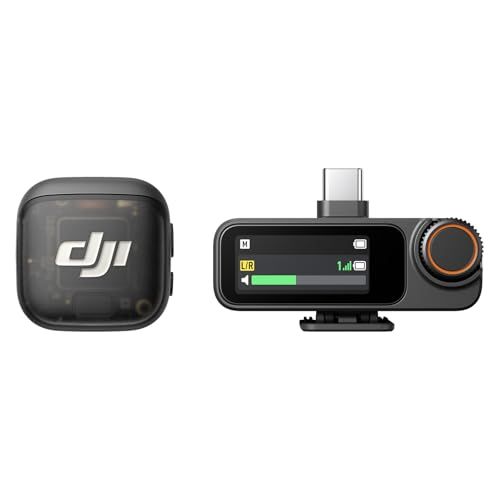
Sony’s ECM-W5 is a prosumer wireless microphone system cut from the same cloth as the DJI Mic 3, Insta360 Mic Pro and Rode Wireless Pro. Like all those, it's available in a package featuring two clip-on transmitters, a receiver that plugs into your camera or phone, and a charging case to keep everything topped up. At £350 for the full kit, however, it costs more than any of them — so it needs to bring something extra to the table.
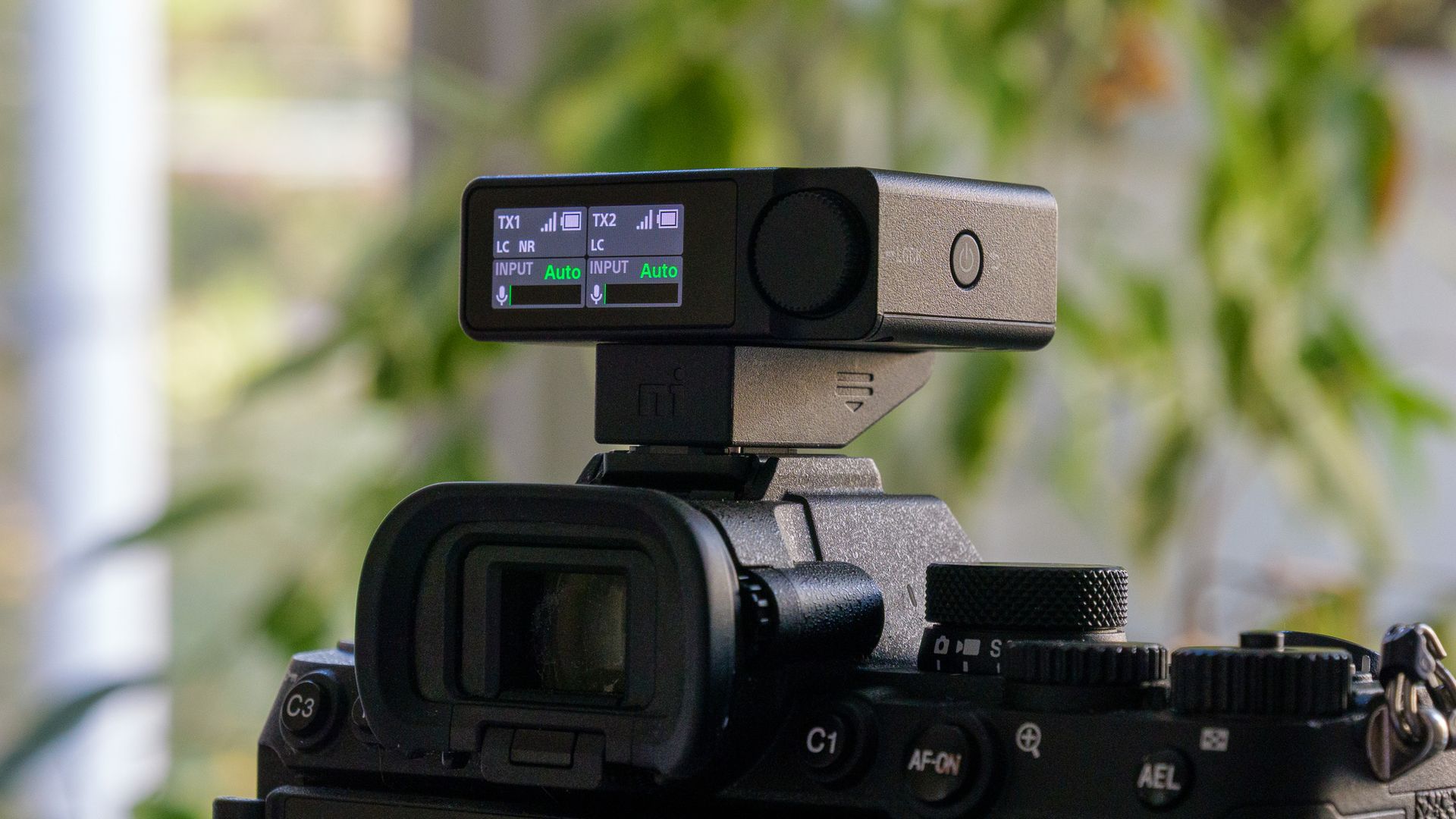
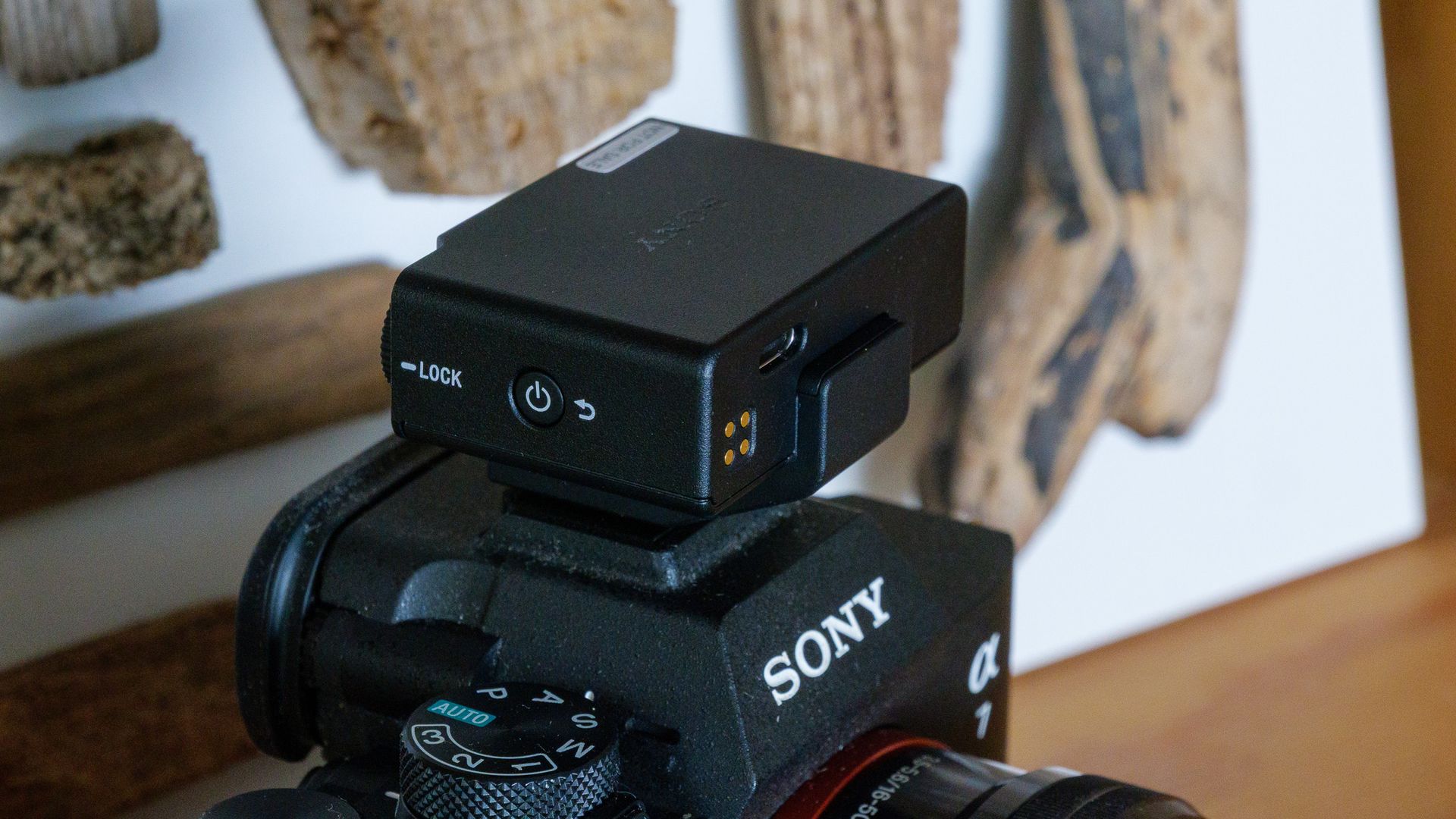
It does just that. The headline feature is in-camera 32-bit float recording, something no other wireless mic I’m aware of can do. Rivals will happily record 32-bit float files to their transmitters' internal storage, but that leaves you syncing separate audio in the edit. With the ECM-W5 mounted on a Multi Interface Shoe camera such as the Sony A7 V, that extra headroom is baked straight into your video files. Most people won’t need it day to day, but if you’re shooting somewhere unpredictable, where a sudden bang or boom could clip your audio, it’s a useful safety net.
(Image credit: Future | Sam Kieldsen)
There’s plenty more for pros to like. Each transmitter has a 3.5mm lav mic input with a screw-lock connector (a feature DJI dropped after the Mic 2), along with a generous 62.5GB of usable internal storage. There’s timecode support and an optional 96kHz/24-bit Hi-Res Audio mode, too. The claimed 500m range is the longest I’ve come across, and in my testing the signal held up flawlessly through two floors of my house — a situation where other mics have faltered.
Sound quality is clean and clear, though in fairness that’s true of every decent wireless mic these days. The noise reduction is on the gentler side and less effective than what DJI and Insta360 offer, but it doesn’t introduce any odd artifacts.
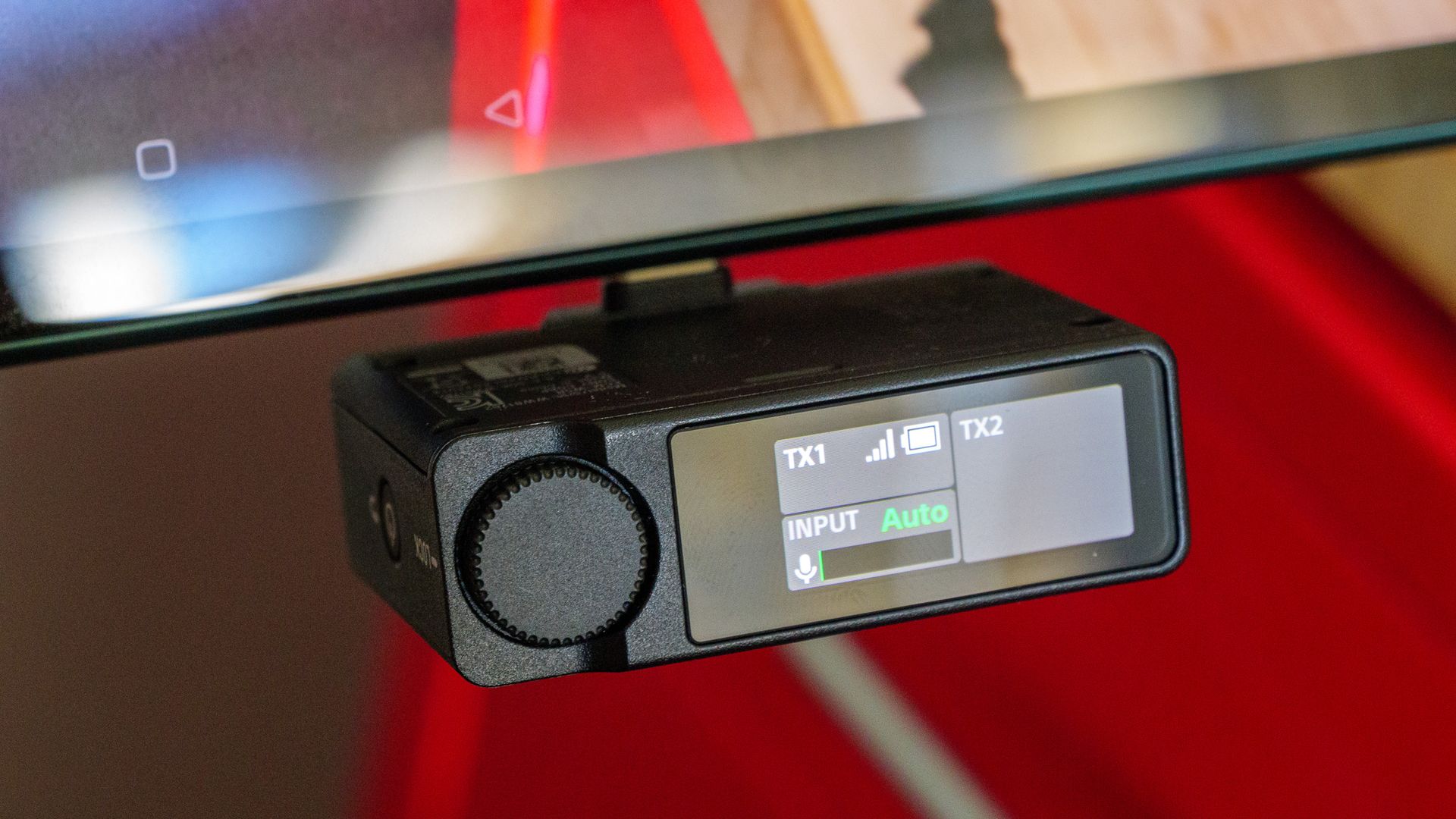
The trade-offs are size and price. The transmitters are noticeably chunkier than the DJI Mic 3’s, the receiver’s touchscreen faces backwards when it’s mounted on a camera, and Sony doesn’t even include a 3.5mm audio cable in the box. Even so, for Sony shooters in particular, the ECM-W5 is one of the most capable wireless mic systems you can buy.
Sony ECM-W5: price and release date
$399.99 / £350 / AU$619 for two transmitters, a receiver and a charging case
The Sony ECM-W5 will be on sale from November 2026, priced at $399.99 / £350 / AU$619 for the full kit, which includes two transmitters, a receiver and a charging case. Individual transmitters are available for $189.99 / £110 / AU$179, and the receiver on its own costs $189.99 / £180 / AU$289, which is handy if you want to expand your setup or replace a lost unit.
That makes it more expensive than its closest rivals. The DJI Mic 3 launched at £259 for an equivalent two-transmitter kit, for example, so you’re paying a premium of around £90 for the Sony. Given the ECM-W5’s unique features, I think that’s justifiable for the right buyer — but it’s a premium nonetheless.
Sony ECM-W5: specs
Dimensions
TX: 31 x 47 x 22.3mm / RX: 53.5 x 17.8 x 37.5mm
Weight
TX: 27.1g / RX: 35g
Range
Up to 500m
Connectivity
RX: Multi Interface shoe / USB-C / 3.5mm jack
Bluetooth
Yes
Battery
Up to 7 hours (transmitter), up to 7 hours (receiver), up to 11 hours with fully charged case
Noise cancelling
Yes
Sony ECM-W5: Design
Chunky transmitters with fixed clips and 3.5mm lav mic inputs
Receiver’s touchscreen faces backwards when camera-mounted
No audio cable included, and no room in the charging case for windshields
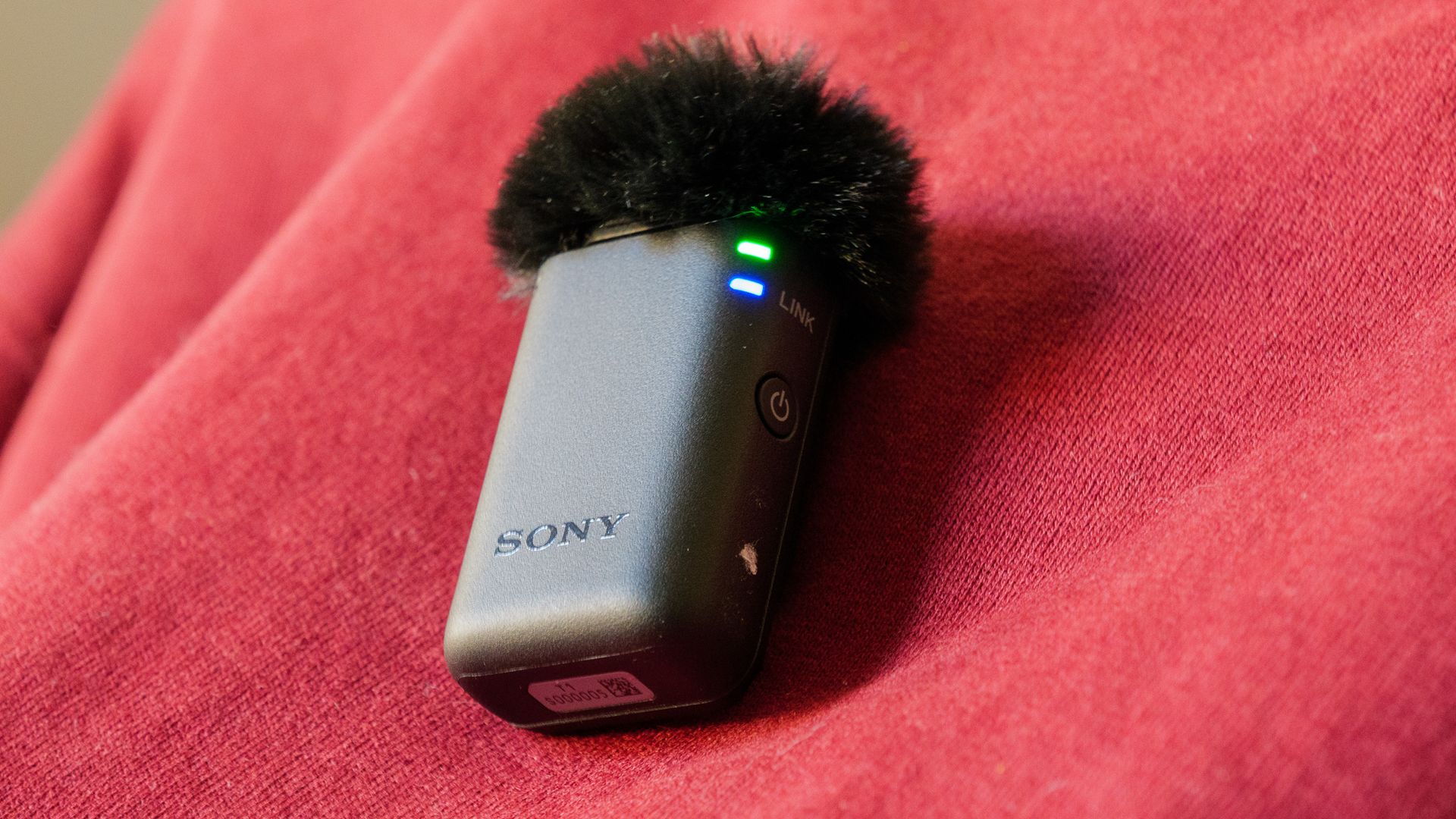
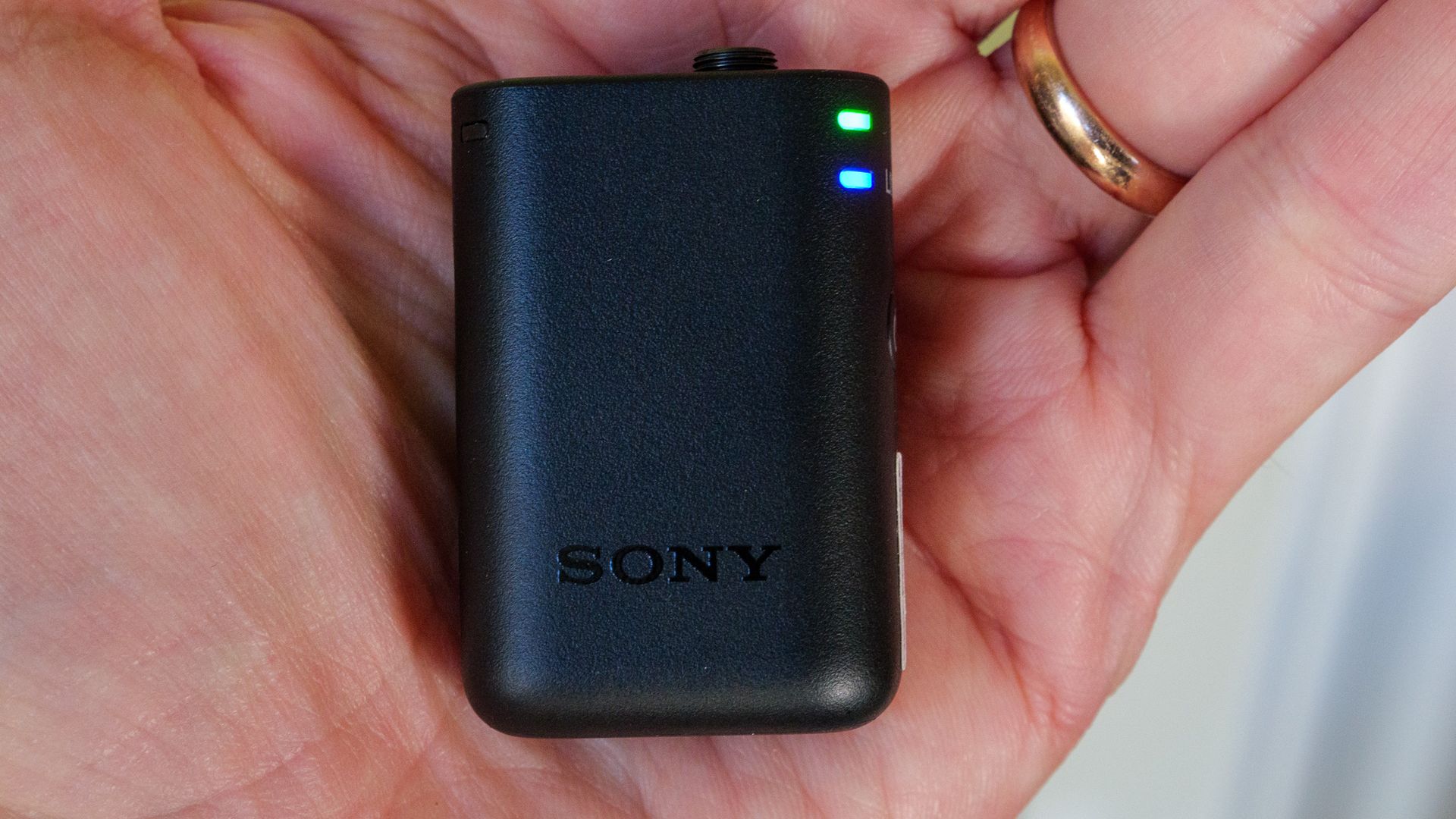
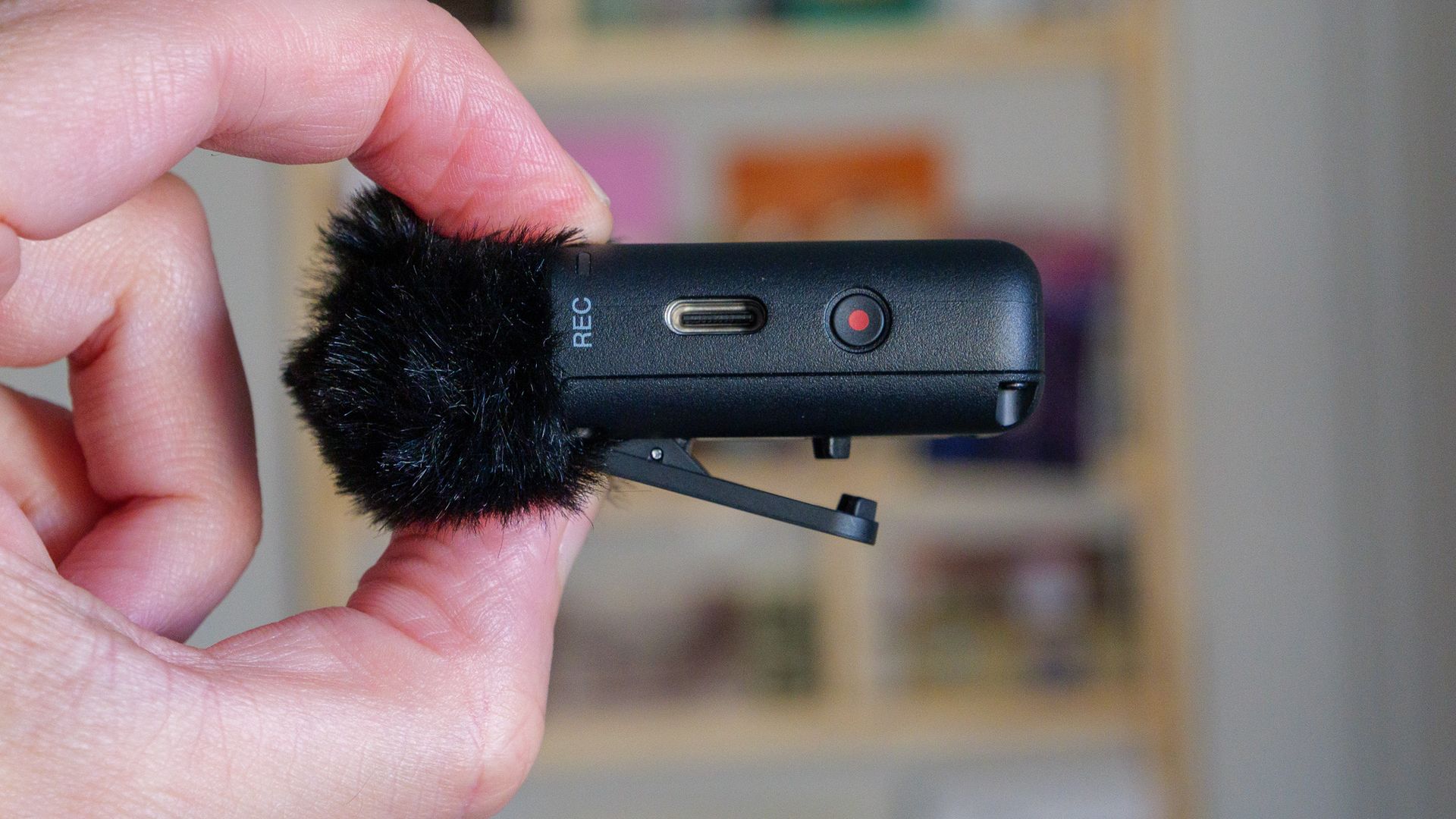
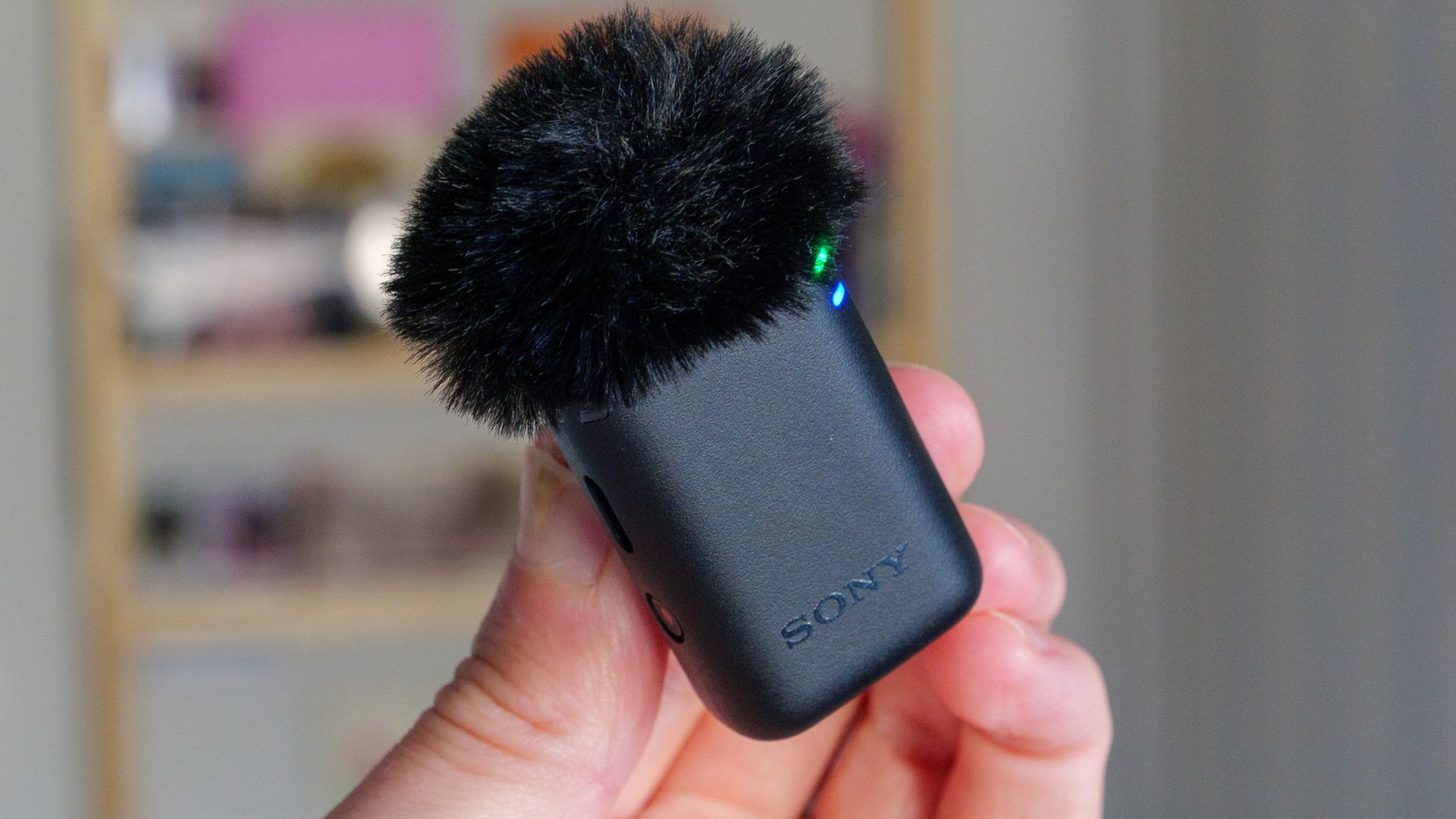
In terms of size, the ECM-W5’s transmitters are closer to the original DJI Mic and Mic 2 than to the much smaller (and current, at the time of writing) DJI Mic 3. Each of the ECM-W5's transmitters has a fixed clip for attaching to clothing (it can’t be removed or rotated), and Sony includes small button magnets for thinner shirts. Despite the extra bulk, the transmitters are light enough that I barely noticed them once they were clipped on. Sony also says the system is dust- and moisture-resistant, but stops short of guaranteeing full IP-level protection.
Controls are simple: a power button, a record button (double-press it to toggle noise reduction on or off) and a USB-C port for charging and file transfer. More interesting is the 3.5mm input with a screw-lock connection for plugging in an (unsupplied) lavalier mic, which pros will appreciate. The furry windshields cleverly slot into this jack too, so they sit more securely than on some rivals. Each transmitter also packs around 62.5GB of usable internal storage (64GB before formatting). That's almost double the 32GB you get in the DJI Mic 3 and Insta360 Mic Pro transmitters.
Future | Sam KieldsenFuture | Sam KieldsenFuture | Sam KieldsenFuture | Sam KieldsenFuture | Sam Kieldsen
The receiver can be fitted with either a USB-C connector or a Multi Interface Shoe adapter, and the latter also slots into standard hot and cold shoes (albeit without the MI Shoe’s digital connection). There are 3.5mm audio in and mic out ports, plus a small touchscreen for adjusting settings. My one real frustration is that this screen faces backwards when the receiver is mounted on a camera, so when I was filming myself I couldn’t see it to make changes. It’s a common problem with wireless mic receivers, and I’d love to see a manufacturer make the display rotatable.
The charging case holds both transmitters, the receiver, the adapters and the magnets, but there’s no room for the windshields. Sony doesn’t include a 3.5mm audio cable in the box either, so if your camera lacks an MI Shoe you’ll need to buy one separately. A soft drawstring bag is supplied, though, and it’s big enough for the case, the windshields and a couple of cables.
Sony ECM-W5: Performance
World-first in-camera 32-bit float recording
Rock-solid signal and a claimed 500m transmission range
Noise reduction is less aggressive than Insta360 and DJI rivals
The ECM-W5’s standout feature is its ability to record 32-bit float audio directly in-camera, as well as onto each transmitter’s internal storage. Rivals such as the DJI Mic 3 and Insta360 Mic Pro can only record 32-bit float files on the transmitter itself, which you then have to sync up in the edit. I don’t think many people need 32-bit float day to day, but if you’re recording in uncontrolled environments where sudden loud noises might occur, having that headroom baked into your footage is a real advantage.
There’s both automatic and manual gain control, with the latter offering a nicely granular range of -12 to +12. I mostly left it on auto and found it worked well. Sound quality is good, but then so is that of pretty much every decent wireless mic. The difference compared with the built-in mic on your phone, computer or camera is night and day, particularly outside on a windy day. Sony also offers a 96kHz/24-bit Hi-Res Audio option, which beats the maximum quality of most rivals I’ve tested, though that’s reflected in the higher price.
(Image credit: Future | Sam Kieldsen)
Sony claims a range of up to 500m between transmitter and receiver, which is much further than its rivals. I can’t think of many situations where you’d need that much, and I didn’t test it to the limit, but it’s reassuring to have in reserve. Sony also says the connection is around three times more stable than that of its predecessor, the ECM-W3.
More tellingly, when I left the camera and receiver downstairs and walked up two flights of stairs to my bedroom with a transmitter, the signal stayed crisp and clear throughout — something other mics have struggled with in my home.
The single-level noise reduction isn’t especially aggressive, and I think DJI and Insta360 offer markedly better cancellation. That said, it noticeably reduced the hum of a fan at home without adding any odd artifacts, so you can probably just leave it switched on all the time.
Sony quotes up to seven hours of battery life for the transmitters and receiver, rising to 11 hours for the transmitters if you top them up from the charging case. And when the receiver is mounted on a compatible camera’s MI Shoe, it draws power from the camera and switches on and off with it, so there’s one less battery to keep an eye on. Add up to two extra transmitters (sold separately) and you can also record up to four audio channels in-camera, which should appeal to anyone shooting multi-person interviews.
Sony also offers wireless monitoring via compatible Sony wireless headphones that support Bluetooth LE Audio, so you can keep an ear on your audio without a headphone cable, and compatible models such as the WH-1000XM6 can even be used as mics for binaural recording. I didn’t have a compatible pair of headphones to hand (and the binaural feature wasn’t available before launch), so I wasn’t able to test either feature.
The ECM-W5 also supports timecode, another feature that'll appeal to professionals.
Should I buy the Sony ECM-W5?
Buy it if…
You shoot with a Sony camera The ECM-W5 receiver fits straight onto the Multi Interface shoe used by Sony's recent cameras, and the resulting in-camera 32-bit float recording is something no rival offers.
You want pro-grade features A lavalier mic input, timecode support and 62.5GB of storage per transmitter make it a serious tool.
You record in unpredictable places Baked-in 32-bit float and a 500m range give you a big safety margin when you can’t control the conditions.
Don’t buy it if…
You want the smallest, lightest wearable mic The DJI Mic 3’s transmitters are far smaller and less conspicuous when worn.
You’re on a strict budget Rivals premium microphones from DJI and Insta360 cost less and still sound excellent.
You need strong noise reduction The ECM-W5’s noise reduction is gentle, and DJI and Insta360 do a markedly better job of removing background babble.
Sony ECM-W5: also consider
Insta360 Mic Pro
Insta360’s Mic Pro stands out with a customizable e-ink display on each transmitter, and it pairs strong AI noise canceling with 32-bit float internal recording and 32GB of storage per transmitter. It’s a great pick for Insta360 camera owners, though it lacks the ECM-W5’s lav mic input and in-camera 32-bit float.
DJI’s latest flagship wireless mic is considerably smaller and lighter than the ECM-W5, with stronger noise canceling and a lower price. It lacks a lav mic input and can’t record 32-bit float in-camera, but DJI’s inexpensive MI Shoe adapter makes it an easy fit on a Sony camera too.
Connected to Sony A7 V camera via Multi Interface shoe and OnePlus tablet via USB-C
Sony loaned me a review sample of the full ECM-W5 package along with a Sony A7 V camera for the purposes of this test, which allowed me to fully test the Multi Interface Shoe connection. I also tested the USB-C connectivity, by attaching the receiver to a OnePlus Pad tablet and recording video.
I used the mic system for about a week, recording in both 24-bit and 32-bit float modes and testing the noise reduction capabilities both indoors and outdoors in a variety of situations. I also tested its range and signal stability by leaving the receiver downstairs and walking up two floors of my house with a transmitter.
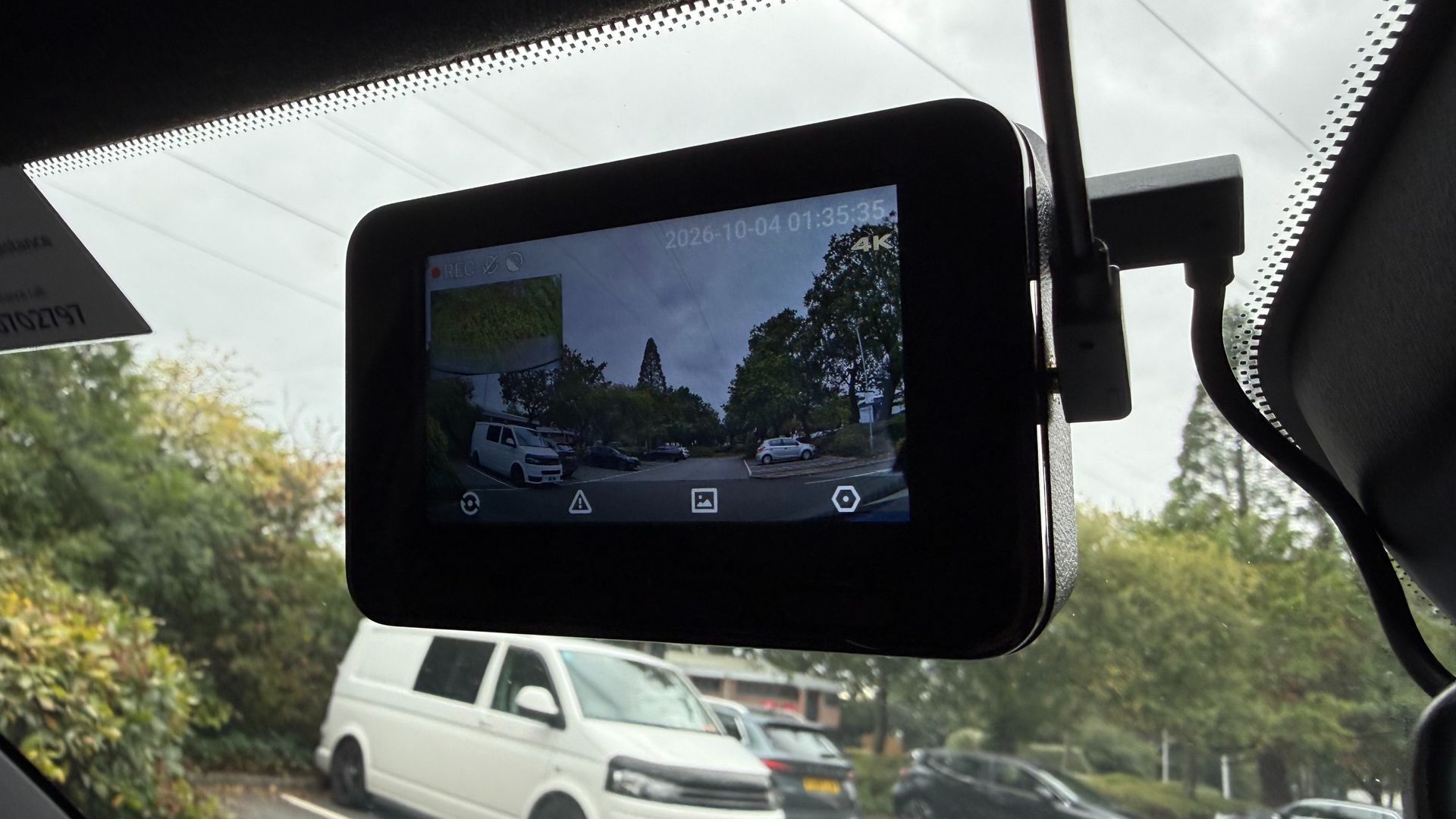
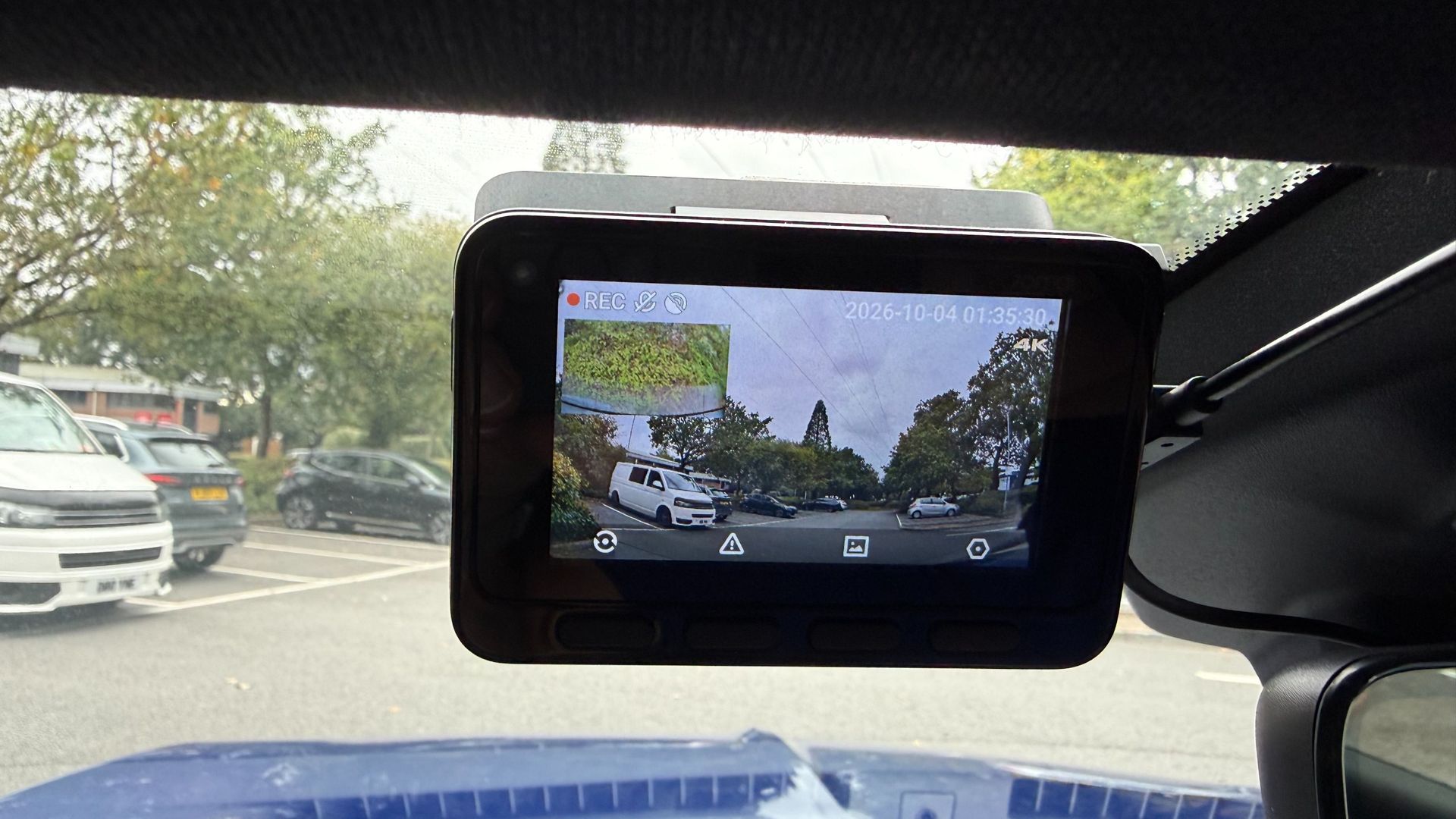
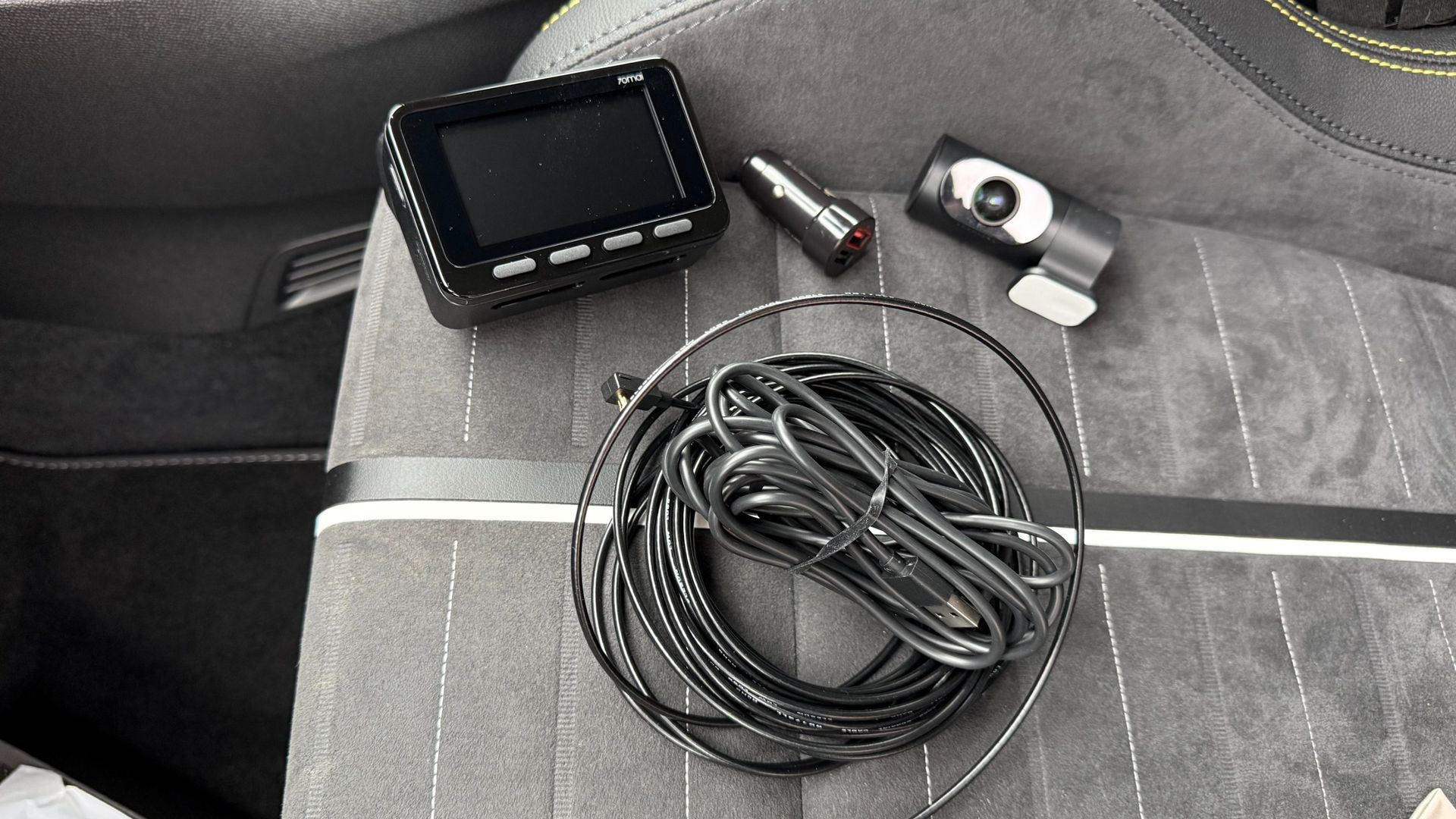
While many of the best dash cams on the market come with plenty of features and functions, not all of them boast 4K shooting capability. The dual-channel 70mai 4K A900 Ultra captures 4K footage not only with its front-facing camera, but also with the rearward-facing unit that makes up this potent dash cam bundle.
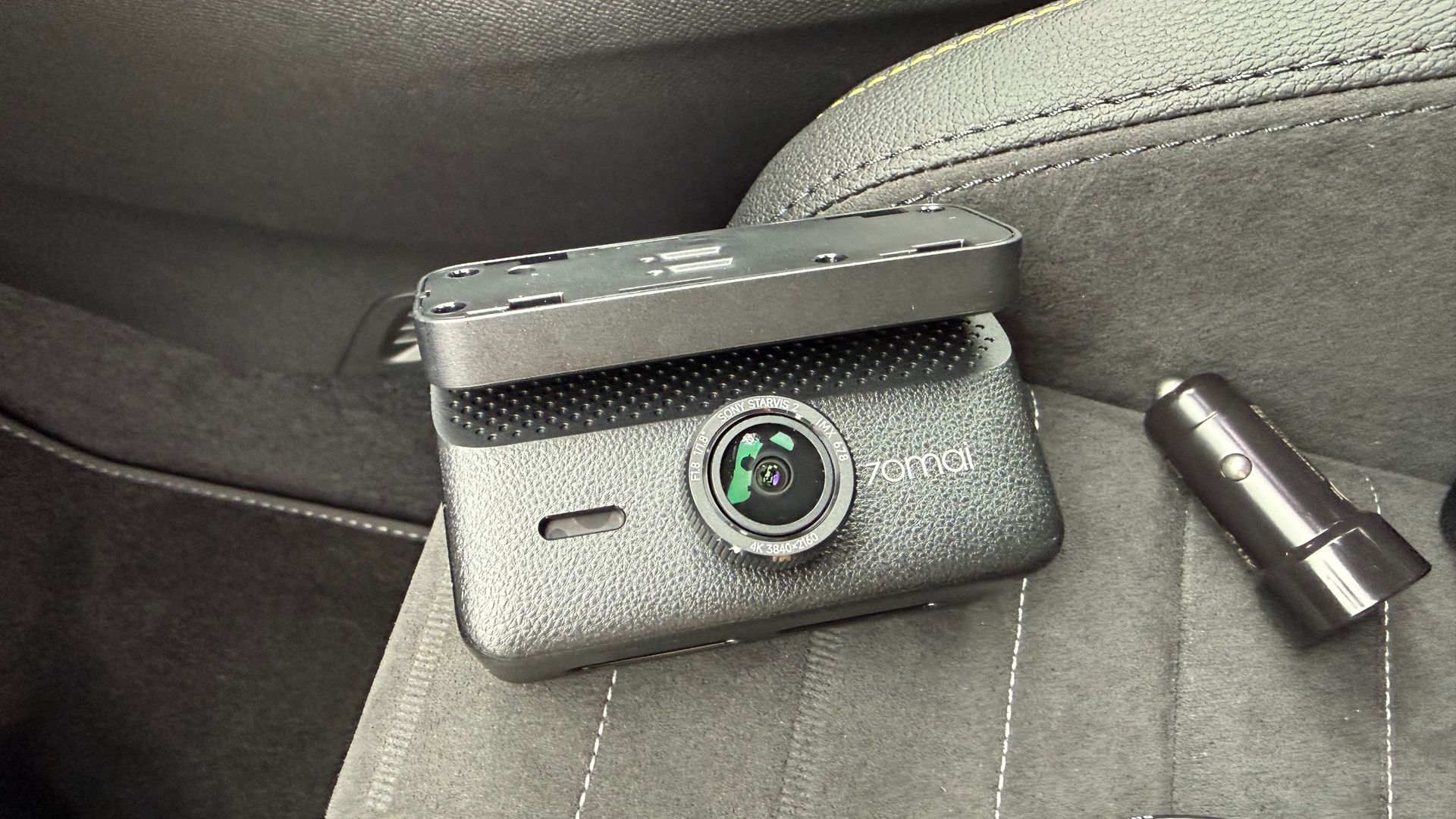
This camera combo benefits from Sony Starvis 2 IMX678 sensors in both units too, which combined with the 4K, HDR and 70mai’s own Night Owl Vision 2.0 processing, means the bundle is perfect for capturing footage night and day. The resolution is impressive, with the f/1.8 front lens capable of shooting 3840 x 2160P (4K) at 30fps, and the f/1.6 rearward camera able to shoot the same 4K quality at 25fps. The field of view for both units is a generous 130 degrees.
The rest of the specification is similarly impressive, with the chunky main camera featuring a 3-inch rear-facing screen and four control buttons, which makes adjusting settings and previewing footage easy. There is a 5-system built-in GPS, and buffered emergency recording that captures up to 3 minutes and ten seconds before and 30 seconds after an incident.
Bonus appeal is delivered with the likes of 70mai’s Smart Parking Surveillance 2.0 (subject to hardwiring the unit into a vehicle), a Driver Fatigue Alert, and 4G Cloud+ 2.0 compatibility that delivers a live view, remote playback and two-way voice communication that covers all bases on the security front.
While capturing 4K footage soon amasses lots of chunky files, the 70mai 4K A900 Ultra features Wi-Fi 6, which means the transfer of footage and general file management is both quick and easy, with speeds of up to 45MBps. Another plus of the 70mai 4K A900 Ultra comes via compatibility with 70mai’s Battery Pack Mini, which gives assured backup power, and up to 30 days of parking surveillance without draining your vehicle’s battery.
(Image credit: Future)
Topping off an impressive set of features is hands-free voice control, while the unit itself features supercapacitor technology that offers more durable performance across the ranged of temperatures that occur inside vehicles over time.
All of this is squeezed into a compact box-shaped design for the main camera unit, while the rearward-facing camera is a fairly typical tube-shaped design. Both units can be attached to screen glass using supplied adhesive pads, and everything needed for the job comes inside the box.
The 70mai 4K A900 Ultra is therefore a one-stop solution, although it is worth noting that a hardwire kit, which unlocks the potential of around-the-clock surveillance monitoring, will need to be purchased separately. Otherwise, the units can be powered via a standard 12V in-car power socket, for which an adapter is supplied. The 70mai Battery Pack Mini is also sold as an optional extra.
70mai 4K A900 Ultra: price and availability
In the US, the 70mai 4K A900 Ultra is priced at $299.99, but at the time of writing can be purchased directly from the US 70mai website for $239.99. In the UK, the 70mai 4K A900 Ultra is priced at £231, but is currently available for £185 from the 70mai website.
70mai 4K A900 Ultra: specs
70mai 4K A900 Ultra dash cam specs
Video
Front: 3840 x 2160P (4K) 30fps
Rear: 3840 x 2160P (4K) 30fps
Field of view (FOV)
130 degrees front / 130 degrees rear
Storage
MicroSD up to 512GB
GPS
Yes 5 system
Parking mode
Yes, with constant power cable, not included
App support
70mai app
Dimensions
3.62 x 2.36 x 2.02 inches / 9.2 x 6.0 x 5.14cm
Weight
0.52lb / 0.24kg
Battery
Yes
70mai 4K A900 Ultra: Design
I’ve tested several dash cameras from the 70mai stable, and always found them to be well designed and very nicely made. The 70mai 4K A900 Ultra follows that theme, with a good-looking exterior for the main camera unit that sits upfront. Meanwhile, the tube-shaped rear-facing camera looks fairly conventional, but is also very well put together.
The main camera unit feels great in the hand, weighty and chunky. It also features a built-in mounting bracket, which is non-detachable. The angle-adjustment bracket that joins the camera unit, and the sticky attachment that fits to the windshield felt quite stiff to adjust, but this makes sense when you consider how much vibration and bumping around the unit will be subjected to over time, and should mean that the position of the camera remains consistent over time.
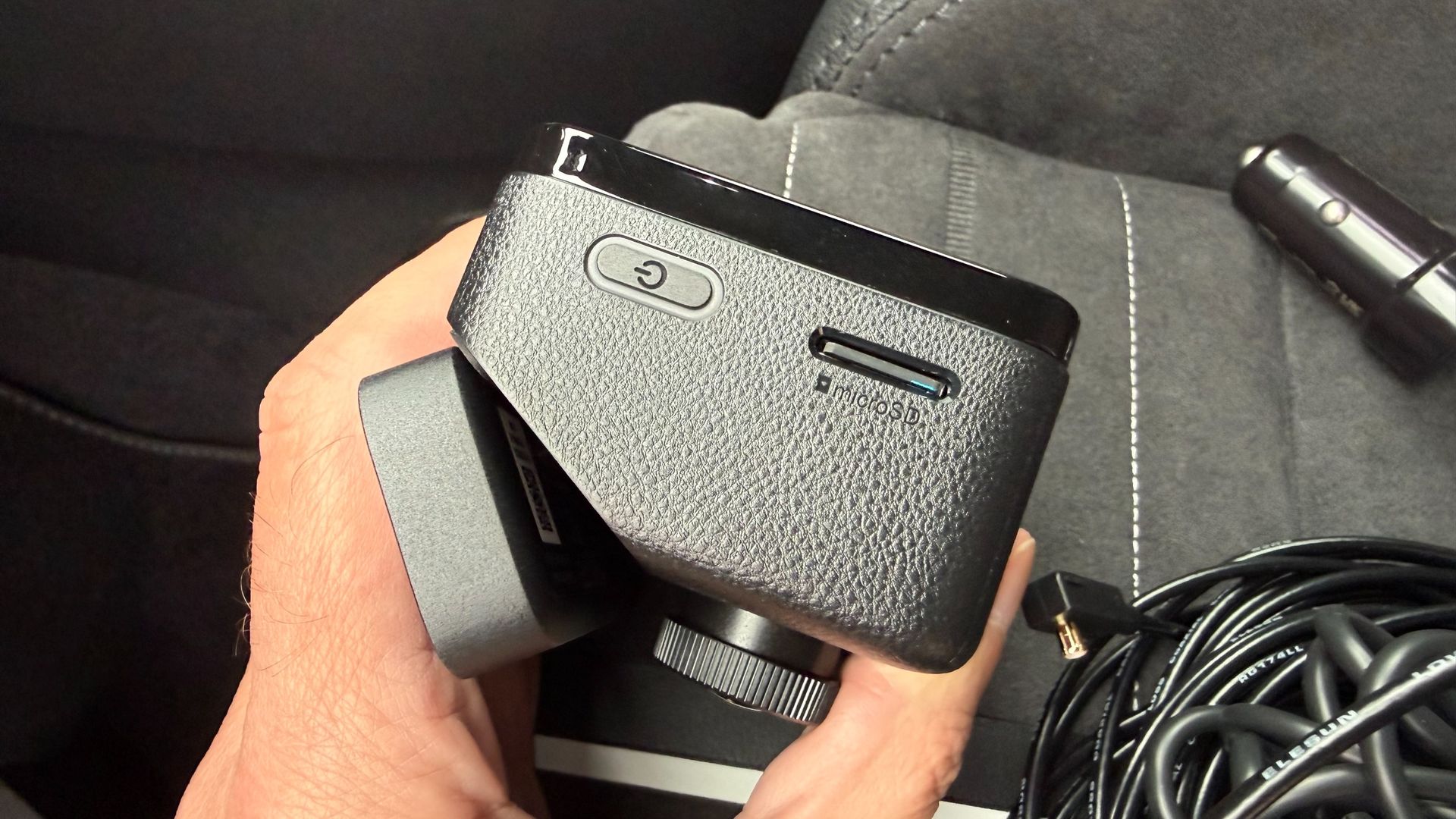
Up front, the lens protrudes from the front of the camera unit, but not so far as to be intrusive when fitting to the windshield. The side of the unit has a slot for microSD cards up to 512GB capacity, and the port for connecting the power and rear camera cable. I like the way 70mai does its connectors, with a push fit for the camera wire that feels almost locked in place once it has been pushed in. Again, having a durable design for components like this means there’s less chance for failure over time.
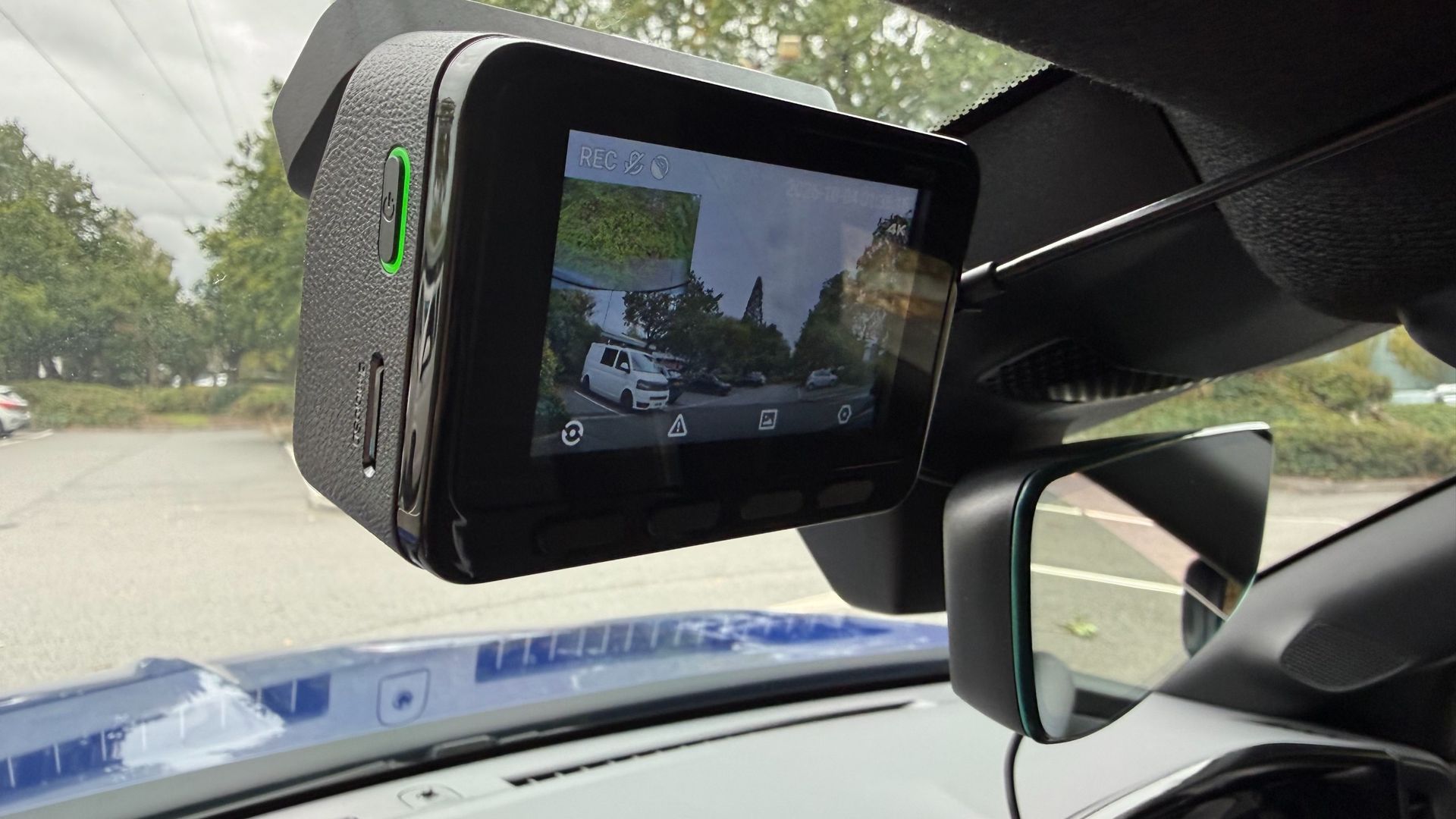
There’s a 3-inch screen on the back of the front dash camera unit, which is a good size for previewing footage and the like, as well as making the setup process nice and easy. It took me mere minutes to power-up the camera using the supplied 12V power plug and cable. From there, picking through the installation options and setting the language, time and date options was easily achieved via the four plastic buttons directly below the screen.
(Image credit: Future)
Both cameras can be fixed to the glass using the supplied self-adhesive pads. In the case of the front unit this has to be applied to the bracket and then stuck to the screen. There are static sheets for anyone who wants to stick these to the glass first, which isa good option if you think you’re going to need to peel it off and move to another vehicle at some point. The rear camera has its sticky pad already fixed to the bracket.
Getting this into position in a rear window can be tricky, depending on the vehicle, but the good news is that the lens barrel can be rotated into its optimal position, and the view it captures checked within the front-facing screen on the front. This is presented as a picture-in-picture view, so any tweaks can be made if the view doesn’t look quite right. 70mai does sell an optional hardwire kit for anyone wanting to access the entire suite of features and functions, including round-the-clock vehicle surveillance.
(Image credit: Future)
70mai 4K A900 Ultra: Performance
I found the 70mai 4K A900 Ultra dash cam very easy to use once I’d got it installed and ready to go. As mentioned, the initial setup procedure is very straightforward, and can largely be done without consulting the manual thanks to the simple step-by-step process, which includes formatting the memory card. I especially liked the way the chunky buttons on the back of the camera could be used for making adjustments. Combined with the 70mai app, which I’ve used before, this combination makes light work of everyday file management duties.
Which brings us to the subject of the video. The 4K quality produced by this twin-channel camera combination is excellent, and I found the after-dark footage it captured was as good as footage shot in daylight. The 70mai engineers have clearly put some effort into squeezing the maximum detail from their HDR software, and the results are clear to see in the clips on this page.
The cameras also coped admirably with variable light quality and weather conditions, as well as sudden changes in lighting such driving through a tunnel, as illustrated in the clips here. Importantly, there's good definition in details such as license plates and road signs.
One of the more interesting features of this dual-channel dash cam is its use of low-voltage differential signaling, or LVDS. 70mai claims this means the 4K feed from the rear camera is relayed as a digital signal, with no re-encoding, which ultimately means there's no compression carried out, even though there is quite a long cable connecting the two camera units. 70mai also says the connection features 20ms ultra-low latency. In essence, that should mean that if you're using the feed from the rear camera when reversing, you'll see it in real time, without any lag. On a more practical note, the more efficient cabling seems thinner than usual too.
(Image credit: Future)
Overall, the 70mai 4K A900 Ultra dash cam is a potent package that left me wanting for nothing. Naturally, the files are chunky, but the latest Wi-Fi transfer capabilities of this bundle and a rock-solid app means file management really isn’t an issue. Granted, the microSD card tops out at 512GB before it starts looping, but I found that transferring files from the camera to cloud-base storage was about as easy as it gets.
As always, one important thing to note is that anyone wanting to use the parking-monitoring feature will to purchase the optional hardwire kit.
You want top-quality video There's no doubting the capability of the 70mai 4K A900 Ultra dash cam, thanks to its 4K shooting power. Better still, you get similarly potent video capture from the rear camera too.
You value extra features The 70mai 4K A900 Ultra dash cam comes with a host of added-value features, including excellent after-dark capability, and parking surveillance via the optional hardwire kit.
You want more power The 70mai 4K A900 Ultra dash cam can be boosted by adding 70mai's Battery Pack Mini as an option. This avoids any worries about battery drain, and makes the twin-camera setup even more versatile.
Don't buy it if...
Twin cameras are more than you need Lots of us tend to think driving standards have been slipping, and so all-round protection is useful. But if you crave simplicity then a single-camera setup will suffice.
You're looking for a budget option The 70mai 4K A900 Ultra dash cam is best described as a mid-range model, and while it is competitively priced, there are cheaper bundles out there.
Fitting a dash cam is a chore The downside of the 70mai 4K A900 Ultra dash cam is that it requires twice as many cables to be plumbed in behind trim panels. A single-channel camera might therefore be a better bet.
How I tested the 70mai 4K A900 Ultra dash cam
I installed the dash cam in an SUV for a test period of around four weeks
I used it during daily commutes as well as for longer trips on a mix of roads
I installed the 70mai app and used it to view, manage and save 4K files
70mai loaned me the 4K A900 Ultra dash cam along with everything I needed to test it, including a microSD card.
I installed the twin-camera bundle in a test vehicle using the supplied cables and connectors. I didn't call on the option of using a 70mai hardwire kit, which offers a more permanent means of supplying power, and enables parking-surveillance features. I didn't get to try the 70mai Battery Pack Mini either, which is another option offered by the company.
I did, however, make good use of the supporting 70mai app. I've tested this before, and it's received a few tweaks here and there since I last used it. As a result, the app works very well indeed, especially when it comes to managing the larger files generated by the higher-quality 4K setup.
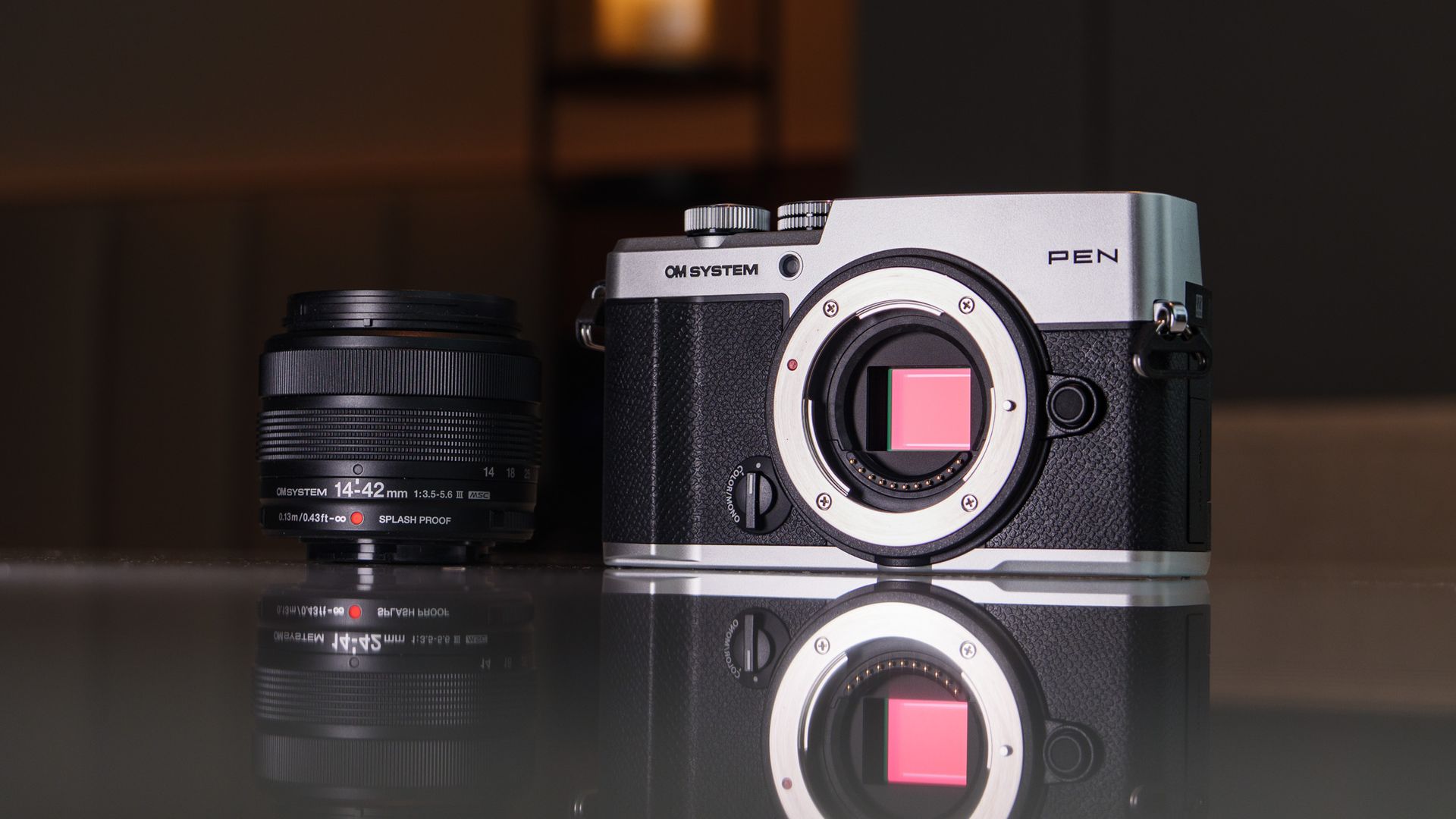
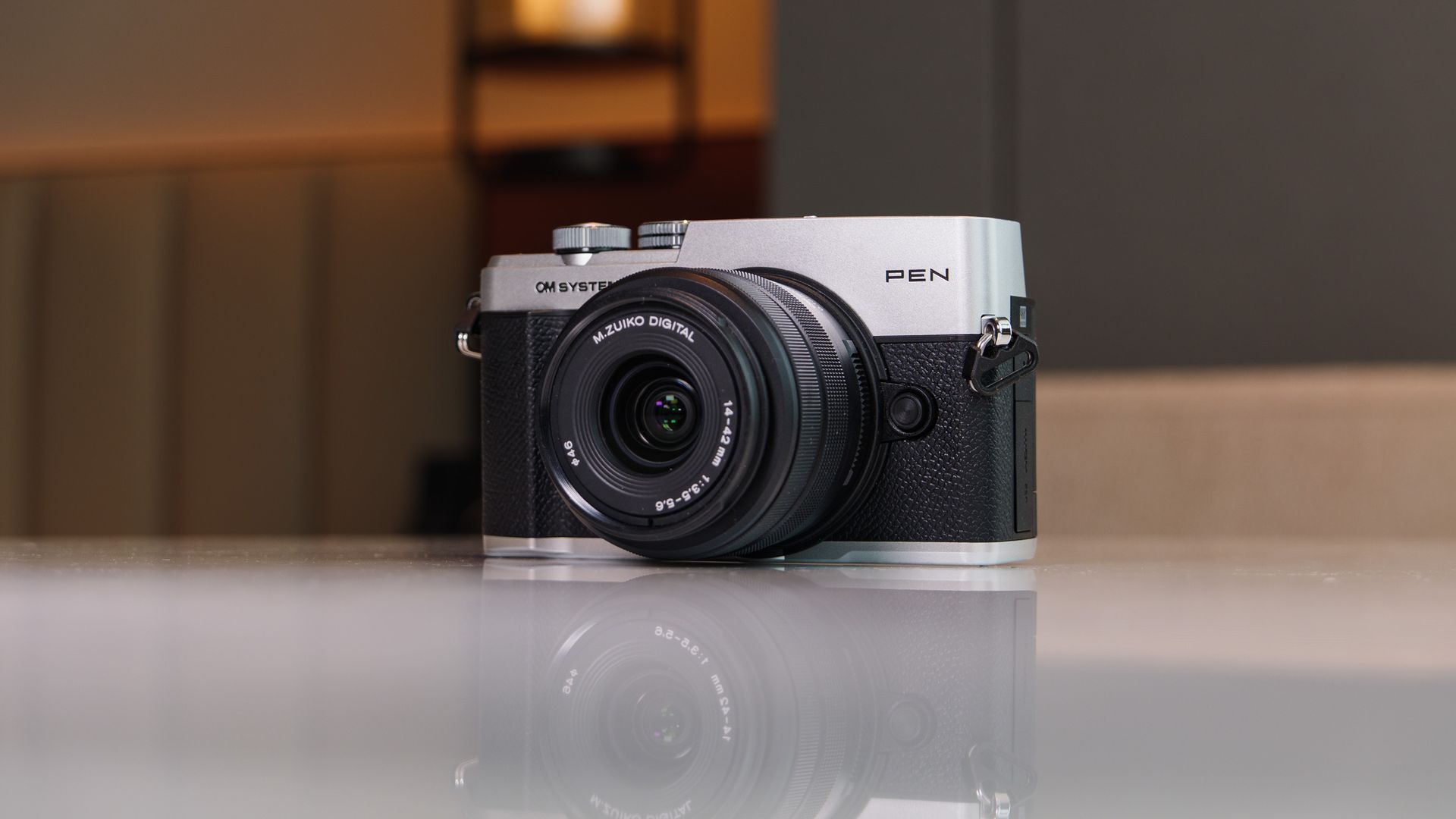
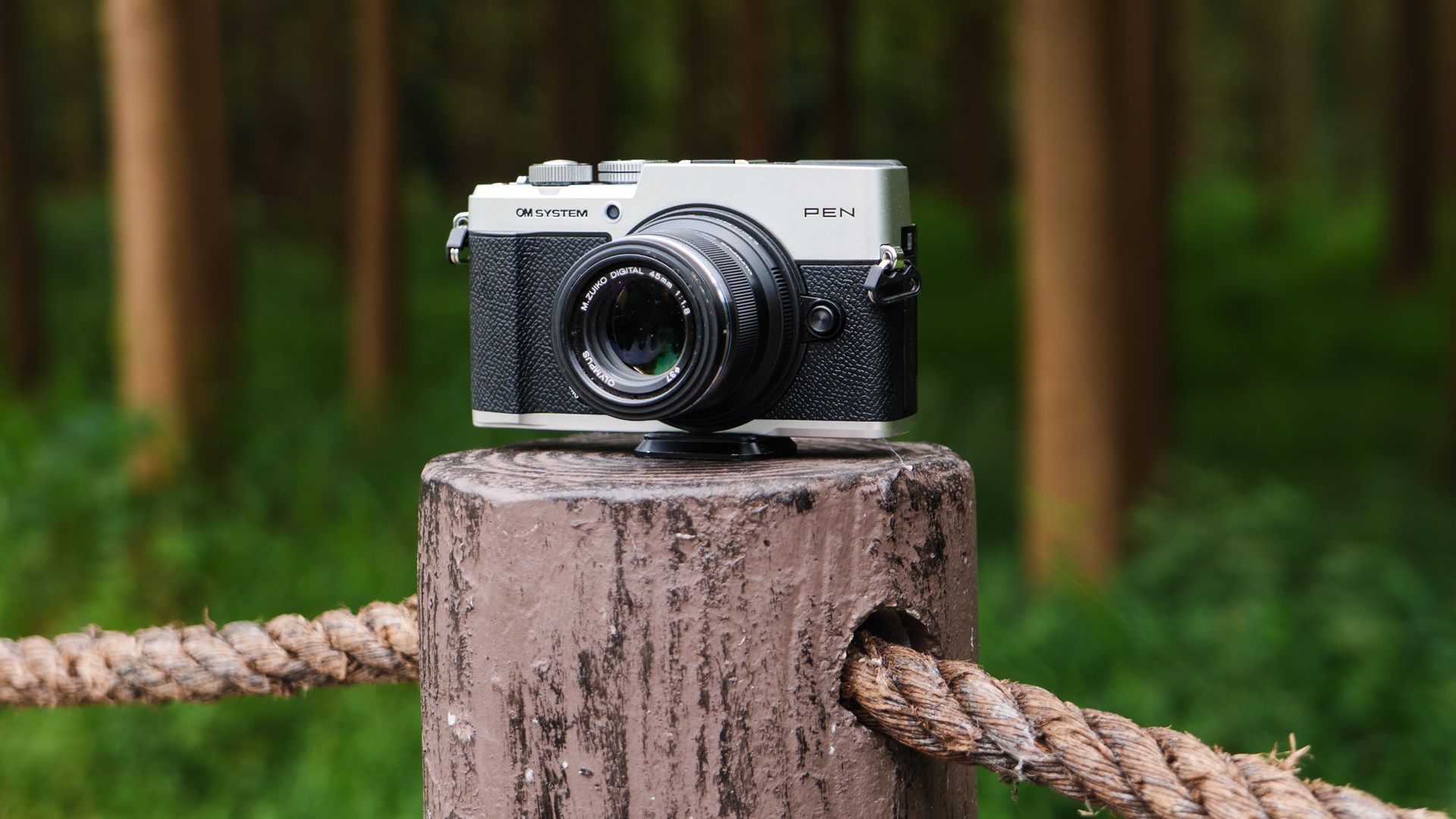
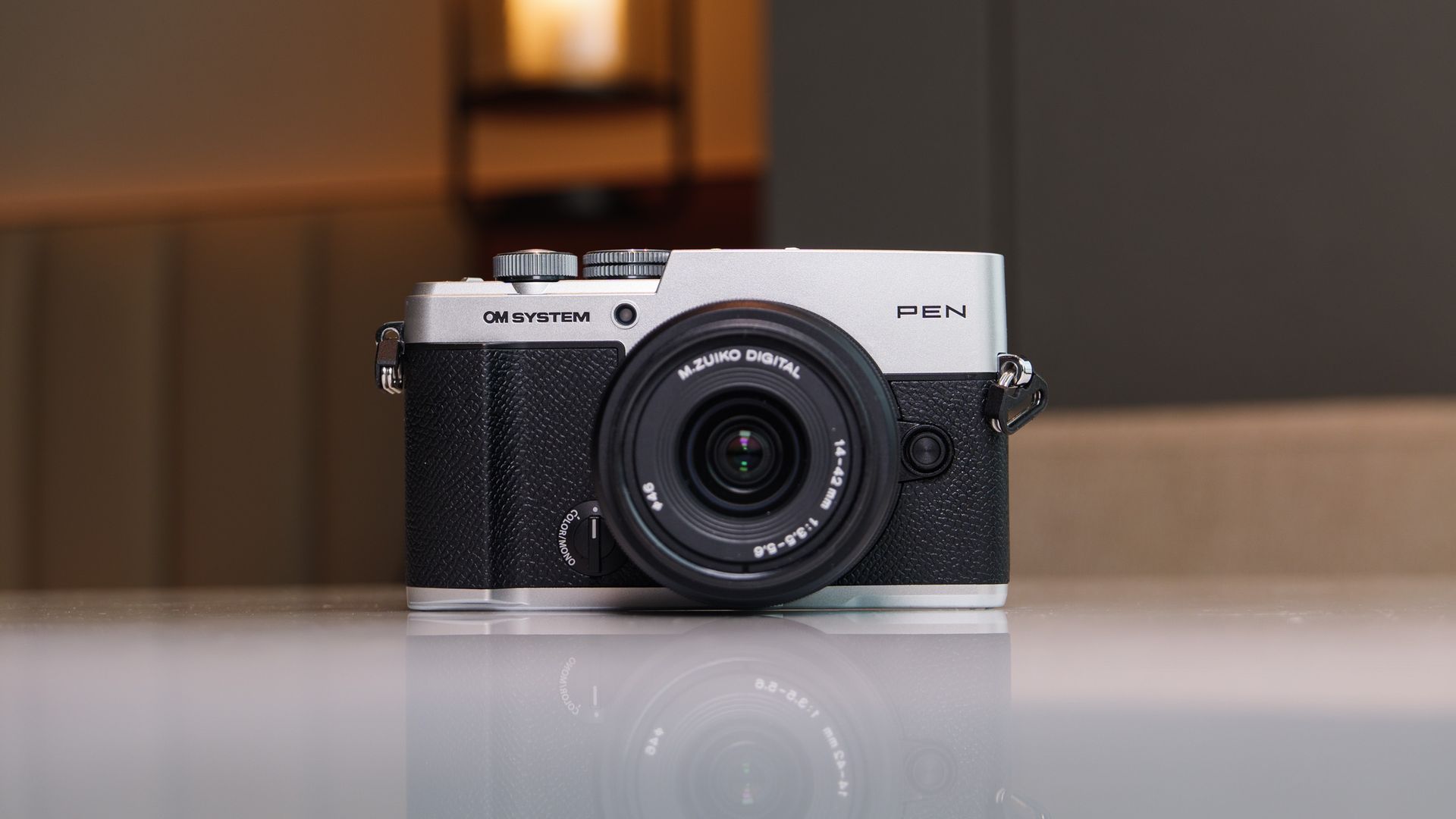
Given the ongoing component shortages and price pressures, producing an affordable camera in 2026 is no mean feat — and that's exactly what OM System has achieved with the new PEN.
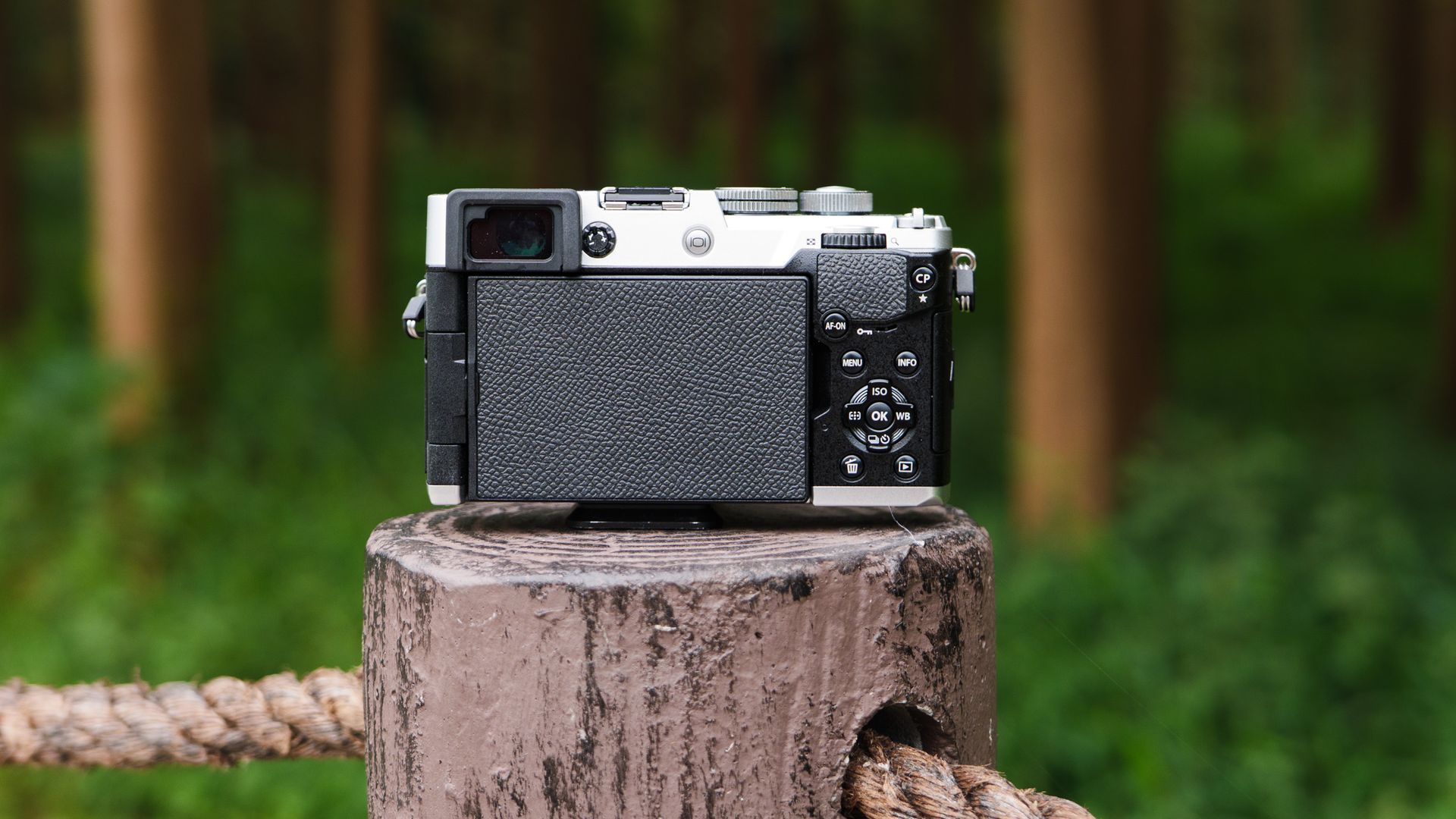
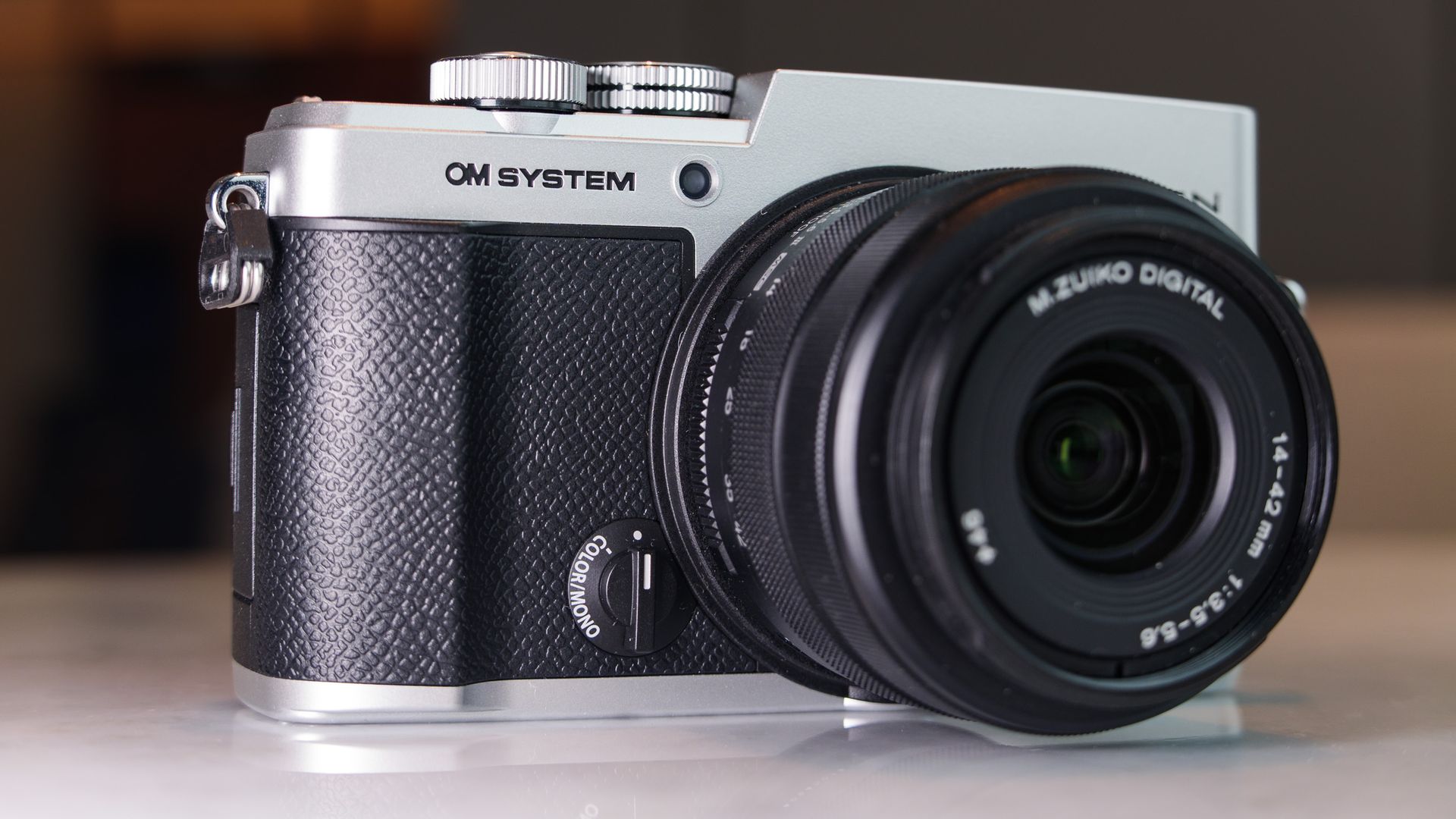
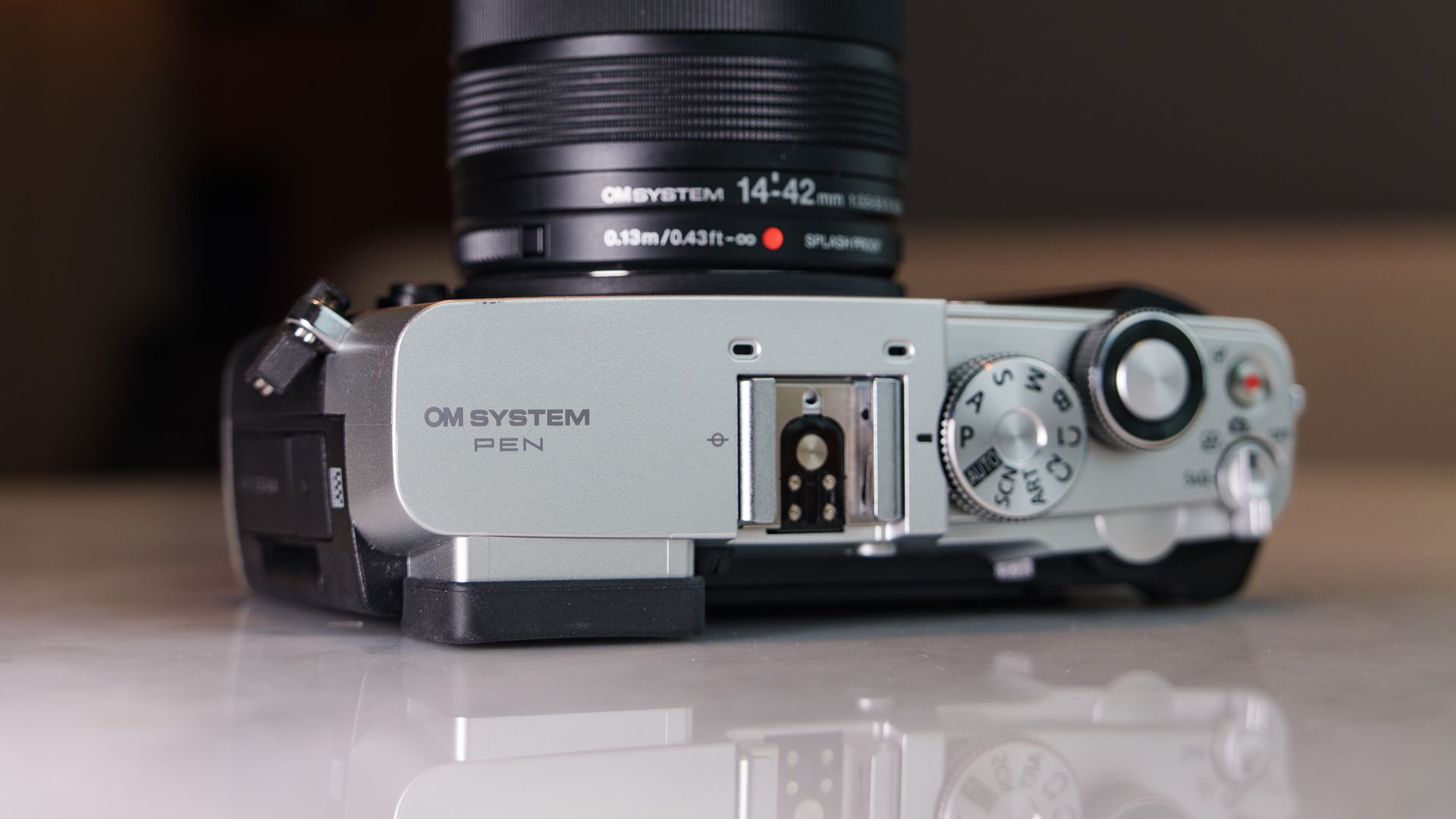
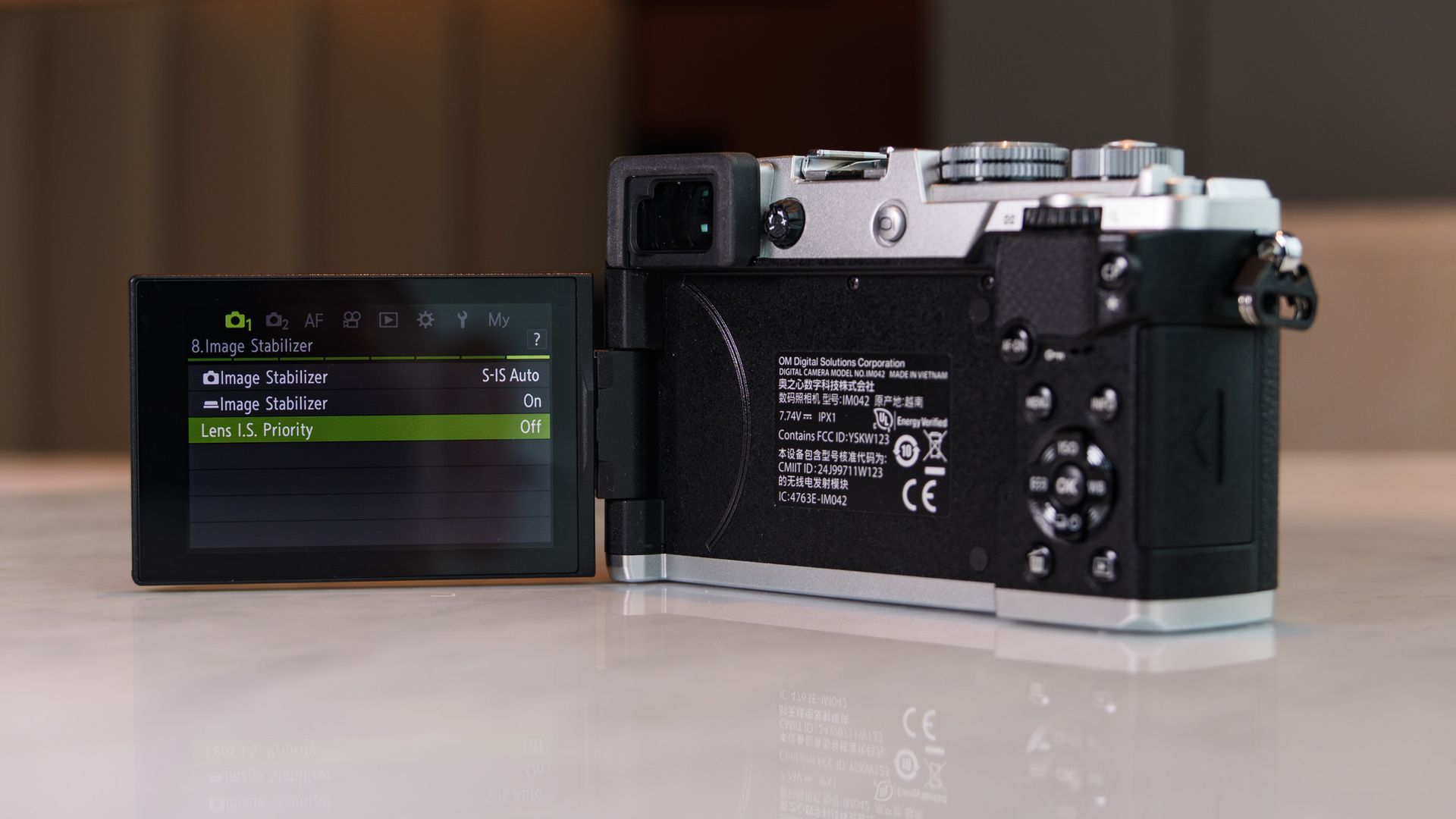
It has delivered the rangefinder-style mirrorless camera many PEN fans have been crying out for, and equipped it with in-body image stabilization, twin displays, a retro weather-proof design (IPX1-rated), and a range of fun computational photography modes — and kept the price to $1,000 / £850 / $AU1,800. Need a lens? The 14-42mm f/3.5-5.6 III kit (see below) is just $100 / £100 / AU$300 extra.
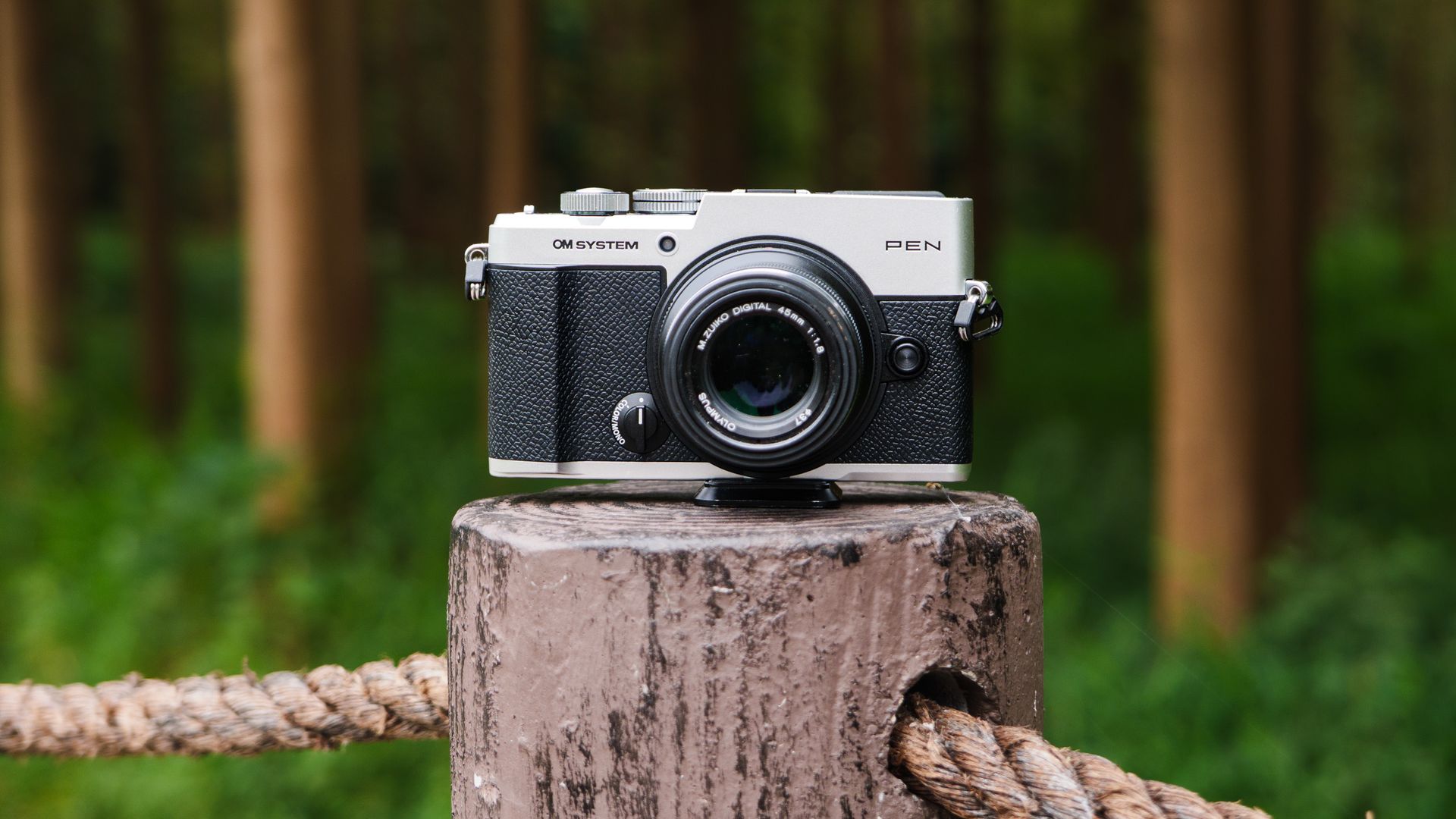
Beyond that kit lens, the OM PEN is part of the Micro Four Thirds system, with hundreds of lenses to choose, covering just about any situation, though any of these will add to the cost. I found it to be a great pairing with the low-cost Olympus 45mm f/1.8 for portraiture.
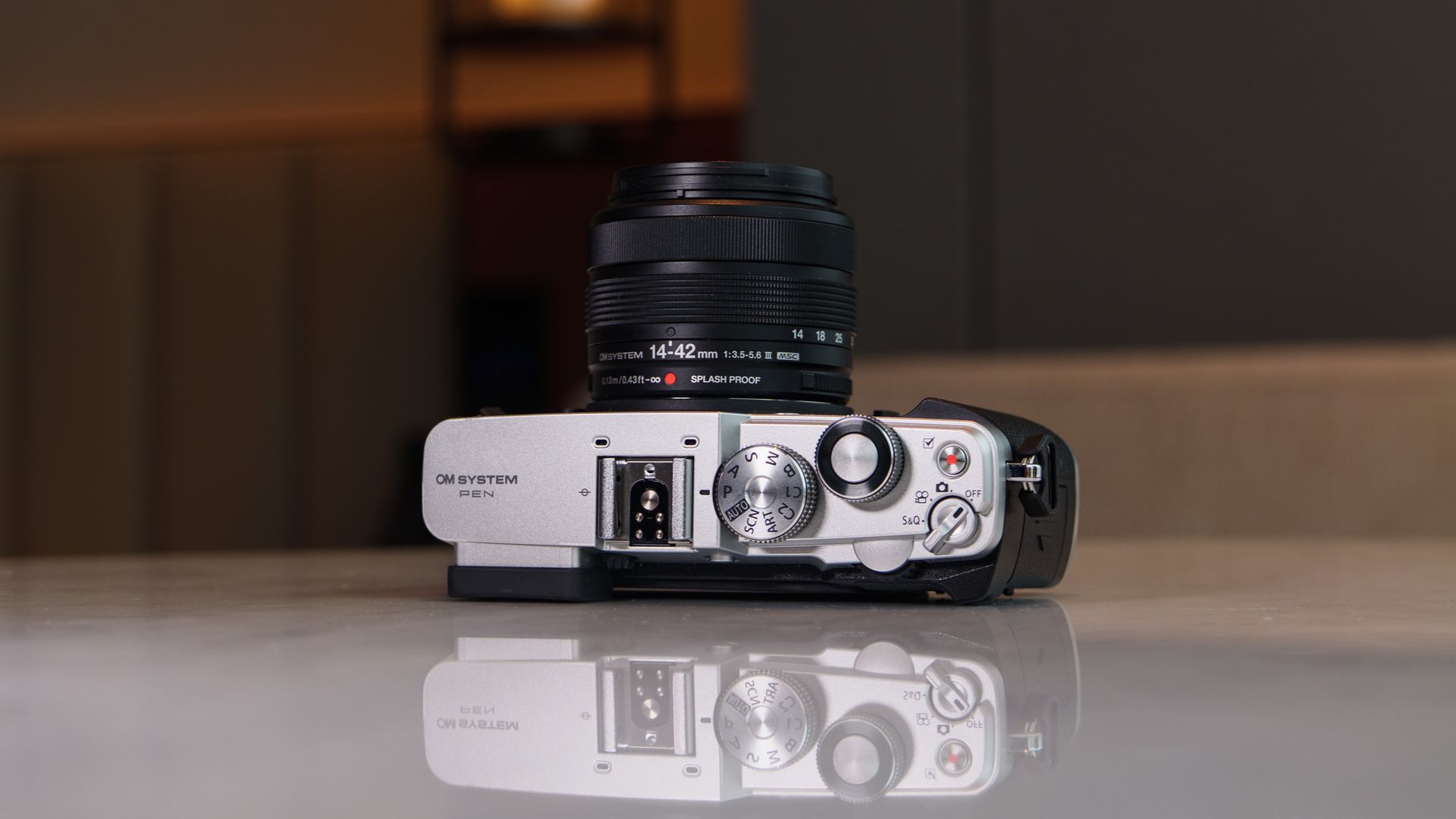
The OM System PEN can be purchased body-only, or as a kit with the new 14-42mm f/3.5-5.6 Mark III lens — both camera and lens are splash proof. (Image credit: Tim Coleman)
There's little that's new here, mind you — we have the same 20.4MP CMOS sensor with 5-axis image stabilization as previous models, including the OM System OM-5 II, and the same 121-point hybrid phase-detection autofocus, with stripped back subject-detection options. The vari-angle touchscreen and 2.36m-dot EVF are borrowed from previous models, too.
However, the OM PEN remains utterly compelling because it's so much fun to shoot the everyday with, so easy on the eye, and kind on the wallet. Sure, the PEN could be better in various areas (some of the controls are particularly fiddly), but all is forgiven when you consider the overall package, and that price tag.
Having used the camera for several weeks (and made direct comparisons with the excellent Lumix 10 premium compact), I think the OM System PEN as an ideal starter camera for smartphone upgraders — and it's the best beginner camera for 2026 so far.
OM System PEN review: Price and release date
(Image credit: Tim Coleman)
Announced in September 2026
Costs $999.99 / £849 / AU$1,499 (body-only) or $1,099 / £949 / AU$1,799 with new 14-42mm f/3.5-5.6 III kit lens
Available in two colorways: all black, and black with silver trim
After years of rumors, OM System finally put its name on a successor for the Olympus PEN series of cameras. And like the OM-5 II before it, the OM System PEN is excellent value for money in an industry otherwise feeling the effects of component shortages and price hikes — where else can you find a new interchangeable-lens camera with a viewfinder and in-body image stabilization for less $1,000?
That price is for the body only, mind you, and if you're starting from scratch the best-value package is the camera with the new 14-42mm f/3.5-5.6 III zoom lens, and that costs $100 / £100 / AU$300 extra. The third-generation kit lens was announced alongside the camera, and gains a splash-proof design, matching the OM PEN camera.
The camera is available for preorder now in two colorways: black, and black with silver trim.
4K up to 30fps, C4K 24fps, 8-bit, OM-Log400 profile
Viewfinder:
2.36M-dot OLED EVF
Screen:
3.0-inch vari-angle touchscreen, 1.04m-dots
Storage:
Single SD/SDHC/SDXC slot
Connectivity:
2.4 and 5GHz Wi-Fi, micro HDMI, USB-C, mic
Battery
BLS-7, rated to 410 shots
Dimensions:
125.8 x 74.5 x 43.3mm
Weight:
13.9oz / 393g (with card and battery included, 344g without)
OM System PEN review: Design
Tim ColemanTim ColemanTim ColemanTim ColemanTim Coleman
Compact, IPX1-rated body that weighs just 13.9oz / 393g
Twin displays: 2.36m-dot EVF and 1.04m-dot vari-angle touchscreen
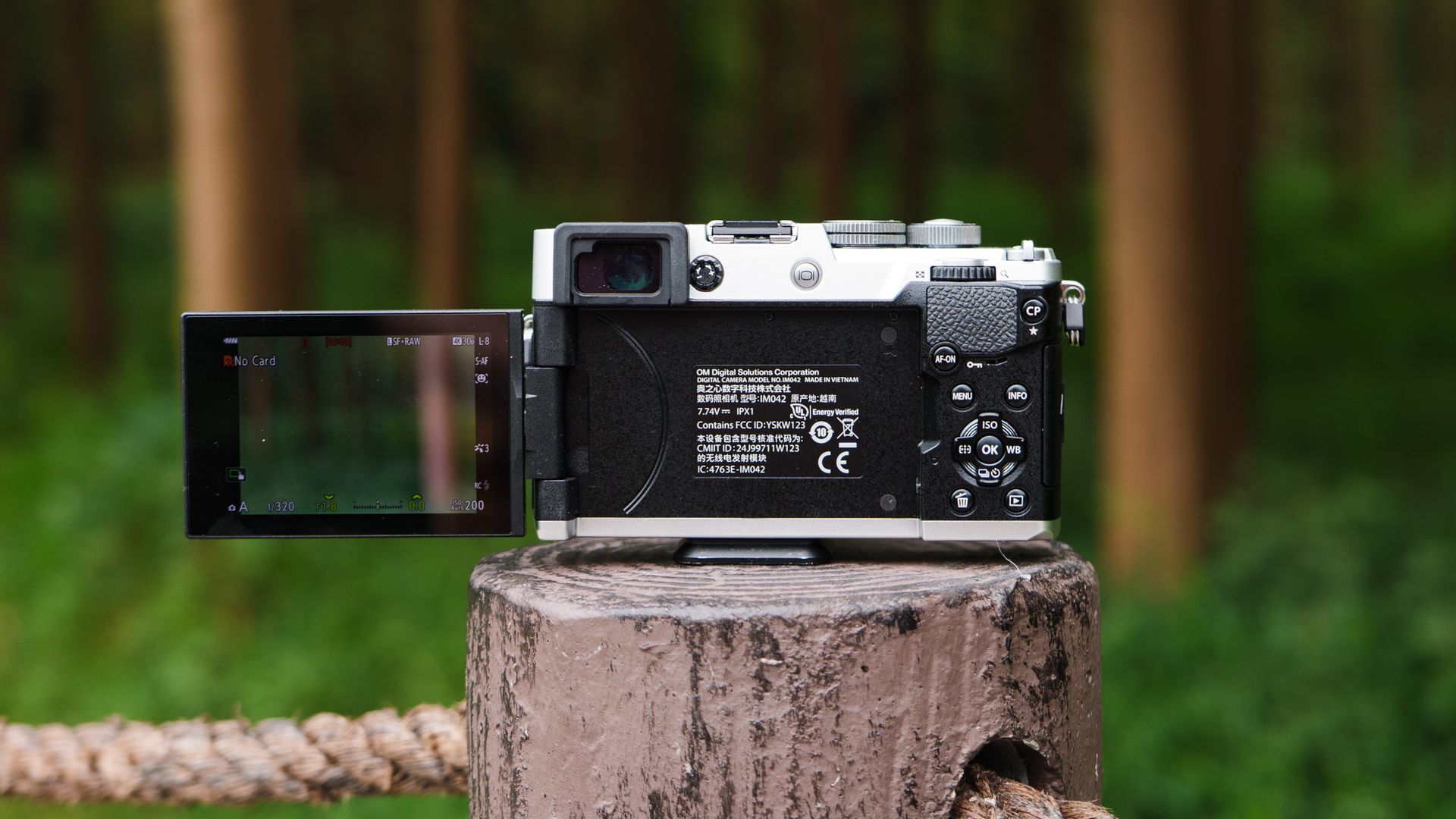
USB-C charging, mic port and hotshoe
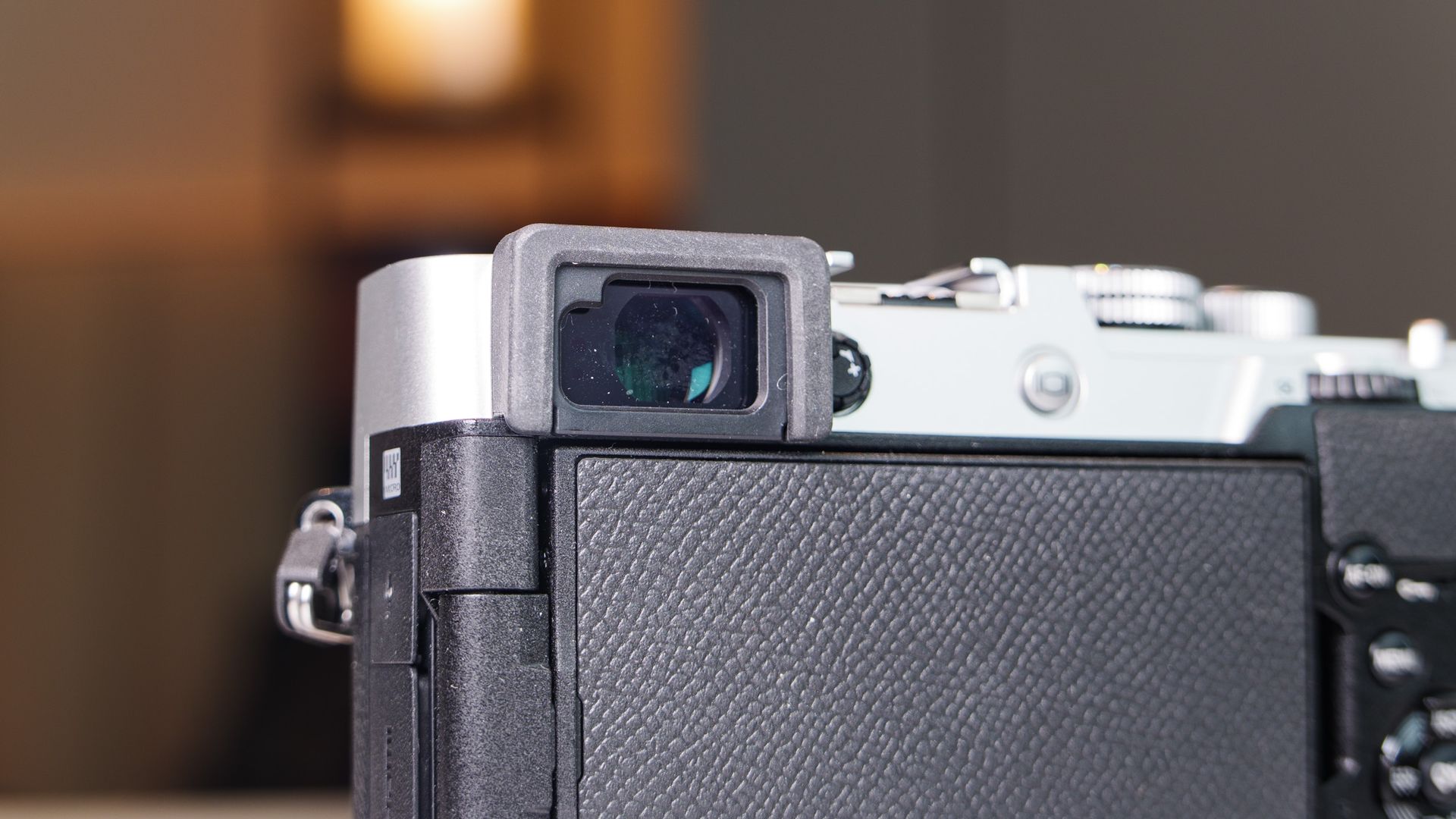
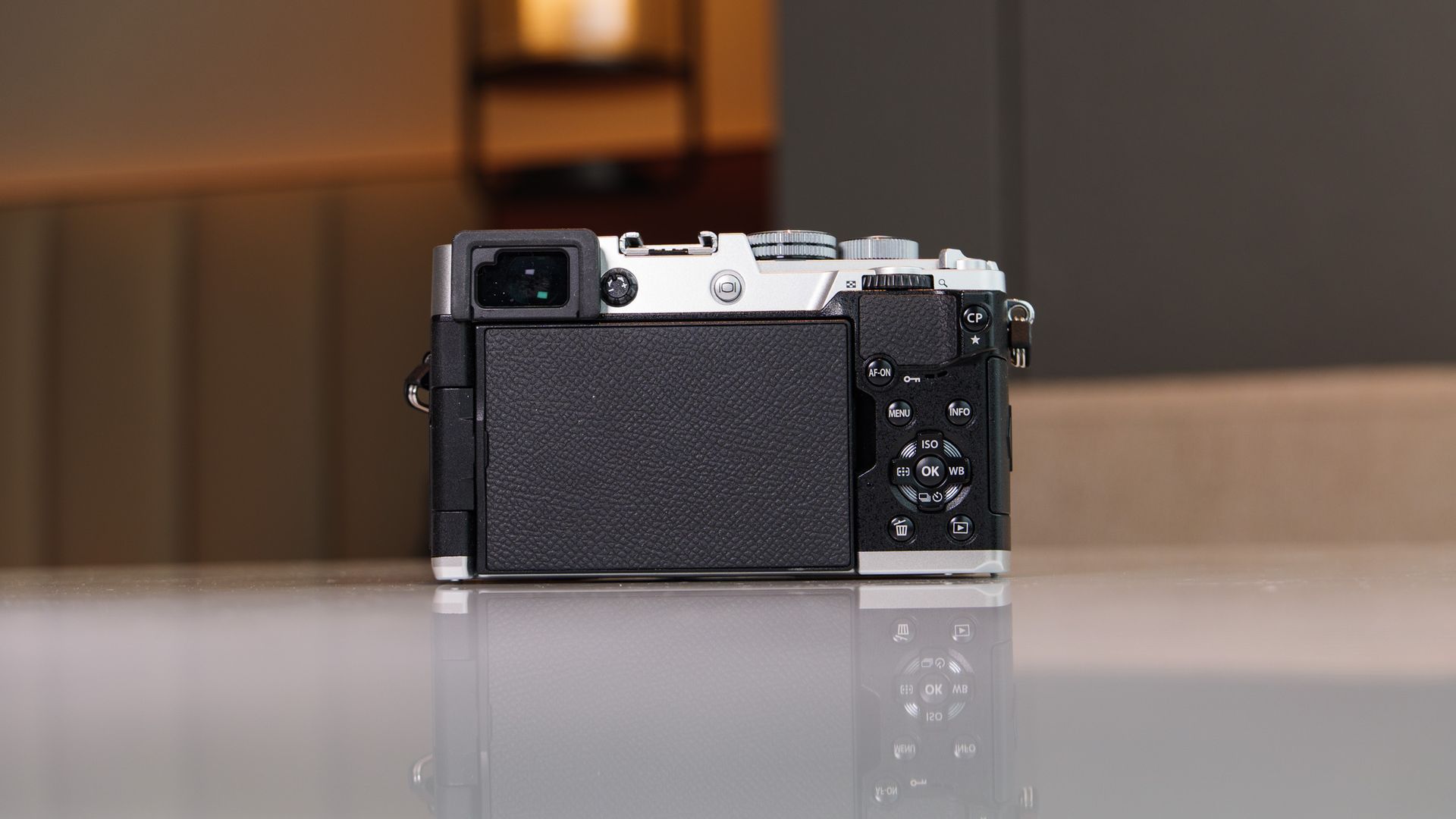
There's no shortage of OM System bodies, but the PEN is the first OM-branded rangefinder proper, with its 2.36m-dot EVF neatly tucked into the top-left corner of the compact, IPX1-rated retro body.
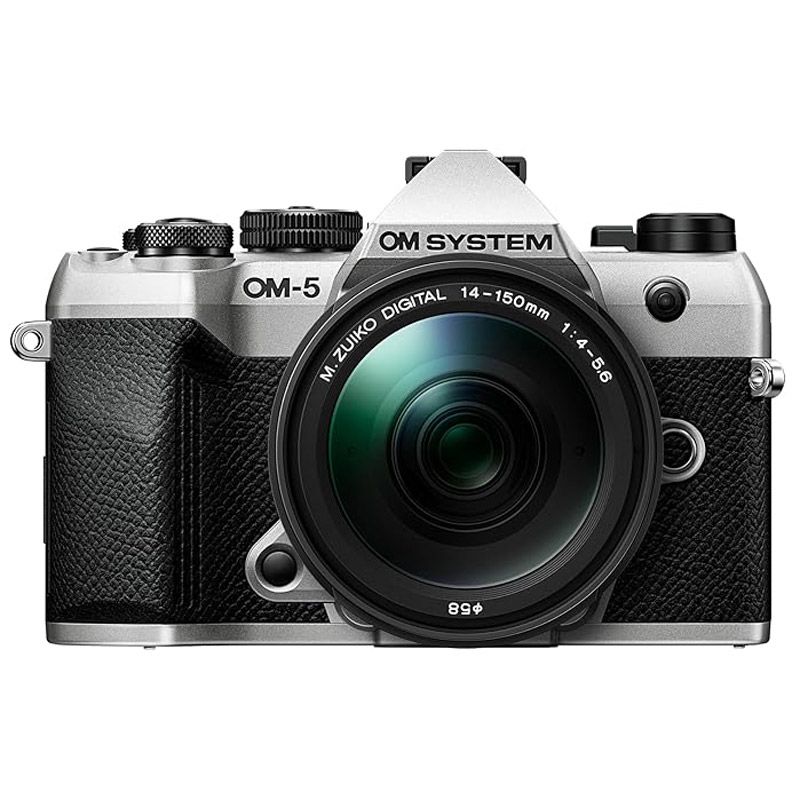
It's the same EVF that you'll find in the slightly pricier OM-5 Mark II — a camera that we awarded a 5-star rating, and which sits in top spot in TechRadar's best travel cameras guide.
The key difference between those two bodies is that the OM-5 Mark II has higher-rated weatherproofing, a pronounced viewfinder bump, and a larger grip — meaning it's better suited to inclement weather, outdoor photography, and use with larger lenses. The OM PEN is also a superb travel camera, but you'd typically use it on city breaks, for everyday and street photography with smaller lenses.
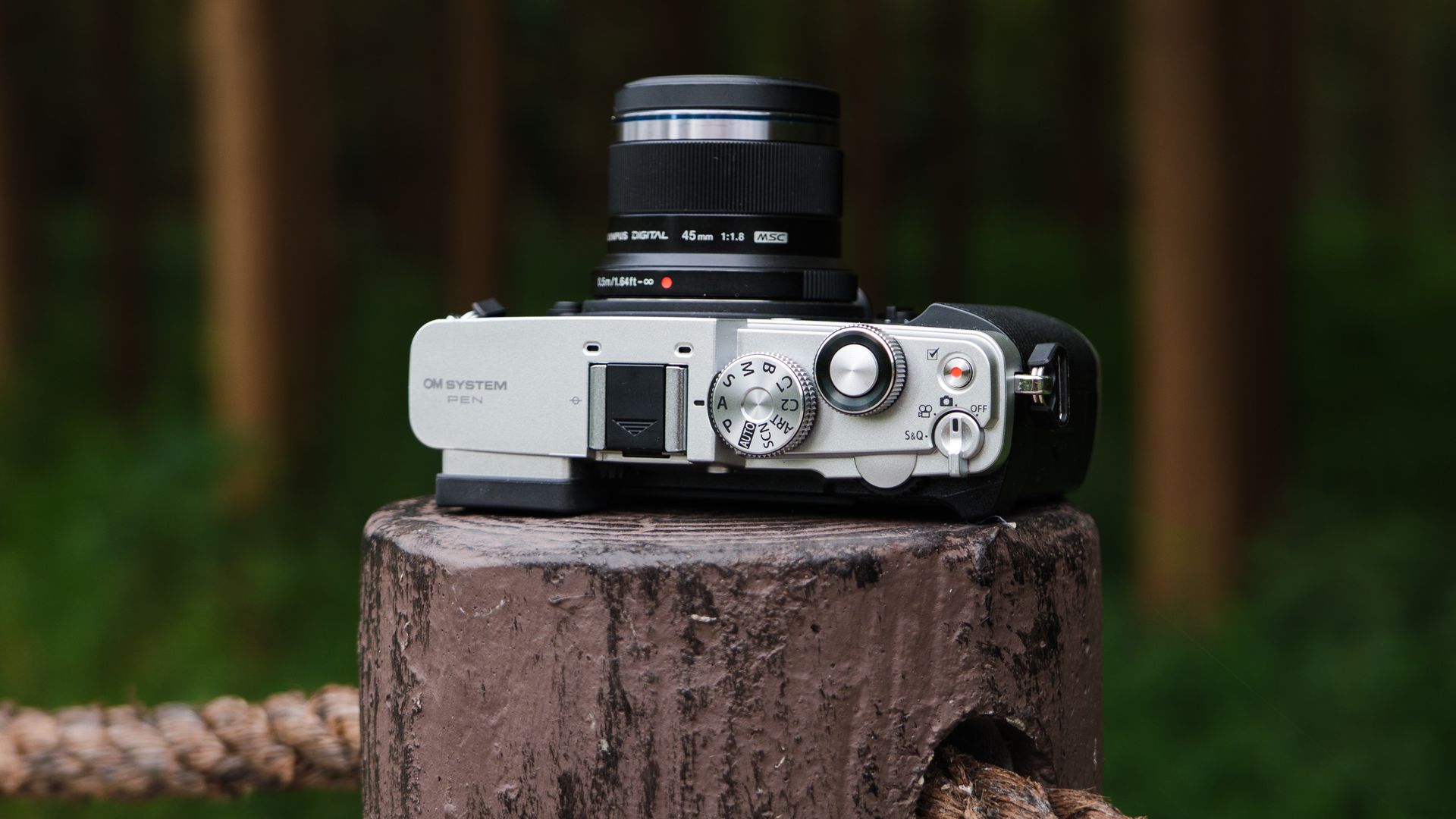
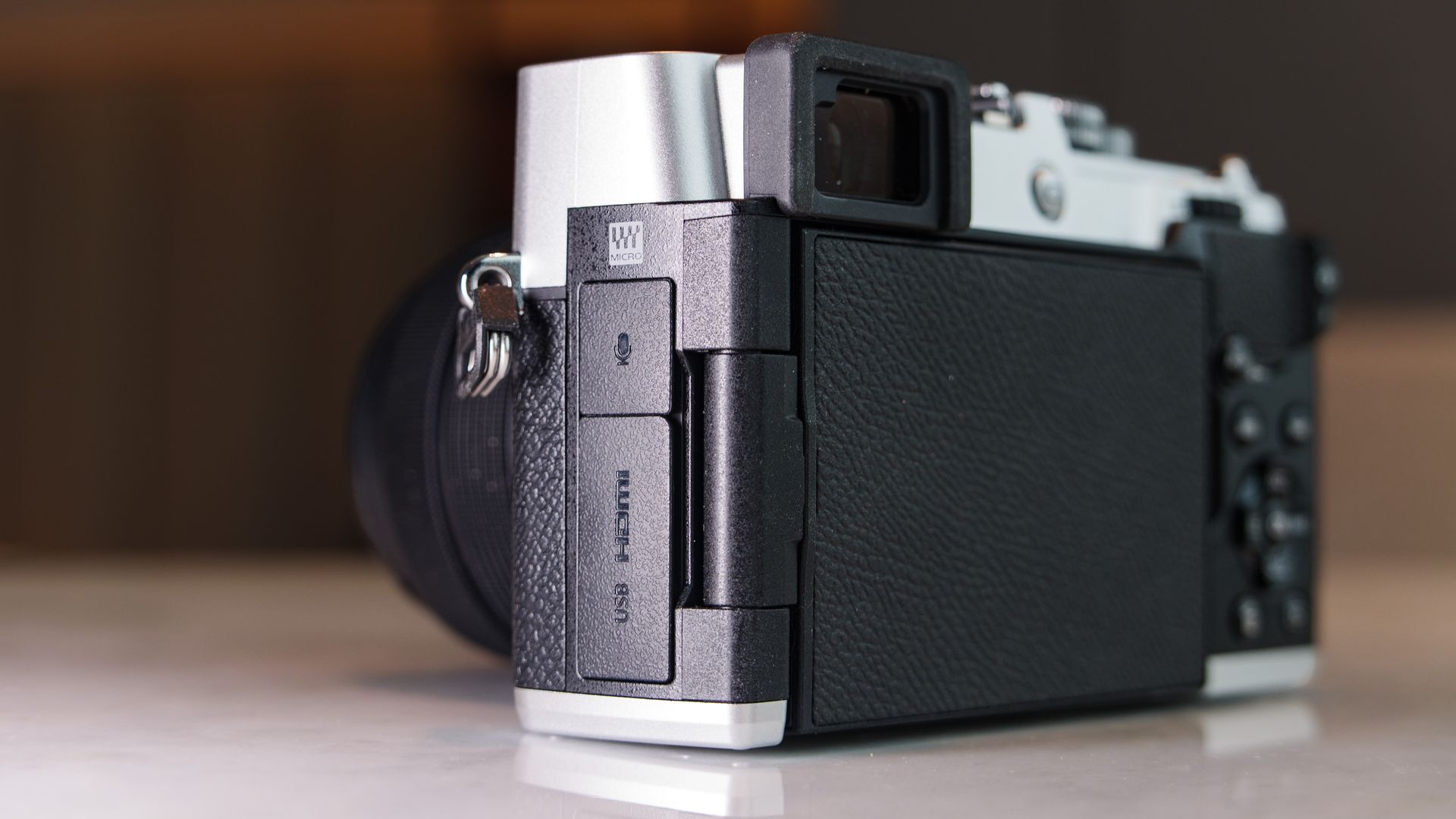
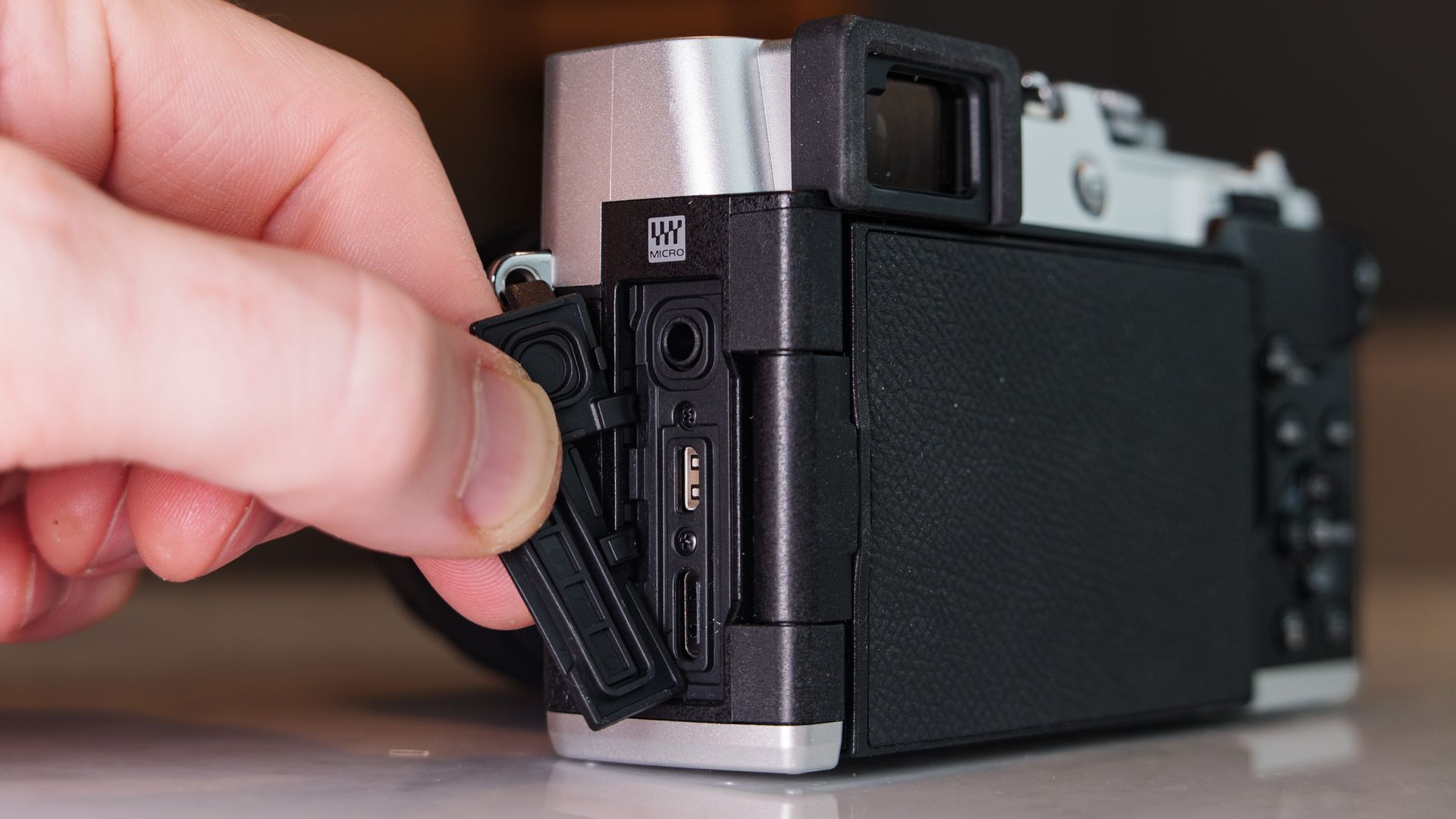
It has the retro charm we've come to expect from Olympus / OM System bodies, and I particular liked the black and silver version I had for this review. It's equipped with a hotshoe for accessories such as an external flash (there's no built-in flash), a Mono / Color profile switch, a USB-C port for charging, micro HDMI, mic jack and a single SD card slot.
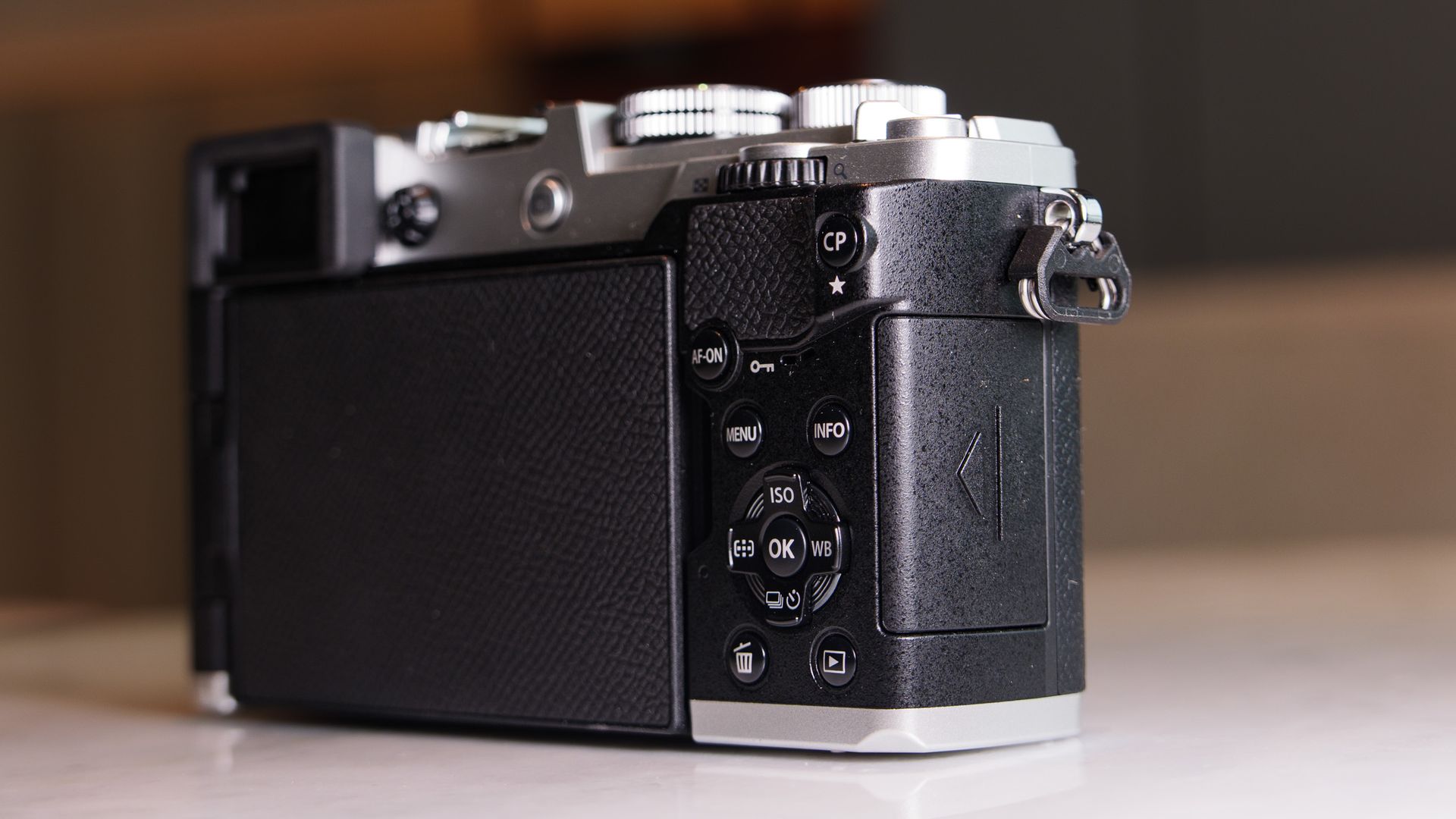
Most of the buttons are small and can be a little fiddly. I found accessing the computational photography a pain — you need to hold down the 'CP' button while rotating the top dial (that the shutter button is set within) to access the menu. Why not require just a press of the CP button to open the menu?
The on/off switch is poorly designed, too — good luck trying to land on the photography setting without skipping past it to the video mode. If you have moderately large hands like I do, the whole layout might feel a little fiddly. And I'm sure there are some retro camera fans who will be disappointed that there's no cable-release thread in the shutter button. All that being said, I still very much enjoyed using the PEN.
OM System PEN review: Performance
The Live ND computational photography mode in action, handheld. It has blurred the moving water here for a long exposure effect. Tim ColemanThe same photo but in a regular shooting mode.Tim ColemanI switched to the Mono mode using the front dial on the cameraTim ColemanAnd here's the regular standard color modeTim ColemanI used the High Res Shot mode which suits this stationary scene well, boosting the resolution from 20MP to 50MP, handheld. Note though that the leaves in front of the cabin swaying in the wind are blurred.Tim ColemanI used the Live ND computational photography mode to blur the movement of the geese and water, but needed to rest the camera on a wooden post to ensure detail in the tree remained sharpTim ColemanOne of my favorite black and white photos with the OM PENTim Coleman
20.4MP CMOS sensor with 5-axis stabilization
BLS-7 battery with 410-shot CIPA rating
121-point hybrid phase detection autofocus with subject tracking
A 20.4MP Micro Four Thirds sensor is nothing to get too excited about in and of itself when you consider the larger-sensor, higher-resolution alternatives that are available.
Computational photography modes can close the gap where there are drawbacks; addressing the fewer pixels and lesser dynamic range versus larger-sensor alternatives, though they don't work for every scenario. (I've included some examples, above.)
With 5.5EV image stabilization, the High Res Shot mode can be used handheld to increase resolution from 20MP to 50MP, though it won't work for scenes with movement in them. The same can be said for the HDR modes, which also work by combining several images captured sequentially together into one, and would otherwise have ghosting in them where there's movement in the scene during capture. For still scenes, HDR works perfectly well for increasing dynamic range.
As a starter camera, however, the level of detail this tried and tested sensor is able to capture is easily sufficient for travel and everyday photography. Add a decent lens — and there are hundreds to choose from, including the low-cost 45mm f/1.8 for portraiture — and you have the foundation for smartphone-beating images.
Here I've used the 45mm f/1.8 lens set to f/1.8 for shallow depth of field (out of focus background) so the subject stands out. Tim ColemanIn this portrait, I'm using the 14-42mm kit lens, and when set to 75mm the maximum aperture is f/5.3, meaning it can't blur the background as muchTim ColemanBack to the 45mm f/1.8. If it were me, I'd struggle with the PEN if the only lens I owned was the 14-42mm kit lensTim ColemanMore 45mm f/1.8 portraitsTim ColemanThis scene could have been shot with the 14-42mm, but again I opted for the 45mm lensTim Coleman
There's nothing wrong with OM System's 121-point hybrid phase-detection autofocus system, despite its stripped-back selection of subject-detection options that includes humans or animals (cats and dogs).
I've used other systems with a wider range of subject-detection modes, but for the most part you'd struggle to see a major difference in performance — when tracking birds, for example, I found the animal-detection autofocus to be sticky. There's not the same degree of complexity for face and eye detection, though — it's reliable, but you can't manually switch which eye the camera autofocuses on.
Battery life is decent, being rated at 410 shots, but video specs are fairly basic for 2026 — 4K up to 30fps / C4K up to 24fps, with a wide choice of color profiles including OM System's flat OM-Log400 profile, but just 8-bit color depth. The slow and quick mode unleashes up to 120fps slow-motion recording, or down to 1fps quick motion, but in 1080p only. Image stabilization works for video, though, which is a major draw for a camera at this price point.
I've used the 45mm f/1.8 lens to blur the background and focus on the foliage in the foregroundTim ColemanThe human detection autofocus works very wellTim ColemanTim ColemanHere's the 14-42mm lens at its widest focal lengthTim ColemanAnd then zoomed in fully. It's a decent 3x optical zoom rangeTim ColemanTim ColemanTim Coleman
Should I buy the OM System PEN?
Buy it if...
You're a smartphone upgrader The experience of using the PEN compared to a smartphone is both wildly different and somehow familiar — its retro design and viewfinder are highly appealing, while its modern features, such as computational photography, eke out the best image quality possible and encourage creativity, much as a good smartphone camera can. View Deal
You want a highly enjoyable everyday/ travel camera The PEN's compact and classy design features a decent EVF, vari-angle touchscreen and capable image stabilization, making it a highly versatile and enjoyable walkaround snapper.View Deal
Don't buy it if...
You're more into outdoors and action photography Yes the PEN is capable in all photography genres, but its design is less suited to long lenses and inclement weather, for which the slightly pricier OM-5 II is a better bet (or even pricier OM-1 II). View Deal
You're unlikely to buy more lenses Micro Four Thirds cameras are blessed with a plentiful number of lenses. However, if you're only likely to buy the camera with the kit lens, you might find it doesn't scratch your photography itches — I would budget for a fast aperture prime. View Deal
OM System PEN review: also consider
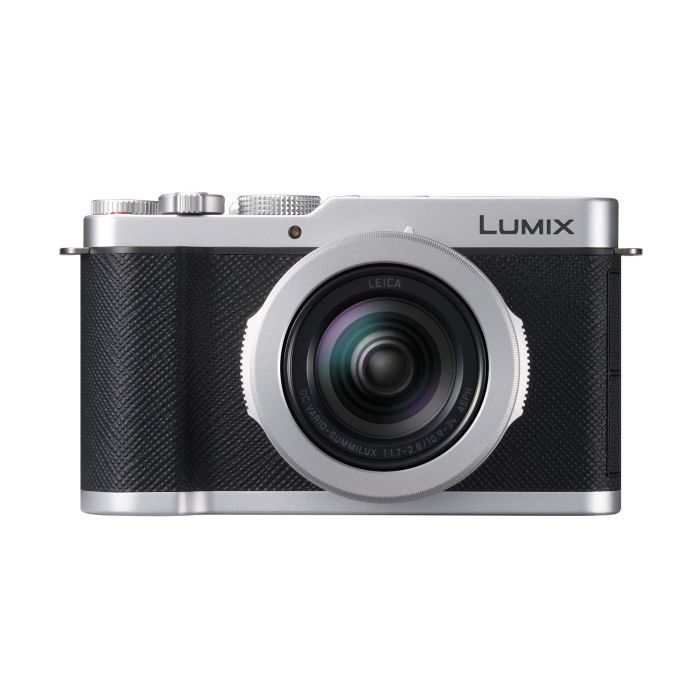
Panasonic Lumix L10
The Lumix L10's design is strikingly similar to the PEN, and it also uses a Micro Four Thirds sensor. Where the cameras differ is how the Lumix model is a compact camera with no stabilization and a built-in 24-75mm f/1.8-2.8 lens and it costs more, while the PEN has stabilization and a MFT lens mount. I've compared the two cameras directly to find out which is best.
If you like the sound of the PEN's features but you'd prefer a tougher body, chunkier grip for comfortable use with a wider range of lenses, plus pronounced viewfinder design, the OM-5 II is the camera for you — and it doesn't cost too much more than the PEN. The Fujifilm X-T30 III is another option, and it costs the same as the PEN, coming with an 26MP APS-C sensor, but no image stabilization.
OM System loaned me the black and silver version of the PEN and the 14-42mm f/3.5-5.6 III kit lens for several weeks
I also used it with Olympus 45mm f/1.8 / Leica 12-60mm f/2.8-4 lenses
I took the camera to China for a work trip, and used it in a variety of scenarios, trying out the various computational photography modes
OM System sent me the black and silver version of the PEN with the new 14-42mm f/3.5-5.6 III kit lens, and I used the kit regularly for several weeks, including during a work trip to China. I also paired the camera with an Olympus 45mm f/1.8 lens and a (Panasonic) Leica 12-60mm f/2.8-4 lens.
I've tried the various computational photography modes, used slow shutter speeds, and shot video handheld to test the image stabilization effectiveness, and tried out various autofocus modes.
I've used the camera in light rain and in bright light, testing its splash proof credentials and the brightness of its displays. Along the way, I compared the PEN to the Lumix L10, a similar MFT camera.