
Latest from TechRadar US in Reviews
Kiwibit Bird Feeder 2 Pro: two-minute review
Smart bird feeders have quietly become one of the busiest corners of the camera world. Hang one in your yard, garden or on a balcony railing and it’ll snap and film every feathered visitor automatically, often identifing the species for you, too. We’ve tested plenty of them here at TechRadar — you’ll find the best in our guide to the best bird feeder cameras — and the Kiwibit Bird Feeder 2 Pro is the latest to land in my garden.
If it looks familiar, that’s because it’s clearly a descendant of the Kiwibit Beako, which we tested last year. The headline upgrade is in the camera: Kiwibit says this is the first bird feeder camera to combine 4K HDR with phase-detection autofocus (PDAF), the kind of focusing tech you’ll find in a decent smartphone. The other big change is a roof with solar panels built into it, so there’s no separate panel to mount and wire up.
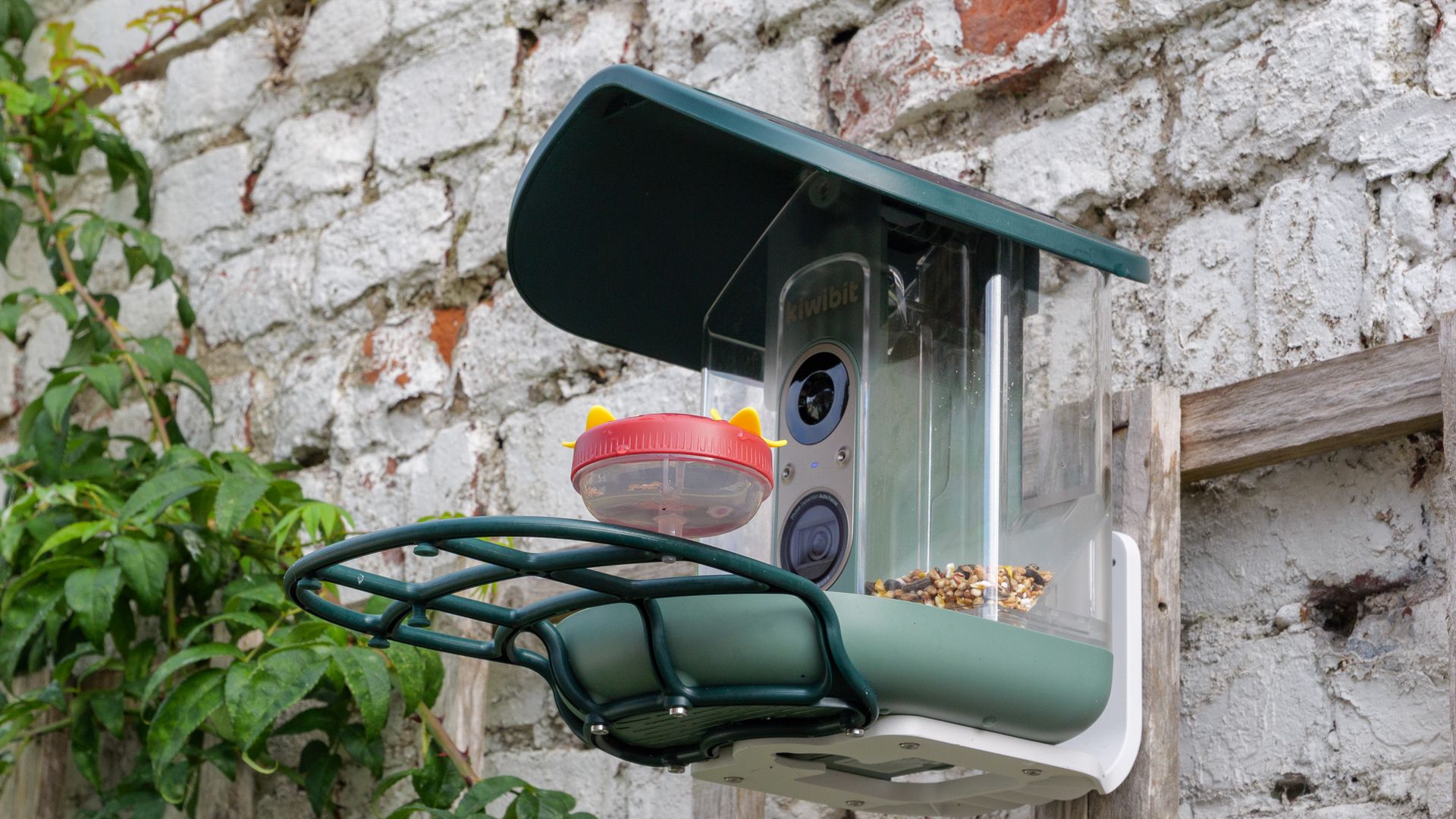
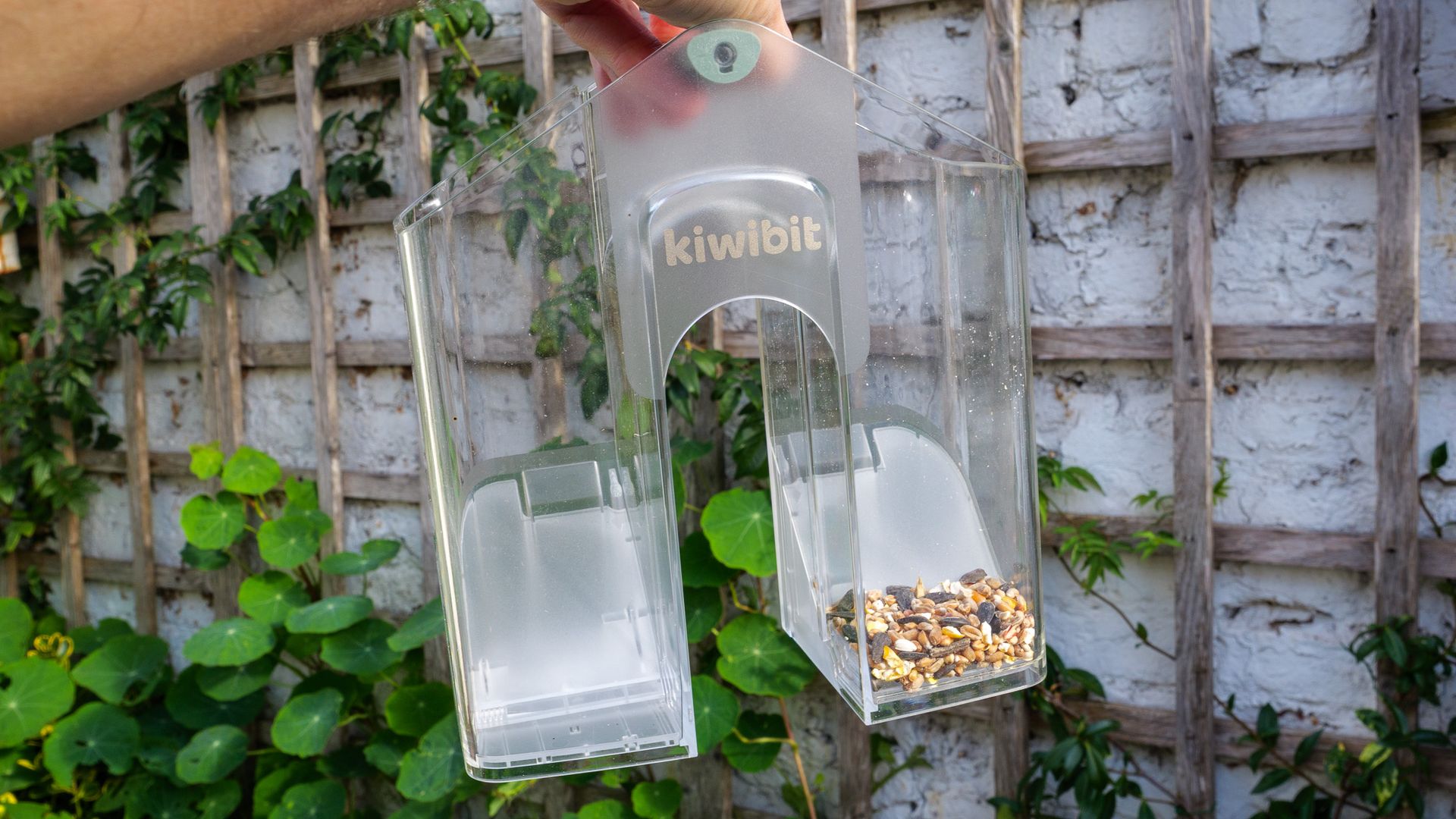
That roof turns out to be one of the feeder’s best features. After an initial charge I never needed to plug it in again during testing, and the battery hovered near full. The rest of the hardware impresses too: the plastic shell is tough and well finished, mounting it took minutes, and lifting out the two-chamber seed hopper for a refill or clean is about as easy as it gets.
The camera is a game of two halves, though. Photos and 4K clips are crisp, and the autofocus generally locks on to birds reliably — though ones that hop right into the seed tray can get too close for it focus. The biggest frustration is motion: 4K is limited to 15 frames per second, which makes footage look juddery, and the 120fps slow-motion mode currently produces clips that are little better than slideshows. The 1080p 60fps mode is the pick of the bunch.
Then there’s the app, which is cluttered and hard to navigate, and keeps its most compelling feature — AI species identification — behind a Kiwibit Plus subscription. That ID system was accurate in my testing, even if it can only name one species per clip. Taken as a whole, the Bird Feeder 2 Pro’s hardware is impressive, but its software and video modes need to catch up.
Kiwibit Bird Feeder 2 Pro: price and availability
- $279.99 in the US with 'lifetime AI' included, or $219.99 without
- £289.99 in the UK; launching Q1 2027
- Kiwibit Plus subscription priced from $7.99 per month
The Kiwibit Bird Feeder 2 Pro is currently on sale in the US for $219.99, or $279.99 with a lifetime subscription to the Kiwibit Plus service. It’s due to arrive in the UK in the first quarter of 2027, priced at £289.99.
That price puts it in premium territory, alongside the likes of the Bird Buddy 2. And there’s a running cost to factor in, because AI species identification and several other app features require a Kiwibit Plus subscription, which costs from $89.99 (a UK price is TBC) per year or $7.99 a month.
Kiwibit Bird Feeder 2 Pro: key specs
Photo | Up to 12MP |
Video | 4K at 15fps; 1080p at 60fps or 120fps |
Lens | 130-degree field of view |
Memory | Up to 128GB microSD card (not included) |
Dimensions | 9.8 x 8.7 x 8.9 inches / 25 x 22 x 22.7cm |
Weight | 4.08lbs / 1.85kg |
Connectivity | USB-C, Dual-band Wi-Fi 6 |
Battery | 5,200mAh battery, 5W solar panel |
Kiwibit Bird Feeder 2 Pro: design
- Solar panels built into the hinged roof
- Removable 1.7l dual-compartment hopper
- IP65 rated and works in -4F to 122F (-20C to 50C) temperature range
Side by side with the Kiwibit Beako, the Bird Feeder 2 Pro is almost a dead ringer. The one key difference is up on top, with the solar panels now built into the roof. It’s a smart move that cuts down on clutter, as you don’t need to find somewhere else to mount a panel or route a cable.
The same roof also hides one of the feeder’s best design touches. Flip it up (it just requires you to press a button to release a latch) and you can lift the seed hopper straight out to clean or refill it. That hopper has two compartments, so you can offer two different seed mixes if you like, and each one has its own sliding door for shutting off the supply.
The body is almost entirely plastic, which won’t appeal to everyone. There are wooden and metal bird feeder cameras out there, and personally I’d prefer either material on something that lives in my garden. I also wonder whether the green plastic will fade in the sun over time, although I didn’t notice any change in my few weeks of testing.
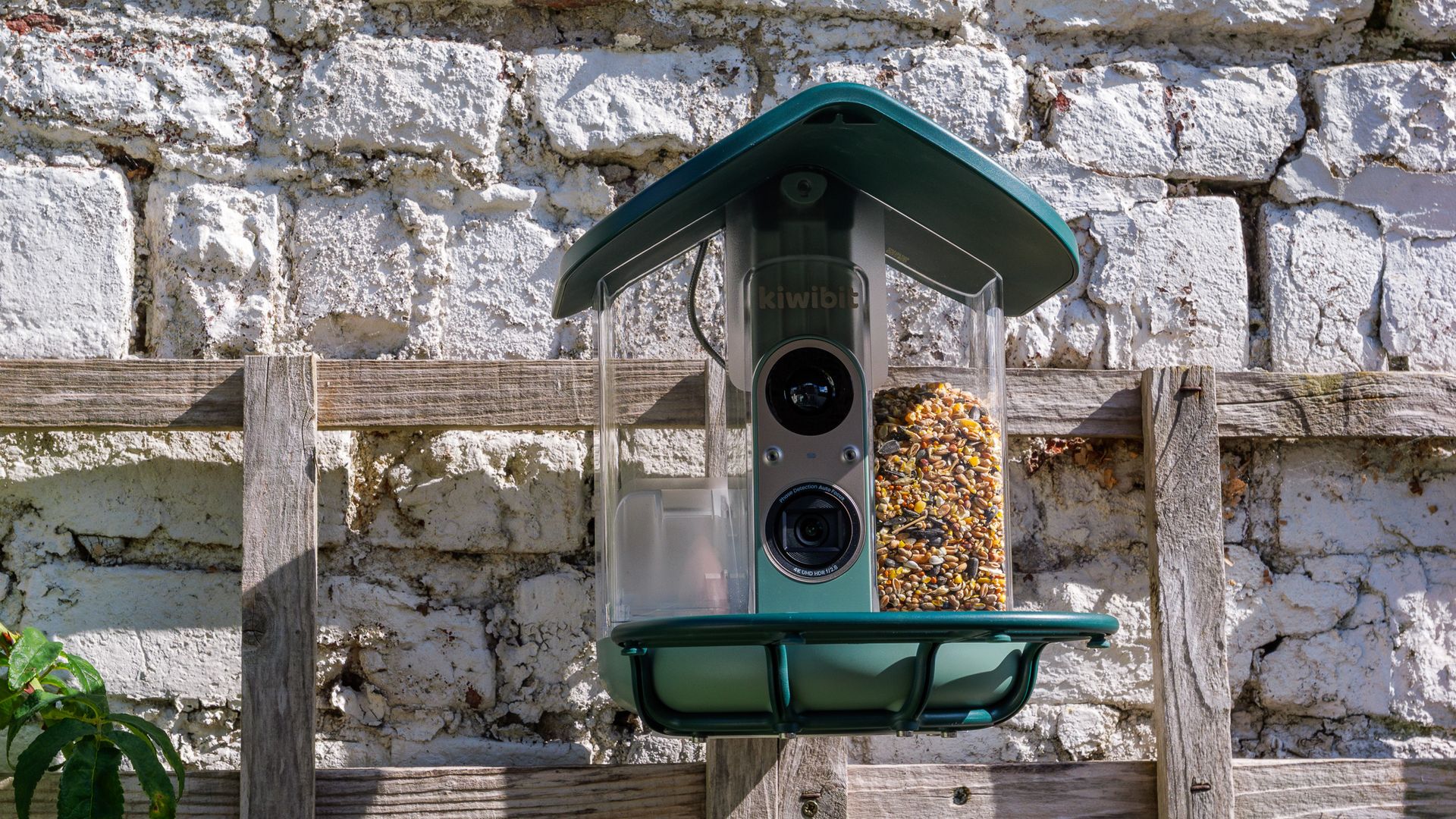
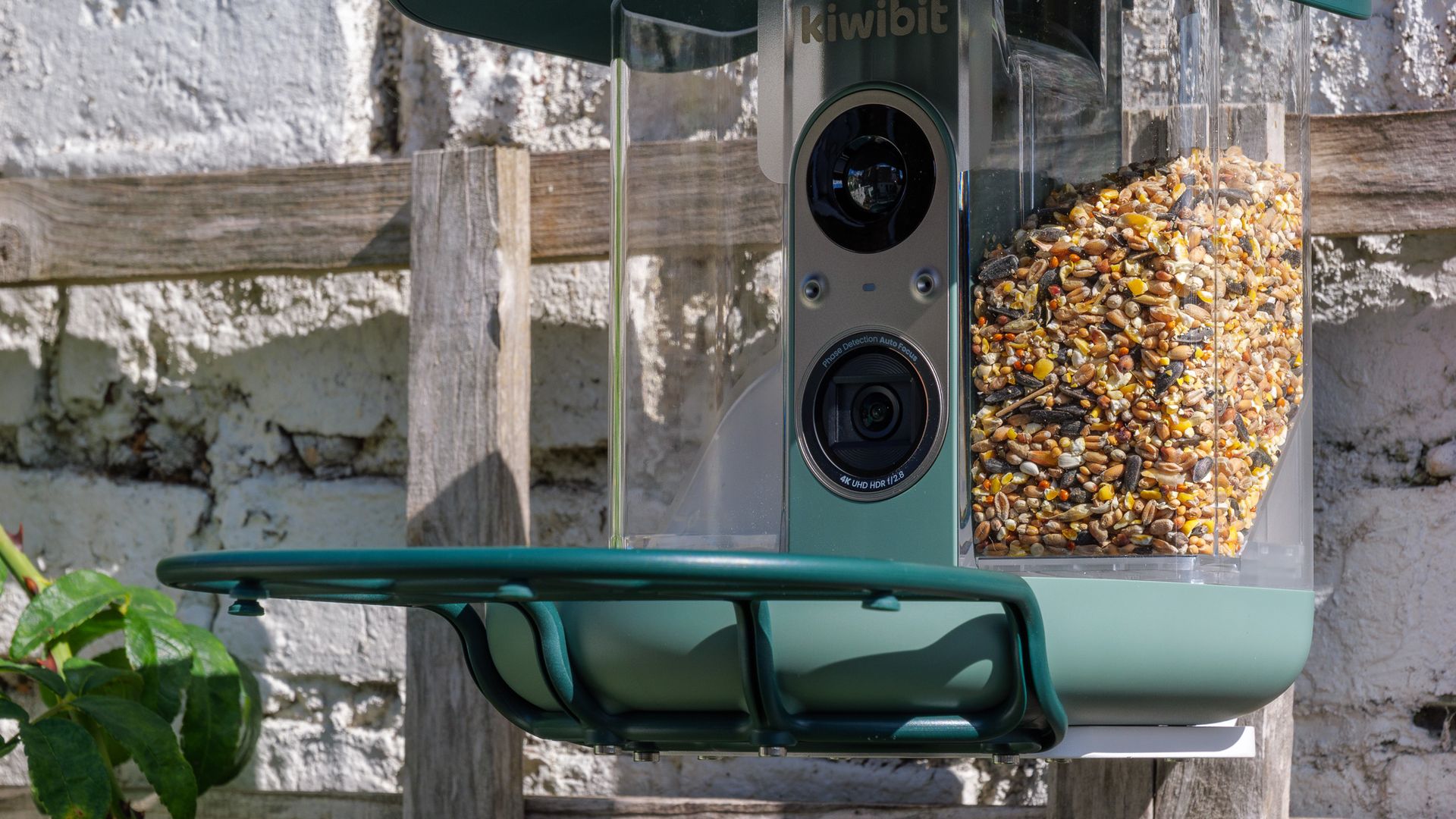
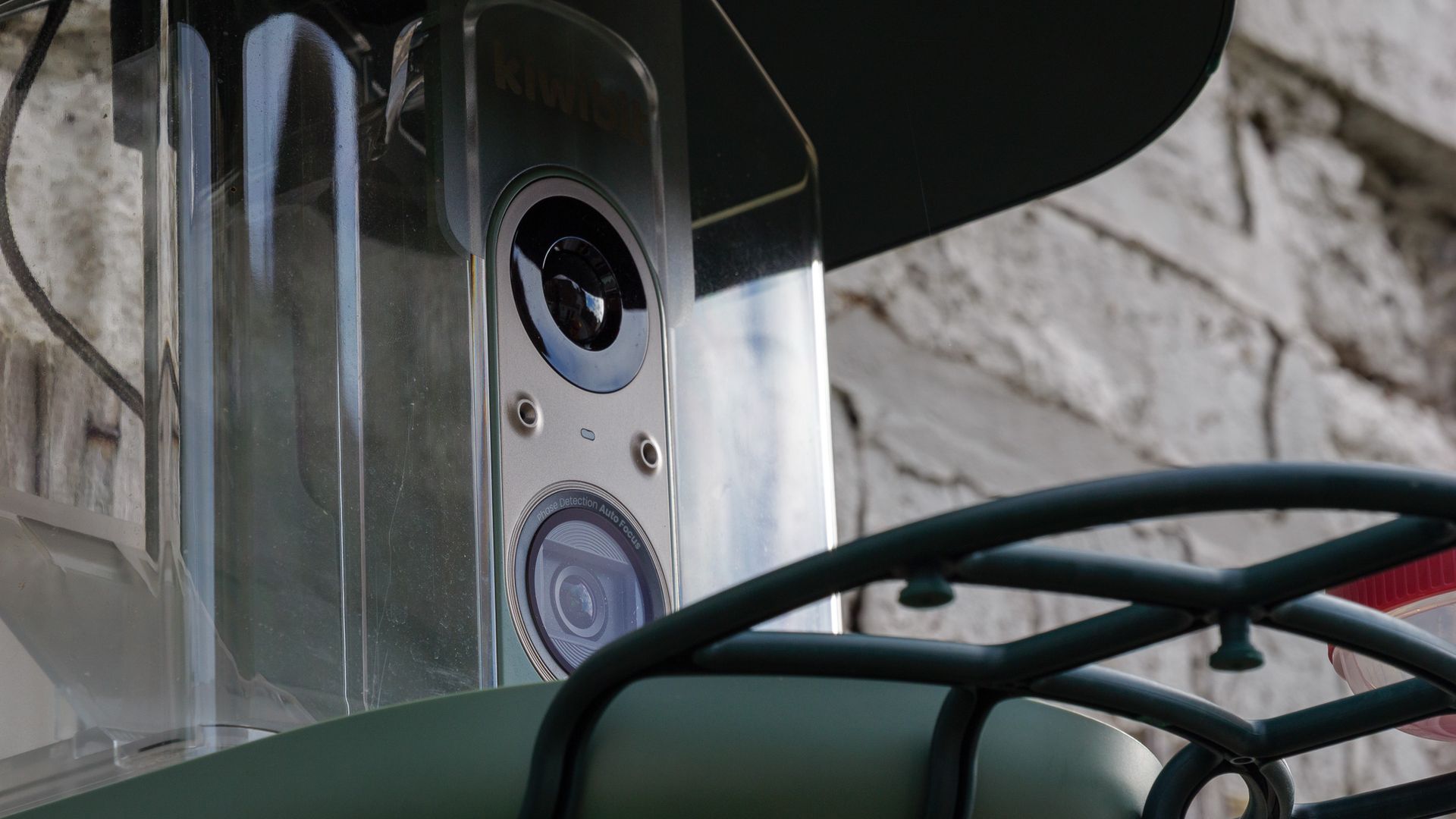
On the plus side, this is solid, hard-wearing plastic, and the feeder feels sturdier than others I’ve reviewed — the hinged roof, for instance, opens and closes without a hint of rattle. It’s IP65 rated and Kiwibit says it’ll work in temperatures from -4F to 122F (-20C to 50C), so bad weather shouldn’t be a worry for the electronics inside.
My review sample came with three mounting options: a fabric strap for wrapping around a tree or lamppost, a pole mount for stick it on the top of poles up to one inch (25.4mm) in diameter, and a wall bracket. I used the bracket to fix the feeder to a trellis against the back wall of my courtyard garden, and it took no time at all. A positioning sticker in the box shows you where to drill two guide holes, then two screws (also supplied) hold the bracket in place. There are wall plugs in the box too, should you need them.
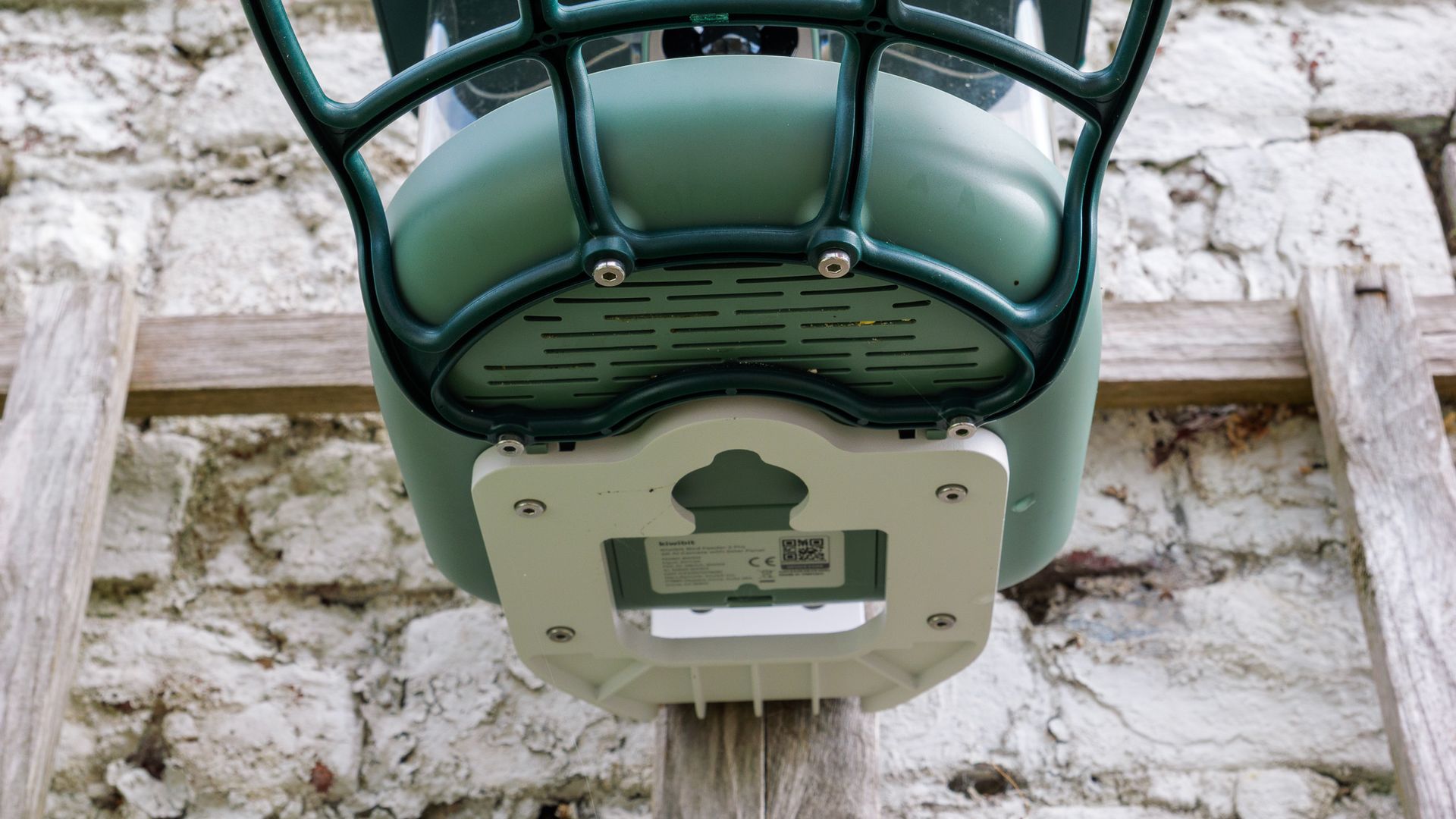
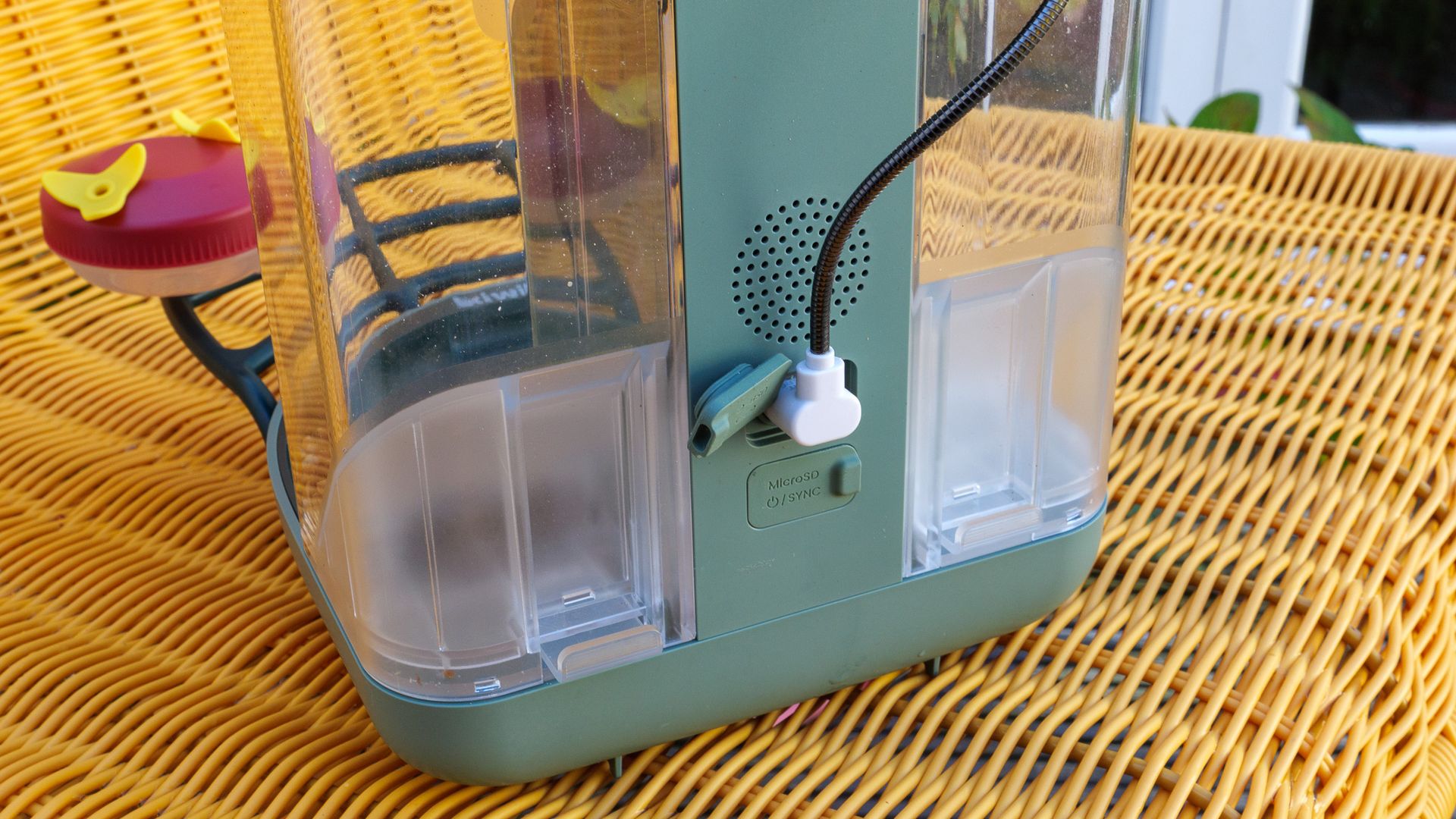
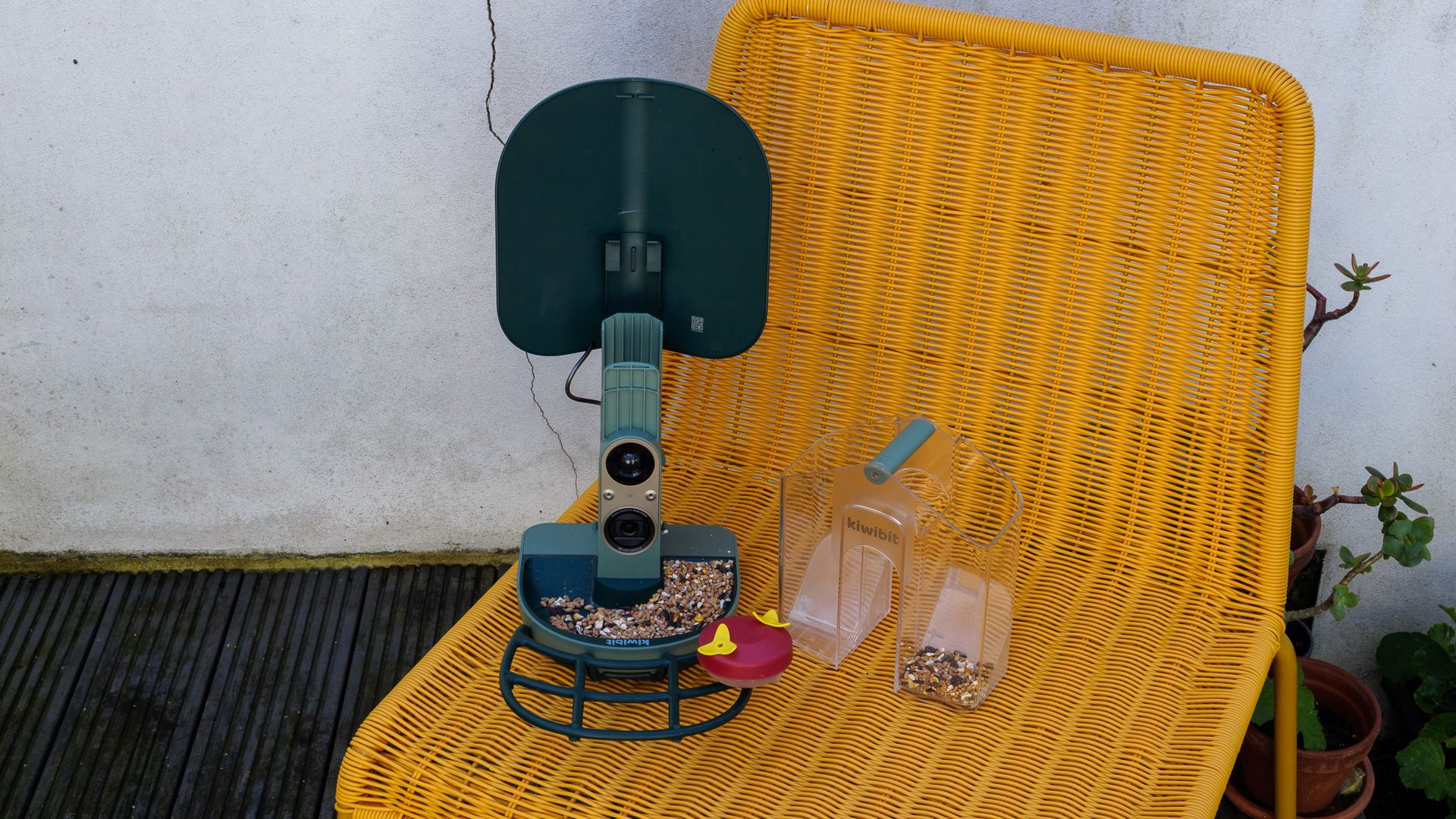
The feeder itself attaches to the bracket with four small hex screws, and the same screws secure the perch. An Allen key is included in the box, but make sure you keep it somewhere safe or have a spare, as you’ll be in a pickle without one. My sample also came with a water beaker that clips on to the perch.
Power comes from a rechargeable, removable battery that’s topped up by the solar roof panels, and the combination works very well. I fully charged the battery via USB-C before installation, as the manual instructs, and haven’t charged it manually since — weeks later, it’s still sitting at 99% capacity. To be fair, my testing took place in a sunny late summer and early autumn, and I positioned the feeder to catch a few hours of direct sun each day. I’m curious to see how it copes with the gloomier winter months here in southeast England.
Kiwibit Bird Feeder 2 Pro: performance
- 4K video capped at 15fps
- AI species ID requires a Kiwibit Plus subscription
- Phase-detection autofocus with a 130-degree view
Some bird feeder cameras I’ve tested have struggled to stay connected to my home Wi-Fi, but the Bird Feeder 2 Pro’s dual-band connection was stable throughout, even though the signal was rarely at full strength. The live feed kicked in from my phone without much delay, whenever I requested it.
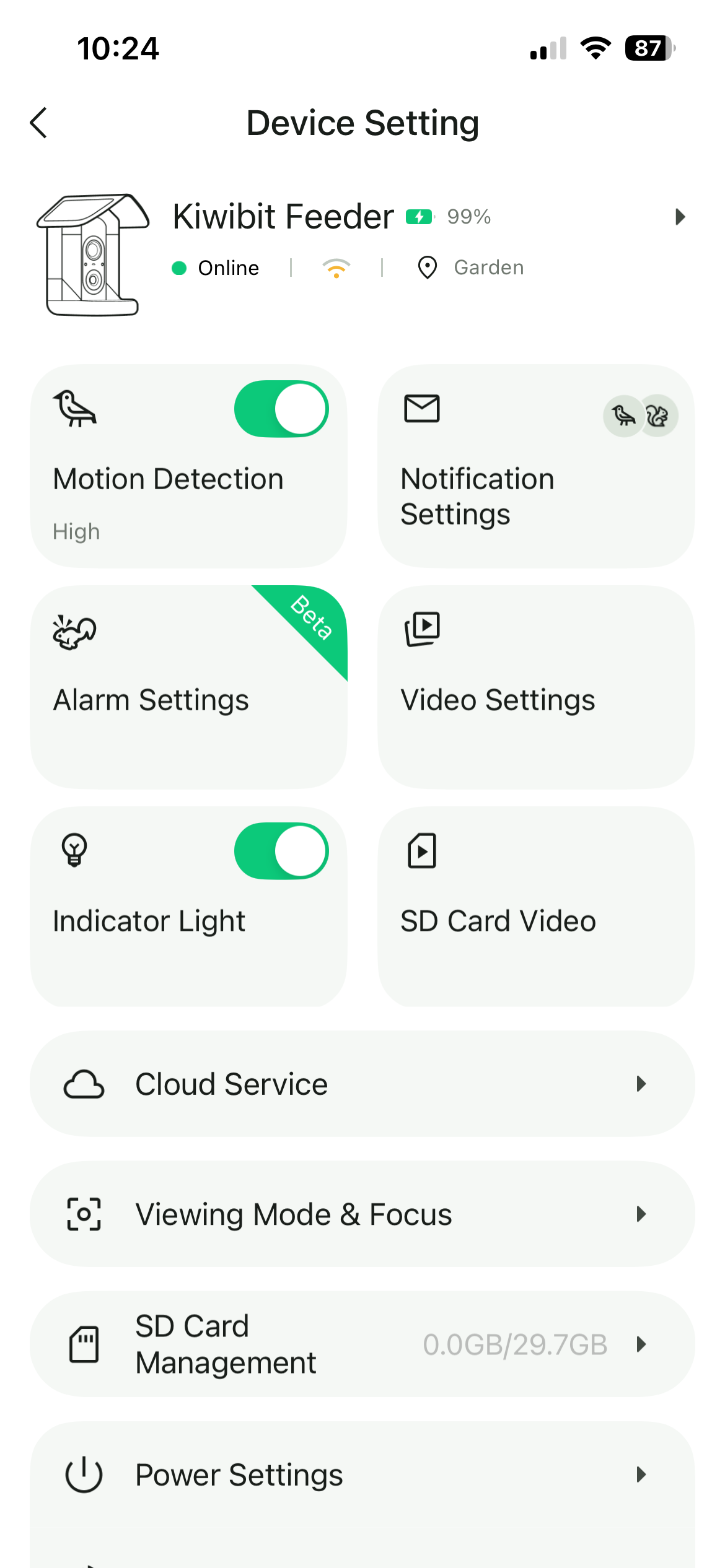
Everything runs through Kiwibit’s app, and frankly it isn’t very well designed. There are too many sections with vague names, I regularly forgot where things lived, and getting to my photos and videos took more taps than it should. A simpler, pared-back layout would make a big difference.
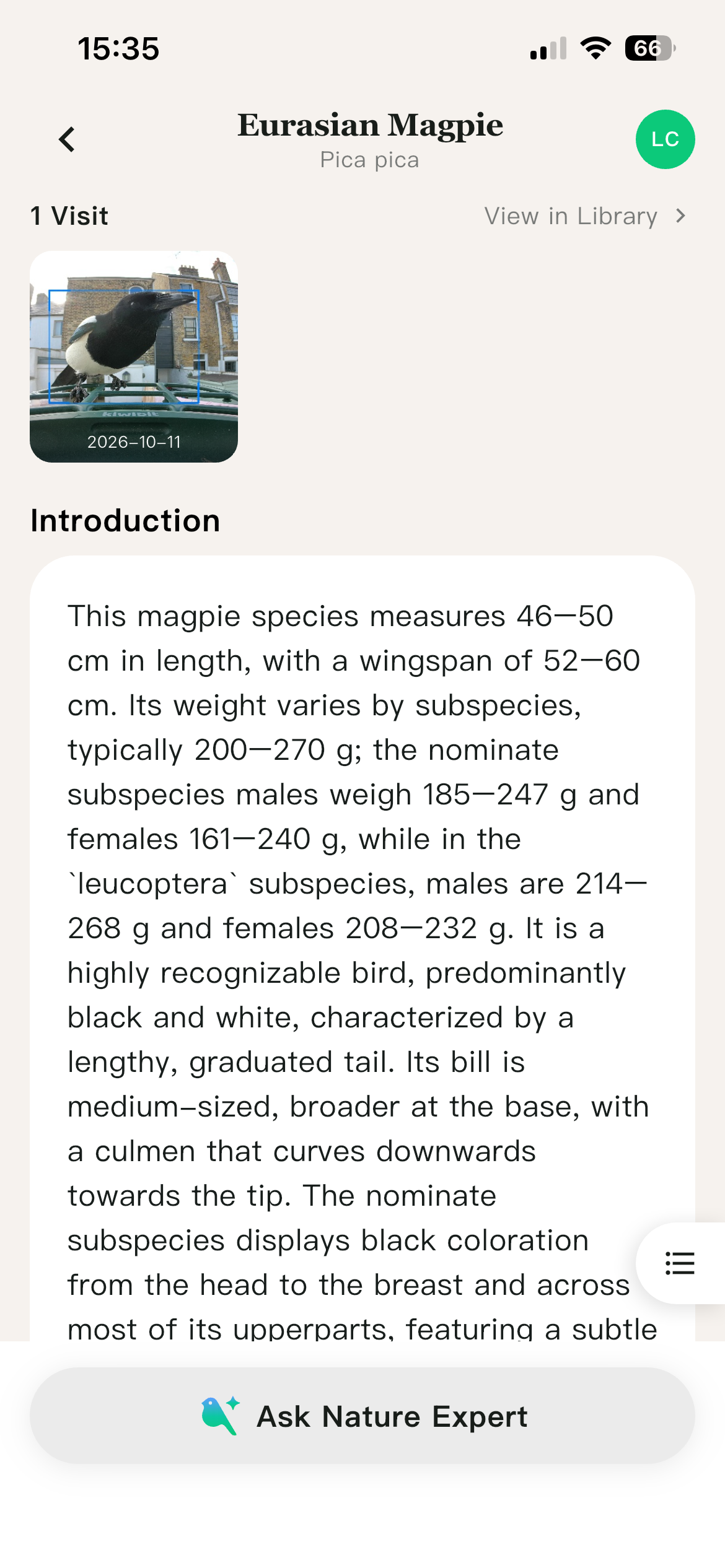
There are some nice touches, mind you. Each species gets a written description, the Nature Expert section answers your bird questions, and the Collection page gives you a quick rundown of every species your camera has spotted. The catch is that many of the best features — especially the AI species identification, which feels like a core reason to buy this feeder — sit behind a Kiwibit Plus subscription. Kiwibit gave me a code for a year’s access, but for everyone else it’s an extra $89.99 on top of an already premium price, and the feeder feels noticeably less capable without it.
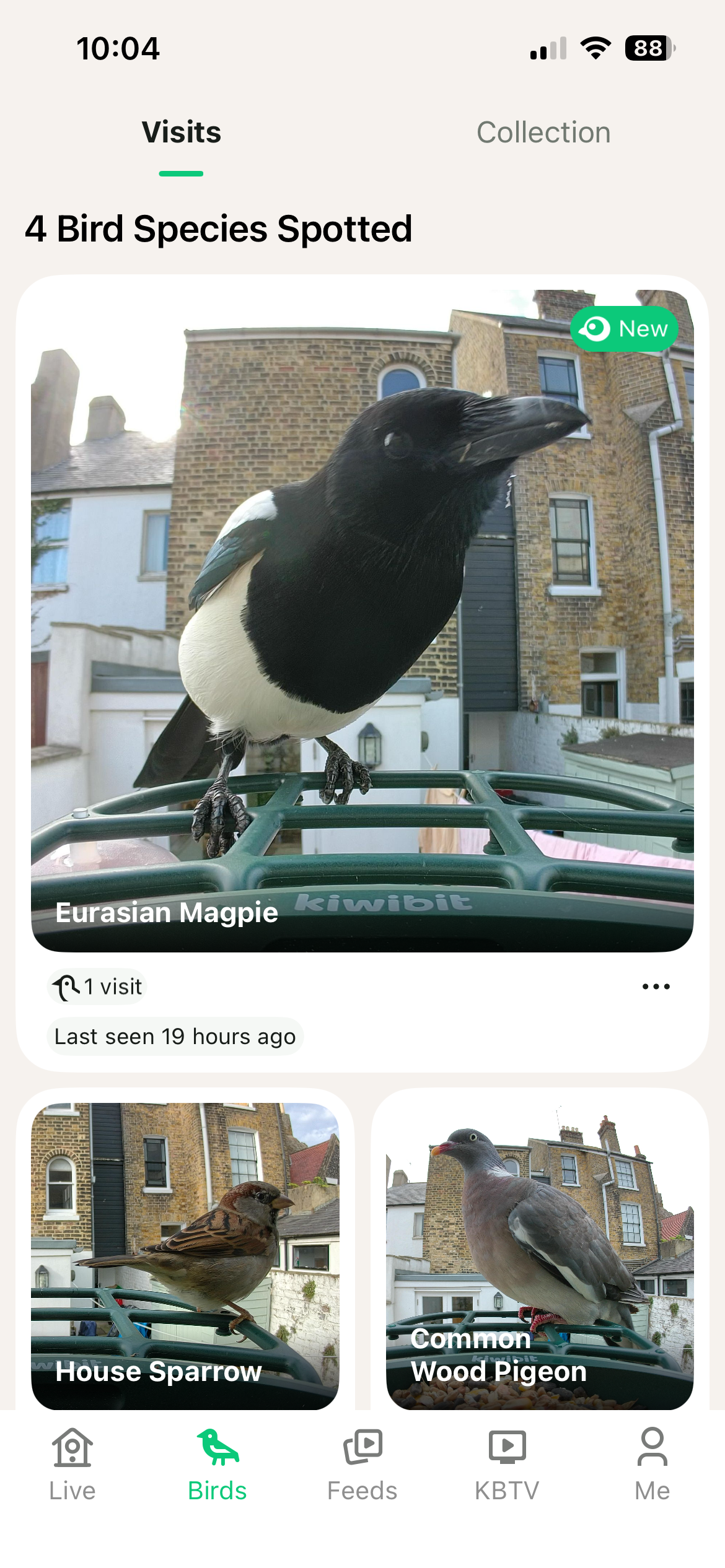

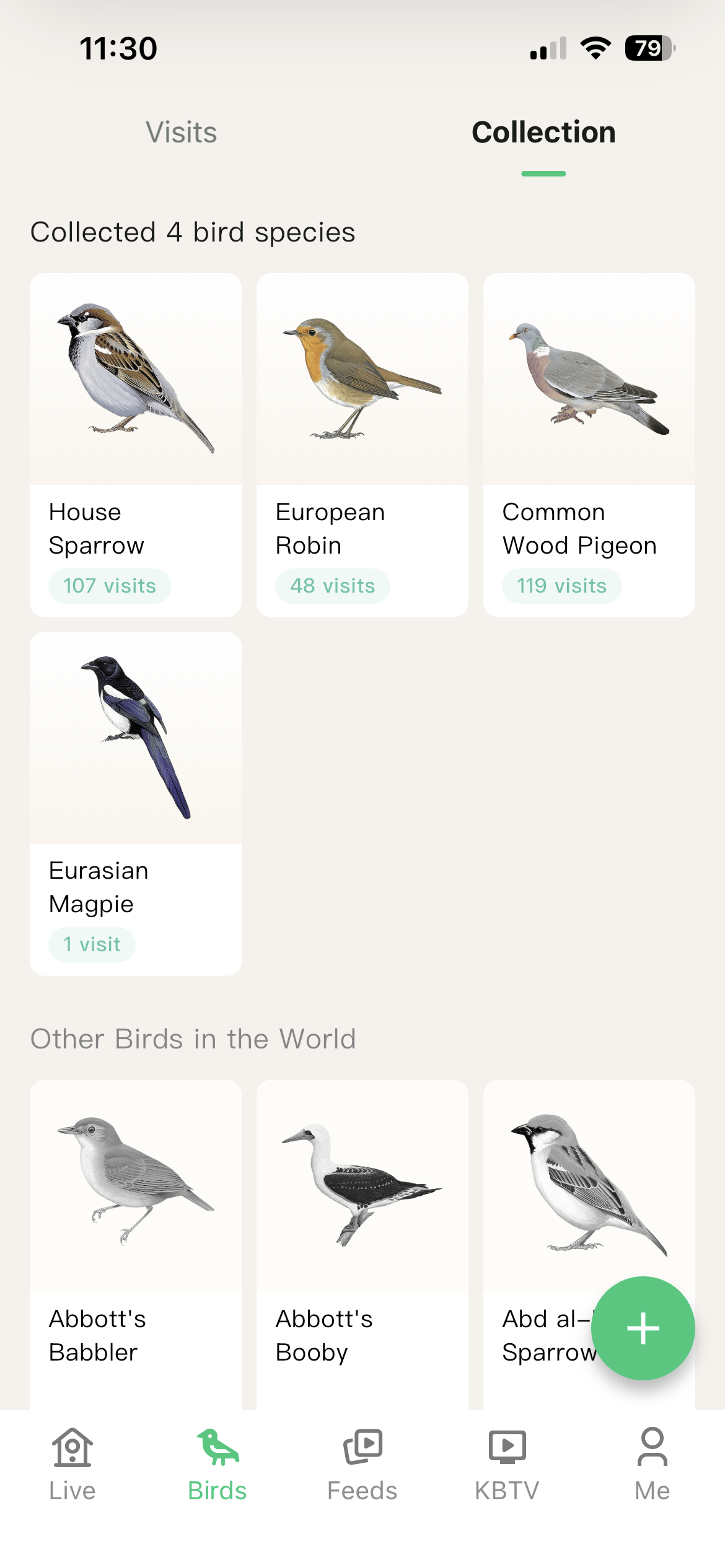

The identification itself was largely accurate. Only five species visited during my testing period, and the feeder correctly named four of them. That one miss was interesting, though: in a clip featuring a robin, a sparrow and a blue tit, only the robin was identified. That was the only clip containing a blue tit, so it appears the system tags just the first species it spots in each video. I’ve no doubt it would have recognized the blue tit on its own, but it’s a shame it can’t log multiple species in one clip.
Image quality is a more complicated story. 4K videos and photos generally look good, with plenty of sharpness and clarity, and the autofocus is accurate. There's even a microphone to capture sound, and it's nice to hear the birds chomping away on seeds or tweeting at each other. But 4K video is capped at just 15fps, which I found baffling. It makes clips look jerky, and it put me off using the 4K mode altogether. Why couldn't it just be 24fps or 30fps?
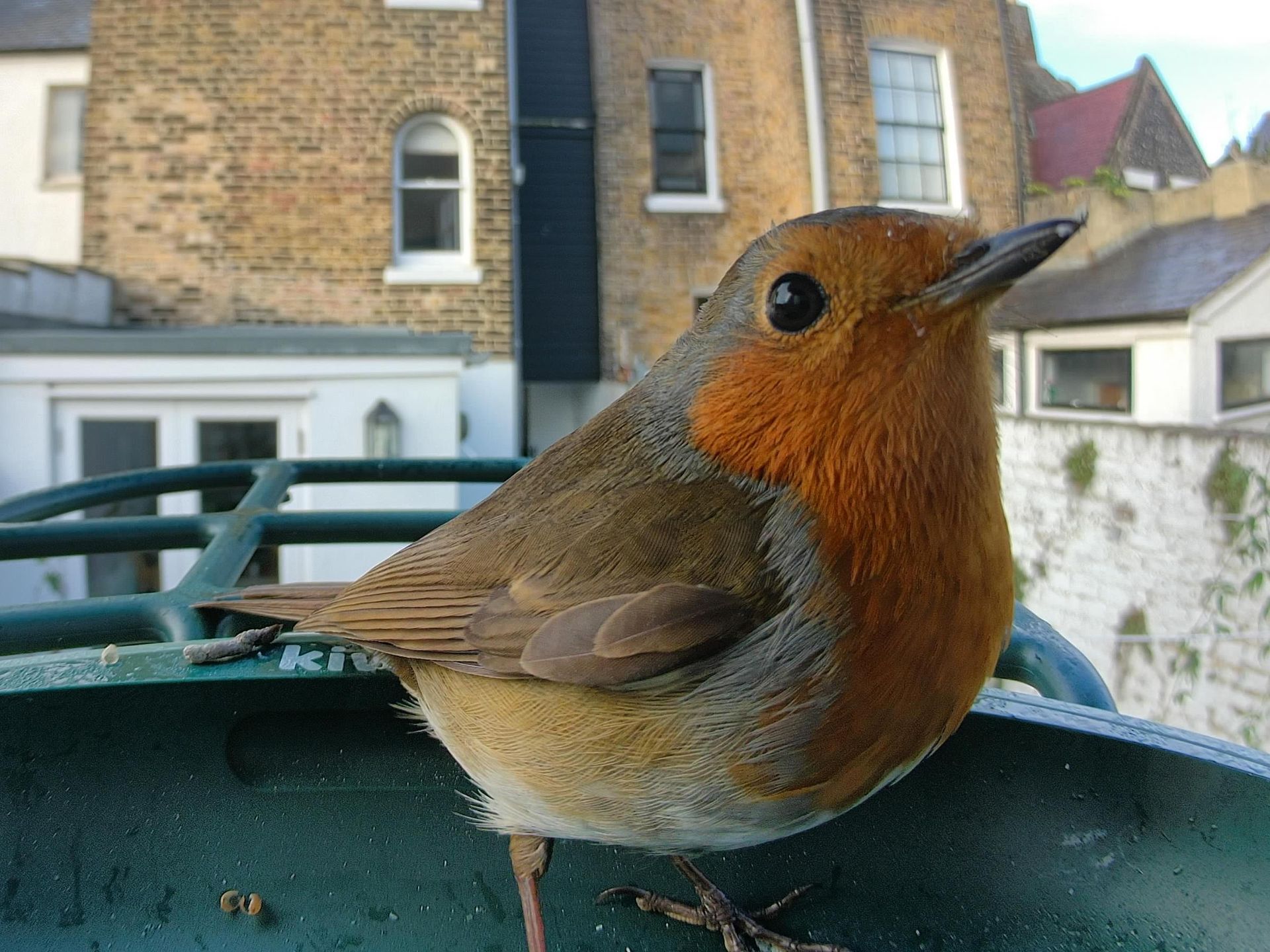
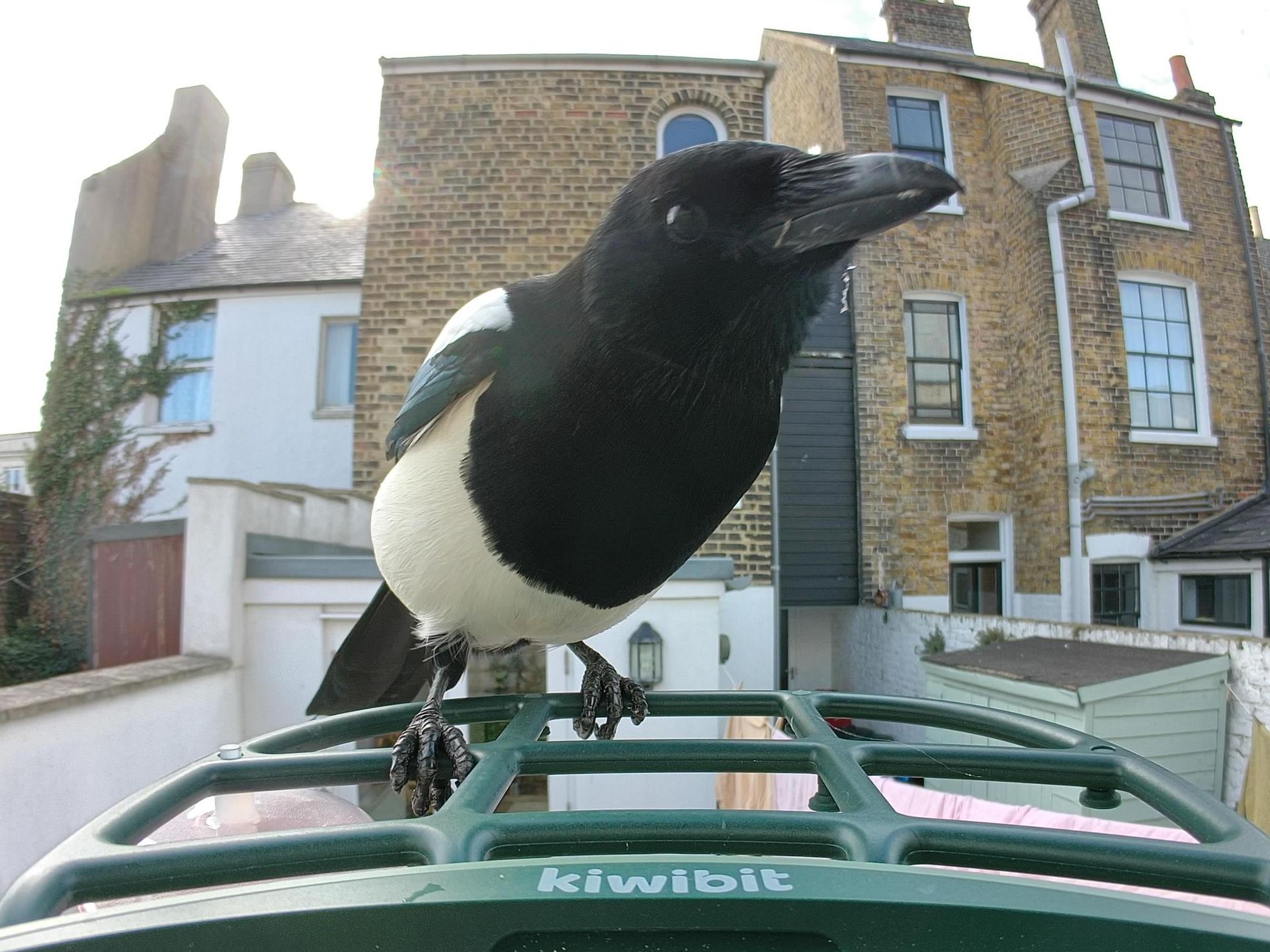
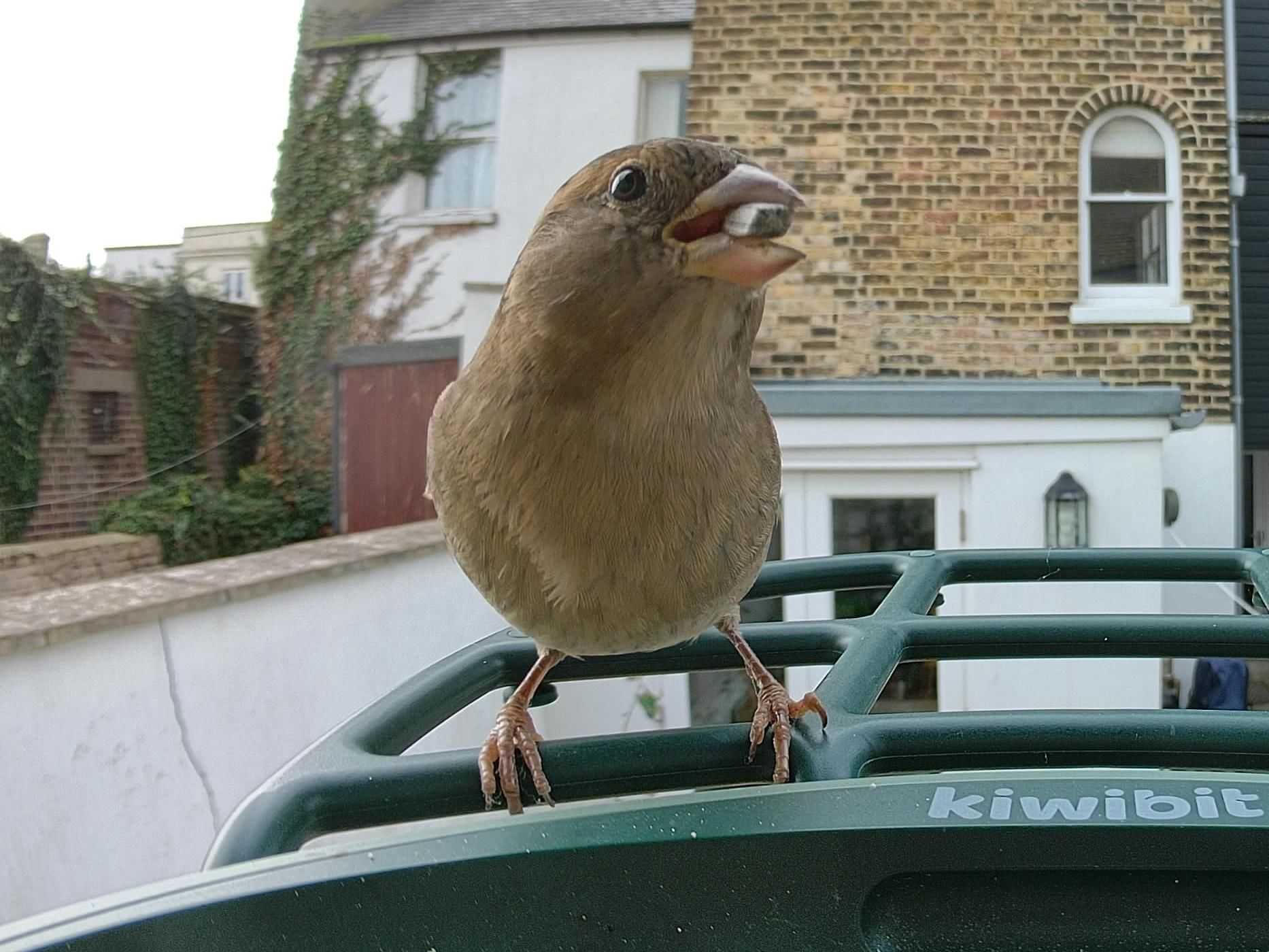
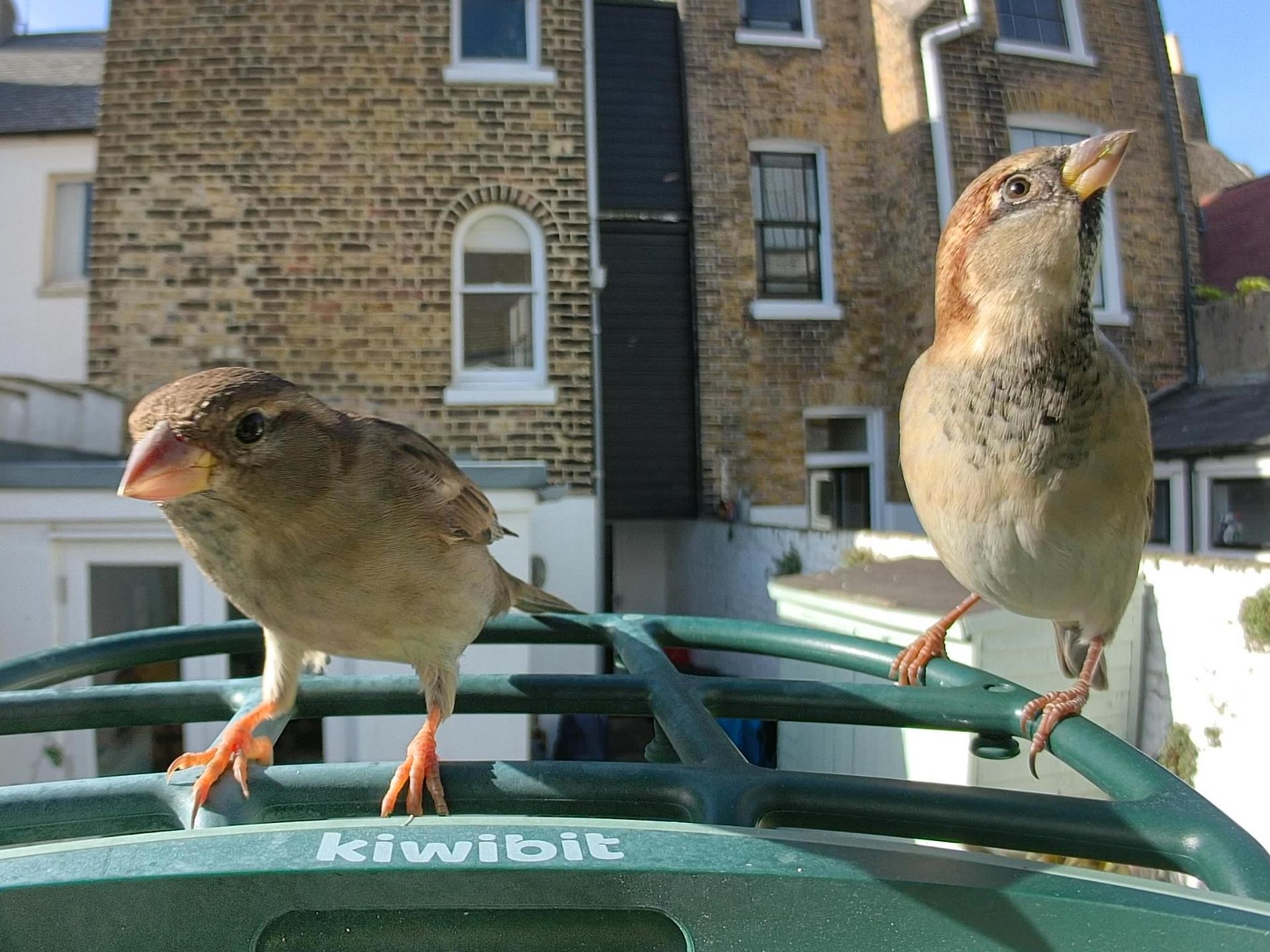
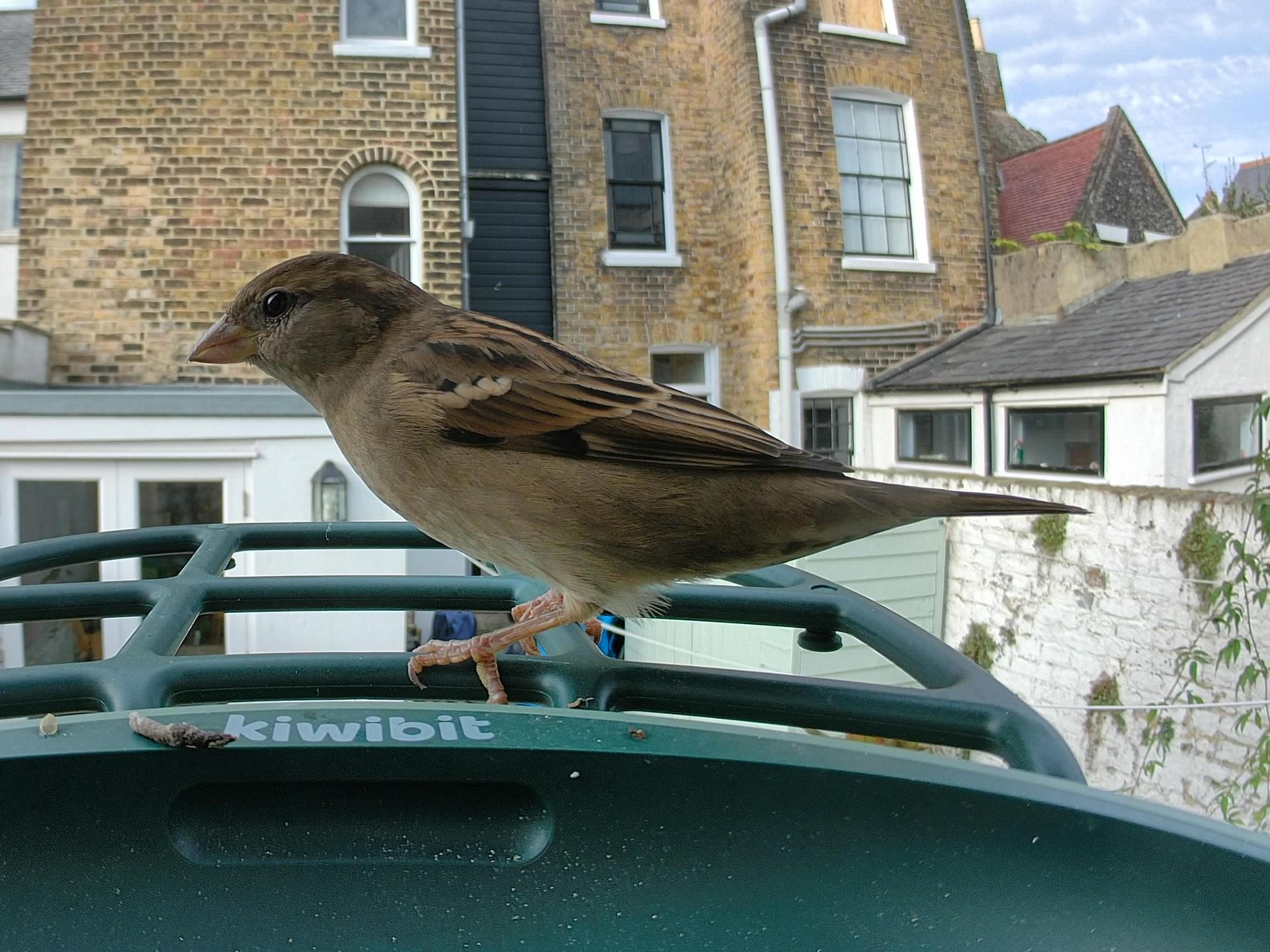
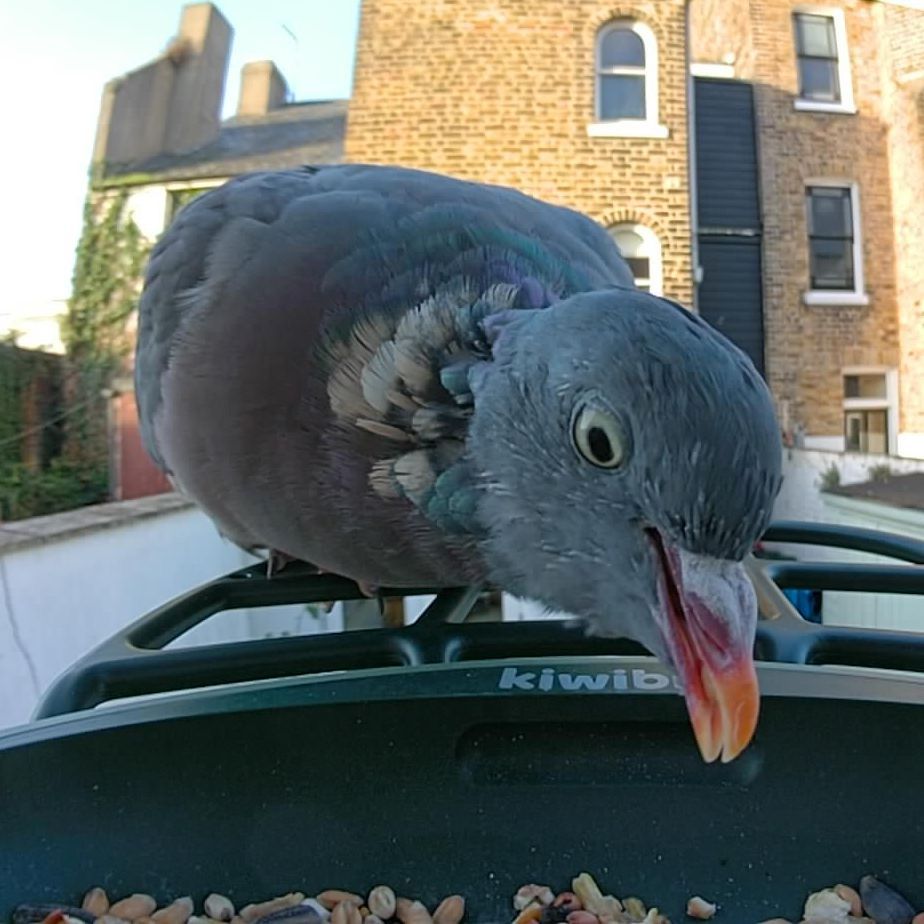
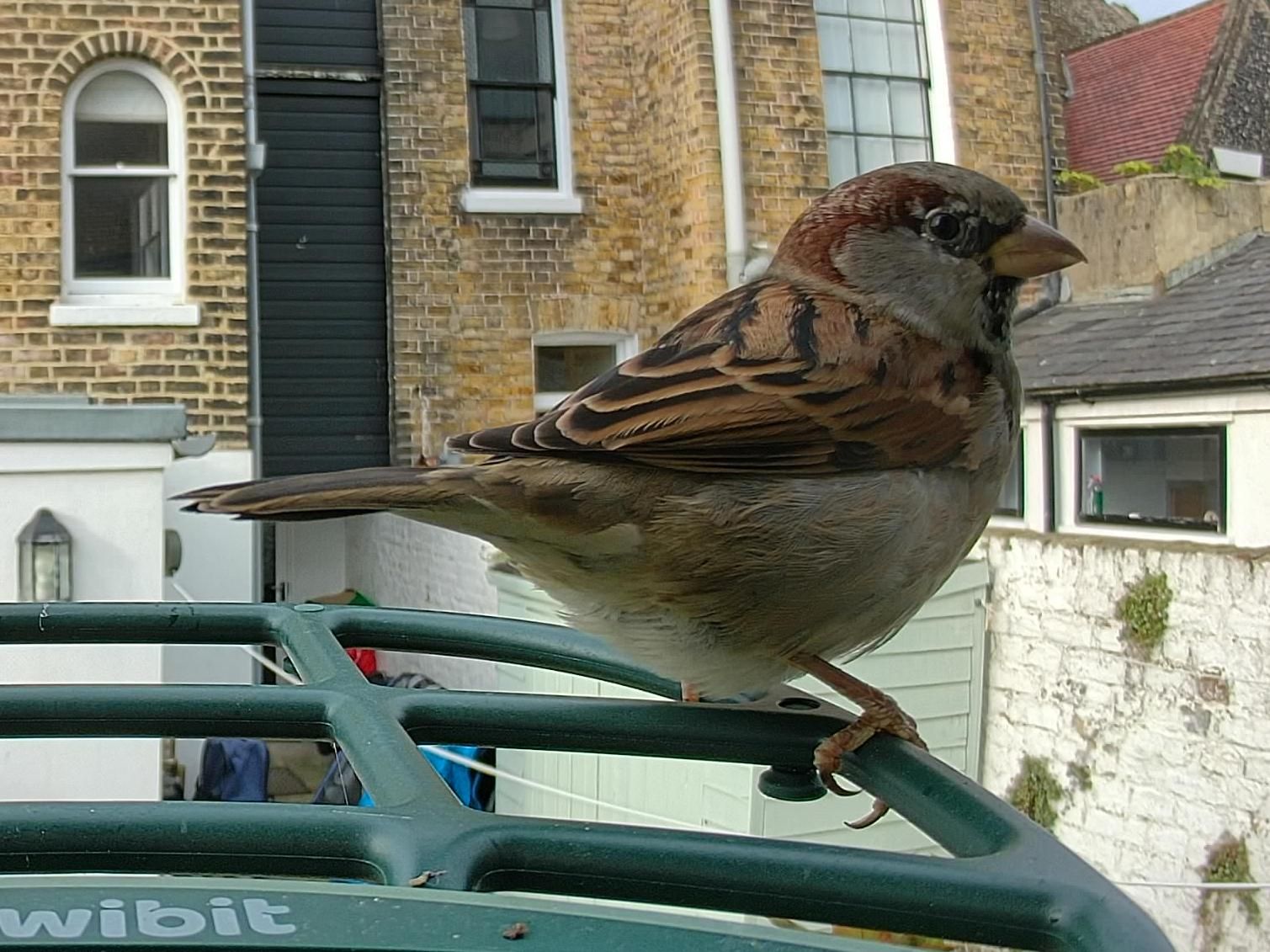
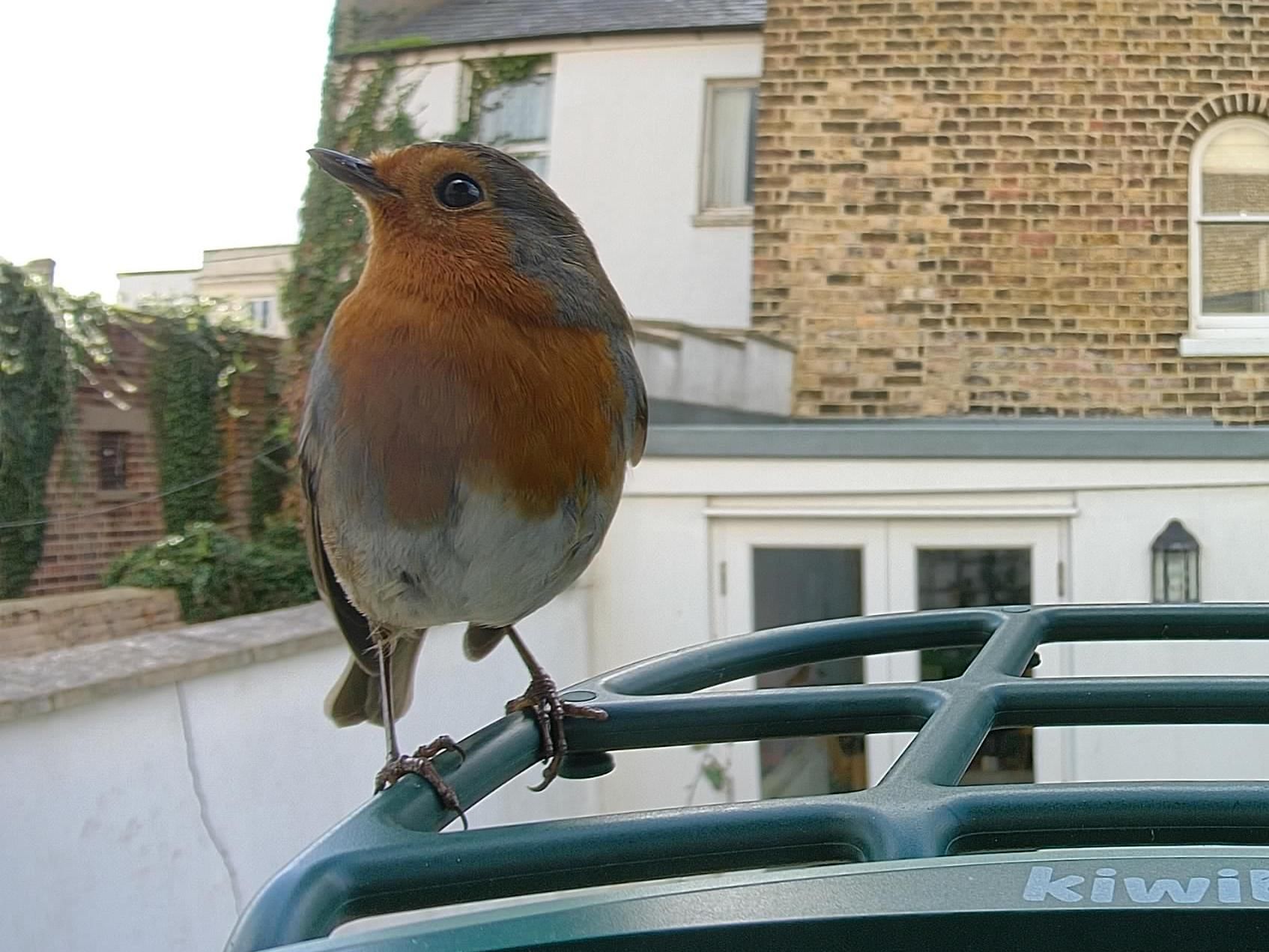
Shooting in 4K does have one perk: the software may automatically pull a 12MP Ultra HD “Keyshot” still from your footage. These are sharpened and upscaled for extra detail, but I found them a little over-sharpened, and they’re oddly large files at around 10MB each, given the modest resolution. You can’t pick the frame yourself, either — the software chooses for you, and it doesn’t always choose well. There’s a second type of auto photo, called SwiftShot, which is generated in Ultra Slow Motion mode and is meant to freeze birds in flight. That never happened for me; every SwiftShot I got showed a bird sitting on the feeder, and in noticeable less detail than with the Ultra HD Keyshots.
Video clips are 10 seconds long by default, but extendable to three minutes. I’d have liked to catch birds flying in more often, but my videos generally started with the visitor already perched.
There are two slow-motion modes, both 1080p: 60fps and 120fps. The 120fps mode doesn’t appear to work properly at the time of writing. Whatever settings I tried, the footage seemed to be captured at 15fps, so it plays back like a slideshow when slowed down. I was expecting something akin to the iPhone's buttery-smooth slow-motion mode, but this is in the single digits frames-per-second wise. I’ve reported this to Kiwibit and I hope a firmware update fixes it, because for now it’s useless as a video mode. It may be intended mainly for grabbing crisp stills of birds in motion, but since you can’t choose the frame yourself and have to rely on Kiwibit’s cloud processing to pick it, that’s not much consolation.
The 60fps mode is far better. Played back at half speed you get smooth 30fps slow motion, or at quarter speed you get the same 15fps as the 4K clips. It lacks the fine detail of 4K, but its smoothness at normal and half speed makes it the sweet spot of the lineup for me. One quirk to note: neither slow-motion mode records sound, even when you play clips back at normal speed.
Autofocus is generally reliable, but birds that came right into the seed tray, rather than staying on the perch, were sometimes out of focus. They seem to be inside the minimum focus distance, which was also an issue with the Beako. It’s not a huge deal, but it’s annoying when a bird’s body is sharp and its eyes and beak are soft.
Sharing and saving photos and videos is easy – you just hit the share button when viewing in the app and you get the option to download the file to your phone, or share via a variety of means. Subscribers also get cloud storage for all their files.
Should you buy the Kiwibit Bird Feeder 2 Pro?
Buy it if...
You want detailed 4K stills
Its 4K photos are sharp and clear, and the phase-detection autofocus is accurate.
You never want to charge a battery
The solar roof kept the battery near full for weeks without me plugging it in once.
You want easy upkeep
The removable two-chamber hopper makes refilling and cleaning quick and lets you offer two seed mixes.View Deal
Don't buy it if...
You want smooth video
4K is capped at 15fps, and the 120fps slow-motion mode currently plays back like a slideshow.
You don’t want a subscription
AI species identification, a key selling point, is locked behind Kiwibit Plus.
You’d prefer a natural-looking feeder
It’s almost entirely plastic, so look elsewhere if you’d rather have wood or metal in your garden.
Kiwibit Bird Feeder 2 Pro: also consider
Bird Buddy 2
Priced at around $299 / £300, the Bird Buddy 2 also has a solar roof, and its app is far more polished and enjoyable to use, with free AI species ID. Its standard video is only at 1080p resolution, though, with 2K reserved for subscribers.
Read our Bird Buddy 2 review
Camouflage EZ BirdFeed
If you’re in Europe and value matters more than image quality, this £139 feeder is hard to beat. It offers AI bird ID with no subscription and twin roof-mounted solar panels, but its 1080p images can’t match the Kiwibit’s crisp detail.
Read our Camouflage EZ BirdFeed review
How I tested the Kiwibit Bird Feeder 2 Pro
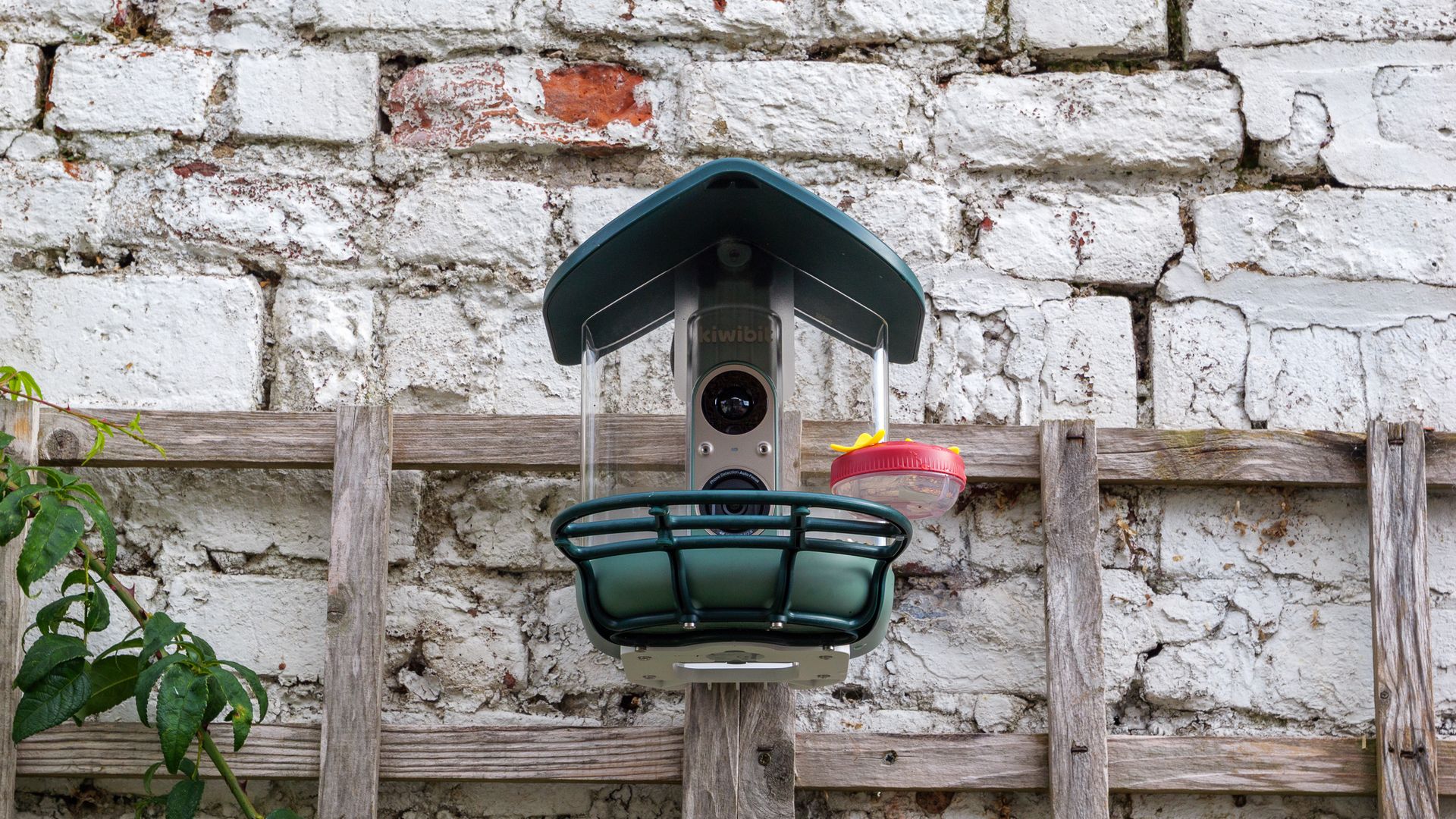
- Mounted on a garden trellis for several weeks in late summer/early fall
- Tested all video modes, including both slow-motion settings
- Used the app with a Kiwibit Plus subscription
I installed the Kiwibit Bird Feeder 2 Pro in my garden in southeast England using the supplied wall bracket, fixing it to a trellis in a spot that got a few hours of direct sunlight a day. After fully charging the battery via USB, I left it to run on solar power for the rest of the testing period, which ran through late summer into early autumn.
I tested the feeder with the Kiwibit app on my phone, using a year’s Kiwibit Plus subscription supplied by Kiwibit to access the AI species ID and other premium features. I tried every video mode, including 4K and both 1080p slow-motion settings, compared the automatically generated KeyShot and SwiftShot stills, and checked the AI identifications against the birds I could see in each clip.
- First reviewed October 2026
Sony ECM-W5: two-minute review
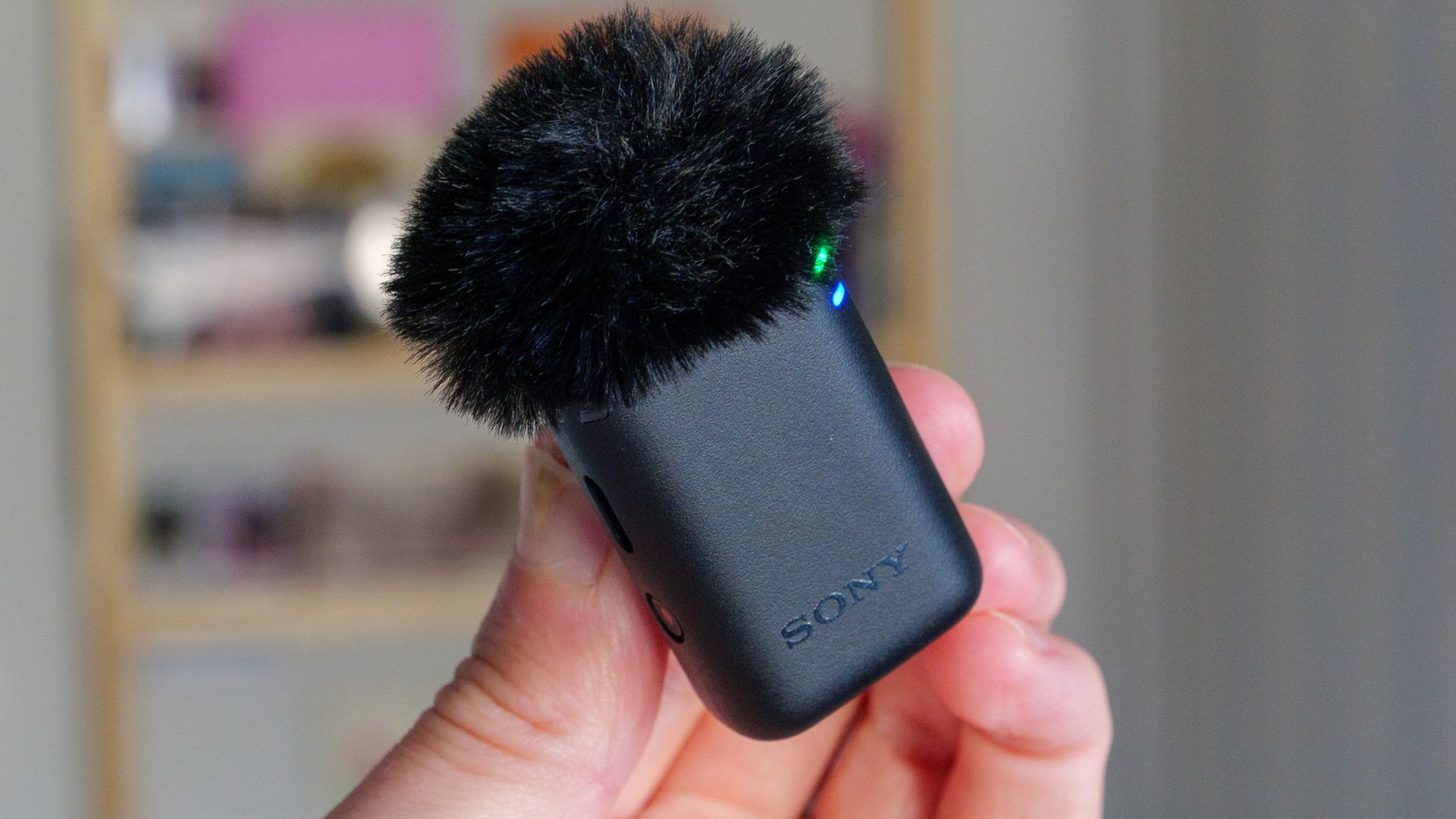
Sony’s ECM-W5 is a prosumer wireless microphone system cut from the same cloth as the DJI Mic 3, Insta360 Mic Pro and Rode Wireless Pro. Like all those, it's available in a package featuring two clip-on transmitters, a receiver that plugs into your camera or phone, and a charging case to keep everything topped up. At £350 for the full kit, however, it costs more than any of them — so it needs to bring something extra to the table.
It does just that. The headline feature is in-camera 32-bit float recording, something no other wireless mic I’m aware of can do. Rivals will happily record 32-bit float files to their transmitters' internal storage, but that leaves you syncing separate audio in the edit. With the ECM-W5 mounted on a Multi Interface Shoe camera such as the Sony A7 V, that extra headroom is baked straight into your video files. Most people won’t need it day to day, but if you’re shooting somewhere unpredictable, where a sudden bang or boom could clip your audio, it’s a useful safety net.
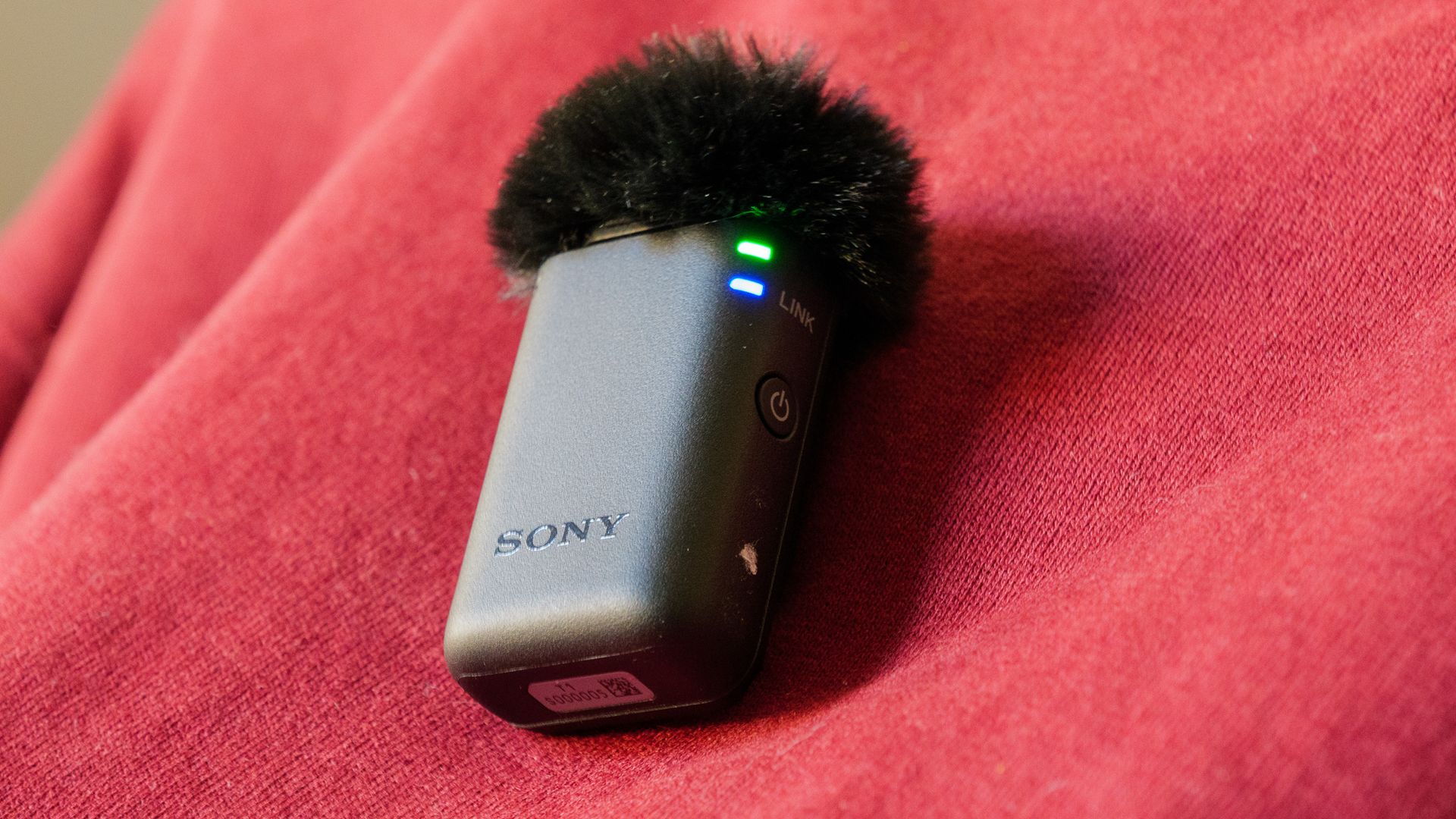
There’s plenty more for pros to like. Each transmitter has a 3.5mm lav mic input with a screw-lock connector (a feature DJI dropped after the Mic 2), along with a generous 62.5GB of usable internal storage. There’s timecode support and an optional 96kHz/24-bit Hi-Res Audio mode, too. The claimed 500m range is the longest I’ve come across, and in my testing the signal held up flawlessly through two floors of my house — a situation where other mics have faltered.
Sound quality is clean and clear, though in fairness that’s true of every decent wireless mic these days. The noise reduction is on the gentler side and less effective than what DJI and Insta360 offer, but it doesn’t introduce any odd artifacts.
The trade-offs are size and price. The transmitters are noticeably chunkier than the DJI Mic 3’s, the receiver’s touchscreen faces backwards when it’s mounted on a camera, and Sony doesn’t even include a 3.5mm audio cable in the box. Even so, for Sony shooters in particular, the ECM-W5 is one of the most capable wireless mic systems you can buy.
Sony ECM-W5: price and release date
- $399.99 / £350 / AU$619 for two transmitters, a receiver and a charging case
- Transmitters $189.99 / £110 / AU$179 and receiver $189.99 / £180 / AU$289 individually
- Available from November 2026
The Sony ECM-W5 will be on sale from November 2026, priced at $399.99 / £350 / AU$619 for the full kit, which includes two transmitters, a receiver and a charging case. Individual transmitters are available for $189.99 / £110 / AU$179, and the receiver on its own costs $189.99 / £180 / AU$289, which is handy if you want to expand your setup or replace a lost unit.
That makes it more expensive than its closest rivals. The DJI Mic 3 launched at £259 for an equivalent two-transmitter kit, for example, so you’re paying a premium of around £90 for the Sony. Given the ECM-W5’s unique features, I think that’s justifiable for the right buyer — but it’s a premium nonetheless.
Sony ECM-W5: specs
Dimensions | TX: 31 x 47 x 22.3mm / RX: 53.5 x 17.8 x 37.5mm |
Weight | TX: 27.1g / RX: 35g |
Range | Up to 500m |
Connectivity | RX: Multi Interface shoe / USB-C / 3.5mm jack |
Bluetooth | Yes |
Battery | Up to 7 hours (transmitter), up to 7 hours (receiver), up to 11 hours with fully charged case |
Noise cancelling | Yes |
Sony ECM-W5: Design
- Chunky transmitters with fixed clips and 3.5mm lav mic inputs
- Receiver’s touchscreen faces backwards when camera-mounted
- No audio cable included, and no room in the charging case for windshields
In terms of size, the ECM-W5’s transmitters are closer to the original DJI Mic and Mic 2 than to the much smaller (and current, at the time of writing) DJI Mic 3. Each of the ECM-W5's transmitters has a fixed clip for attaching to clothing (it can’t be removed or rotated), and Sony includes small button magnets for thinner shirts. Despite the extra bulk, the transmitters are light enough that I barely noticed them once they were clipped on. Sony also says the system is dust- and moisture-resistant, but stops short of guaranteeing full IP-level protection.
Controls are simple: a power button, a record button (double-press it to toggle noise reduction on or off) and a USB-C port for charging and file transfer. More interesting is the 3.5mm input with a screw-lock connection for plugging in an (unsupplied) lavalier mic, which pros will appreciate. The furry windshields cleverly slot into this jack too, so they sit more securely than on some rivals. Each transmitter also packs around 62.5GB of usable internal storage (64GB before formatting). That's almost double the 32GB you get in the DJI Mic 3 and Insta360 Mic Pro transmitters.
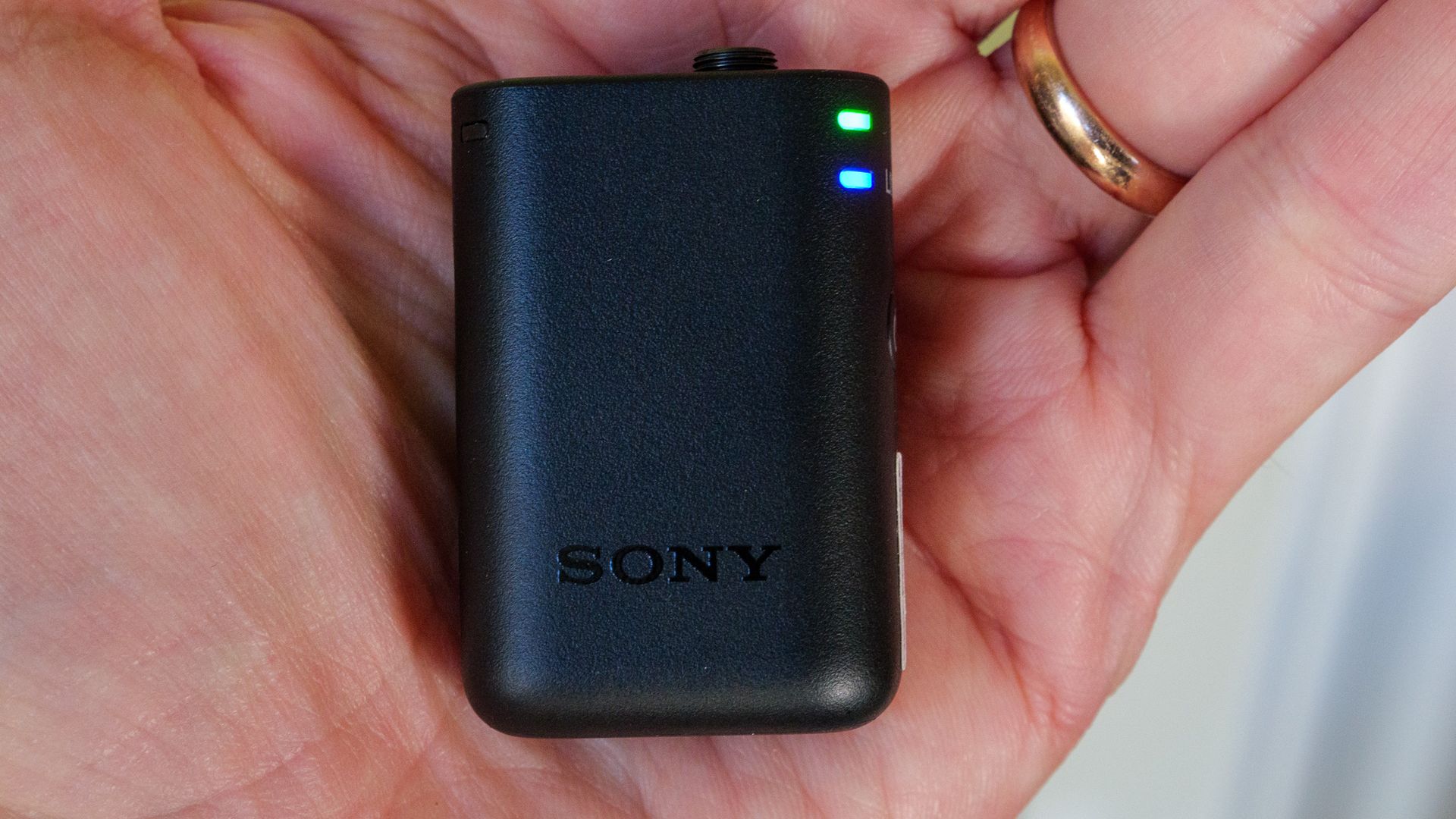
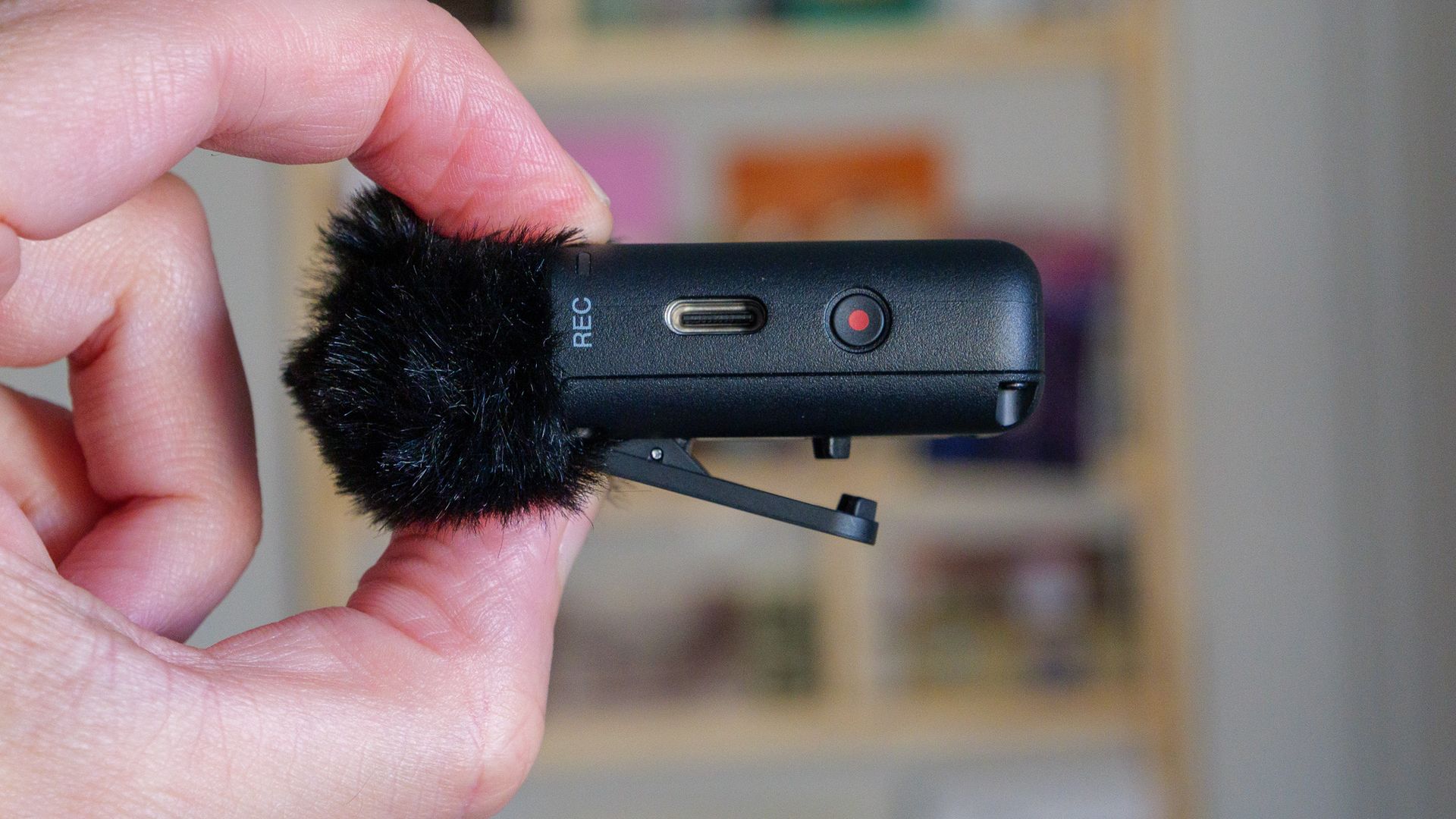
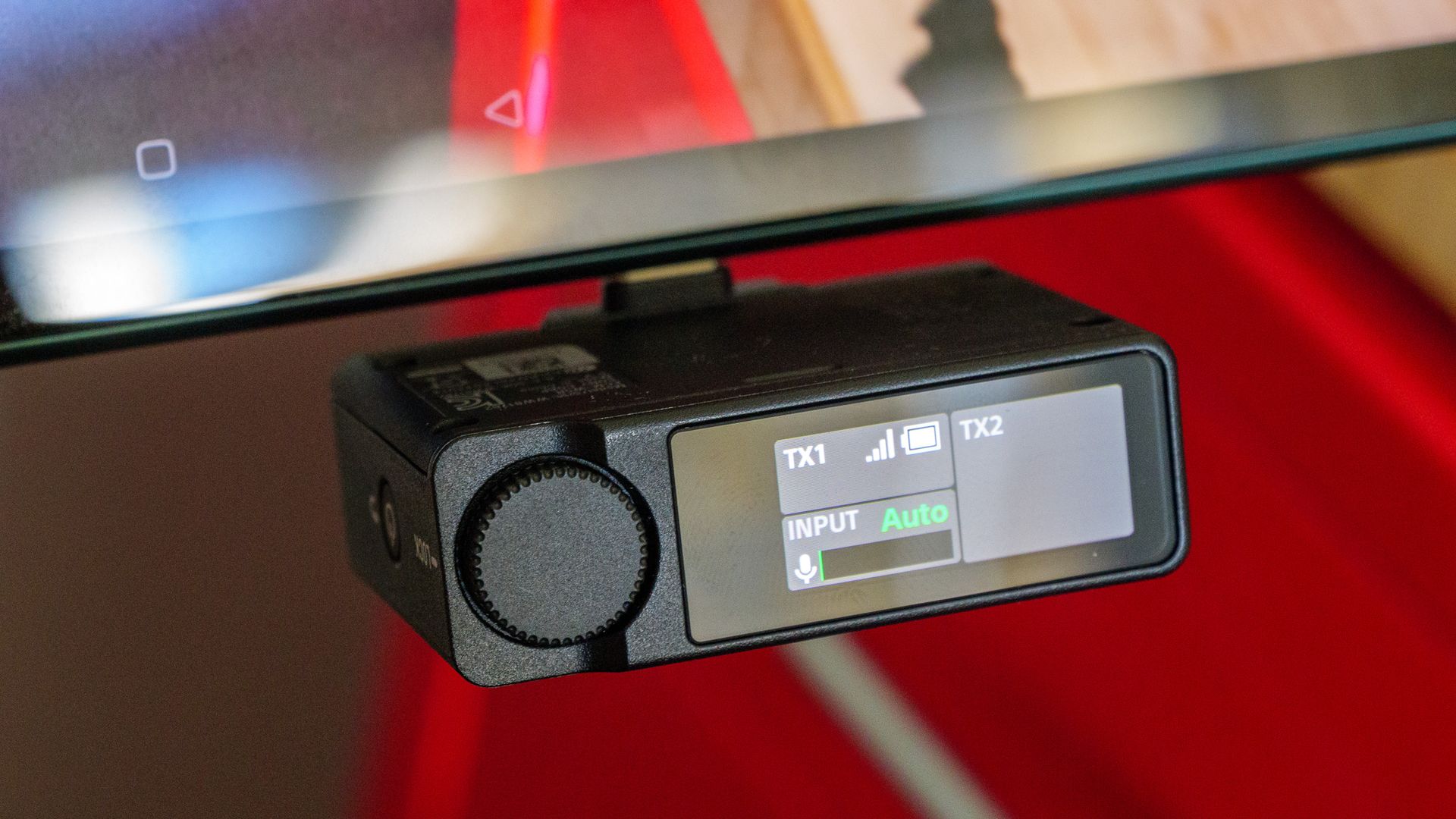
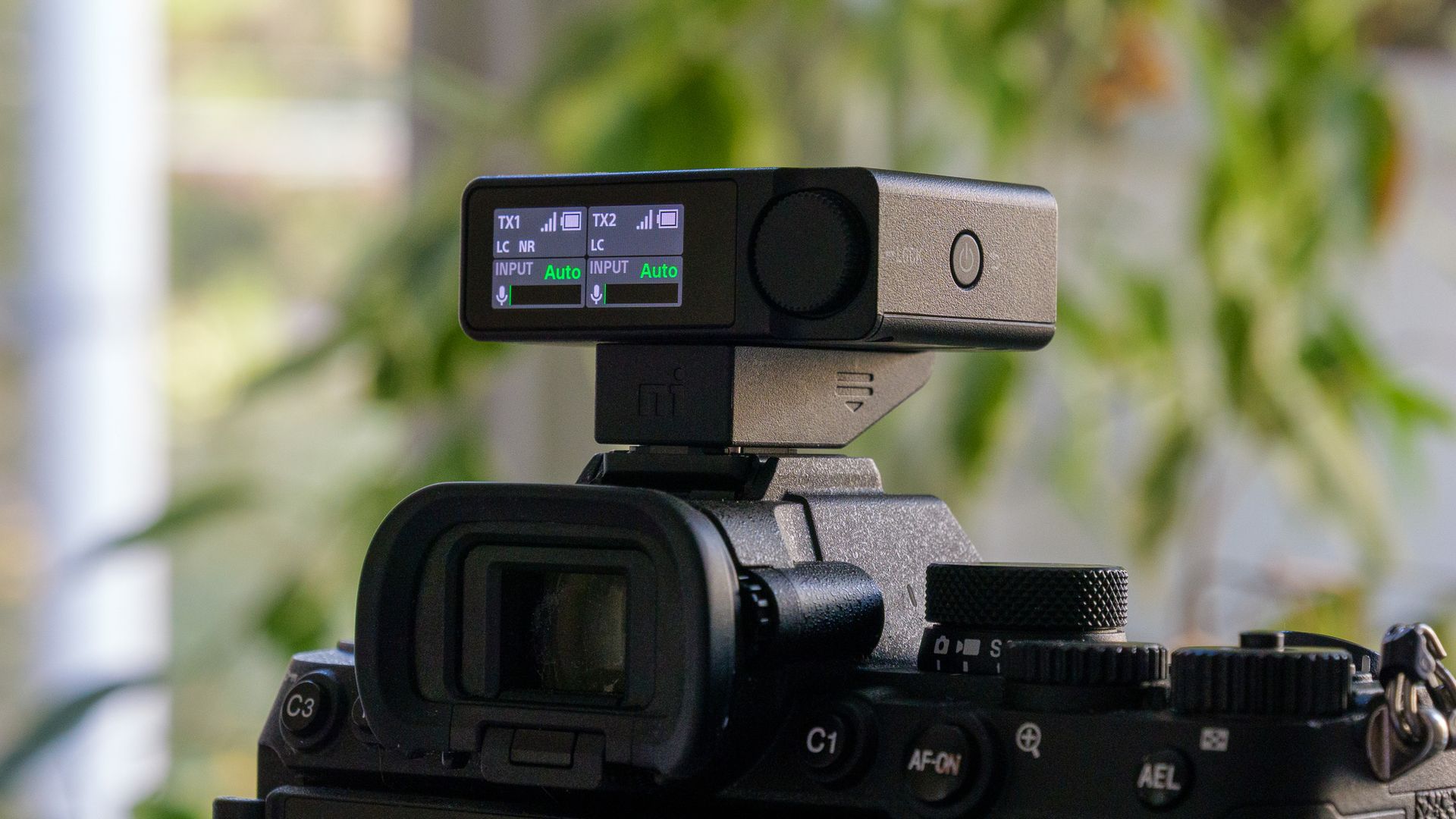
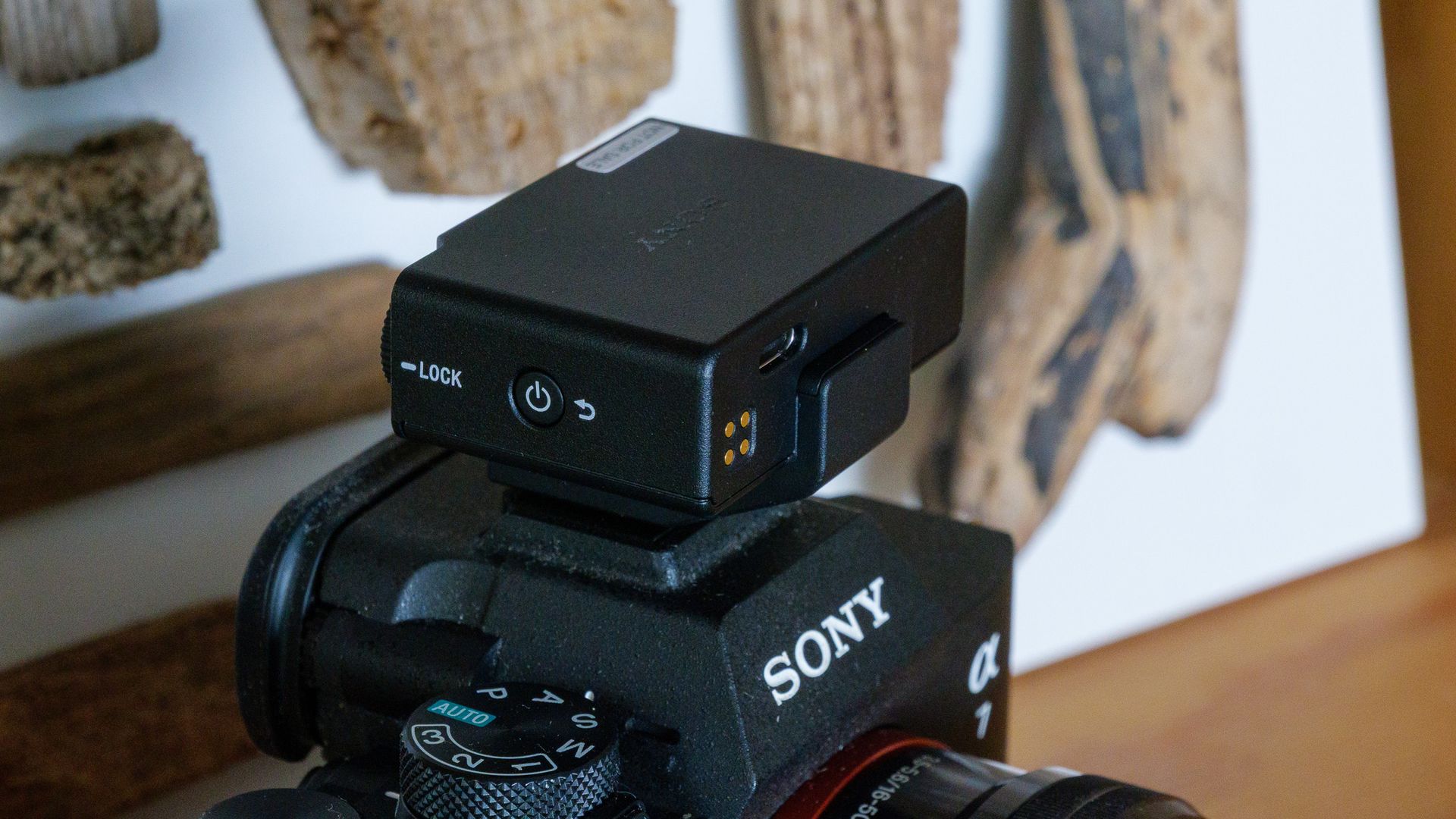
The receiver can be fitted with either a USB-C connector or a Multi Interface Shoe adapter, and the latter also slots into standard hot and cold shoes (albeit without the MI Shoe’s digital connection). There are 3.5mm audio in and mic out ports, plus a small touchscreen for adjusting settings. My one real frustration is that this screen faces backwards when the receiver is mounted on a camera, so when I was filming myself I couldn’t see it to make changes. It’s a common problem with wireless mic receivers, and I’d love to see a manufacturer make the display rotatable.
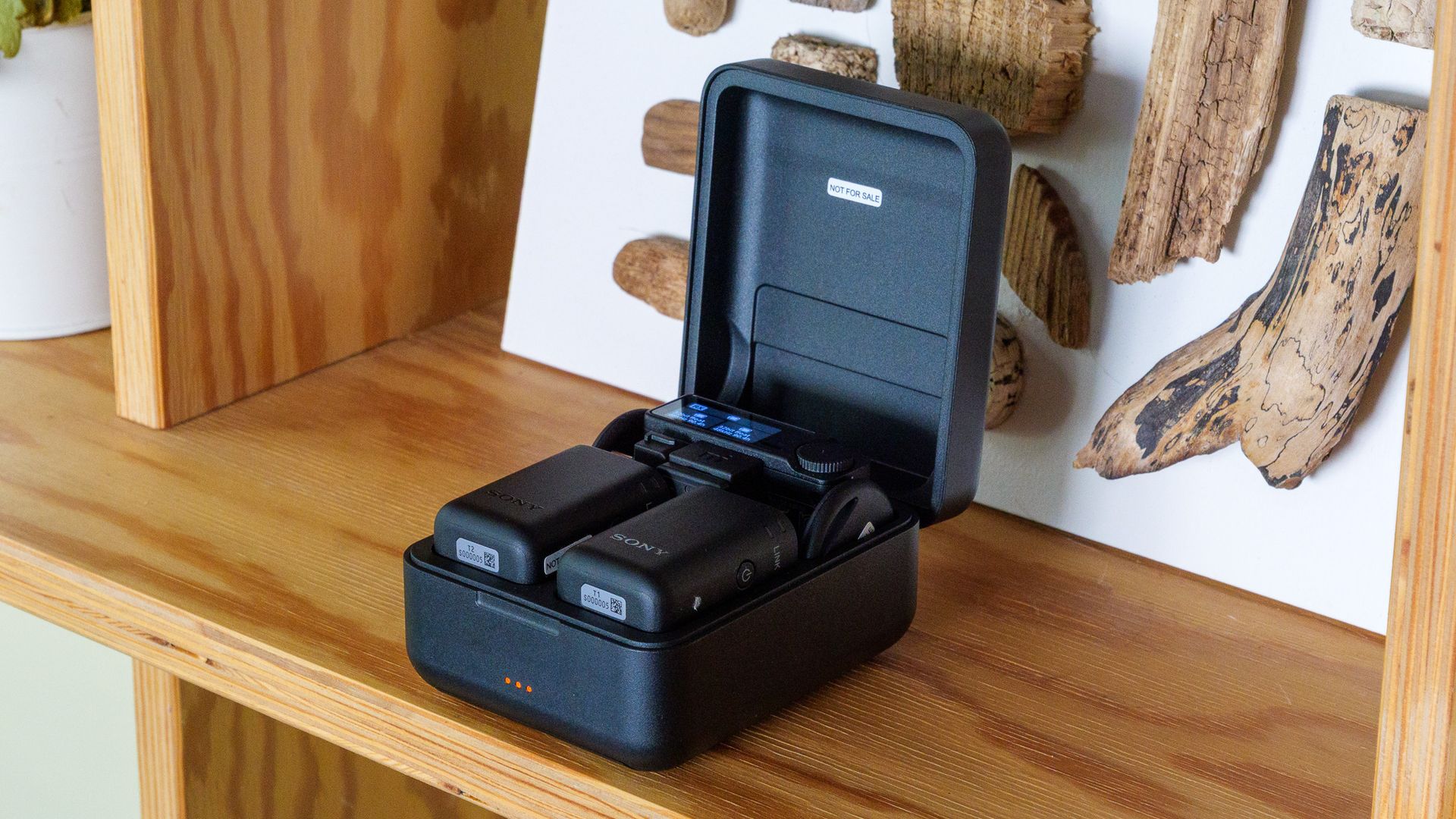
The charging case holds both transmitters, the receiver, the adapters and the magnets, but there’s no room for the windshields. Sony doesn’t include a 3.5mm audio cable in the box either, so if your camera lacks an MI Shoe you’ll need to buy one separately. A soft drawstring bag is supplied, though, and it’s big enough for the case, the windshields and a couple of cables.
Sony ECM-W5: Performance
- World-first in-camera 32-bit float recording
- Rock-solid signal and a claimed 500m transmission range
- Noise reduction is less aggressive than Insta360 and DJI rivals
The ECM-W5’s standout feature is its ability to record 32-bit float audio directly in-camera, as well as onto each transmitter’s internal storage. Rivals such as the DJI Mic 3 and Insta360 Mic Pro can only record 32-bit float files on the transmitter itself, which you then have to sync up in the edit. I don’t think many people need 32-bit float day to day, but if you’re recording in uncontrolled environments where sudden loud noises might occur, having that headroom baked into your footage is a real advantage.
There’s both automatic and manual gain control, with the latter offering a nicely granular range of -12 to +12. I mostly left it on auto and found it worked well. Sound quality is good, but then so is that of pretty much every decent wireless mic. The difference compared with the built-in mic on your phone, computer or camera is night and day, particularly outside on a windy day. Sony also offers a 96kHz/24-bit Hi-Res Audio option, which beats the maximum quality of most rivals I’ve tested, though that’s reflected in the higher price.
Sony claims a range of up to 500m between transmitter and receiver, which is much further than its rivals. I can’t think of many situations where you’d need that much, and I didn’t test it to the limit, but it’s reassuring to have in reserve. Sony also says the connection is around three times more stable than that of its predecessor, the ECM-W3.
More tellingly, when I left the camera and receiver downstairs and walked up two flights of stairs to my bedroom with a transmitter, the signal stayed crisp and clear throughout — something other mics have struggled with in my home.
The single-level noise reduction isn’t especially aggressive, and I think DJI and Insta360 offer markedly better cancellation. That said, it noticeably reduced the hum of a fan at home without adding any odd artifacts, so you can probably just leave it switched on all the time.
Sony quotes up to seven hours of battery life for the transmitters and receiver, rising to 11 hours for the transmitters if you top them up from the charging case. And when the receiver is mounted on a compatible camera’s MI Shoe, it draws power from the camera and switches on and off with it, so there’s one less battery to keep an eye on. Add up to two extra transmitters (sold separately) and you can also record up to four audio channels in-camera, which should appeal to anyone shooting multi-person interviews.
Sony also offers wireless monitoring via compatible Sony wireless headphones that support Bluetooth LE Audio, so you can keep an ear on your audio without a headphone cable, and compatible models such as the WH-1000XM6 can even be used as mics for binaural recording. I didn’t have a compatible pair of headphones to hand (and the binaural feature wasn’t available before launch), so I wasn’t able to test either feature.
The ECM-W5 also supports timecode, another feature that'll appeal to professionals.
Should I buy the Sony ECM-W5?
Buy it if…
You shoot with a Sony camera
The ECM-W5 receiver fits straight onto the Multi Interface shoe used by Sony's recent cameras, and the resulting in-camera 32-bit float recording is something no rival offers.
You want pro-grade features
A lavalier mic input, timecode support and 62.5GB of storage per transmitter make it a serious tool.
You record in unpredictable places
Baked-in 32-bit float and a 500m range give you a big safety margin when you can’t control the conditions.
Don’t buy it if…
You want the smallest, lightest wearable mic
The DJI Mic 3’s transmitters are far smaller and less conspicuous when worn.
You’re on a strict budget
Rivals premium microphones from DJI and Insta360 cost less and still sound excellent.
You need strong noise reduction
The ECM-W5’s noise reduction is gentle, and DJI and Insta360 do a markedly better job of removing background babble.
Sony ECM-W5: also consider
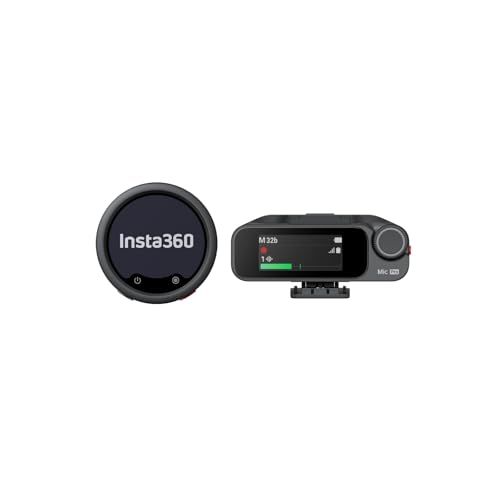
Insta360 Mic Pro
Insta360’s Mic Pro stands out with a customizable e-ink display on each transmitter, and it pairs strong AI noise canceling with 32-bit float internal recording and 32GB of storage per transmitter. It’s a great pick for Insta360 camera owners, though it lacks the ECM-W5’s lav mic input and in-camera 32-bit float.
Read our Insta360 Mic Pro review
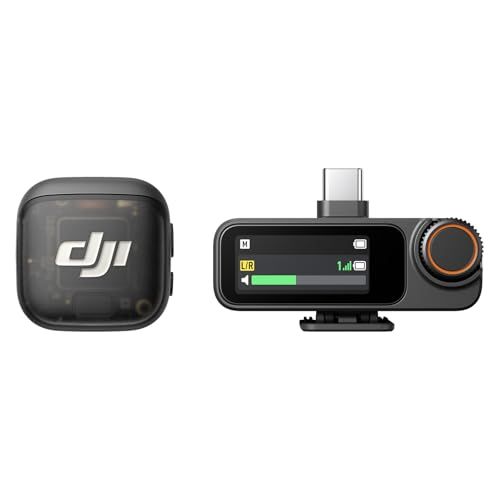
DJI Mic 3
DJI’s latest flagship wireless mic is considerably smaller and lighter than the ECM-W5, with stronger noise canceling and a lower price. It lacks a lav mic input and can’t record 32-bit float in-camera, but DJI’s inexpensive MI Shoe adapter makes it an easy fit on a Sony camera too.
Read our DJI Mic 3 review
How I tested the Sony ECM-W5
- One week of testing indoors and outdoors
- Connected to Sony A7 V camera via Multi Interface shoe and OnePlus tablet via USB-C
Sony loaned me a review sample of the full ECM-W5 package along with a Sony A7 V camera for the purposes of this test, which allowed me to fully test the Multi Interface Shoe connection. I also tested the USB-C connectivity, by attaching the receiver to a OnePlus Pad tablet and recording video.
I used the mic system for about a week, recording in both 24-bit and 32-bit float modes and testing the noise reduction capabilities both indoors and outdoors in a variety of situations. I also tested its range and signal stability by leaving the receiver downstairs and walking up two floors of my house with a transmitter.
- First reviewed: October 2026
- Read more about how we test
70mai 4K A900 Ultra: two-minute review
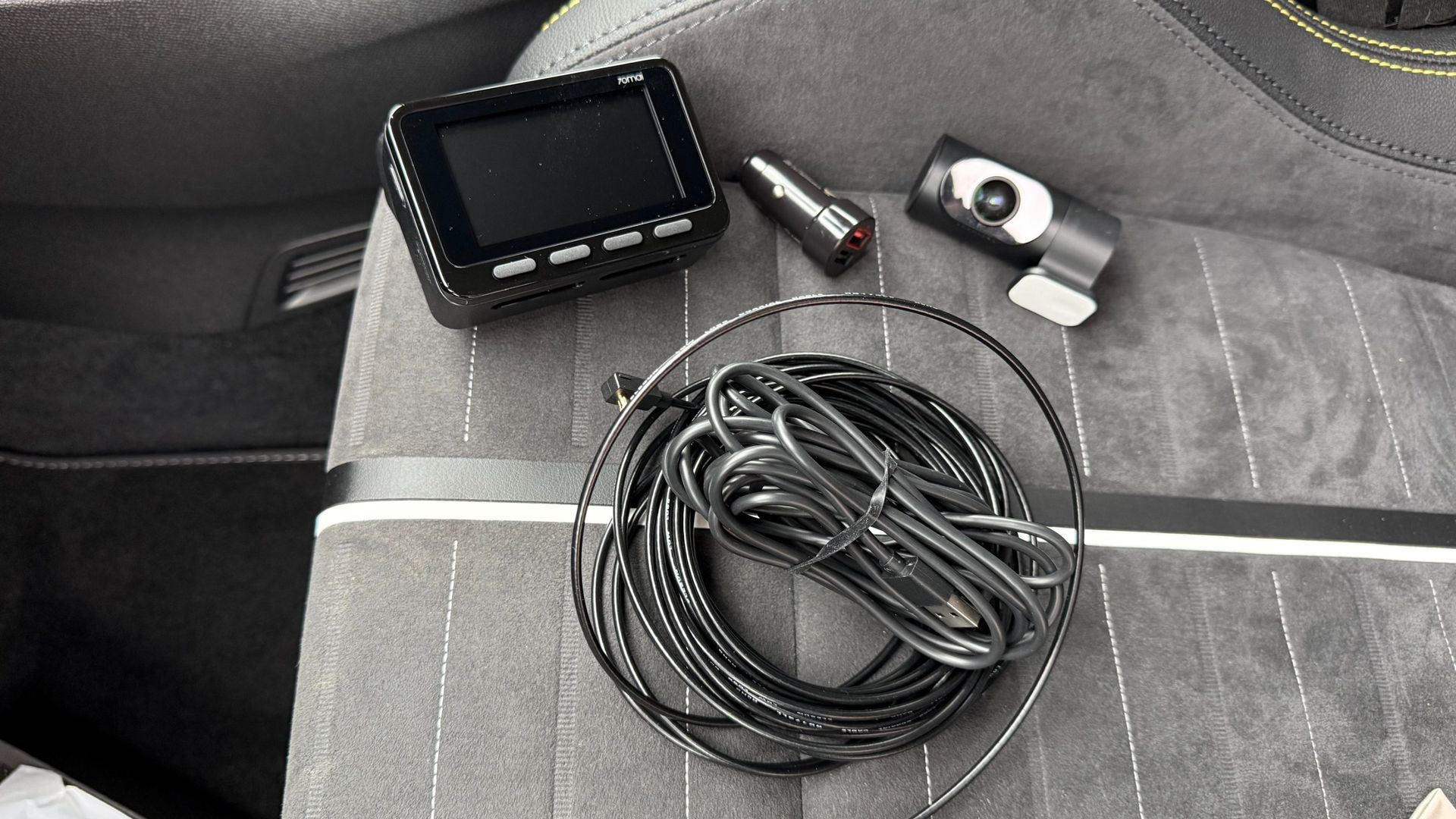
While many of the best dash cams on the market come with plenty of features and functions, not all of them boast 4K shooting capability. The dual-channel 70mai 4K A900 Ultra captures 4K footage not only with its front-facing camera, but also with the rearward-facing unit that makes up this potent dash cam bundle.
This camera combo benefits from Sony Starvis 2 IMX678 sensors in both units too, which combined with the 4K, HDR and 70mai’s own Night Owl Vision 2.0 processing, means the bundle is perfect for capturing footage night and day. The resolution is impressive, with the f/1.8 front lens capable of shooting 3840 x 2160P (4K) at 30fps, and the f/1.6 rearward camera able to shoot the same 4K quality at 25fps. The field of view for both units is a generous 130 degrees.
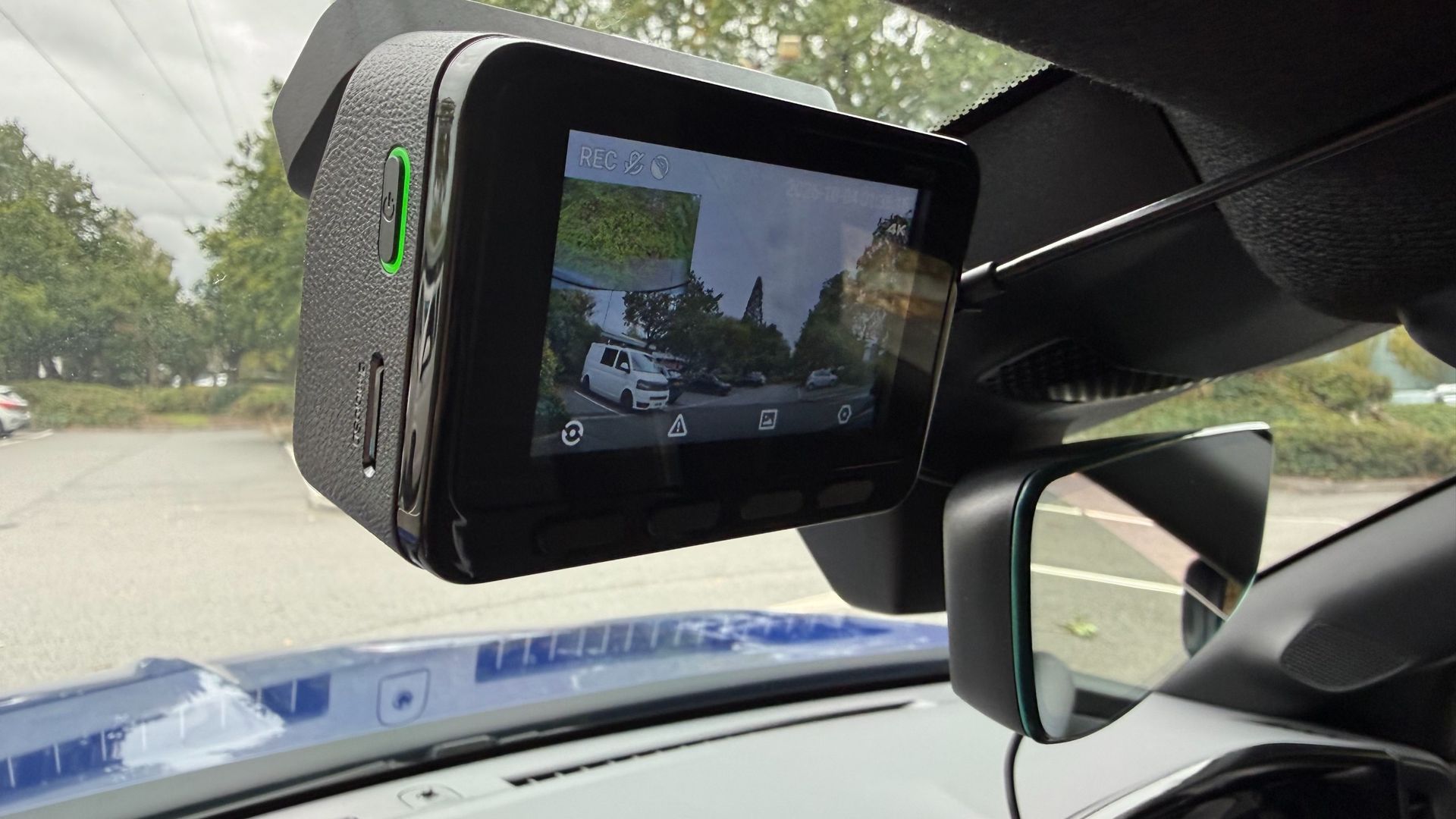
The rest of the specification is similarly impressive, with the chunky main camera featuring a 3-inch rear-facing screen and four control buttons, which makes adjusting settings and previewing footage easy. There is a 5-system built-in GPS, and buffered emergency recording that captures up to 3 minutes and ten seconds before and 30 seconds after an incident.
Bonus appeal is delivered with the likes of 70mai’s Smart Parking Surveillance 2.0 (subject to hardwiring the unit into a vehicle), a Driver Fatigue Alert, and 4G Cloud+ 2.0 compatibility that delivers a live view, remote playback and two-way voice communication that covers all bases on the security front.
While capturing 4K footage soon amasses lots of chunky files, the 70mai 4K A900 Ultra features Wi-Fi 6, which means the transfer of footage and general file management is both quick and easy, with speeds of up to 45MBps. Another plus of the 70mai 4K A900 Ultra comes via compatibility with 70mai’s Battery Pack Mini, which gives assured backup power, and up to 30 days of parking surveillance without draining your vehicle’s battery.
Topping off an impressive set of features is hands-free voice control, while the unit itself features supercapacitor technology that offers more durable performance across the ranged of temperatures that occur inside vehicles over time.
All of this is squeezed into a compact box-shaped design for the main camera unit, while the rearward-facing camera is a fairly typical tube-shaped design. Both units can be attached to screen glass using supplied adhesive pads, and everything needed for the job comes inside the box.
The 70mai 4K A900 Ultra is therefore a one-stop solution, although it is worth noting that a hardwire kit, which unlocks the potential of around-the-clock surveillance monitoring, will need to be purchased separately. Otherwise, the units can be powered via a standard 12V in-car power socket, for which an adapter is supplied. The 70mai Battery Pack Mini is also sold as an optional extra.
70mai 4K A900 Ultra: price and availability
In the US, the 70mai 4K A900 Ultra is priced at $299.99, but at the time of writing can be purchased directly from the US 70mai website for $239.99. In the UK, the 70mai 4K A900 Ultra is priced at £231, but is currently available for £185 from the 70mai website.
70mai 4K A900 Ultra: specs
Video | Front: 3840 x 2160P (4K) 30fps Rear: 3840 x 2160P (4K) 30fps |
Field of view (FOV) | 130 degrees front / 130 degrees rear |
Storage | MicroSD up to 512GB |
GPS | Yes 5 system |
Parking mode | Yes, with constant power cable, not included |
App support | 70mai app |
Dimensions | 3.62 x 2.36 x 2.02 inches / 9.2 x 6.0 x 5.14cm |
Weight | 0.52lb / 0.24kg |
Battery | Yes |
70mai 4K A900 Ultra: Design
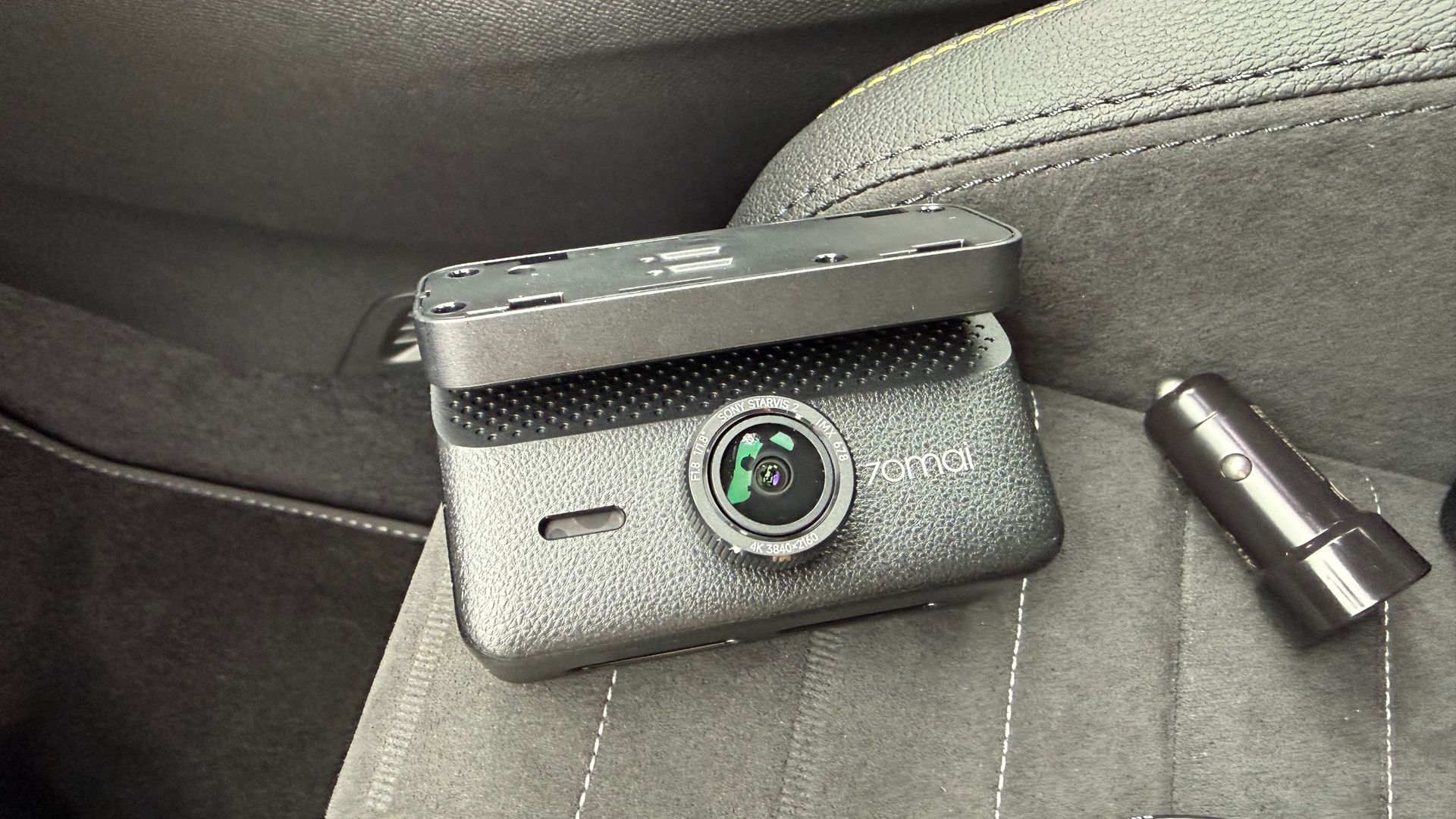
I’ve tested several dash cameras from the 70mai stable, and always found them to be well designed and very nicely made. The 70mai 4K A900 Ultra follows that theme, with a good-looking exterior for the main camera unit that sits upfront. Meanwhile, the tube-shaped rear-facing camera looks fairly conventional, but is also very well put together.
The main camera unit feels great in the hand, weighty and chunky. It also features a built-in mounting bracket, which is non-detachable. The angle-adjustment bracket that joins the camera unit, and the sticky attachment that fits to the windshield felt quite stiff to adjust, but this makes sense when you consider how much vibration and bumping around the unit will be subjected to over time, and should mean that the position of the camera remains consistent over time.
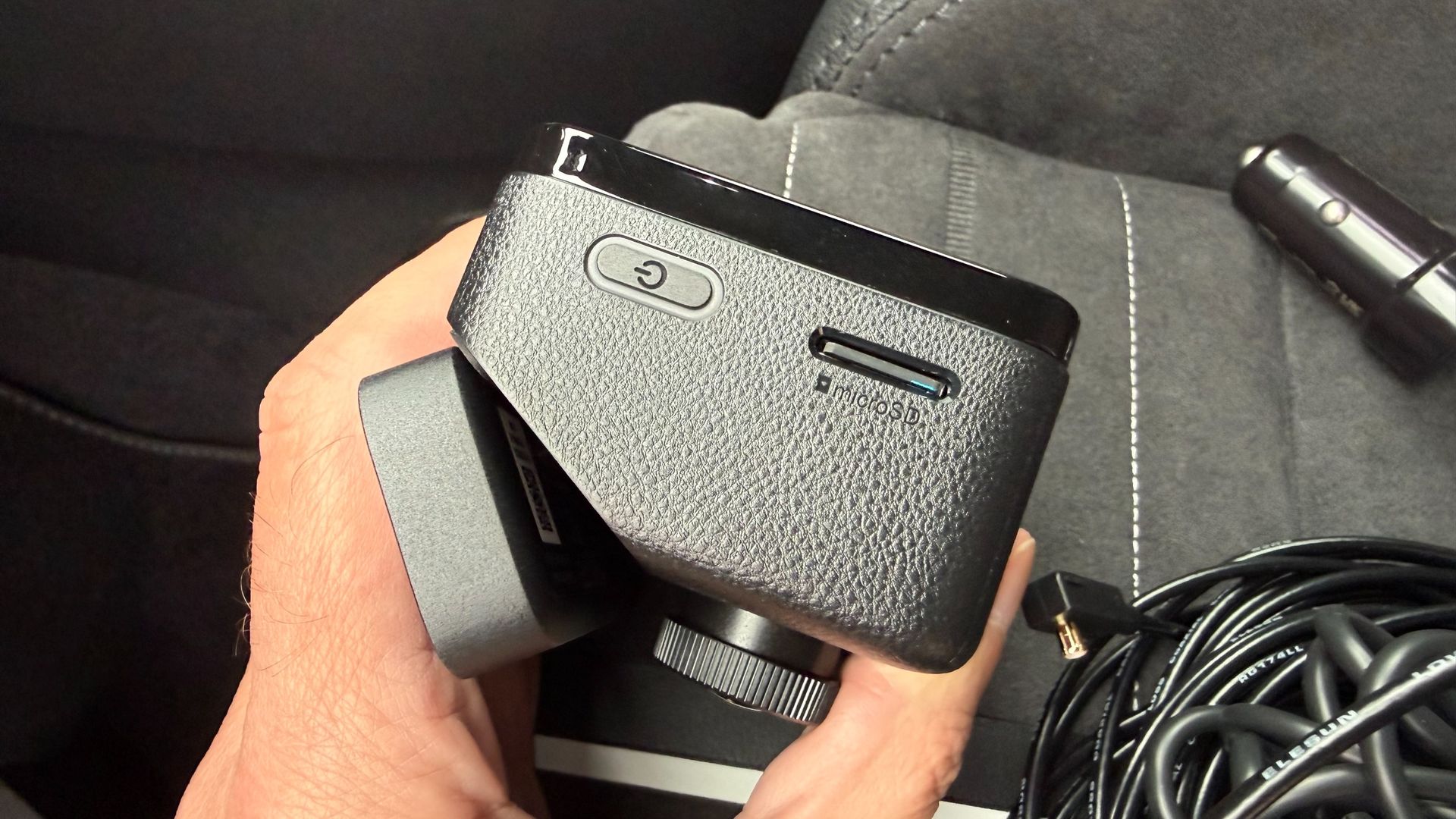
Up front, the lens protrudes from the front of the camera unit, but not so far as to be intrusive when fitting to the windshield. The side of the unit has a slot for microSD cards up to 512GB capacity, and the port for connecting the power and rear camera cable. I like the way 70mai does its connectors, with a push fit for the camera wire that feels almost locked in place once it has been pushed in. Again, having a durable design for components like this means there’s less chance for failure over time.
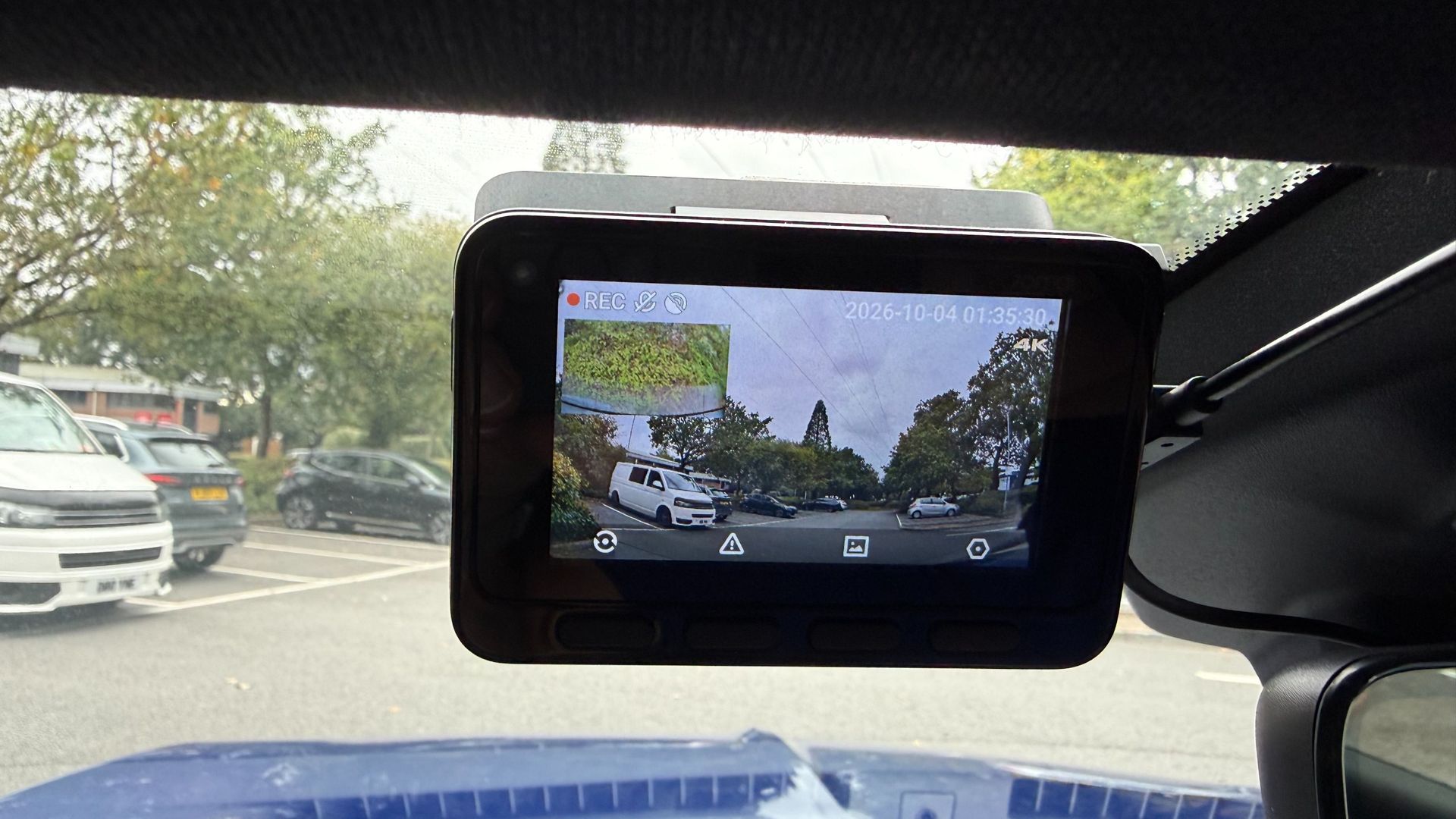
There’s a 3-inch screen on the back of the front dash camera unit, which is a good size for previewing footage and the like, as well as making the setup process nice and easy. It took me mere minutes to power-up the camera using the supplied 12V power plug and cable. From there, picking through the installation options and setting the language, time and date options was easily achieved via the four plastic buttons directly below the screen.
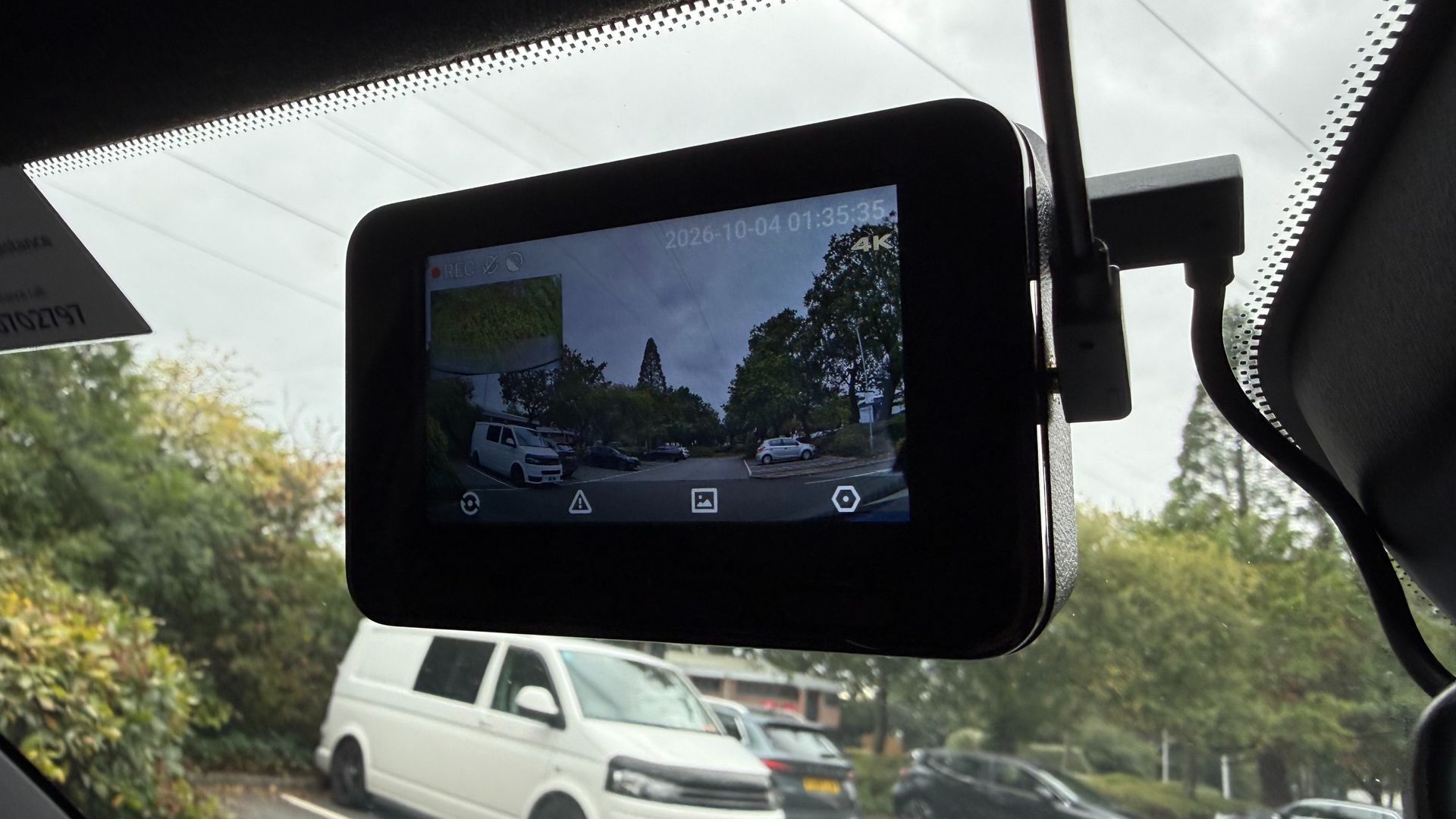
Both cameras can be fixed to the glass using the supplied self-adhesive pads. In the case of the front unit this has to be applied to the bracket and then stuck to the screen. There are static sheets for anyone who wants to stick these to the glass first, which isa good option if you think you’re going to need to peel it off and move to another vehicle at some point. The rear camera has its sticky pad already fixed to the bracket.
Getting this into position in a rear window can be tricky, depending on the vehicle, but the good news is that the lens barrel can be rotated into its optimal position, and the view it captures checked within the front-facing screen on the front. This is presented as a picture-in-picture view, so any tweaks can be made if the view doesn’t look quite right. 70mai does sell an optional hardwire kit for anyone wanting to access the entire suite of features and functions, including round-the-clock vehicle surveillance.
70mai 4K A900 Ultra: Performance
I found the 70mai 4K A900 Ultra dash cam very easy to use once I’d got it installed and ready to go. As mentioned, the initial setup procedure is very straightforward, and can largely be done without consulting the manual thanks to the simple step-by-step process, which includes formatting the memory card. I especially liked the way the chunky buttons on the back of the camera could be used for making adjustments. Combined with the 70mai app, which I’ve used before, this combination makes light work of everyday file management duties.
Which brings us to the subject of the video. The 4K quality produced by this twin-channel camera combination is excellent, and I found the after-dark footage it captured was as good as footage shot in daylight. The 70mai engineers have clearly put some effort into squeezing the maximum detail from their HDR software, and the results are clear to see in the clips on this page.
The cameras also coped admirably with variable light quality and weather conditions, as well as sudden changes in lighting such driving through a tunnel, as illustrated in the clips here. Importantly, there's good definition in details such as license plates and road signs.
One of the more interesting features of this dual-channel dash cam is its use of low-voltage differential signaling, or LVDS. 70mai claims this means the 4K feed from the rear camera is relayed as a digital signal, with no re-encoding, which ultimately means there's no compression carried out, even though there is quite a long cable connecting the two camera units. 70mai also says the connection features 20ms ultra-low latency. In essence, that should mean that if you're using the feed from the rear camera when reversing, you'll see it in real time, without any lag. On a more practical note, the more efficient cabling seems thinner than usual too.
Overall, the 70mai 4K A900 Ultra dash cam is a potent package that left me wanting for nothing. Naturally, the files are chunky, but the latest Wi-Fi transfer capabilities of this bundle and a rock-solid app means file management really isn’t an issue. Granted, the microSD card tops out at 512GB before it starts looping, but I found that transferring files from the camera to cloud-base storage was about as easy as it gets.
As always, one important thing to note is that anyone wanting to use the parking-monitoring feature will to purchase the optional hardwire kit.
you'll need the optional hardwire kit. Th
Should you buy the 70mai 4K A900 Ultra dash cam?
Buy it if...
You want top-quality video
There's no doubting the capability of the 70mai 4K A900 Ultra dash cam, thanks to its 4K shooting power. Better still, you get similarly potent video capture from the rear camera too.
You value extra features
The 70mai 4K A900 Ultra dash cam comes with a host of added-value features, including excellent after-dark capability, and parking surveillance via the optional hardwire kit.
You want more power
The 70mai 4K A900 Ultra dash cam can be boosted by adding 70mai's Battery Pack Mini as an option. This avoids any worries about battery drain, and makes the twin-camera setup even more versatile.
Don't buy it if...
Twin cameras are more than you need
Lots of us tend to think driving standards have been slipping, and so all-round protection is useful. But if you crave simplicity then a single-camera setup will suffice.
You're looking for a budget option
The 70mai 4K A900 Ultra dash cam is best described as a mid-range model, and while it is competitively priced, there are cheaper bundles out there.
Fitting a dash cam is a chore
The downside of the 70mai 4K A900 Ultra dash cam is that it requires twice as many cables to be plumbed in behind trim panels. A single-channel camera might therefore be a better bet.
How I tested the 70mai 4K A900 Ultra dash cam
- I installed the dash cam in an SUV for a test period of around four weeks
- I used it during daily commutes as well as for longer trips on a mix of roads
- I installed the 70mai app and used it to view, manage and save 4K files
70mai loaned me the 4K A900 Ultra dash cam along with everything I needed to test it, including a microSD card.
I installed the twin-camera bundle in a test vehicle using the supplied cables and connectors. I didn't call on the option of using a 70mai hardwire kit, which offers a more permanent means of supplying power, and enables parking-surveillance features. I didn't get to try the 70mai Battery Pack Mini either, which is another option offered by the company.
I did, however, make good use of the supporting 70mai app. I've tested this before, and it's received a few tweaks here and there since I last used it. As a result, the app works very well indeed, especially when it comes to managing the larger files generated by the higher-quality 4K setup.
- First reviewed October 2026
OM System PEN: Two-minute review
Given the ongoing component shortages and price pressures, producing an affordable camera in 2026 is no mean feat — and that's exactly what OM System has achieved with the new PEN.
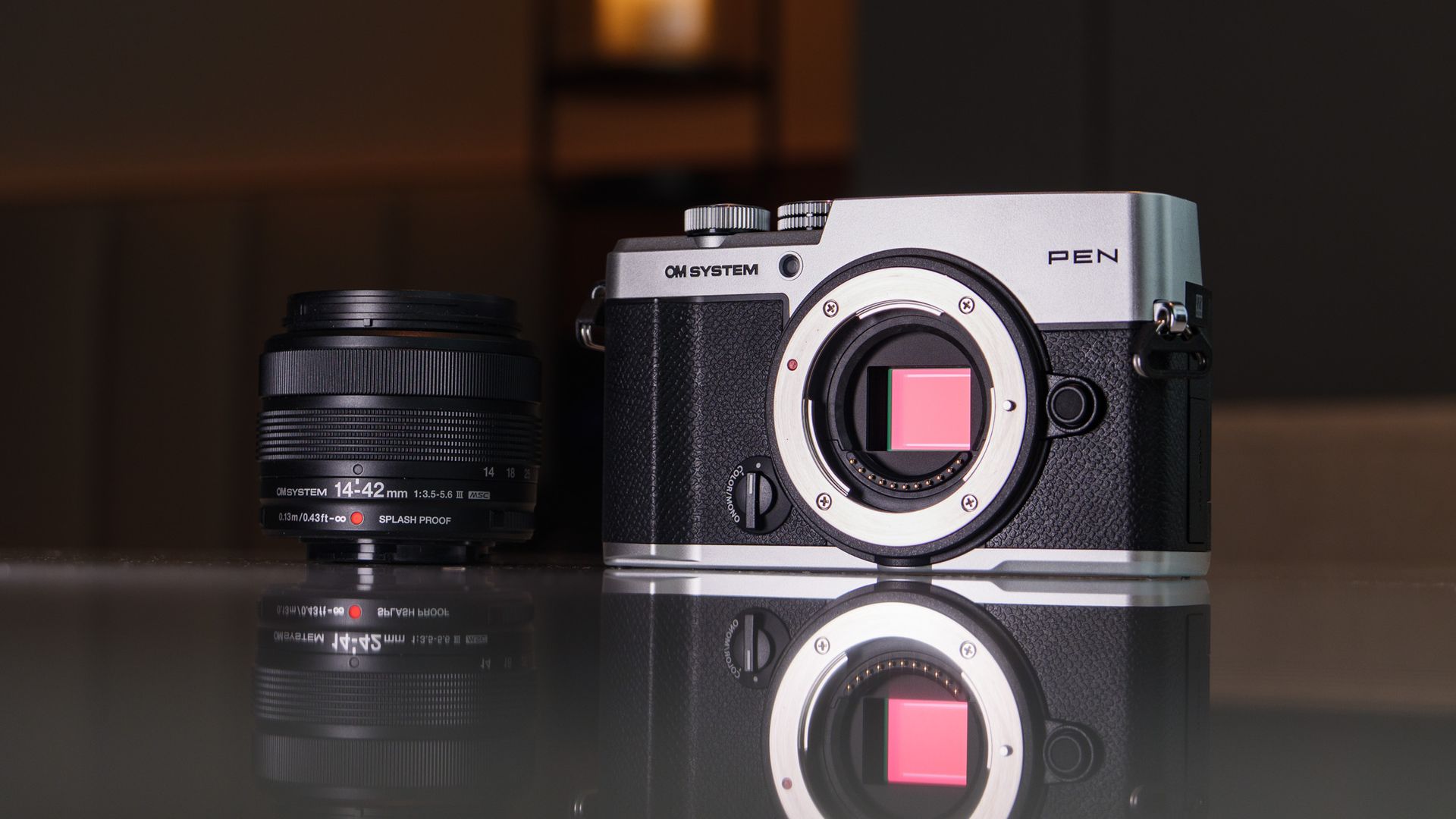
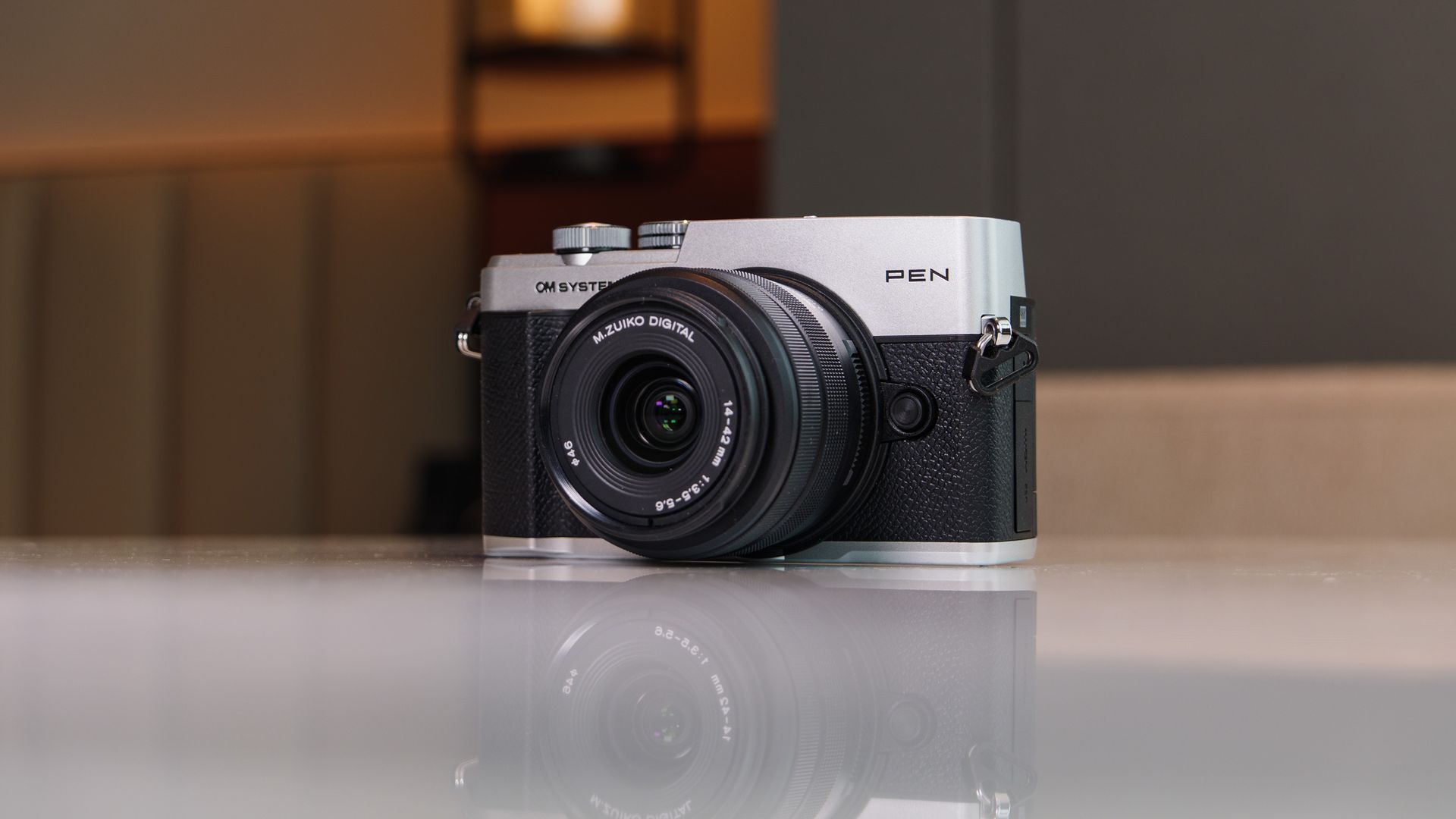
It has delivered the rangefinder-style mirrorless camera many PEN fans have been crying out for, and equipped it with in-body image stabilization, twin displays, a retro weather-proof design (IPX1-rated), and a range of fun computational photography modes — and kept the price to $1,000 / £850 / $AU1,800. Need a lens? The 14-42mm f/3.5-5.6 III kit (see below) is just $100 / £100 / AU$300 extra.
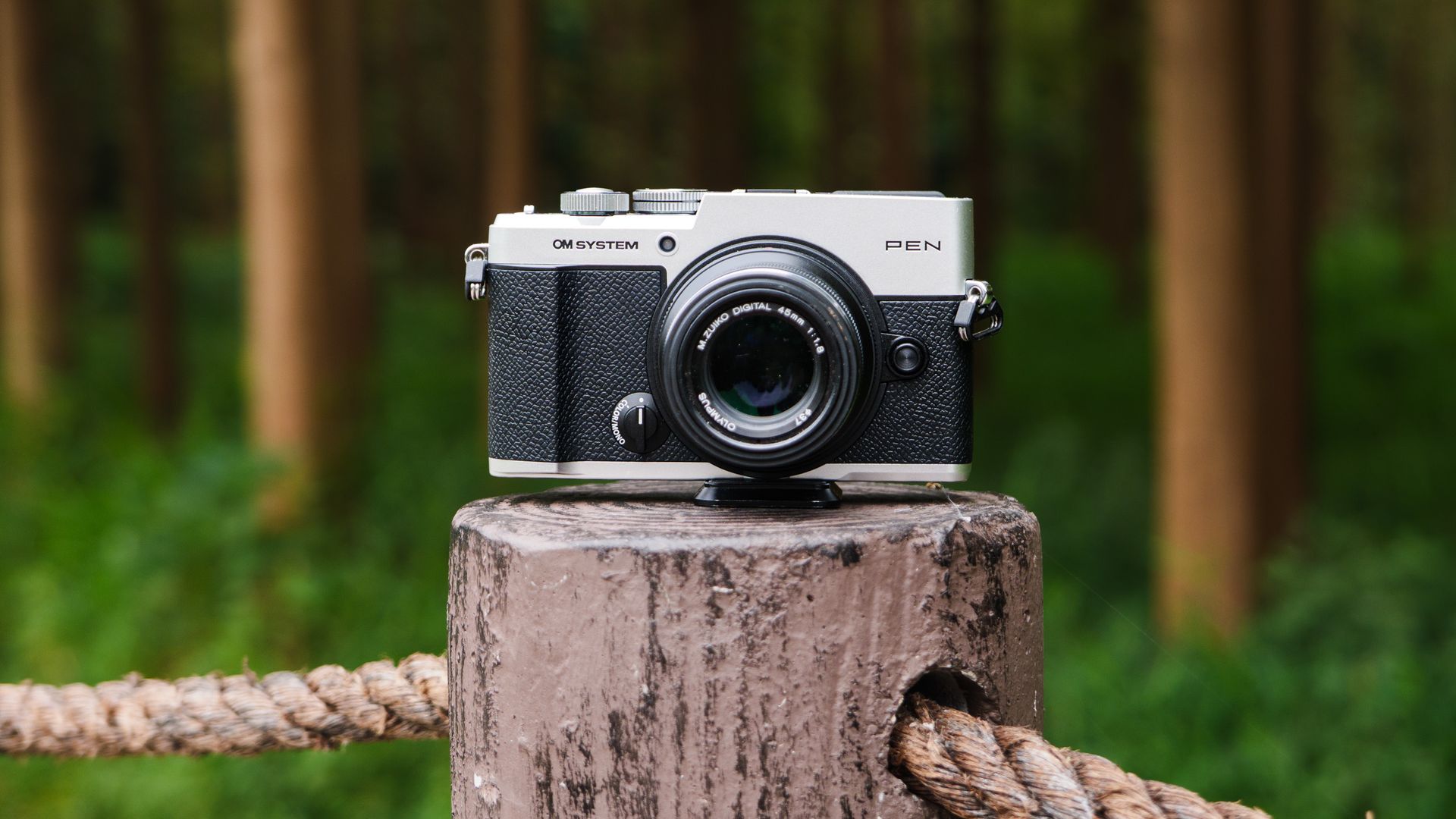
Beyond that kit lens, the OM PEN is part of the Micro Four Thirds system, with hundreds of lenses to choose, covering just about any situation, though any of these will add to the cost. I found it to be a great pairing with the low-cost Olympus 45mm f/1.8 for portraiture.
There's little that's new here, mind you — we have the same 20.4MP CMOS sensor with 5-axis image stabilization as previous models, including the OM System OM-5 II, and the same 121-point hybrid phase-detection autofocus, with stripped back subject-detection options. The vari-angle touchscreen and 2.36m-dot EVF are borrowed from previous models, too.
However, the OM PEN remains utterly compelling because it's so much fun to shoot the everyday with, so easy on the eye, and kind on the wallet. Sure, the PEN could be better in various areas (some of the controls are particularly fiddly), but all is forgiven when you consider the overall package, and that price tag.
Having used the camera for several weeks (and made direct comparisons with the excellent Lumix 10 premium compact), I think the OM System PEN as an ideal starter camera for smartphone upgraders — and it's the best beginner camera for 2026 so far.
OM System PEN review: Price and release date
- Announced in September 2026
- Costs $999.99 / £849 / AU$1,499 (body-only) or $1,099 / £949 / AU$1,799 with new 14-42mm f/3.5-5.6 III kit lens
- Available in two colorways: all black, and black with silver trim
After years of rumors, OM System finally put its name on a successor for the Olympus PEN series of cameras. And like the OM-5 II before it, the OM System PEN is excellent value for money in an industry otherwise feeling the effects of component shortages and price hikes — where else can you find a new interchangeable-lens camera with a viewfinder and in-body image stabilization for less $1,000?
That price is for the body only, mind you, and if you're starting from scratch the best-value package is the camera with the new 14-42mm f/3.5-5.6 III zoom lens, and that costs $100 / £100 / AU$300 extra. The third-generation kit lens was announced alongside the camera, and gains a splash-proof design, matching the OM PEN camera.
The camera is available for preorder now in two colorways: black, and black with silver trim.
OM System PEN review: specs
Type: | Mirrorless camera |
Mount: | Micro Four Thirds |
Sensor: | 20.4MP (effective) MFT CMOS |
Autofocus: | 121-point hybrid phase detection, subject detection; cats, humans, dogs (stills only) |
Continuous shooting: | Up to 30fps (electronic shutter), 5fps mechanical |
Video: | 4K up to 30fps, C4K 24fps, 8-bit, OM-Log400 profile |
Viewfinder: | 2.36M-dot OLED EVF |
Screen: | 3.0-inch vari-angle touchscreen, 1.04m-dots |
Storage: | Single SD/SDHC/SDXC slot |
Connectivity: | 2.4 and 5GHz Wi-Fi, micro HDMI, USB-C, mic |
Battery | BLS-7, rated to 410 shots |
Dimensions: | 125.8 x 74.5 x 43.3mm |
Weight: | 13.9oz / 393g (with card and battery included, 344g without) |
OM System PEN review: Design
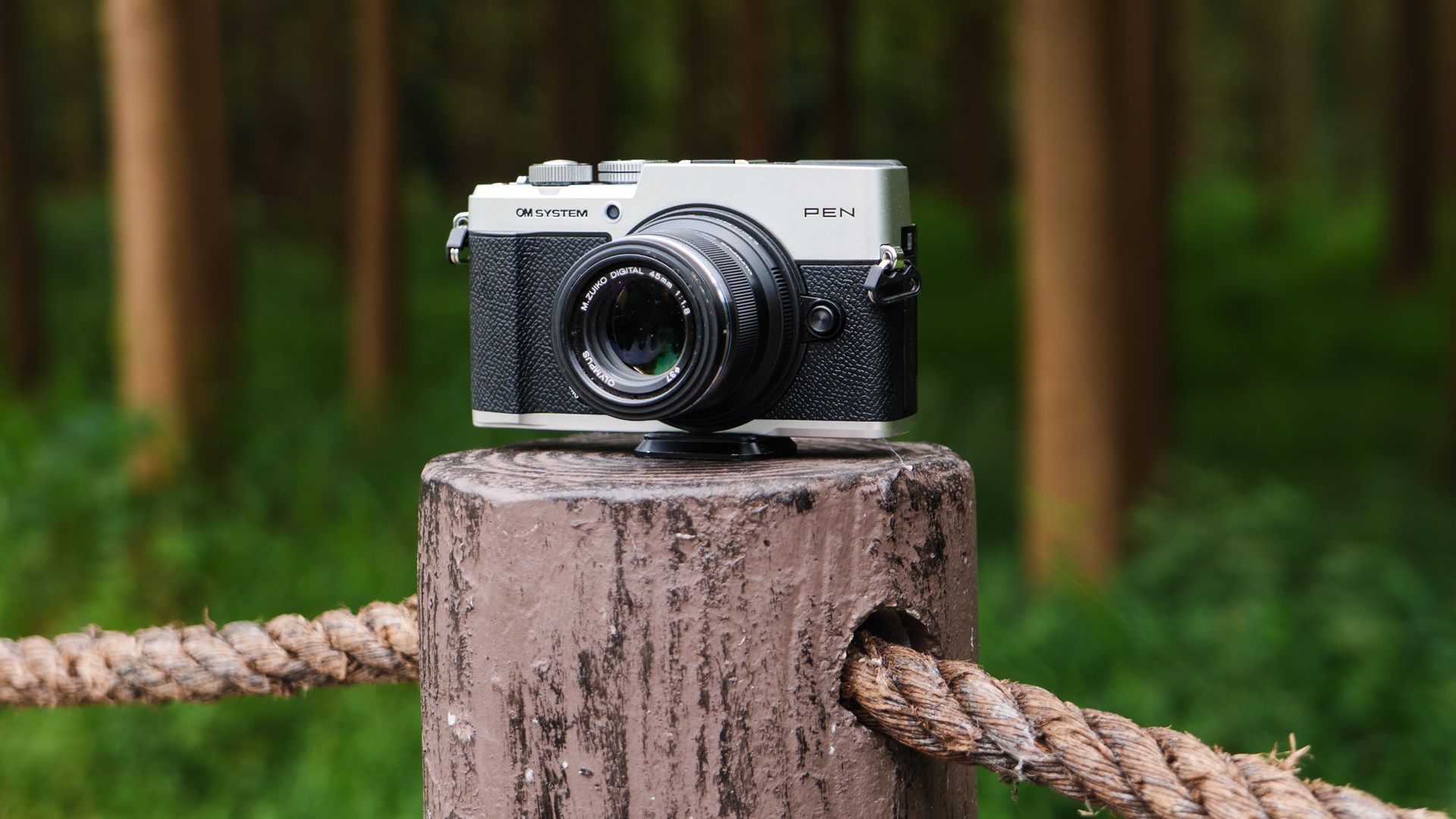
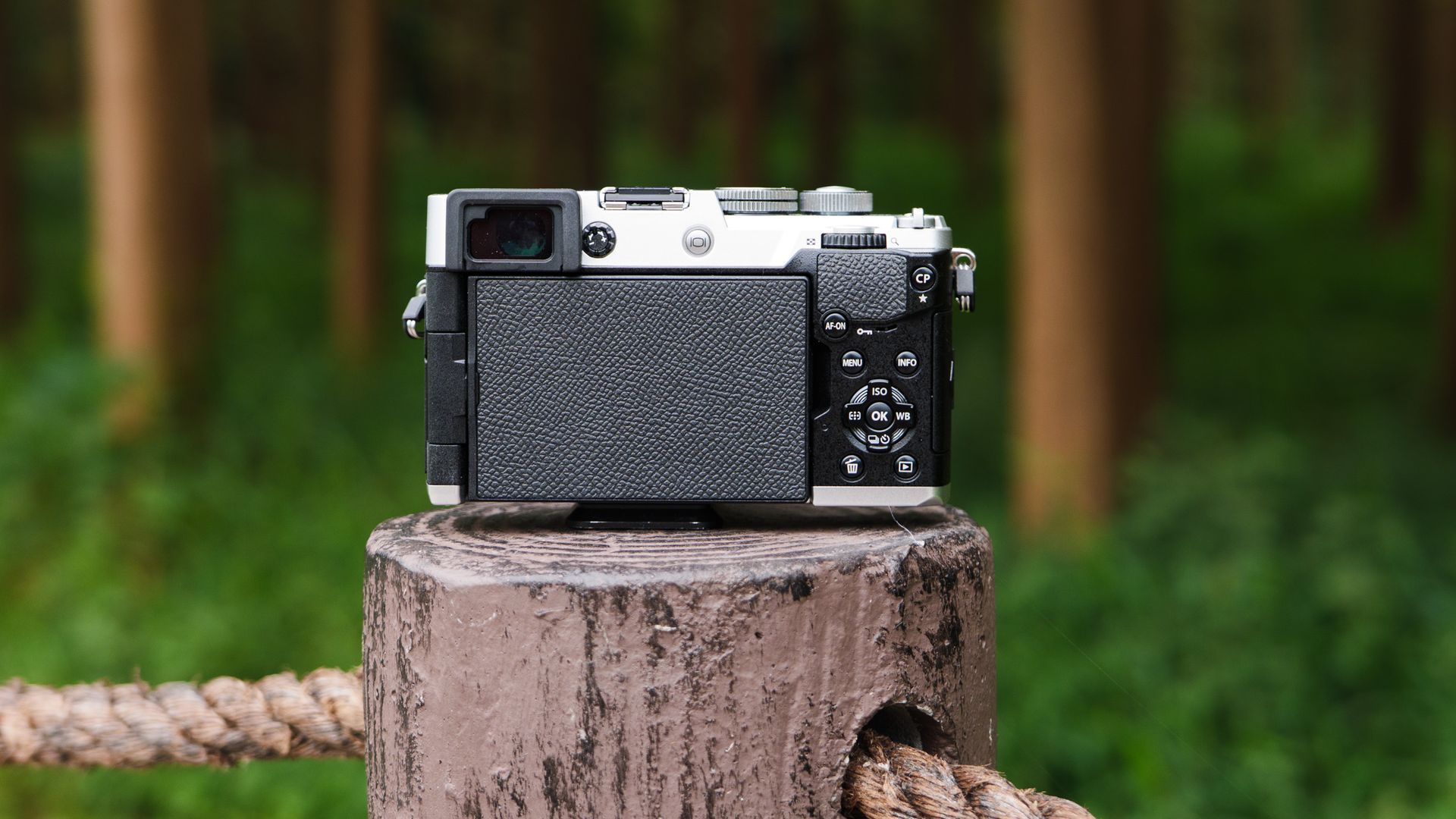
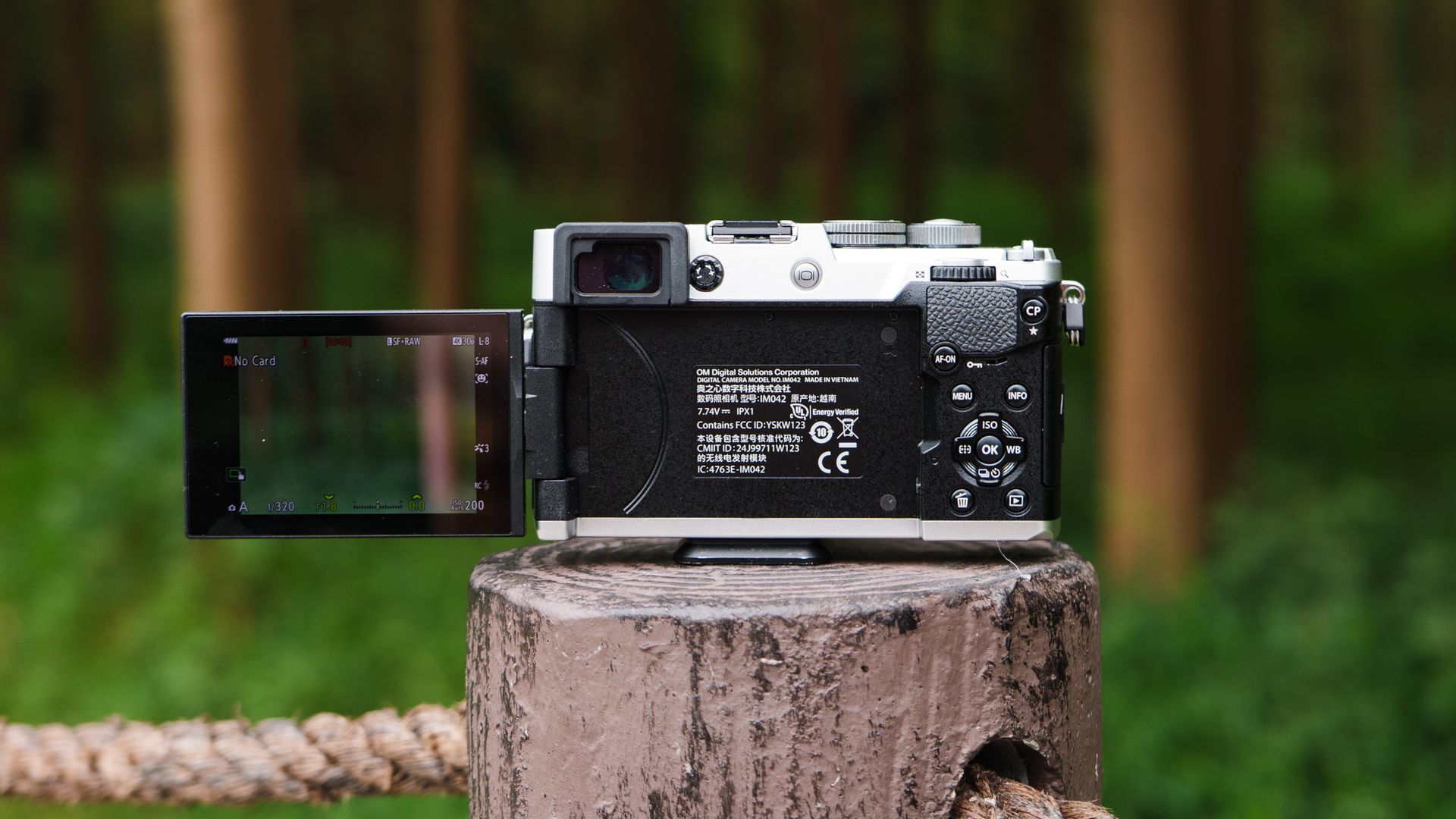
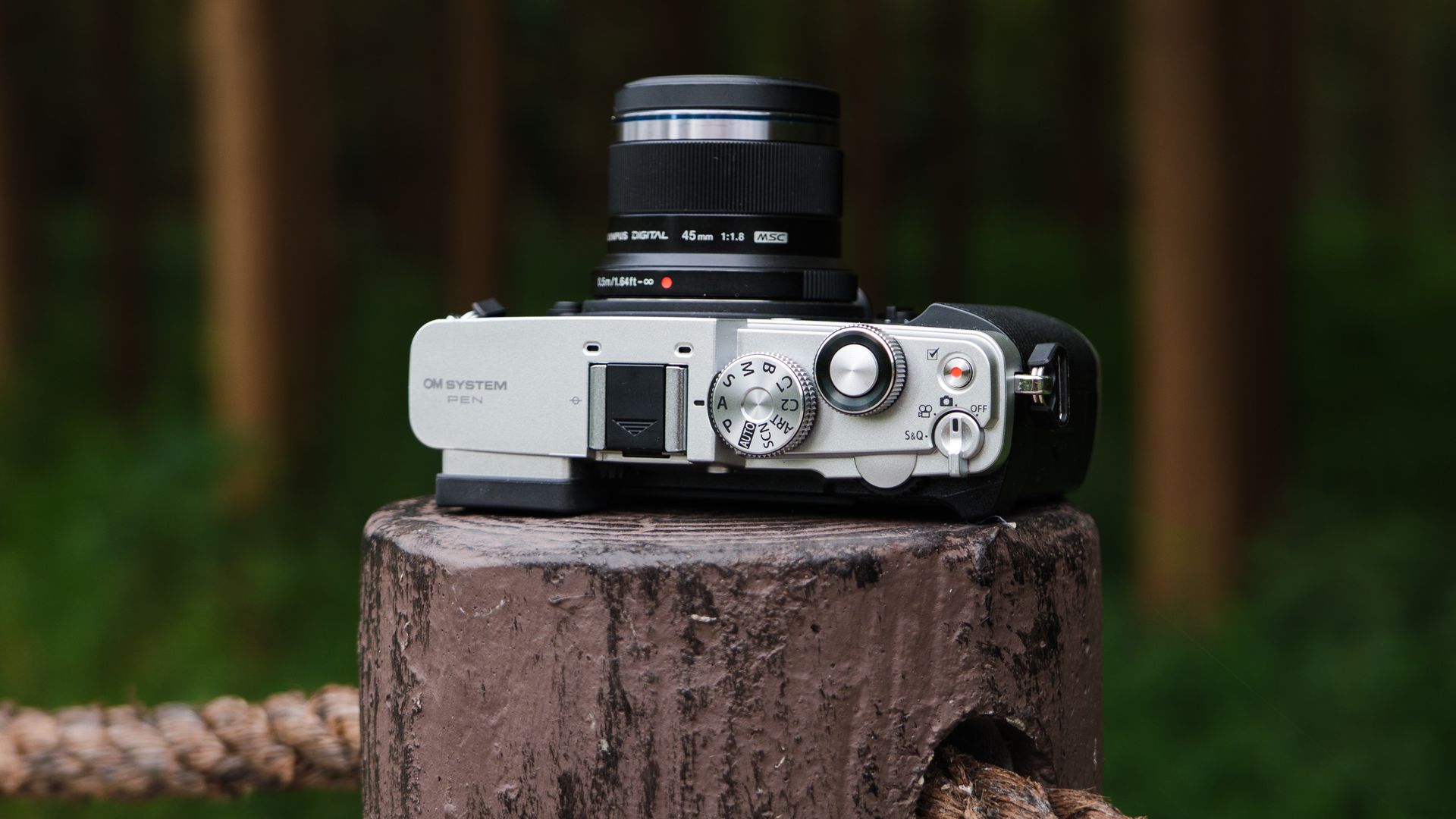
- Compact, IPX1-rated body that weighs just 13.9oz / 393g
- Twin displays: 2.36m-dot EVF and 1.04m-dot vari-angle touchscreen
- USB-C charging, mic port and hotshoe
There's no shortage of OM System bodies, but the PEN is the first OM-branded rangefinder proper, with its 2.36m-dot EVF neatly tucked into the top-left corner of the compact, IPX1-rated retro body.
It's the same EVF that you'll find in the slightly pricier OM-5 Mark II — a camera that we awarded a 5-star rating, and which sits in top spot in TechRadar's best travel cameras guide.
The key difference between those two bodies is that the OM-5 Mark II has higher-rated weatherproofing, a pronounced viewfinder bump, and a larger grip — meaning it's better suited to inclement weather, outdoor photography, and use with larger lenses. The OM PEN is also a superb travel camera, but you'd typically use it on city breaks, for everyday and street photography with smaller lenses.
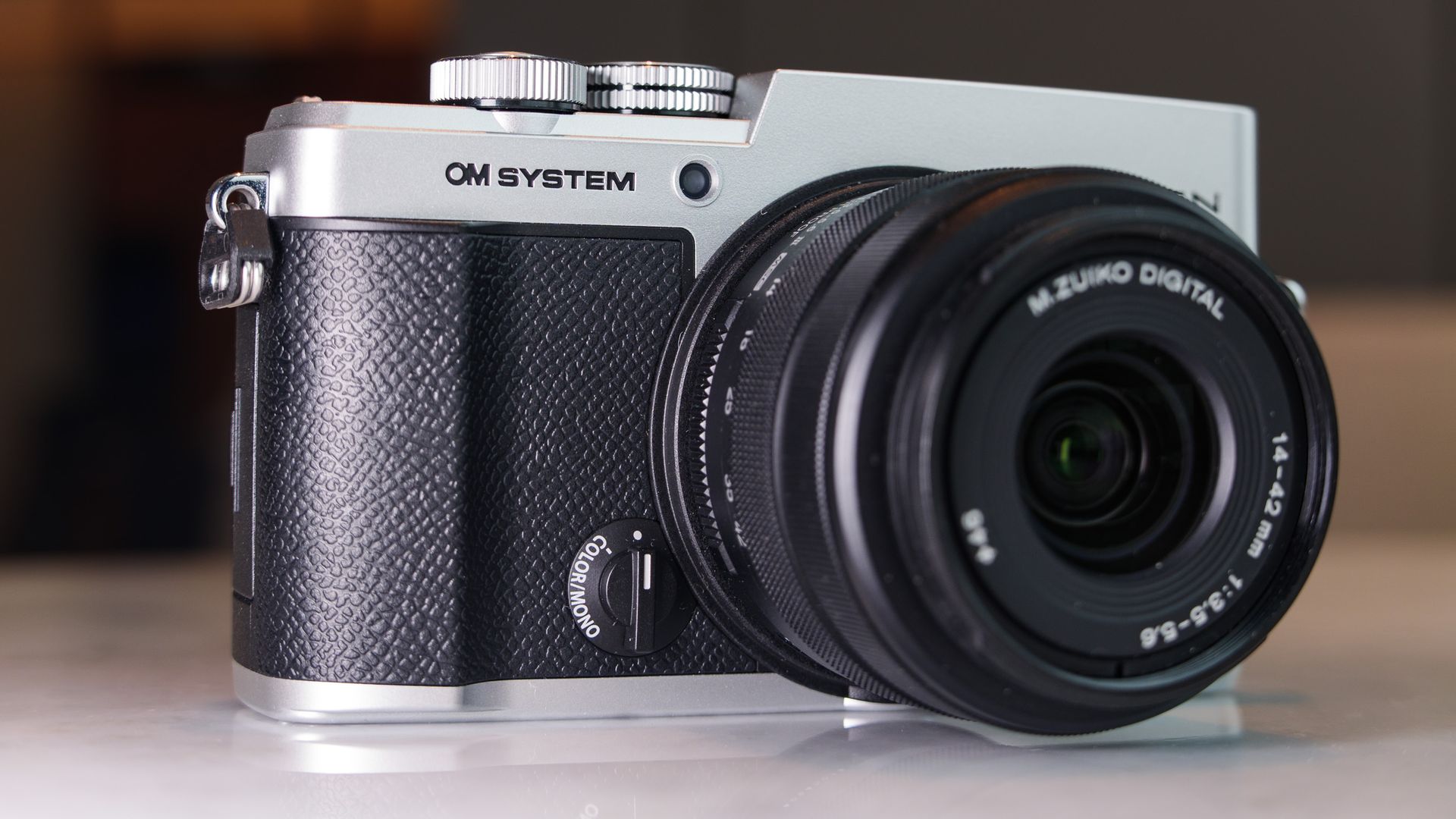
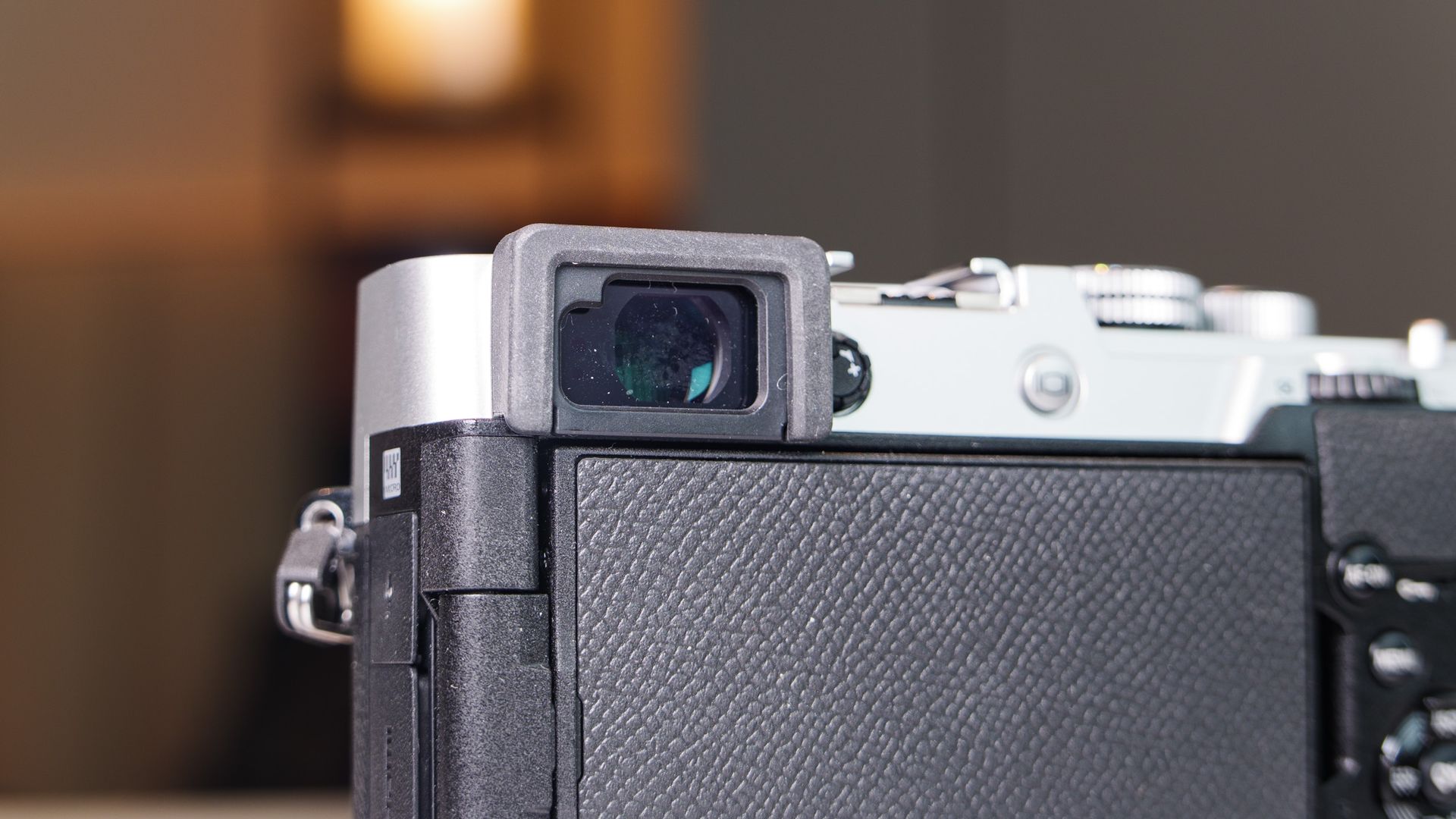
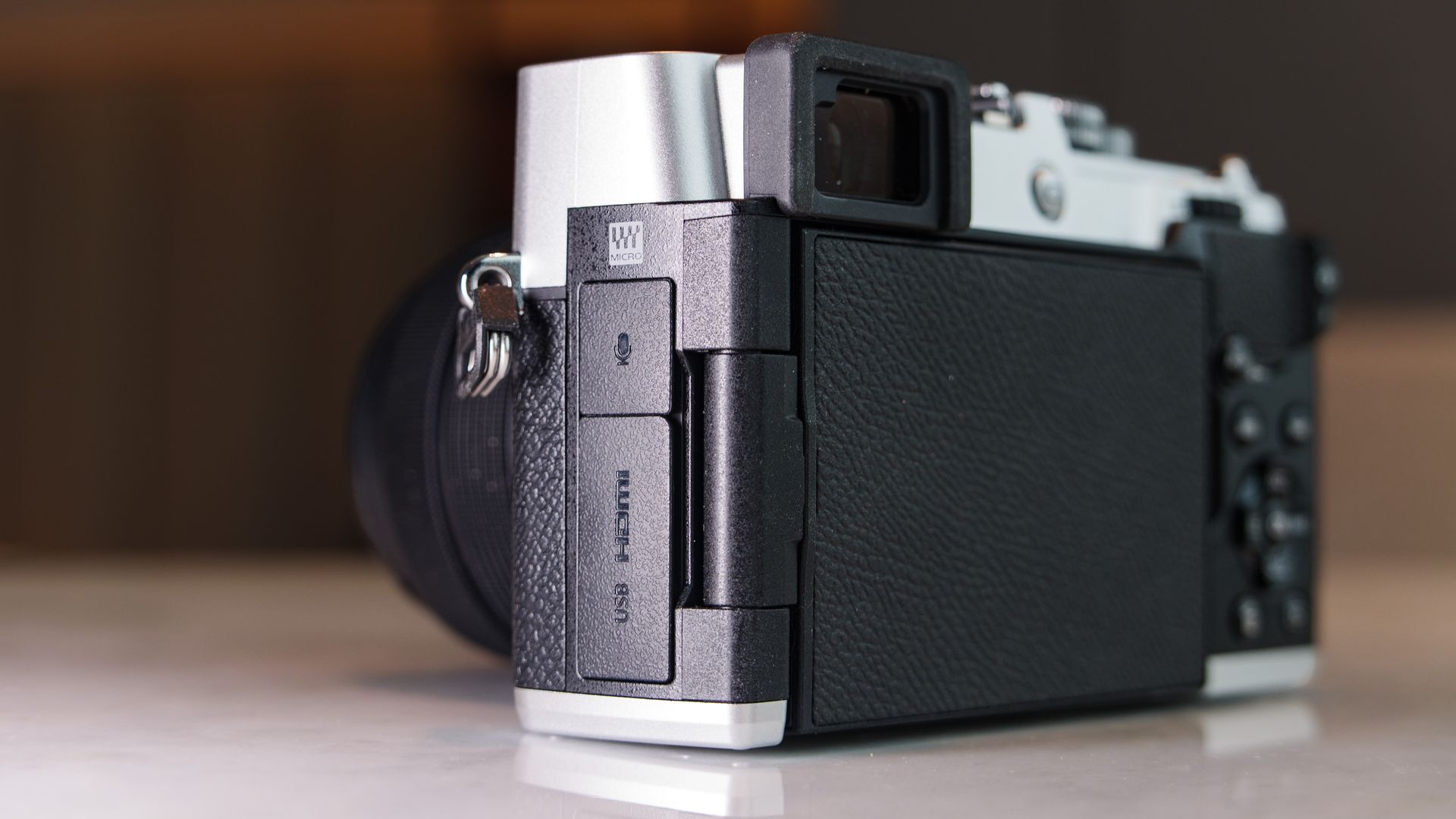
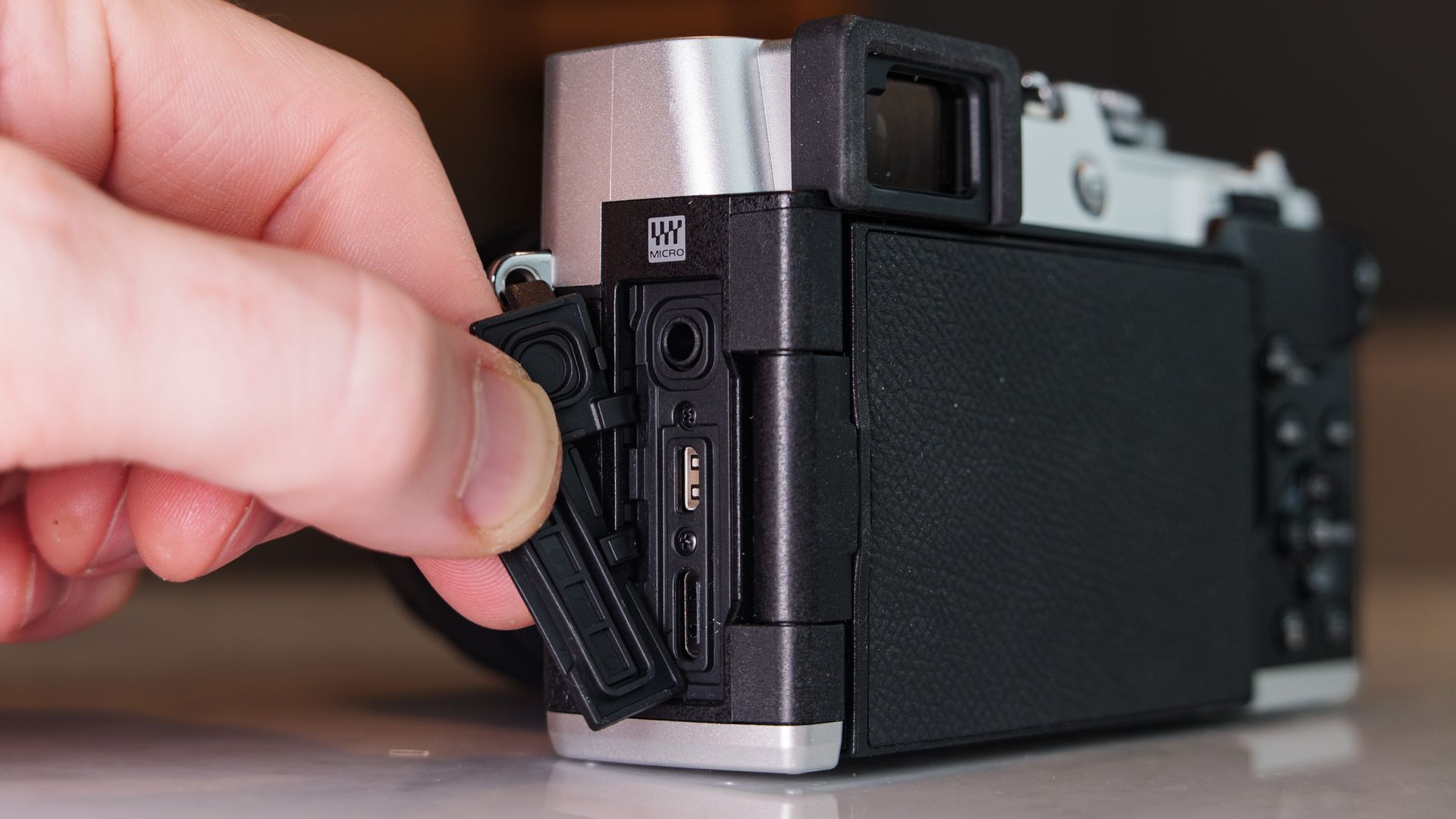
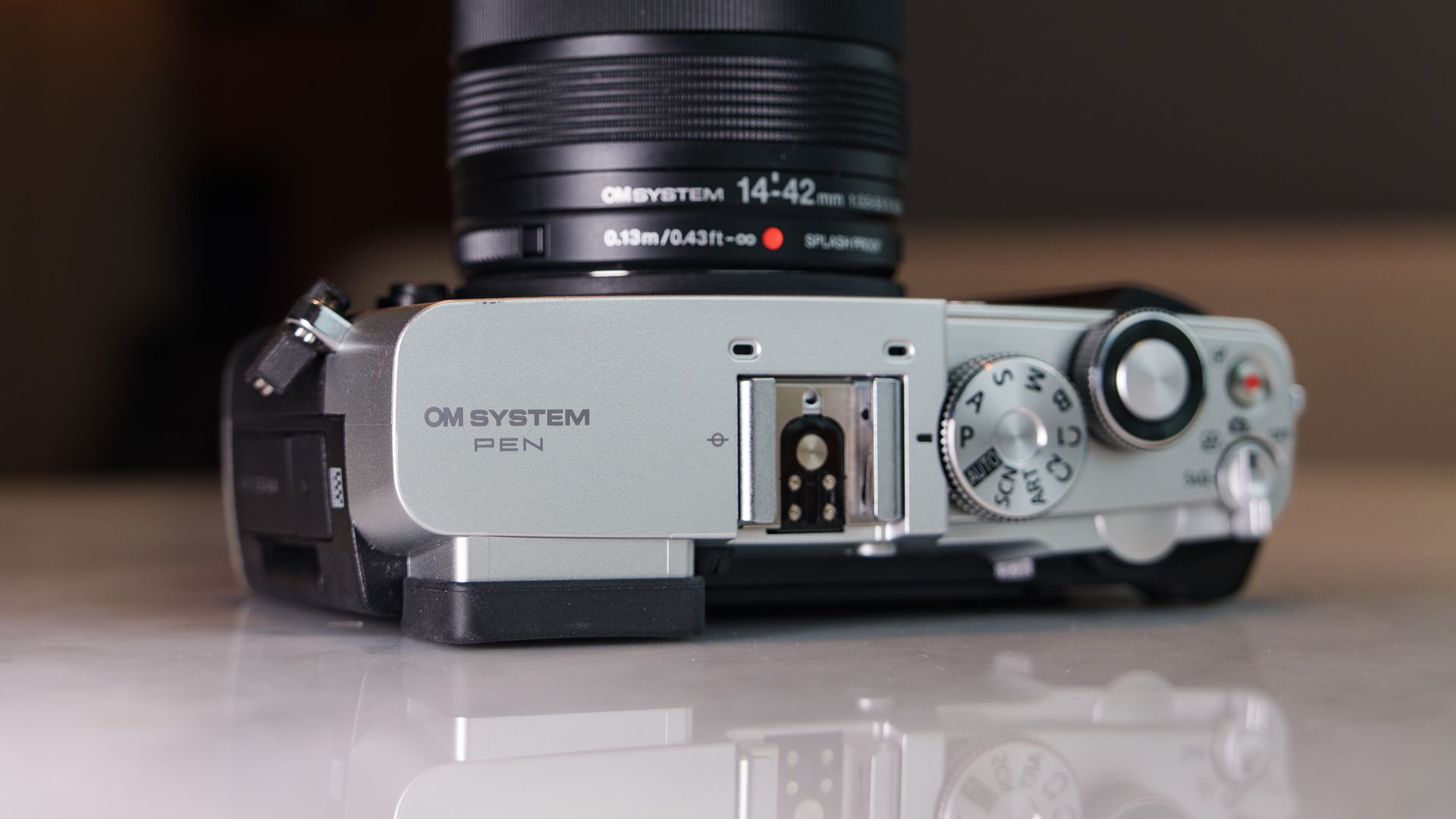
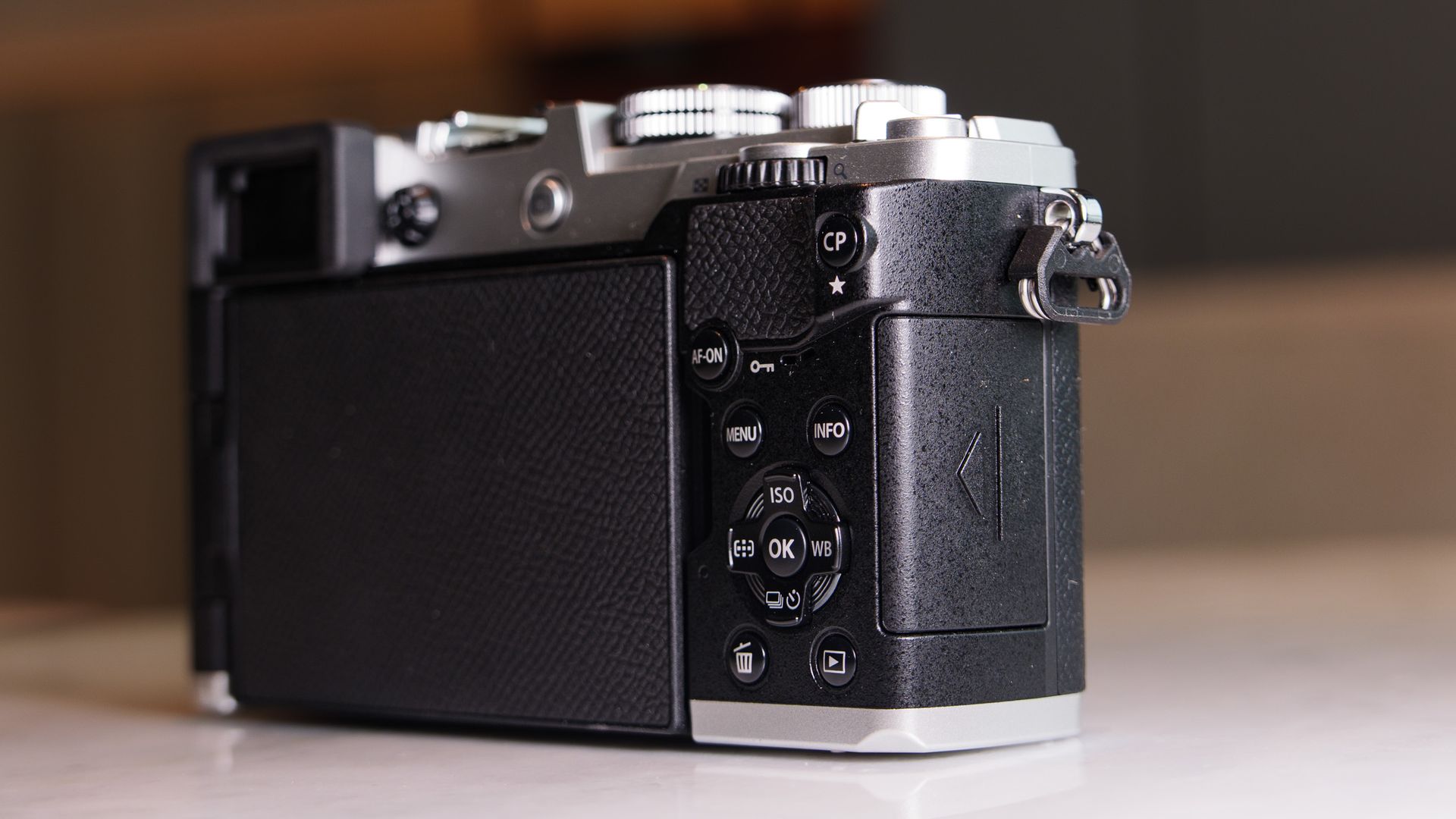
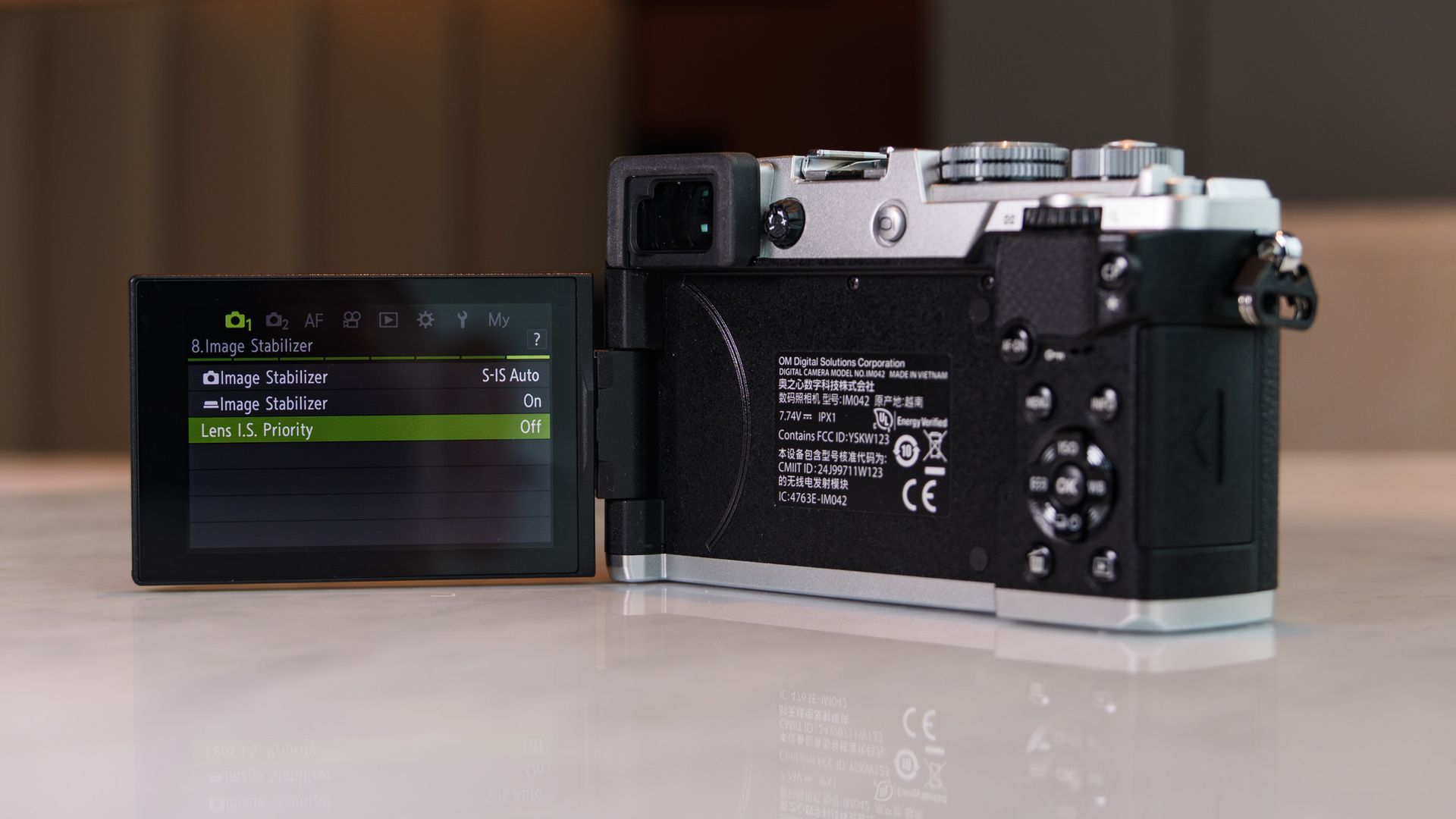
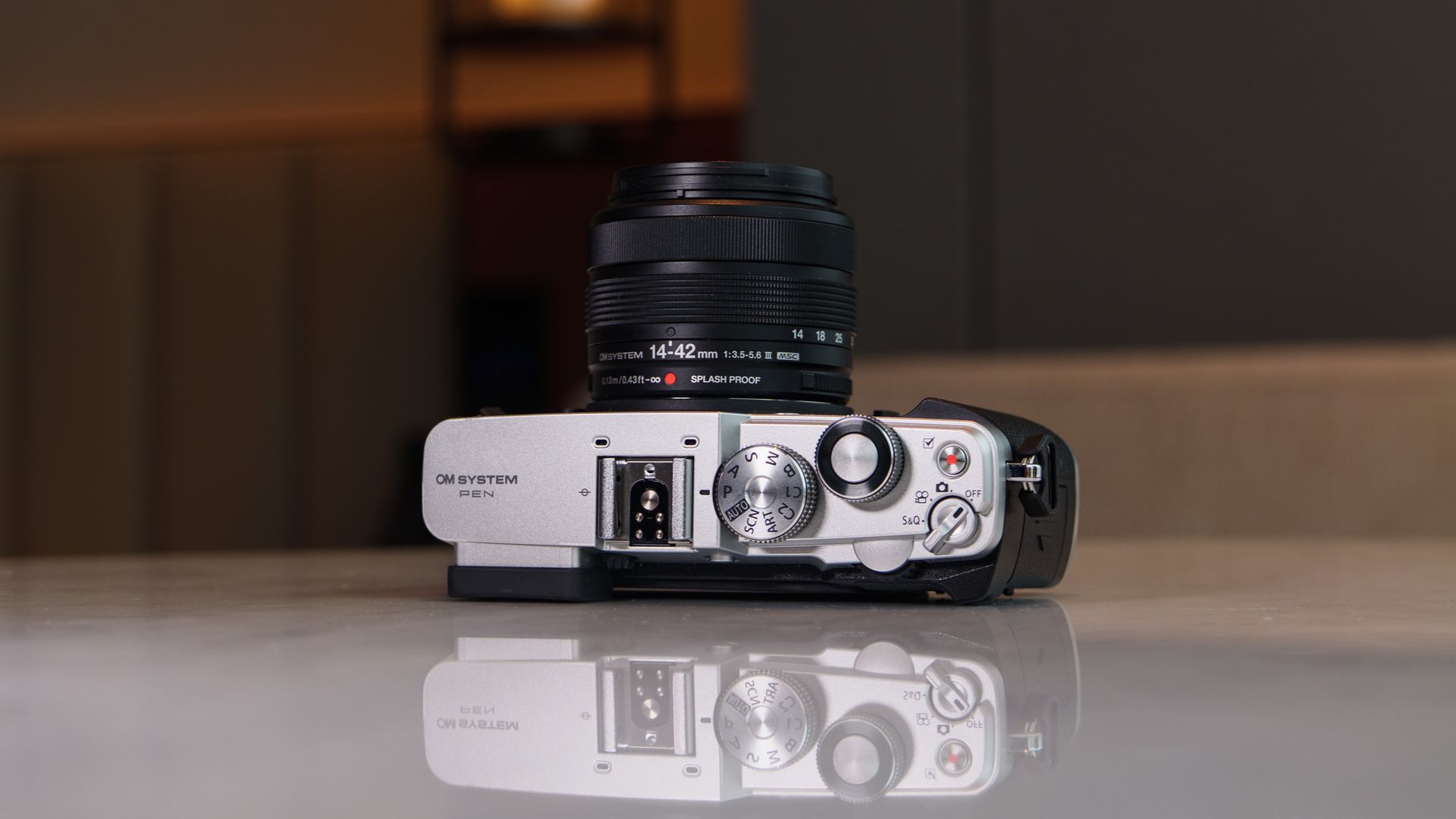
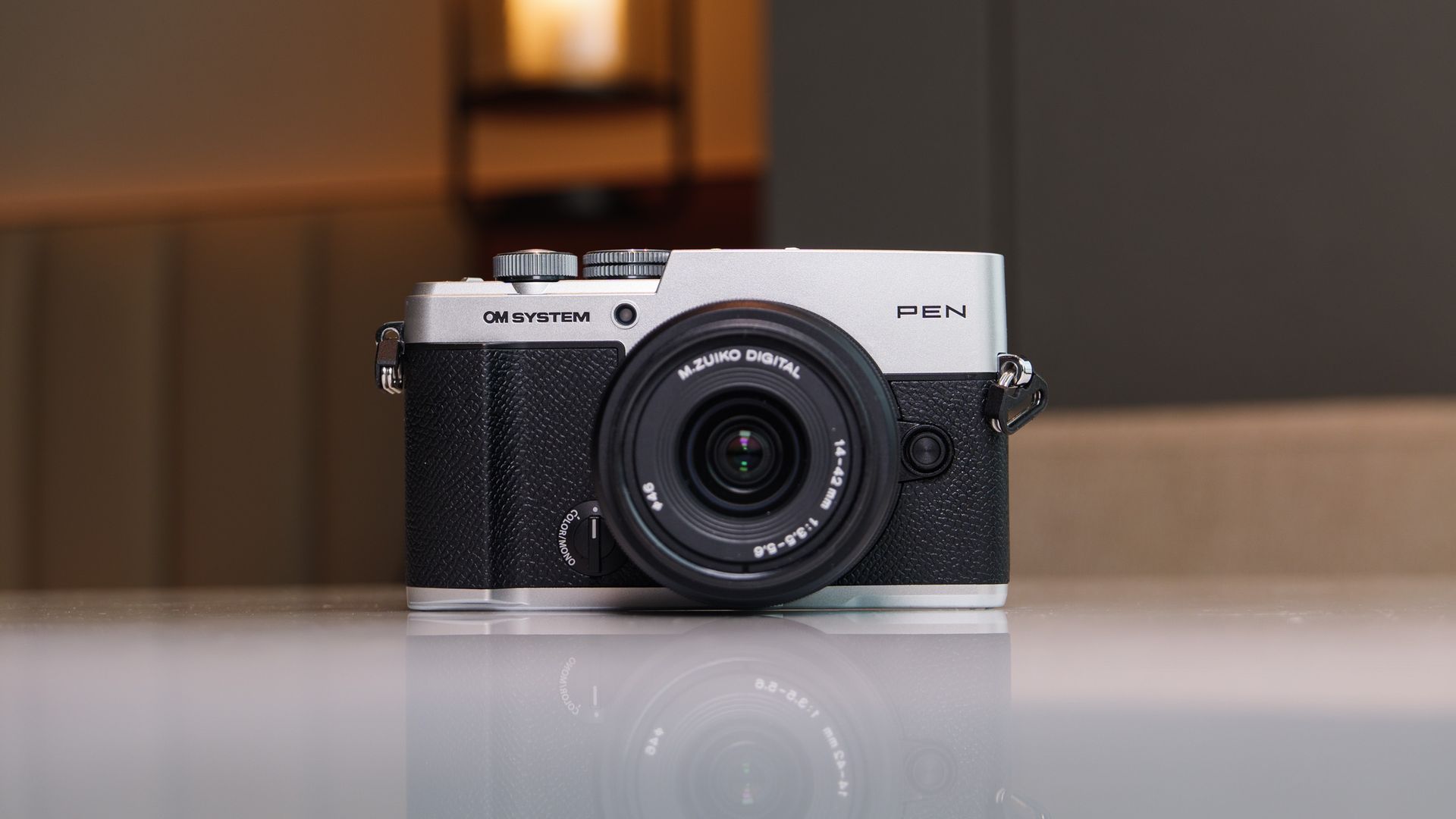
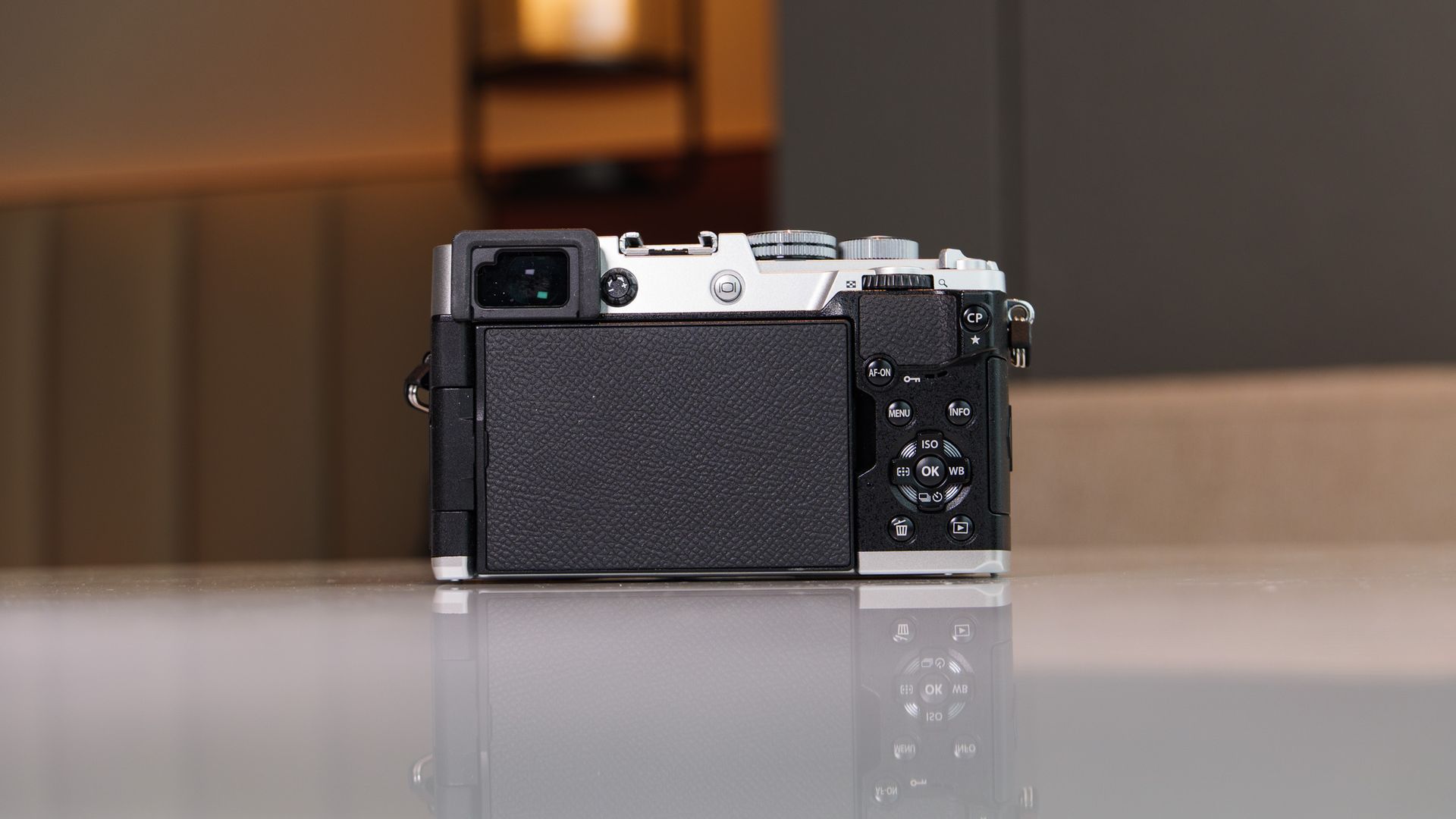
It has the retro charm we've come to expect from Olympus / OM System bodies, and I particular liked the black and silver version I had for this review. It's equipped with a hotshoe for accessories such as an external flash (there's no built-in flash), a Mono / Color profile switch, a USB-C port for charging, micro HDMI, mic jack and a single SD card slot.
Most of the buttons are small and can be a little fiddly. I found accessing the computational photography a pain — you need to hold down the 'CP' button while rotating the top dial (that the shutter button is set within) to access the menu. Why not require just a press of the CP button to open the menu?
The on/off switch is poorly designed, too — good luck trying to land on the photography setting without skipping past it to the video mode. If you have moderately large hands like I do, the whole layout might feel a little fiddly. And I'm sure there are some retro camera fans who will be disappointed that there's no cable-release thread in the shutter button. All that being said, I still very much enjoyed using the PEN.
OM System PEN review: Performance






- 20.4MP CMOS sensor with 5-axis stabilization
- BLS-7 battery with 410-shot CIPA rating
- 121-point hybrid phase detection autofocus with subject tracking
A 20.4MP Micro Four Thirds sensor is nothing to get too excited about in and of itself when you consider the larger-sensor, higher-resolution alternatives that are available.
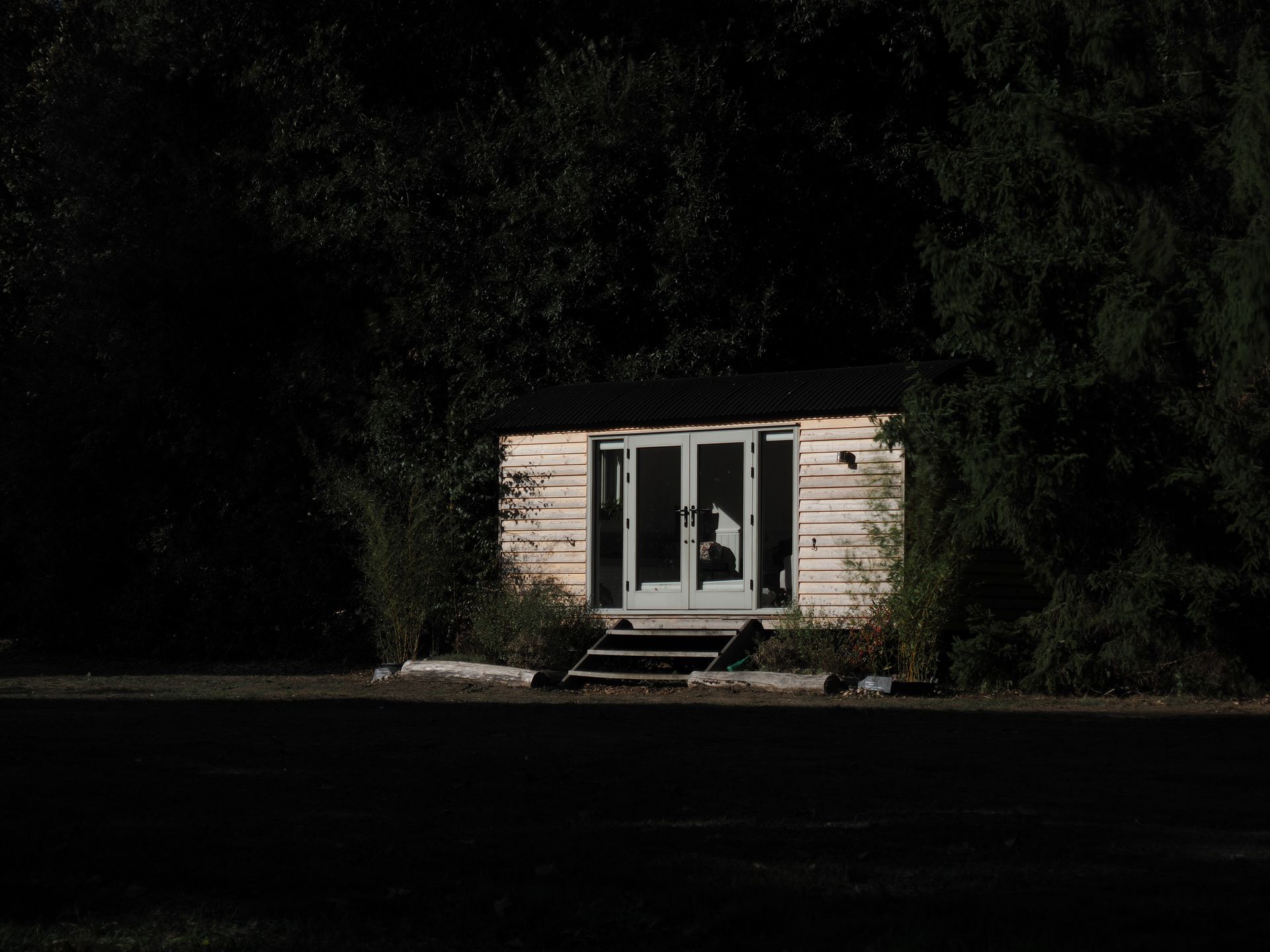
Computational photography modes can close the gap where there are drawbacks; addressing the fewer pixels and lesser dynamic range versus larger-sensor alternatives, though they don't work for every scenario. (I've included some examples, above.)
With 5.5EV image stabilization, the High Res Shot mode can be used handheld to increase resolution from 20MP to 50MP, though it won't work for scenes with movement in them. The same can be said for the HDR modes, which also work by combining several images captured sequentially together into one, and would otherwise have ghosting in them where there's movement in the scene during capture. For still scenes, HDR works perfectly well for increasing dynamic range.
As a starter camera, however, the level of detail this tried and tested sensor is able to capture is easily sufficient for travel and everyday photography. Add a decent lens — and there are hundreds to choose from, including the low-cost 45mm f/1.8 for portraiture — and you have the foundation for smartphone-beating images.





There's nothing wrong with OM System's 121-point hybrid phase-detection autofocus system, despite its stripped-back selection of subject-detection options that includes humans or animals (cats and dogs).
I've used other systems with a wider range of subject-detection modes, but for the most part you'd struggle to see a major difference in performance — when tracking birds, for example, I found the animal-detection autofocus to be sticky. There's not the same degree of complexity for face and eye detection, though — it's reliable, but you can't manually switch which eye the camera autofocuses on.
Battery life is decent, being rated at 410 shots, but video specs are fairly basic for 2026 — 4K up to 30fps / C4K up to 24fps, with a wide choice of color profiles including OM System's flat OM-Log400 profile, but just 8-bit color depth. The slow and quick mode unleashes up to 120fps slow-motion recording, or down to 1fps quick motion, but in 1080p only. Image stabilization works for video, though, which is a major draw for a camera at this price point.







Should I buy the OM System PEN?
Buy it if...
You're a smartphone upgrader
The experience of using the PEN compared to a smartphone is both wildly different and somehow familiar — its retro design and viewfinder are highly appealing, while its modern features, such as computational photography, eke out the best image quality possible and encourage creativity, much as a good smartphone camera can. View Deal
You want a highly enjoyable everyday/ travel camera
The PEN's compact and classy design features a decent EVF, vari-angle touchscreen and capable image stabilization, making it a highly versatile and enjoyable walkaround snapper.View Deal
Don't buy it if...
You're more into outdoors and action photography
Yes the PEN is capable in all photography genres, but its design is less suited to long lenses and inclement weather, for which the slightly pricier OM-5 II is a better bet (or even pricier OM-1 II). View Deal
You're unlikely to buy more lenses
Micro Four Thirds cameras are blessed with a plentiful number of lenses. However, if you're only likely to buy the camera with the kit lens, you might find it doesn't scratch your photography itches — I would budget for a fast aperture prime. View Deal
OM System PEN review: also consider
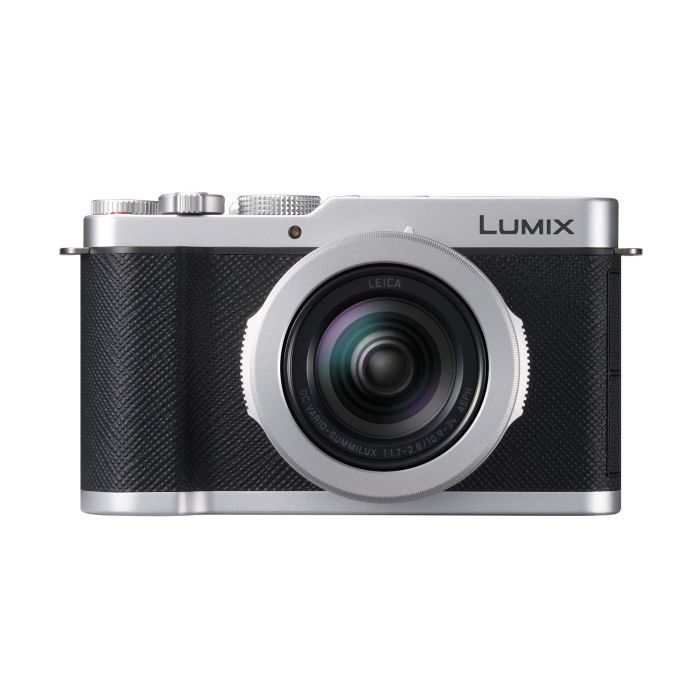
Panasonic Lumix L10
The Lumix L10's design is strikingly similar to the PEN, and it also uses a Micro Four Thirds sensor. Where the cameras differ is how the Lumix model is a compact camera with no stabilization and a built-in 24-75mm f/1.8-2.8 lens and it costs more, while the PEN has stabilization and a MFT lens mount. I've compared the two cameras directly to find out which is best.
Read our Panasonic Lumix L10 reviewView Deal
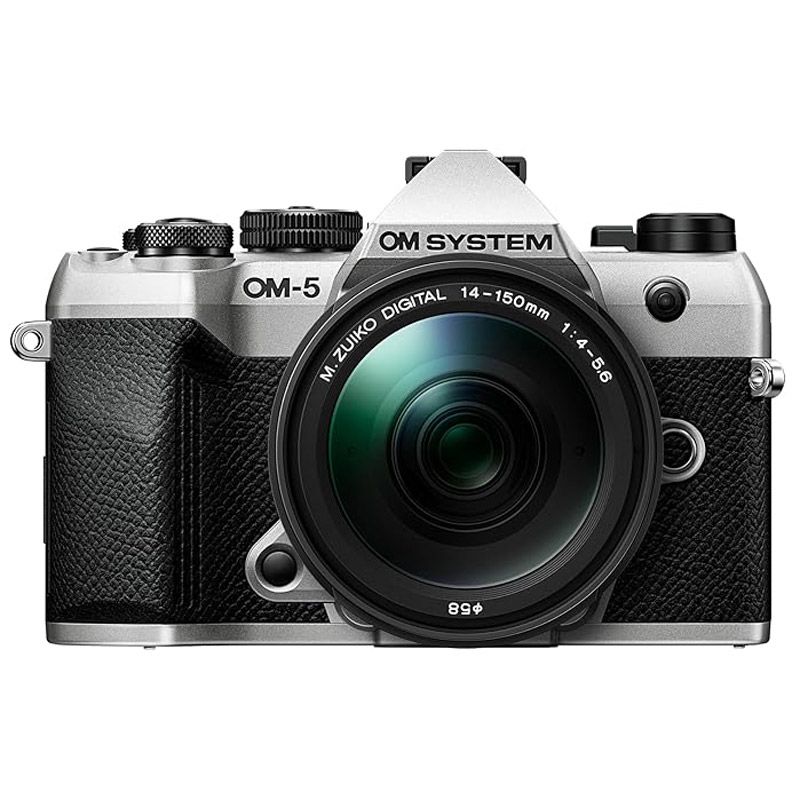
OM System OM-5 II
If you like the sound of the PEN's features but you'd prefer a tougher body, chunkier grip for comfortable use with a wider range of lenses, plus pronounced viewfinder design, the OM-5 II is the camera for you — and it doesn't cost too much more than the PEN. The Fujifilm X-T30 III is another option, and it costs the same as the PEN, coming with an 26MP APS-C sensor, but no image stabilization.
How I tested the OM System PEN
- OM System loaned me the black and silver version of the PEN and the 14-42mm f/3.5-5.6 III kit lens for several weeks
- I also used it with Olympus 45mm f/1.8 / Leica 12-60mm f/2.8-4 lenses
- I took the camera to China for a work trip, and used it in a variety of scenarios, trying out the various computational photography modes
OM System sent me the black and silver version of the PEN with the new 14-42mm f/3.5-5.6 III kit lens, and I used the kit regularly for several weeks, including during a work trip to China. I also paired the camera with an Olympus 45mm f/1.8 lens and a (Panasonic) Leica 12-60mm f/2.8-4 lens.
I've tried the various computational photography modes, used slow shutter speeds, and shot video handheld to test the image stabilization effectiveness, and tried out various autofocus modes.
I've used the camera in light rain and in bright light, testing its splash proof credentials and the brightness of its displays. Along the way, I compared the PEN to the Lumix L10, a similar MFT camera.
- First reviewed: October 2026
- Read more about how we test
Bird Buddy 2: Two-minute review
The Bird Buddy 2 is the next-gen smart feeder on from the sleek, popular Bird Buddy Smart Feeder Pro. It shares the same integrated solar roof panels but has a new circular magnetic camera unit that pops out and rotates instantly between 9:16 portrait and 16:9 landscape modes.
More than six months after first hanging the Bird Buddy 2 in my garden, I'm delighted with its build quality and solar efficiency; however, it's fair to say my relationship with this smart feeder is still a mix of genuine appreciation and lingering frustration.
The feeder's integrated solar roof has kept the camera powered continuously for over half a year without me needing to bring it inside to charge once (which is good, as this is a fiddly job).
Combine that with its neat, easy-wipe, plastic build, clean refill design, and a charming app full of postcards and daily highlights, and I think it remains one of the most enjoyable, albeit pared-back smart feeders on the market. The equally popular Birdfy ecosystem offers more functionality, whereas I see Bird Buddy aiming for a simpler user experience.
Although it's easily rotatable, the camera is fixed facing forward, and framing isn’t quite right for landscape mode. The shallow seed tray means smaller birds sitting right in the seed for a good munch get cropped at the bottom of the frame. But now that 2K Ultra video resolution is available to Premium users, it takes the clarity of footage to an impressive level.
As I’ve said, one of the big selling points of the Bird Buddy app is how user-friendly and engaging it is, but this can come at the detriment of basic usability features – such as having customizable sleeping hours – meaning my camera regularly missed the earliest (and often most active) morning visitors because it’s not awake to record them.
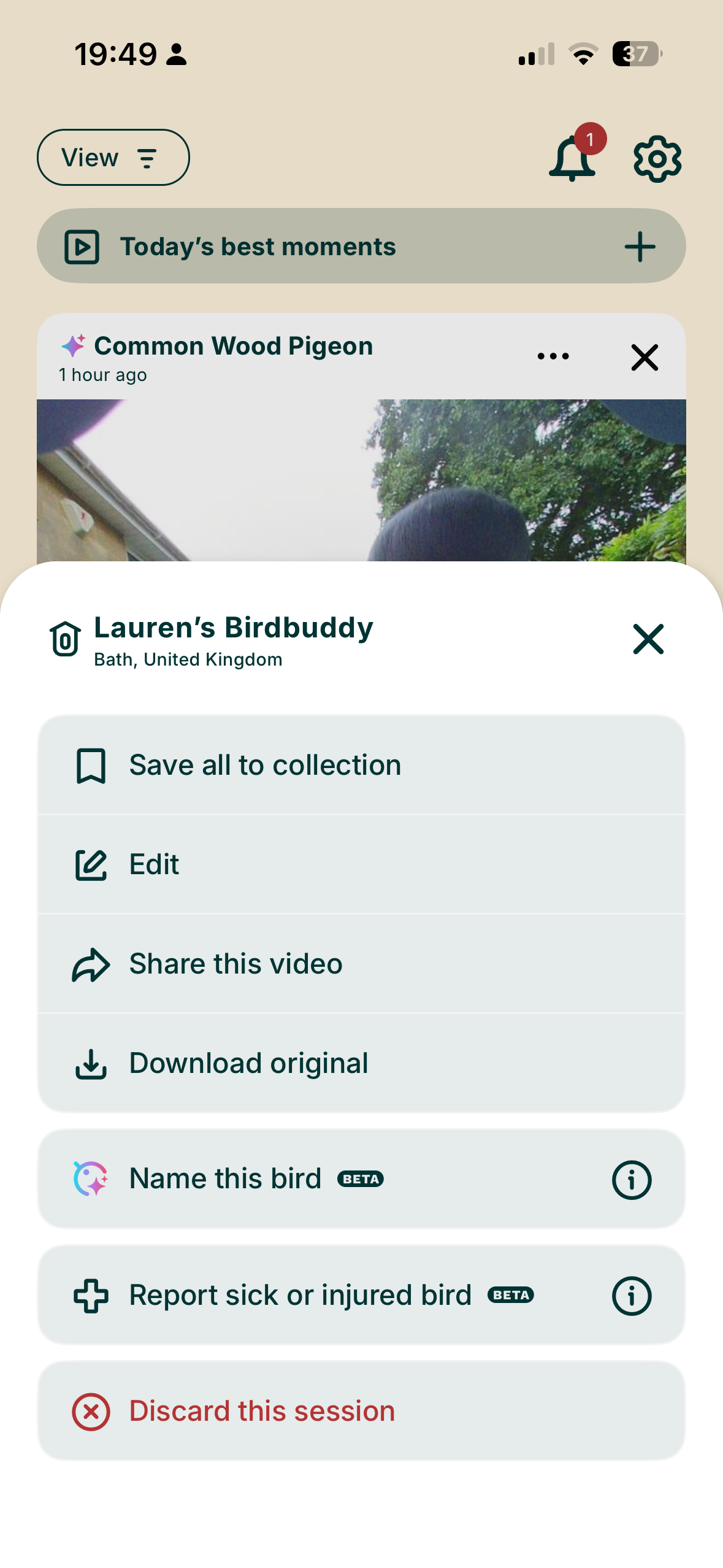
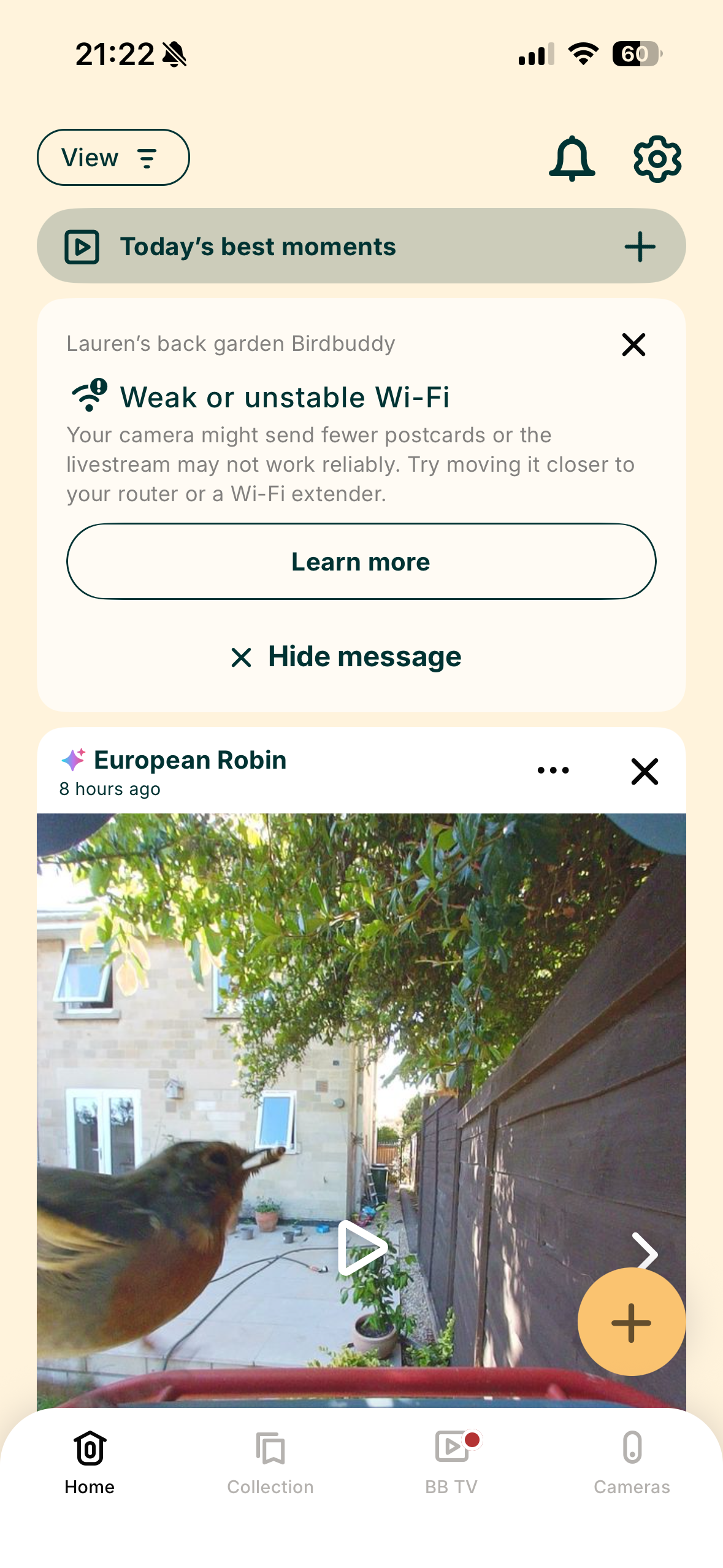
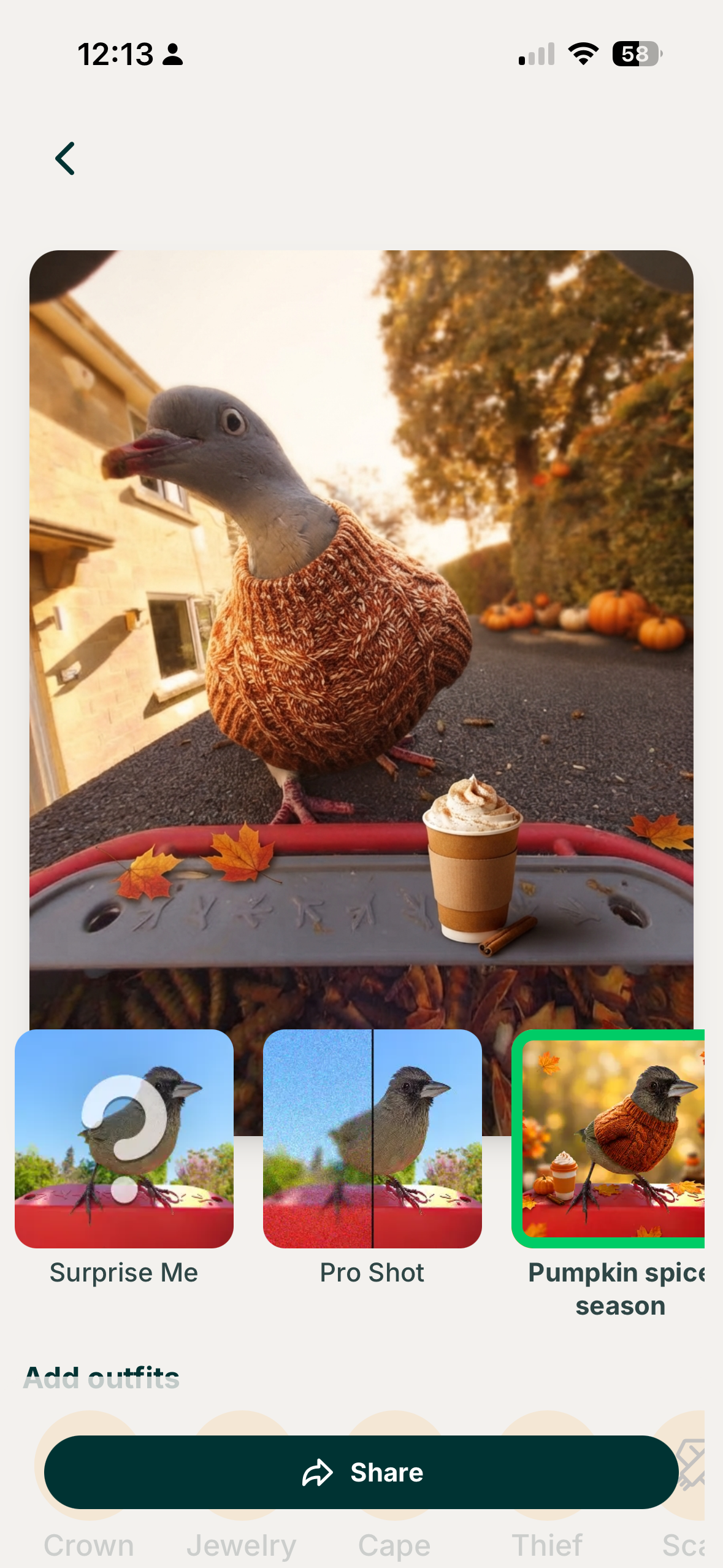
But I do love how easy it is to keep your feed organised. New postcards will stay in your active feed for a week. From here, you can choose to collect or discard them (and the collection is where postcards stay permanently), which means the onus is on you to curate your sightings and choose the best clips and stills.
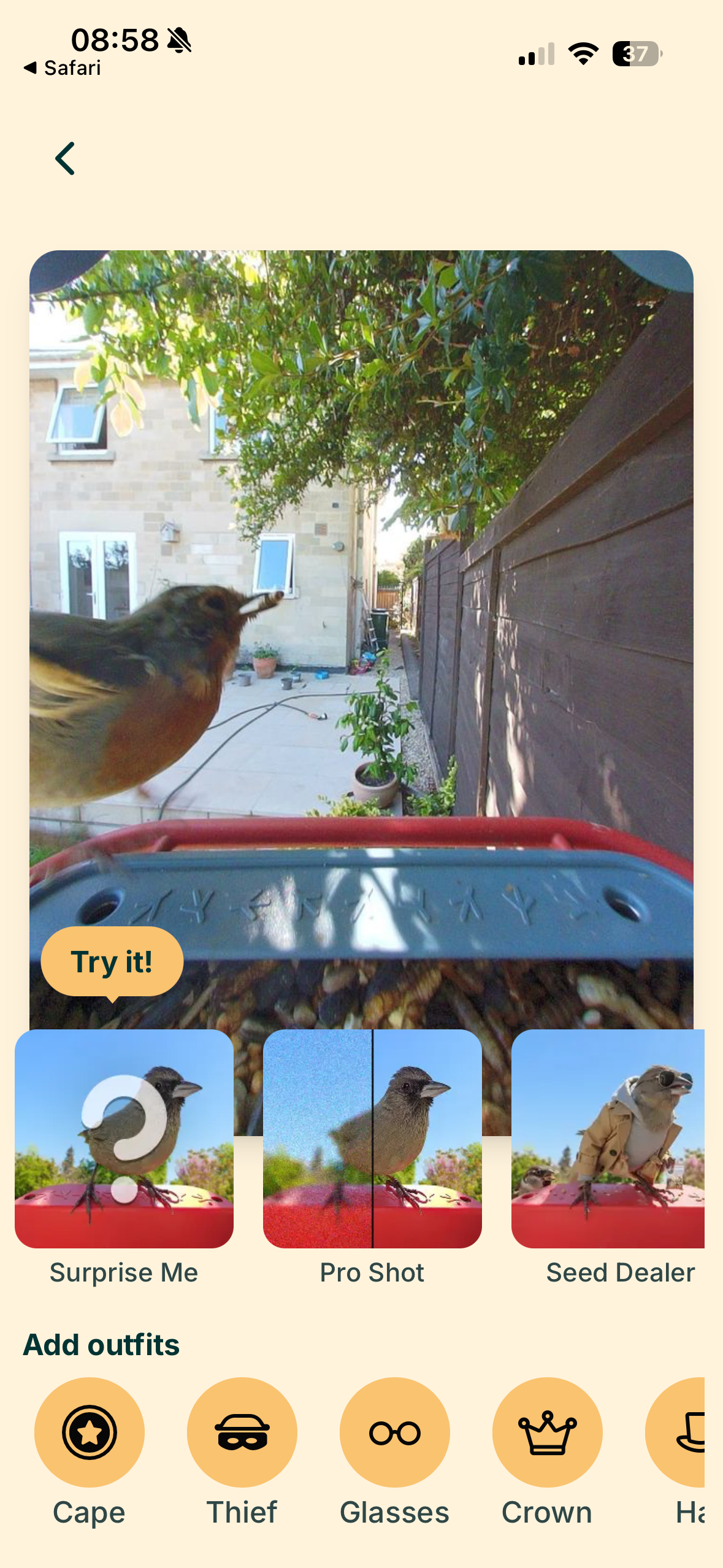
I'm not sold on the app feature to give images filters and birds outfits – but if it helps entice younger users into birdwatching, then maybe it's not such an awful idea. There's also a lot of educational content, with Birdy Buddy feeding you tidbits of facts about identified species.
- Interested what other options are available besides the Bird Buddy 2? Check out our best bird feeder cameras guide.
I found live streaming to be occasionally laggy, sometimes not loading at all, and even when I set the camera to Frenzy Mode, the AI postcard capture missed birds I could clearly see sitting on the feeder from my kitchen window. It’s not the most reliable feeder I’ve used, and not ideal if you want to capture every single bird and build a picture of their visiting habits; however, it does stop your feed from getting clogged with thousands of similar clips.
Despite these niggles and quirks, I really enjoy the core experience. The AI bird identification is almost perfect, the postcard collection system provides a handy highlight reel, and the solar roof means near-continuous use.
The Bird Buddy 2 is a sleek, low-maintenance smart feeder with strong app design and best-in-class solar performance. For now, it earns its spot in my garden (and believe me, I have four smart feeders on the go), though I can’t help thinking about its price and hope tighter bird detection lands in future updates.


Bird Buddy 2: Price and availability
- Wider release rolled out in mid-2026
- Available via Amazon US and Amazon UK
- $299 in the US (approx. £300)
At $299 in the US and about £300 on Amazon UK, the Bird Buddy 2 sits firmly at the premium end of smart bird feeders. It demands a serious investment compared to standard single-camera setups and sits noticeably higher than competitors like the Birdfy range (even the dual-lens Birdfy Feeder 2 Pro at $279).
Bird Buddy is fully functional without a paid subscription, however, giving you AI species identification, live streaming, and daily Postcards for free. The Bird Buddy Pro subscription ($5.99/month or $59.99/year) is optional and unlocks longer video clips, 2K Ultra Resolution, Alexa integration, species-specific AI filtering and more.
US buyers can order directly from Bird Buddy or Amazon, but the brand doesn't currently ship the Gen 2 directly to the UK via its official site. That leaves Amazon UK (around £300) as the main route for UK buyers to get hold of one.
That price tag covers the built-in solar roof, but you don't get accessories like a wall mount in the box, and mounting poles are separate, too (less surprising). The Bird Buddy 2 is undoubtedly a steep purchase, with extra costs for the Premium features like 2K Ultra footage. I think a handful of keen and more technically-minded birders spending this much might feel short-changed.
Bird Buddy 2: Specs
Feature | Specification |
|---|---|
Sensor | 1/2.8" |
Photo quality | 5MP - HDR, 66–150mm (2.6–5.9 in) focus range with a 135-degree FOV |
Video quality | Up to 2K @ 30fps (with HDR), Slow motion up to 95-120fps @ 960p |
Memory | N/A - online storage |
Dimensions | 160 (W) x 230 (H) x 175 mm(D) |
Weight | 600 g (approx. empty) |
Weather resistance | IP67 Certified |
Battery | 3900 mAh rechargeable lithium-ion |
Connectivity | Dual-band Wi-Fi (2.4 GHz / 5 GHz) and Bluetooth |
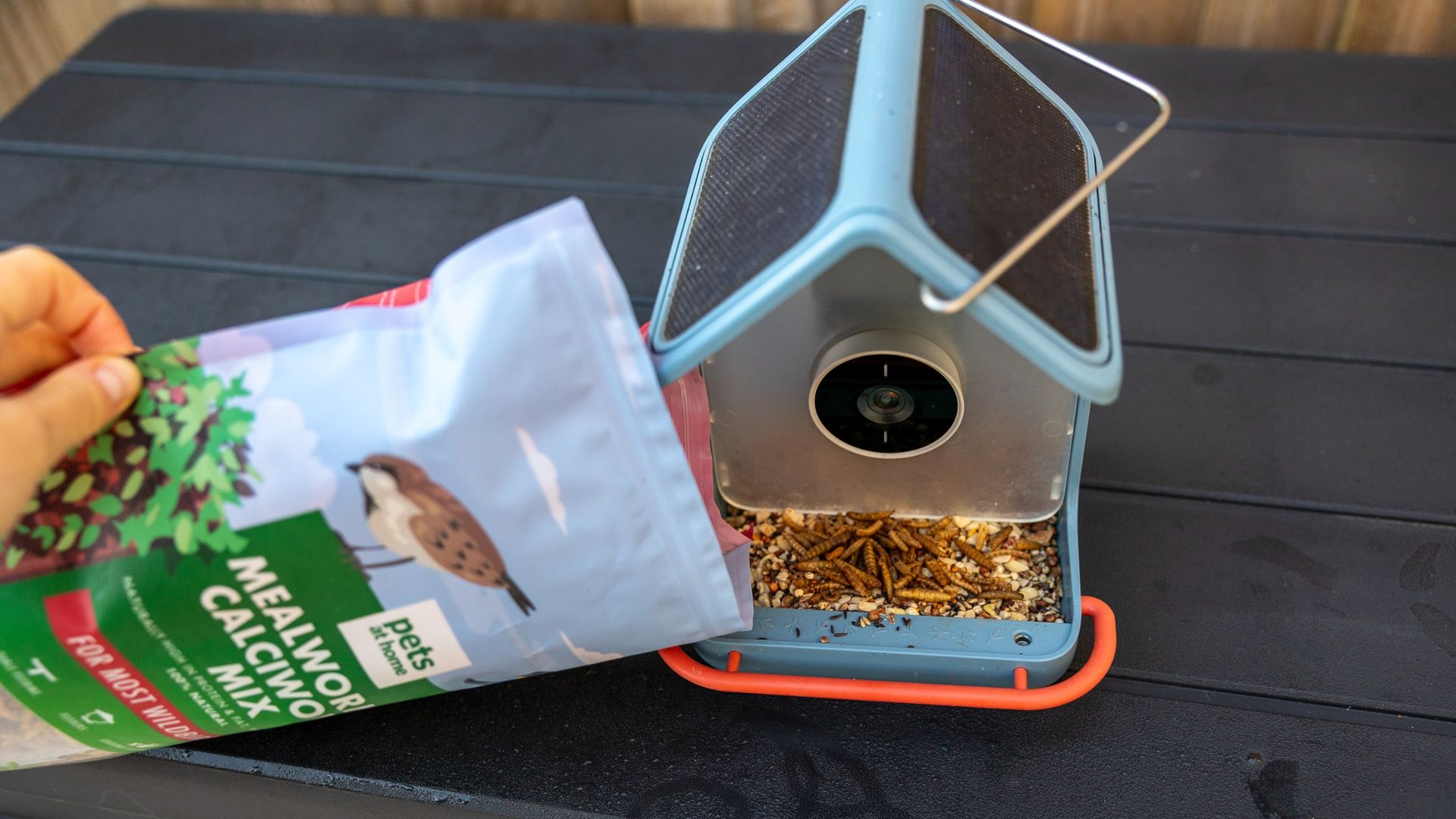
Bird Buddy 2: Design
- Flush solar roof for cable-free, continuous power
- IP67-rated weatherproof housing
- Magnetic camera module for quick portrait and landscape switching
I found setting up the Bird Buddy 2 pretty painless; a booklet in the box details assembly, plus an app walkthrough. Like all smart feeders, you need to download the app first, then follow a series of illustrated steps to set up the Wi-Fi connection between your phone and the camera. It takes no more than five minutes and has been well thought through.
Initially, I connected the Bird Buddy 2 to my main internet router (likely about 12 metres away), as it said there was a strong signal. But each day I checked the app status, and it flagged that there was a low, unstable signal, and this may affect the number of postcards I was getting. Well, reader, it did just this, as I regularly watched a couple of blue tits land, feast and fly off from my kitchen window without any notifications.
I then added a wireless extender much closer to the garden and the camera. You can't change the Wi-Fi network on the camera directly in the app and instead have to factory reset the device and pair it again as a new one. This doesn’t lose postcards and your history as I thought it would; it’s more just a faff.
I’ve tested over ten smart bird feeder cams in my garden before, and the Bird Buddy 2 stands out for its clean aesthetics. It’s still plastic (recycled ASA plastic with an IP67 weather rating) rather than wood or bamboo, but the housing feels solid and has resisted any signs of UV fading over a very hot, bright British summer. Crucially, I’ve also found it fairly easy to keep clean, but you can't dunk the whole feeder in water to avoid getting the USB-C charging point wet.
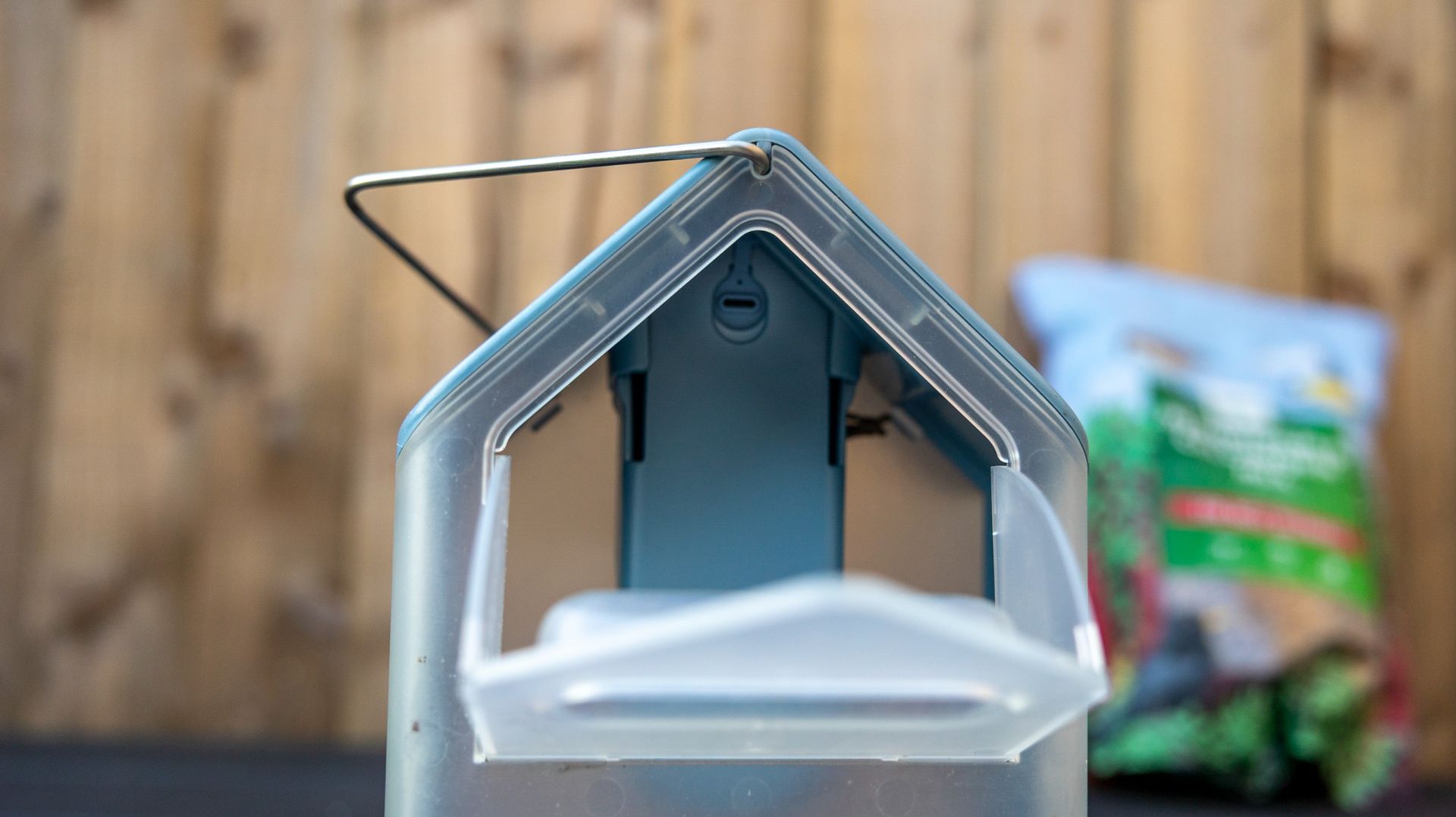
On earlier units, you could pop the camera out to charge and leave the feeder hanging outside. With the Gen 2, because the solar roof and camera housing are wired together, offline charging requires unhooking the entire dirty feeder or wrestling with the mounting bracket outdoors. At least the solar roof panels sit flush against the top without trailing cables or awkward side arms. Top-ups are easy thanks to a rear-sliding tray that lets you pour seed in without spilling. There’s less room for access than other feeders I’ve tried where the lid totally comes off, but it’s nice and secure.
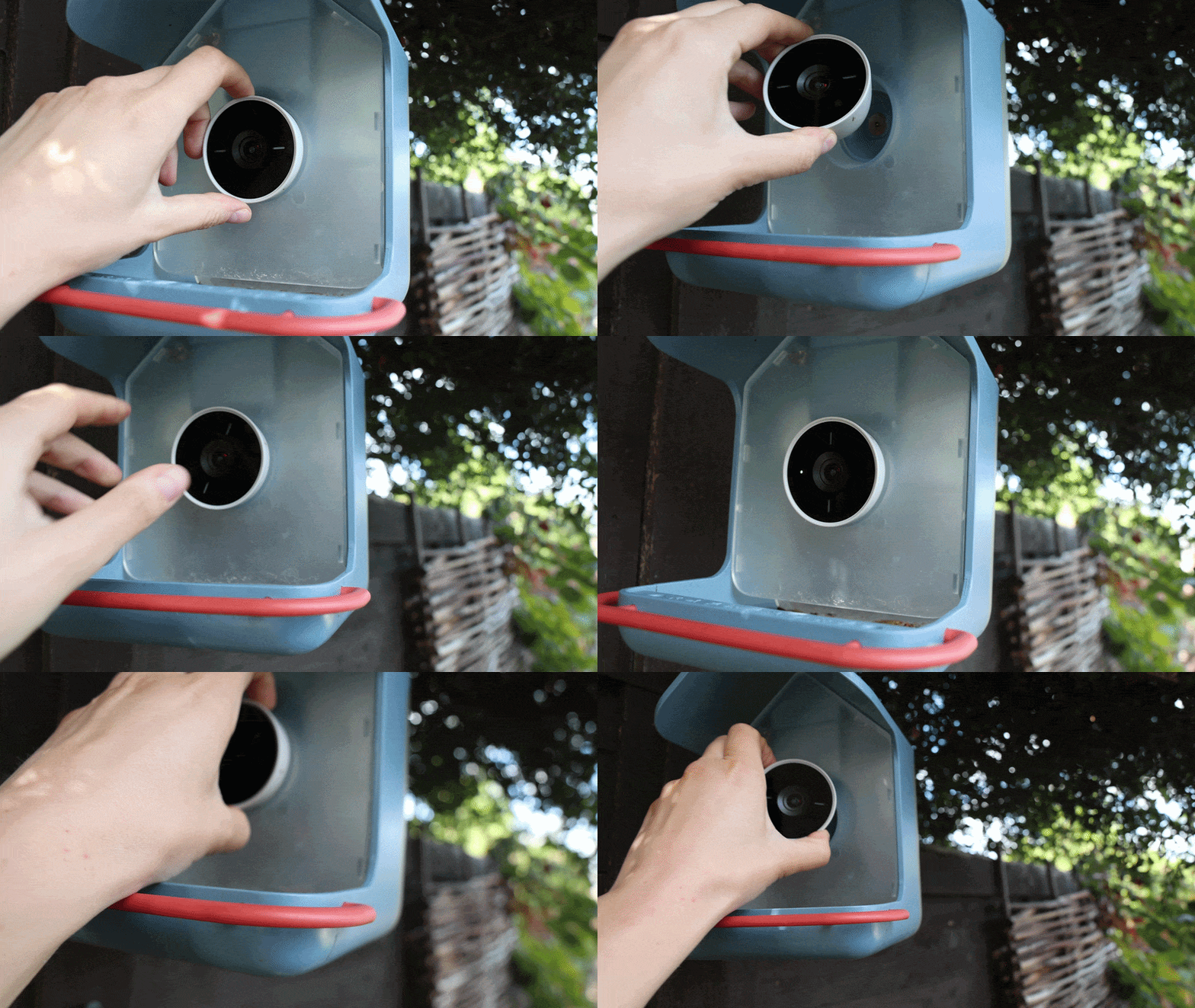
The biggest design change on this second-generation unit is its circular, rather than pill-shaped camera module. It attaches in a magnetic socket behind a scratch-resistant Gorilla Glass lens, and can be twisted 90 degrees to flip between vertical (9:16) and widescreen (16:9) modes on the fly. For bird photographers who are more accustomed to landscape framing, I think it’s a welcome addition.
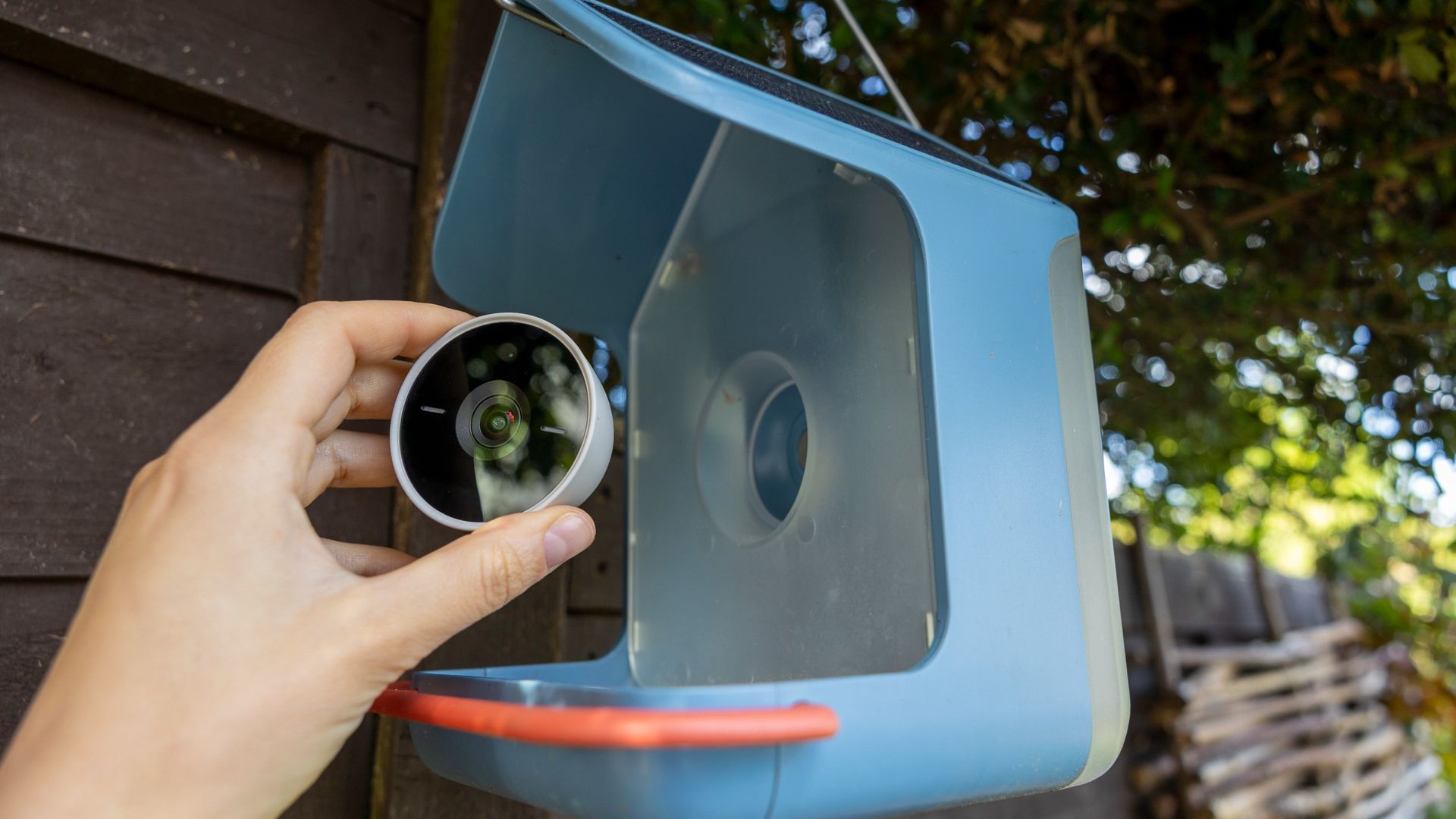
However, I found that the seed tray depth negates some of the benefits of having two different views. Because the tray floor sits close to the lens mount, small garden birds often drop low into the seed to feed. In both portrait and landscape orientation, this leaves their bodies cut off by the bottom lip of the frame, resulting in video clips that showcase plenty of background trees but only the top of a bird's head.
There are several ways to mount the Bird Buddy 2. The easiest is to use the metal hanger wire included in the box, which keeps the feeder suspended from a hook or branch in your garden. I used this option and found the wire very strong, though the Feeder did sway slightly in high winds.
A bottom bracket adapter is included in the box, though Bird Buddy sells a metal mounting pole separately. A wall mount for fence panels and outside walls is another optional add-on, which is a shame, as rival Birdfy usually includes this option in the box.
Bird Buddy 2: Performance
- Flawless solar power over months
- 5MP images detailed in bright light; quality drops off in shade
- Engaging app experience, though the live stream is laggy
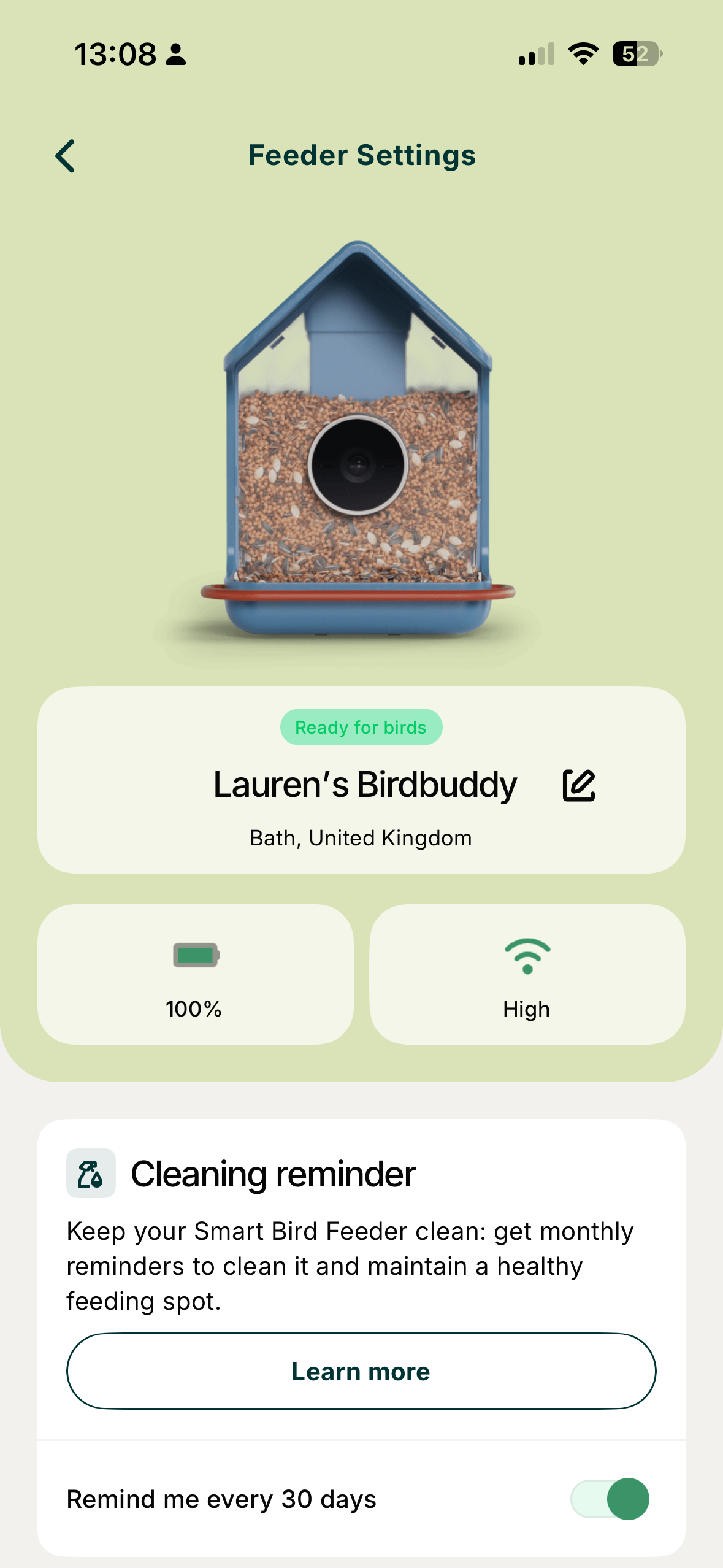
If there’s one good reason to buy the Bird Buddy 2, it is the battery performance. Over six months of continuous outdoor use, the solar roof kept the battery topped up continuously and is still at 100% as I write this review. I haven't needed to bring the camera inside to plug it into a wall outlet even once—a massive win for an outdoor smart device—even if I have had to bring it in for cleaning and firmware updates.
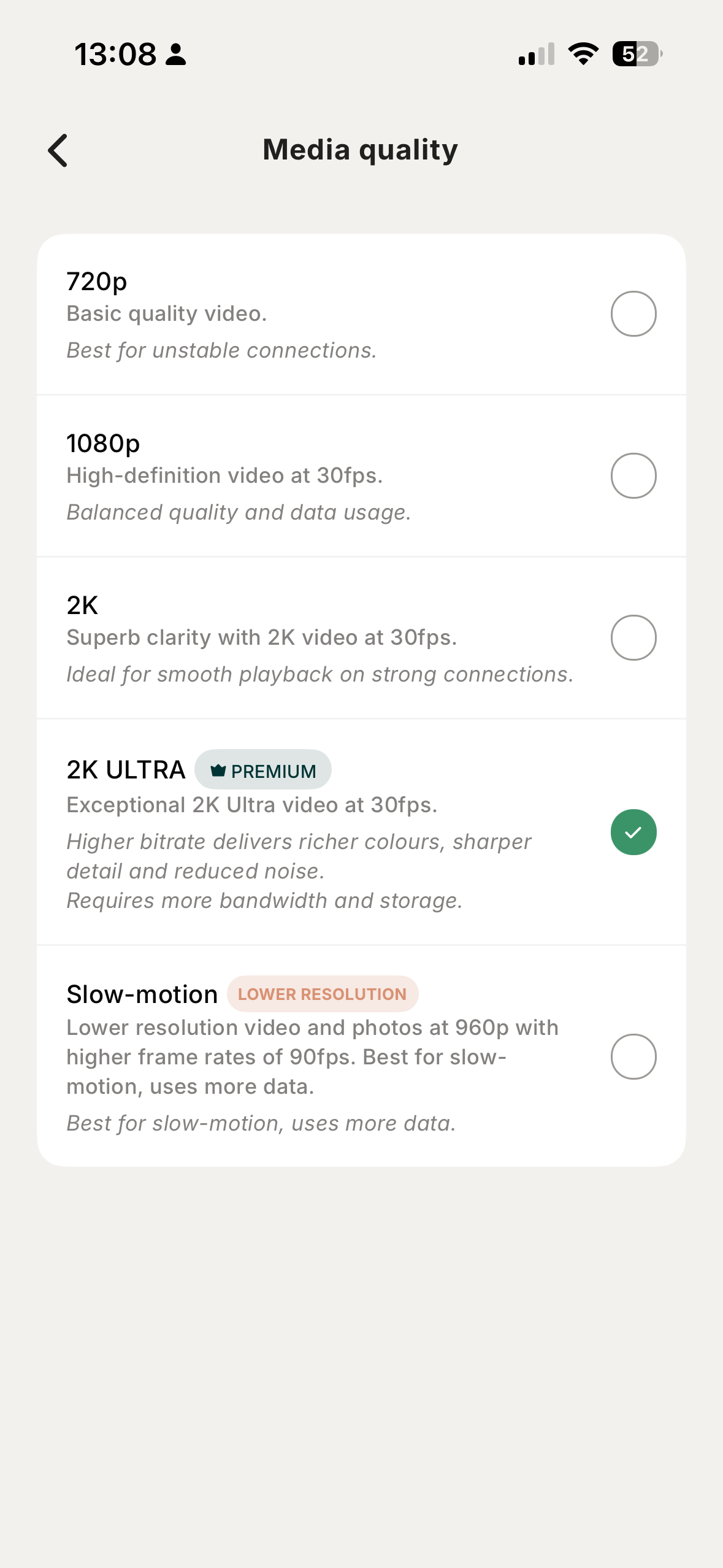
Like any camera, the Bird Buddy 2’s image quality depends on the light quality. When mounted in gentle, direct sunlight, I found the 1080p videos and 5MP photos captured were crisp and vibrant. Close-ups show some feather textures, eye reflections, and accurate colors, particularly on bright birds like blue tits. The 2K Ultra footage (available to premium users) truly has the sharp look you might expect at a $299 / £300 price point.
For smartphone viewing and social media sharing, both the 1080p and 2K Ultra clips look great – colorful, sharp, instantly recognizable, and easy to download and share to your camera roll. It's a shame that the downloaded images have the Bird Buddy watermark, but this isn't unique to the brand.
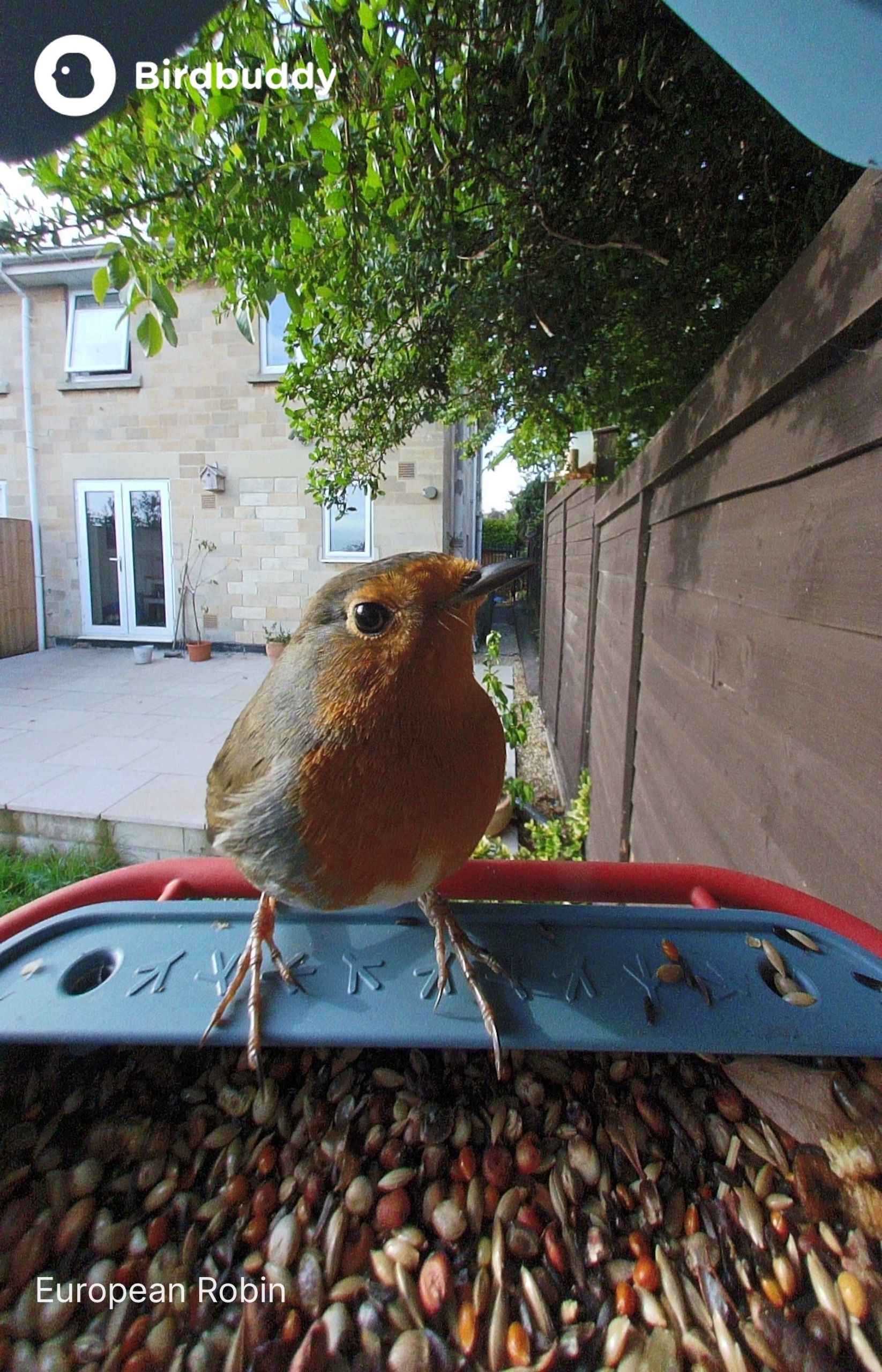
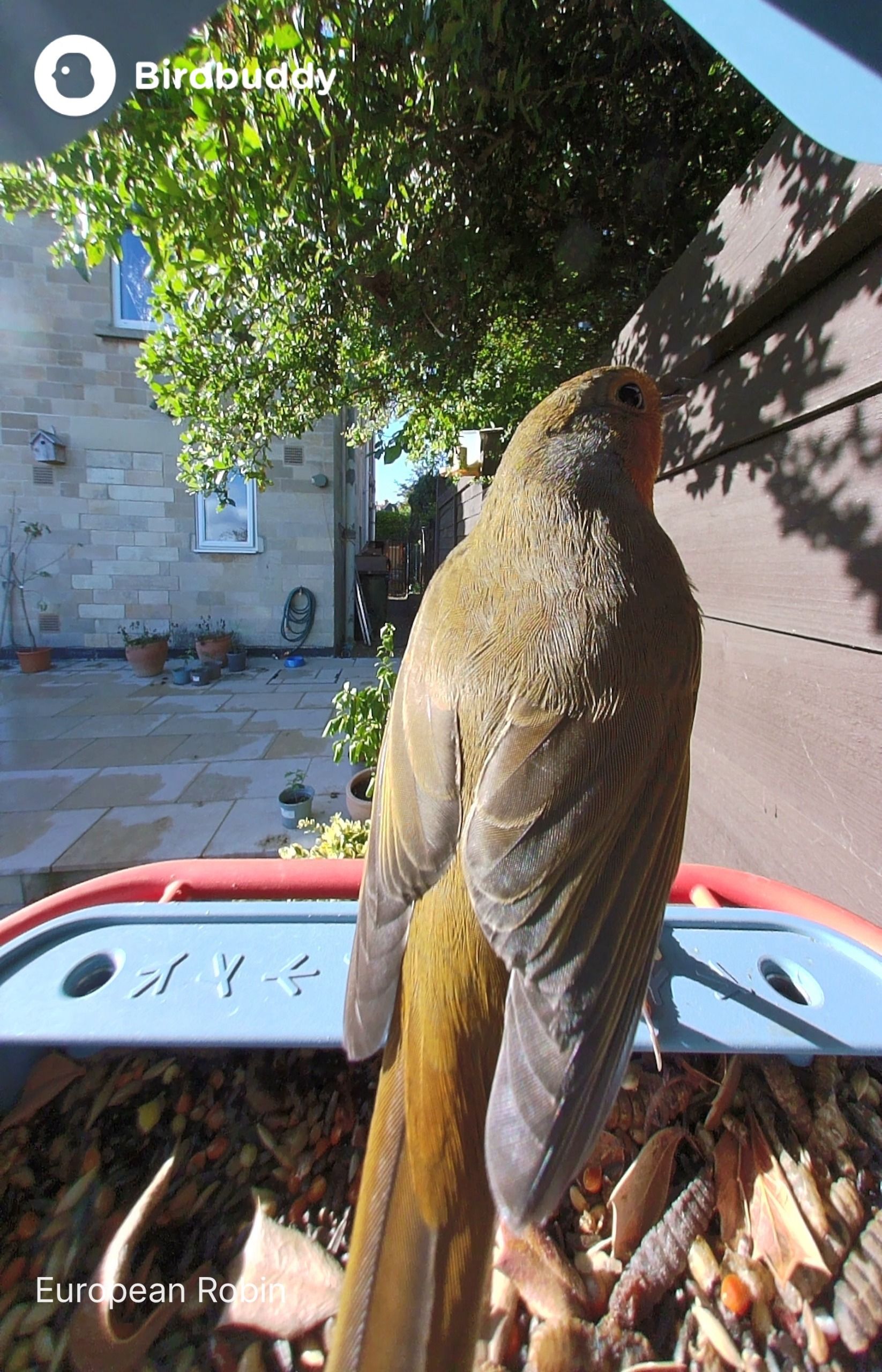
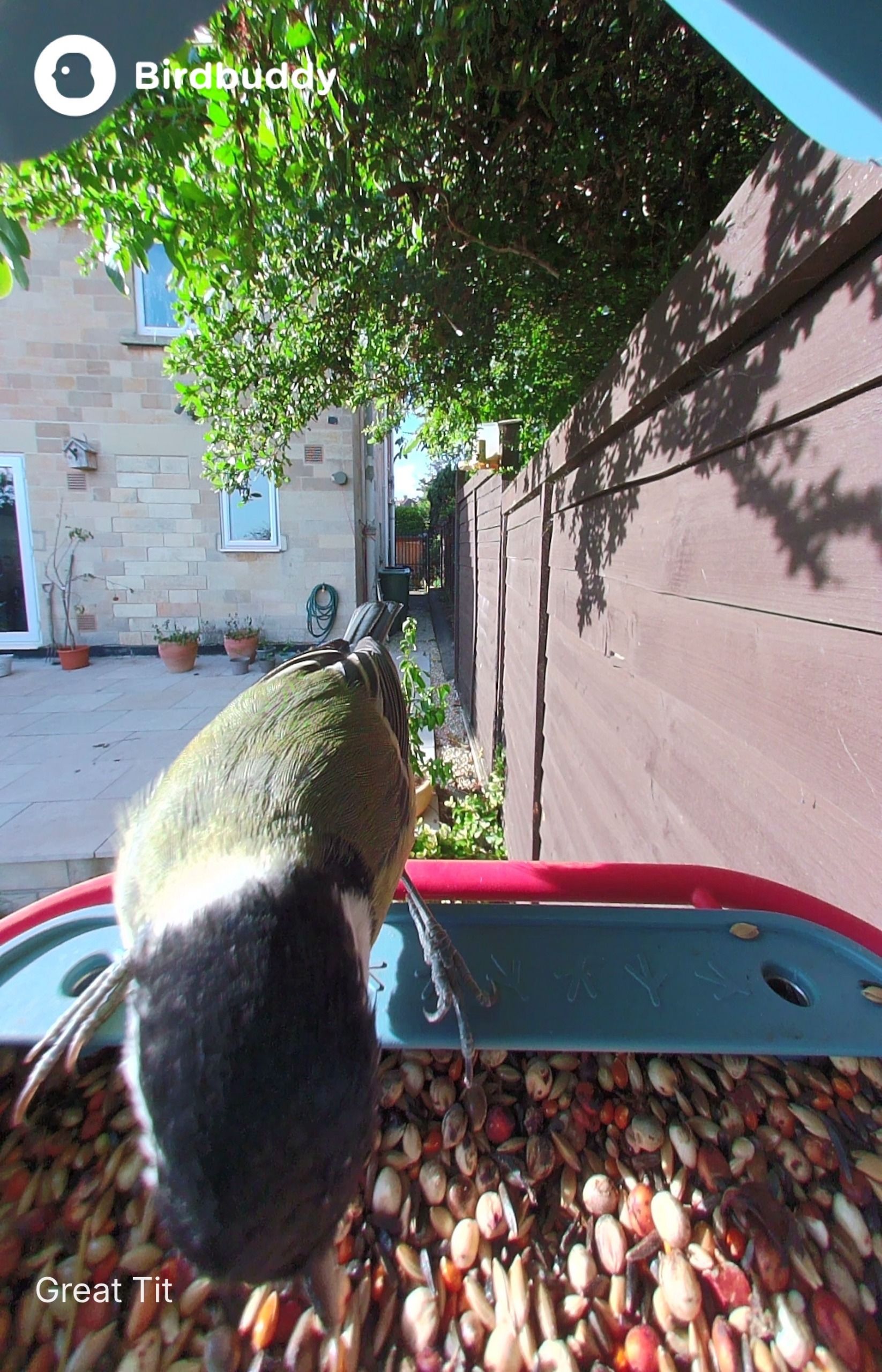
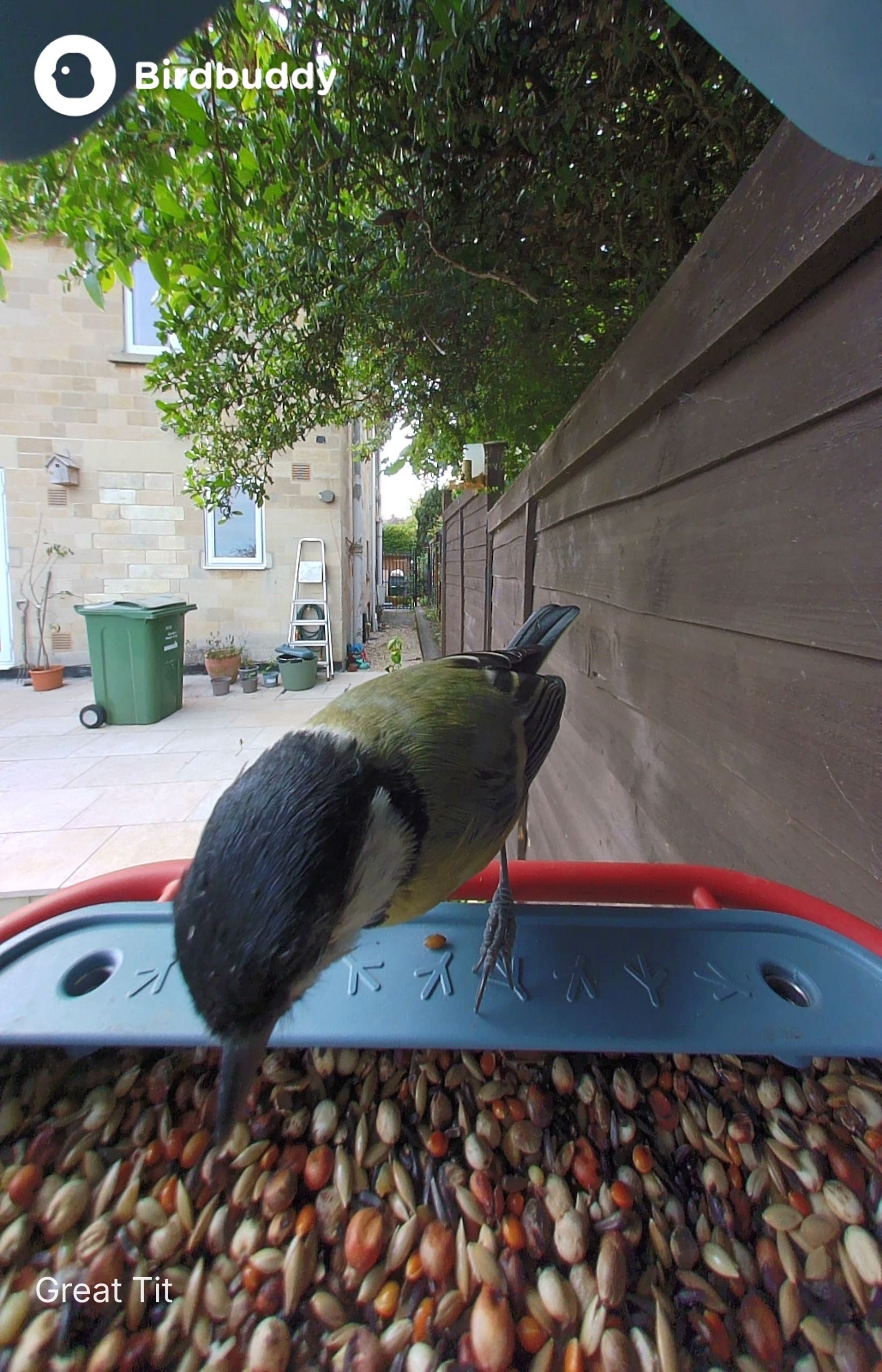
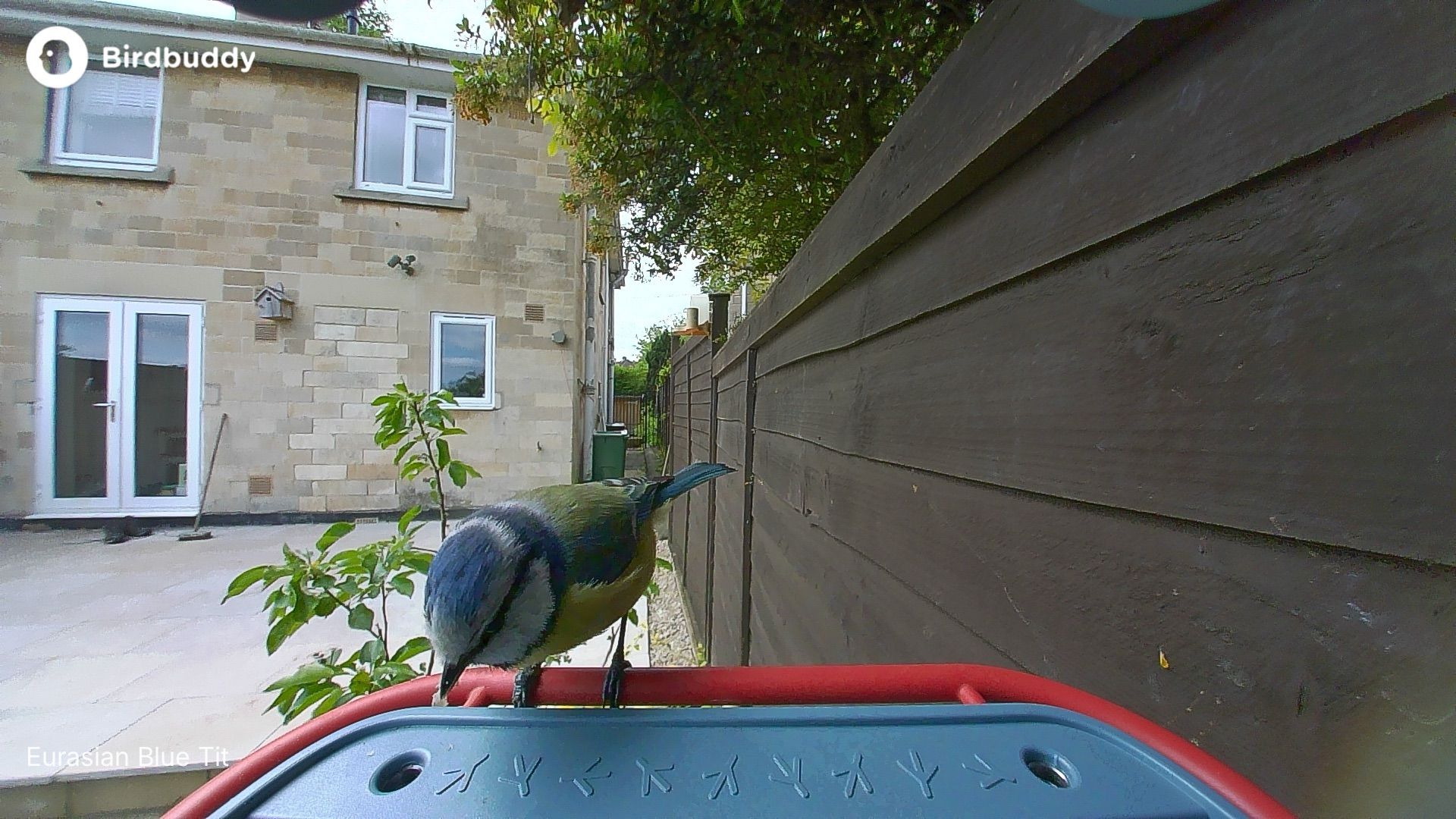
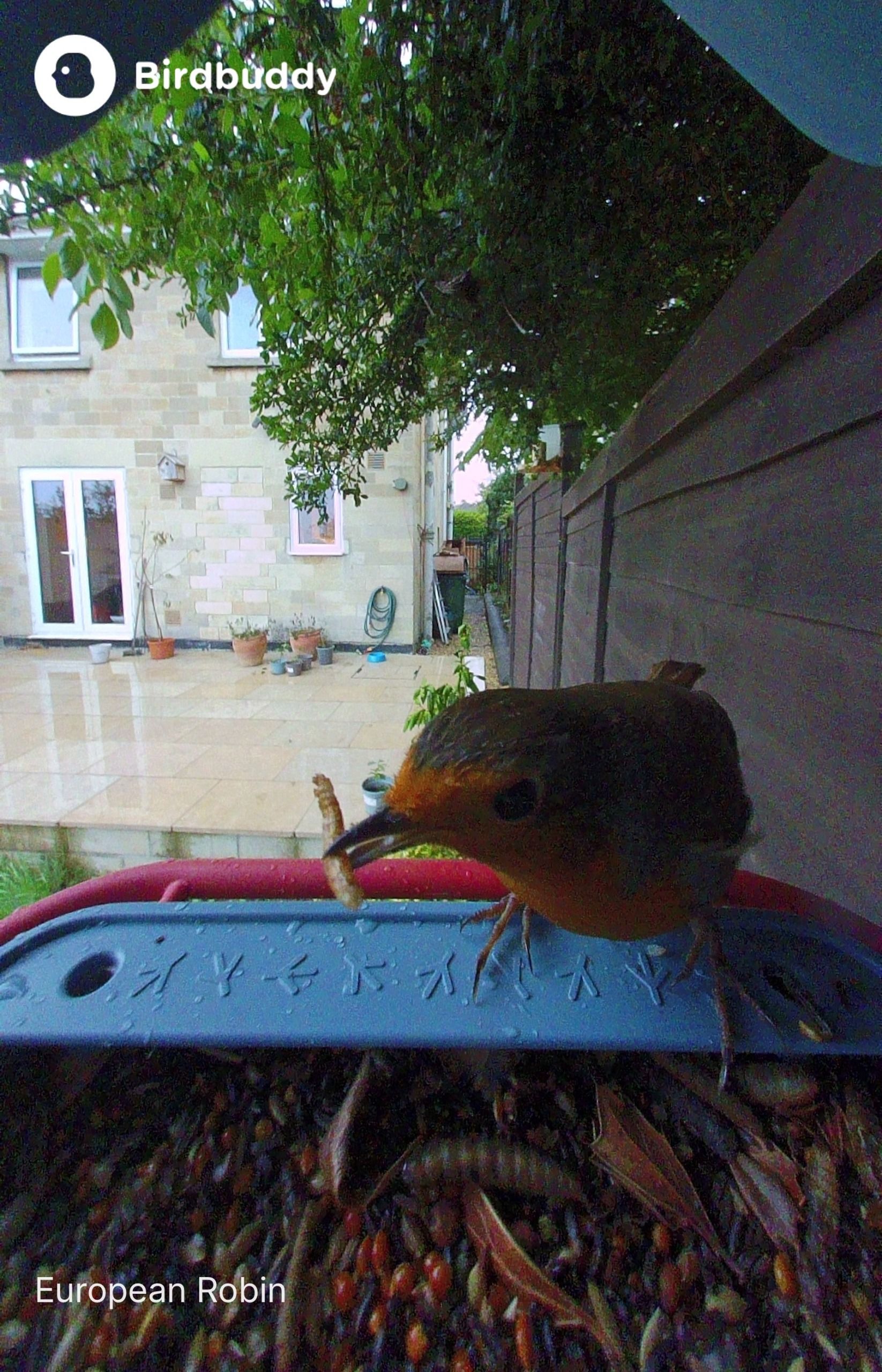
The wider 135-degree field of view also gives a nice sense of surrounding garden action, but I still find it frustrating how much of the bird gets cut off when sat straight in the feeder.
Like most small-sensor outdoor cameras, image quality drops off noticeably in flat or shaded light, and noise becomes noticeable. In high-contrast situations (like bright sun filtering through trees), the dynamic range struggles, leading to blown-out highlights or heavy shadows on dark-plumaged birds. The built-in microphone is clean enough for the app's AI audio identification features to work effectively.
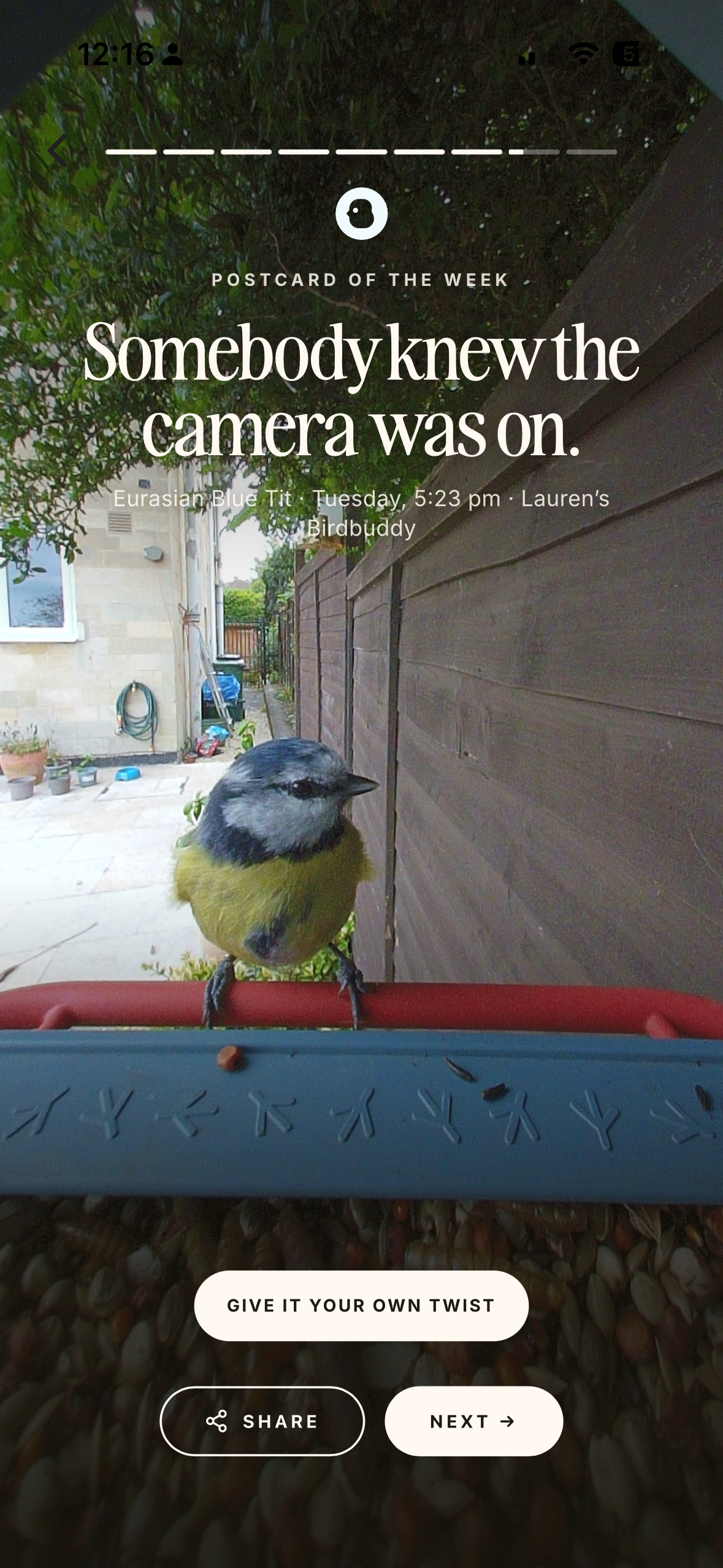
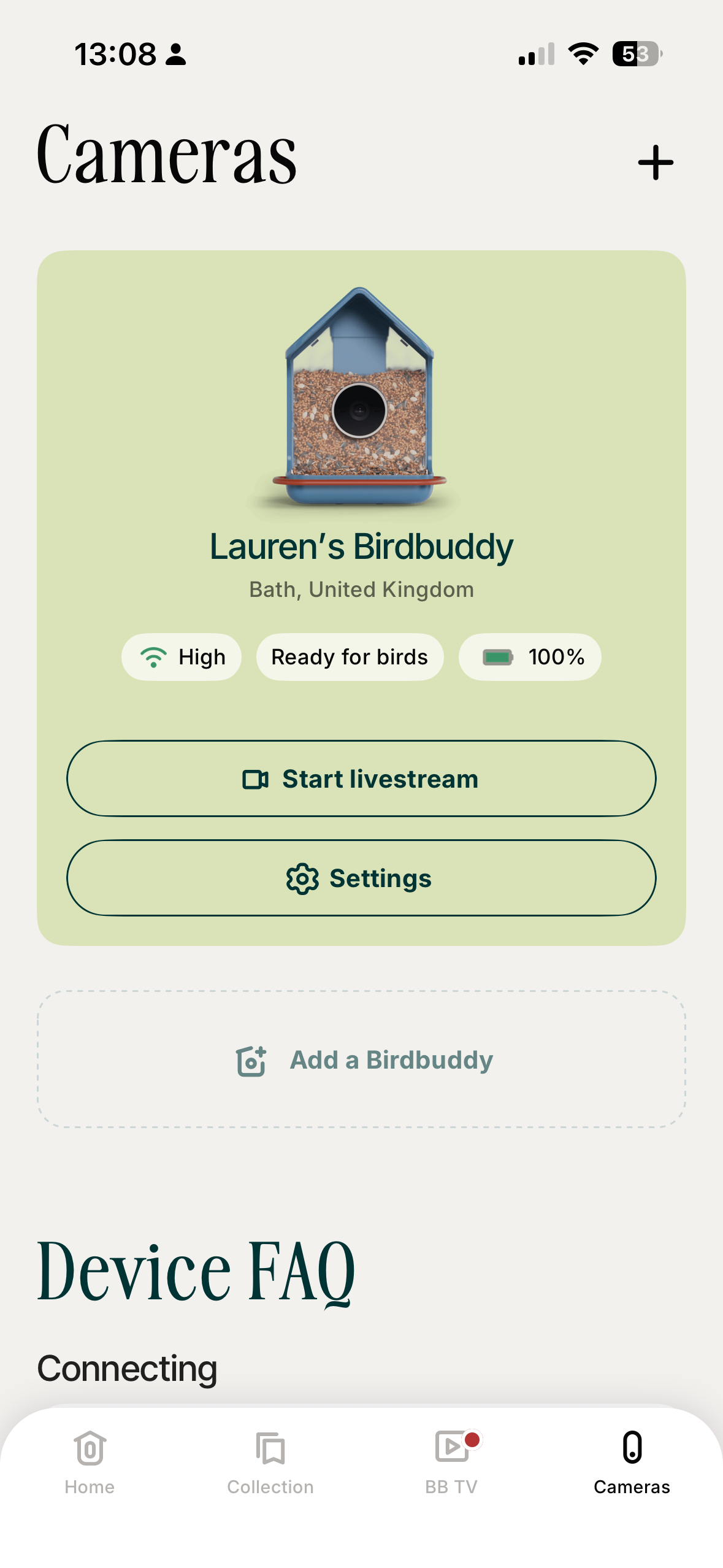
As for AI species identification, only a handful of entries weren't identified, usually because the bird in question (Common wood pigeon) was too close to the camera, but you can edit the species manually if you want. When it does trigger automatically, however, the digital Postcards are delightful. Instead of spamming your phone with hundreds of motion-alert notifications like standard security cameras, the AI compiles a daily highlight reel with accurate species identification. It turns checking your garden activity into an enjoyable daily routine rather than notification clutter.
Detection consistency is an area needing refinement. The app prioritizes simplicity over granular controls, which means you can’t adjust the camera's sleep and wake hours. As a result, the feeder frequently stayed asleep past dawn, missing early-morning feeding rushes.
Even when I toggled it to Frenzy Mode for maximum recording sensitivity, the feeder frequently ignored birds clearly visible with the naked eye. Live streaming initially suffered similar latency issues, often taking 15 to 20 seconds to establish a connection, but improved with time. Maybe like the hobby of birdwatching itself, the Bird Buddy 2 just requires a bit of patience and learning to get into the swing of things.
Should you buy the Bird Buddy 2?
Buy it if...
You want to swap camera orientations
The twistable magnetic camera unit lets you instantly swap between 9:16 portrait (good for socials) and 16:9 landscape framing to suit your preference, common species or photo collection. No app required.
You want a stylish, low-maintenance design
The integrated solar roof kept my camera fully powered for over six months without ever needing to bring the unit inside to charge. The housing stands up to the weather well, is easy to wipe down, and I think it looks good despite being made from plastic instead of wood.
Don't buy it if...
You want to capture a log of every visitor
The detection rate can be sporadic even in Frenzy Mode, and fixed sleeping hours mean the camera might miss early morning visits. If you're a birdwatching purist who wants a complete log of garden visitors, options like the Birdfy range are more steadfast trackers.
You want round-the-clock watching
The Bird Buddy 2 enters a power-saving sleep state at dusk, whereas some rivals in the Birdfy line, the NatureSpy BirdCam and smaller brands have infrared sensors to capture night vision.
Also consider
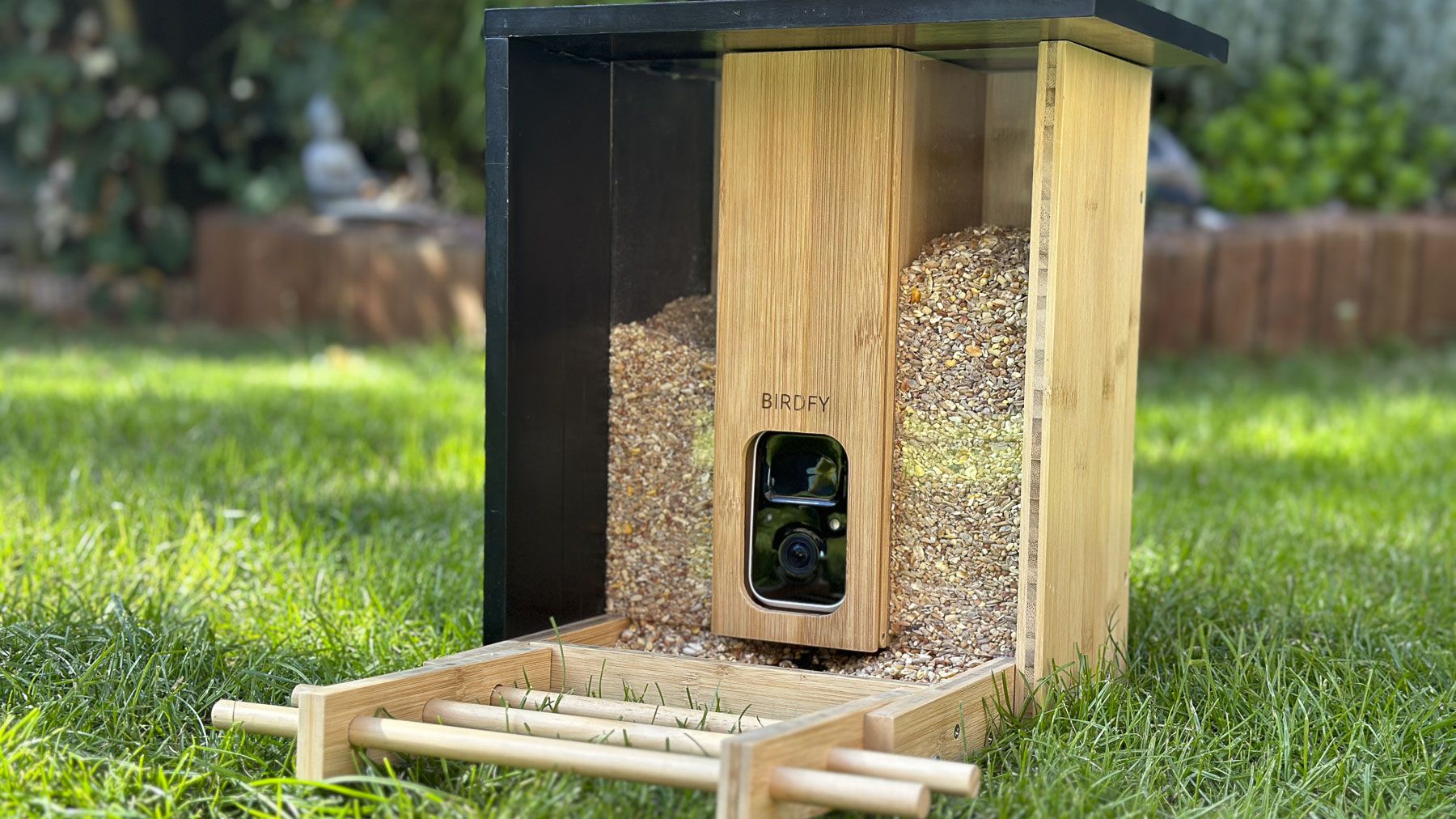
Birdfy Bamboo
If the Bird Buddy is a little too loud and plastic an ornament for you, Netvue's bamboo-constructed option is for bird watchers hoping for something more naturalistic in design. It's built from sustainable bamboo boards and looks far more integrated in a traditional garden setting. You still get AI species identification, while the app is slightly more home-security-style, but it's still a full-featured HD feeder camera. Just note that because it's real wood, it needs more upkeep and is more likely to be chewed by squirrels.
Read our Netvue Birdfy Bamboo reviewView Deal
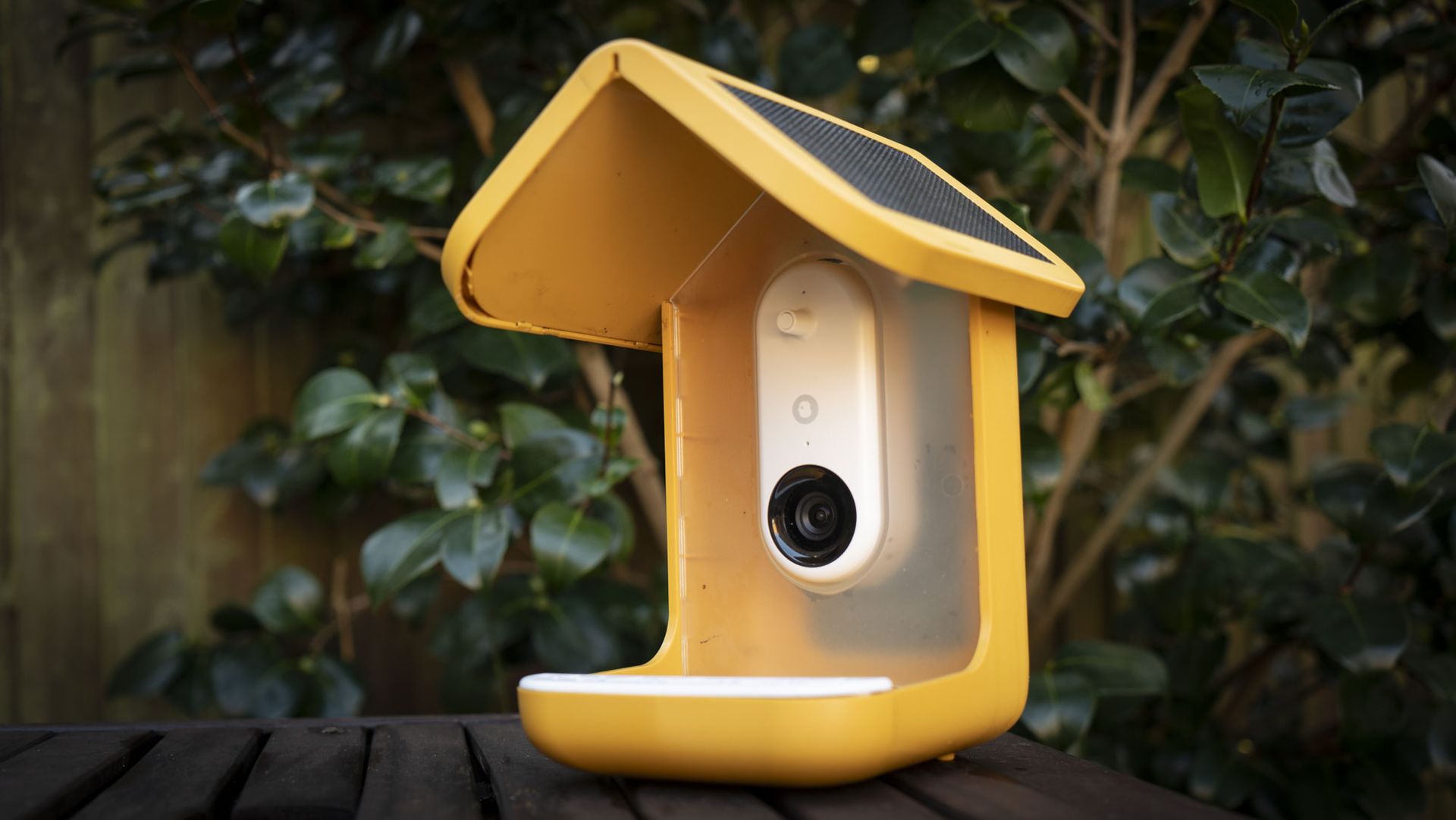
Bird Buddy Pro (with solar roof)
The Pro version with a solar roof is a similar proposition to the Bird Buddy 2 but slightly cheaper. The Pro Solar has the same set-and-forget power potential, meaning you can forget about charging for months. The camera is vertical-only, meaning you miss out on landscape mode. Image quality is on par, with HD video and 5MP images, though 2K is only unlocked by subscription.
Read our Bird Buddy Pro reviewView Deal
How I tested the Bird Buddy 2
- Tested for 6 months
- Hung in a UK garden between April and September
- Tried HD and 2K video and stills
I tested the Bird Buddy 2 for more than 6 months, hanging it from a pole in my UK garden where small birds and squirrels visit regularly through the seasons. I left the feeder in the same spot, only bringing it inside briefly once a month for cleaning.
I paired the feeder to my iPhone 15 Pro using the Bird Buddy app, and set up a nearby Wi-Fi extender in my kitchen to ensure it always had a strong connection. I tested the feeder's reliability for recording sightings, assessed the AI recognition and tested all the features and settings available in the Bird Buddy app.
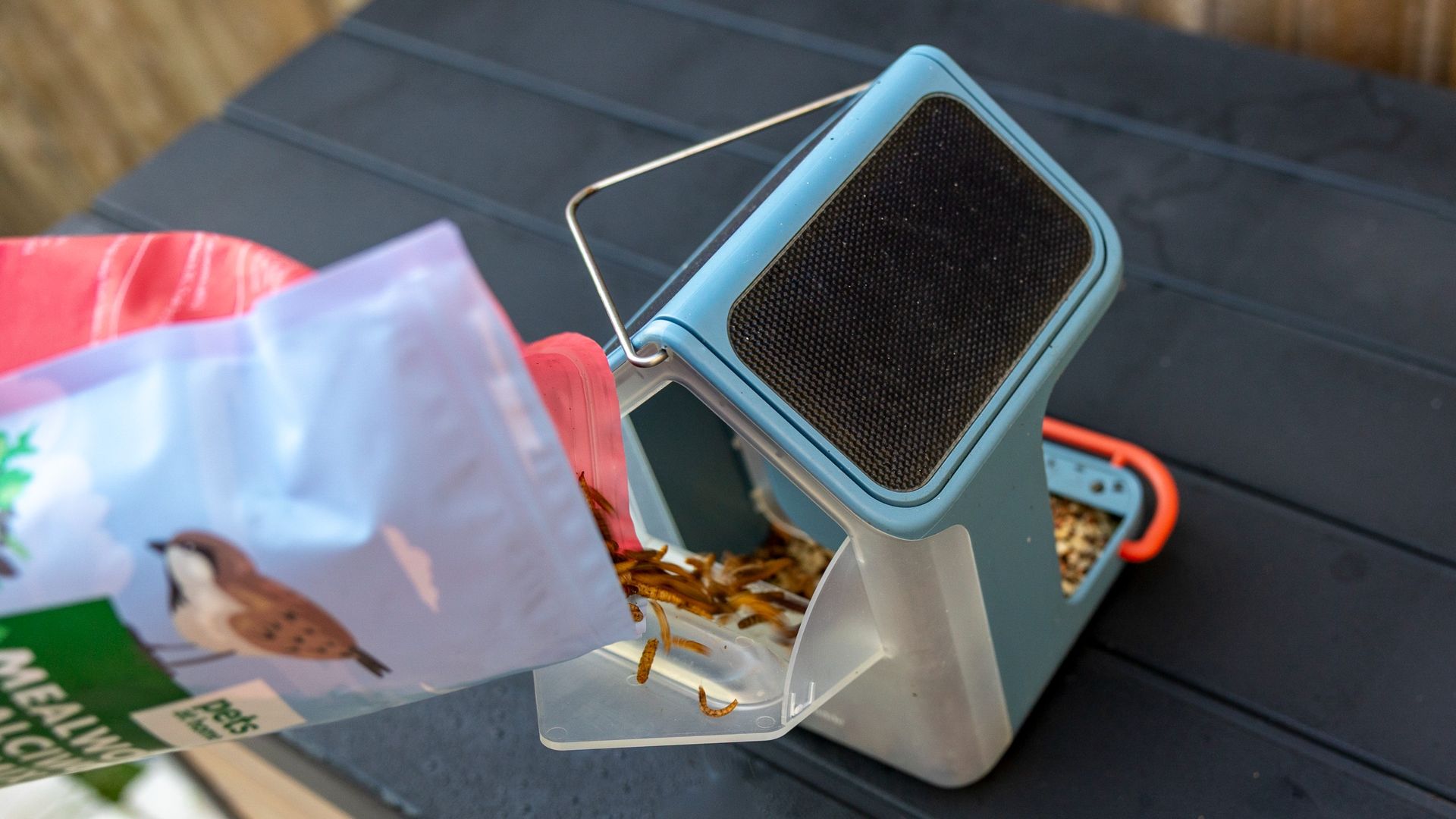
Before May, I filled up the feeder more fully with a premium garden bird seed mix. During the summer months, I followed RSPB guidance on feeding birds and left small amounts of mealworms and suet in the base of the feeder.
First reviewed October 2026
Fujifilm Instax Pal 2: Two-minute review
I’ve never seen my teenage son more animated about a camera than he was about the Instax Pal 2 — and he’s seen his fair share over the course of my years reviewing gear.
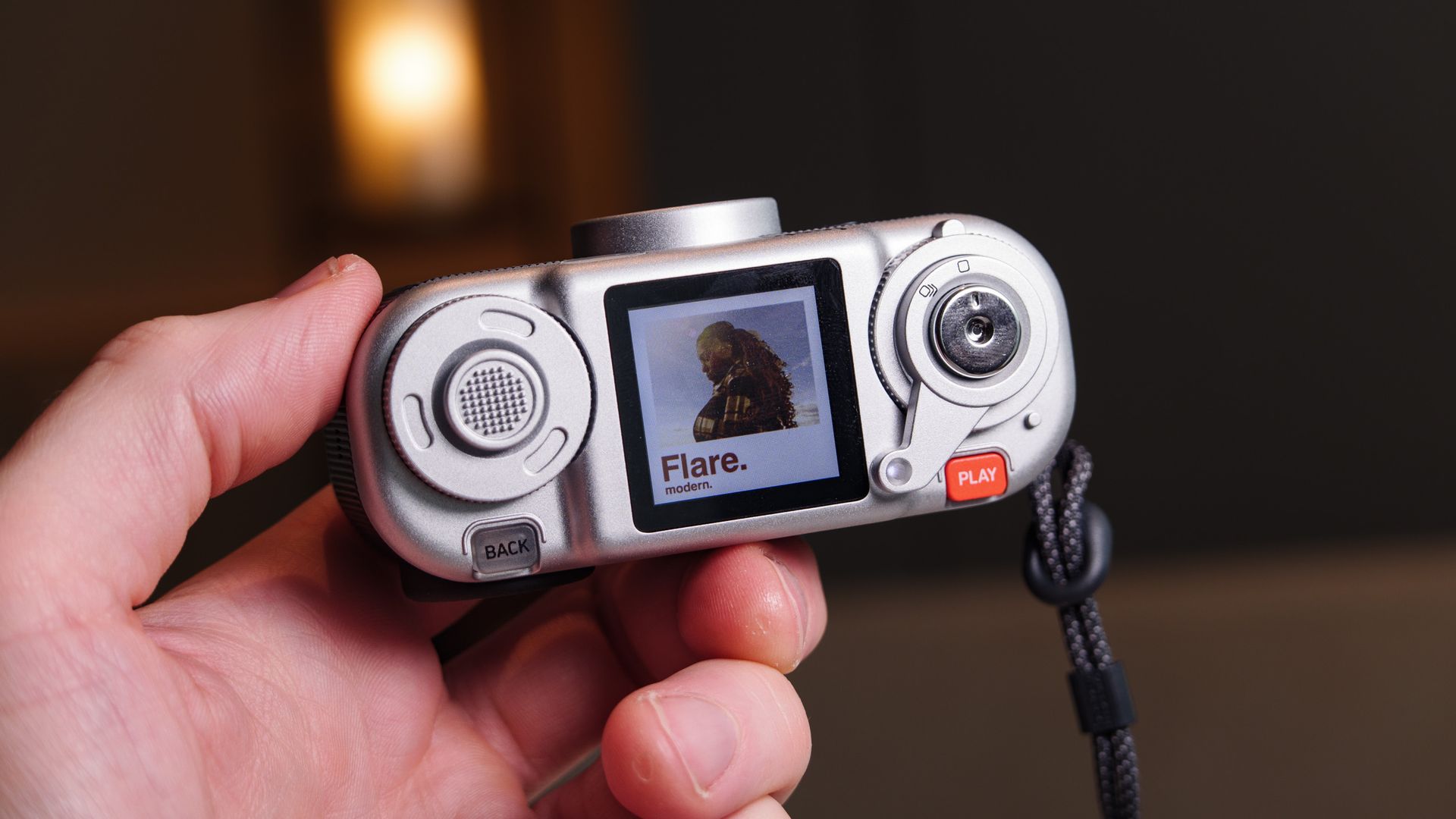
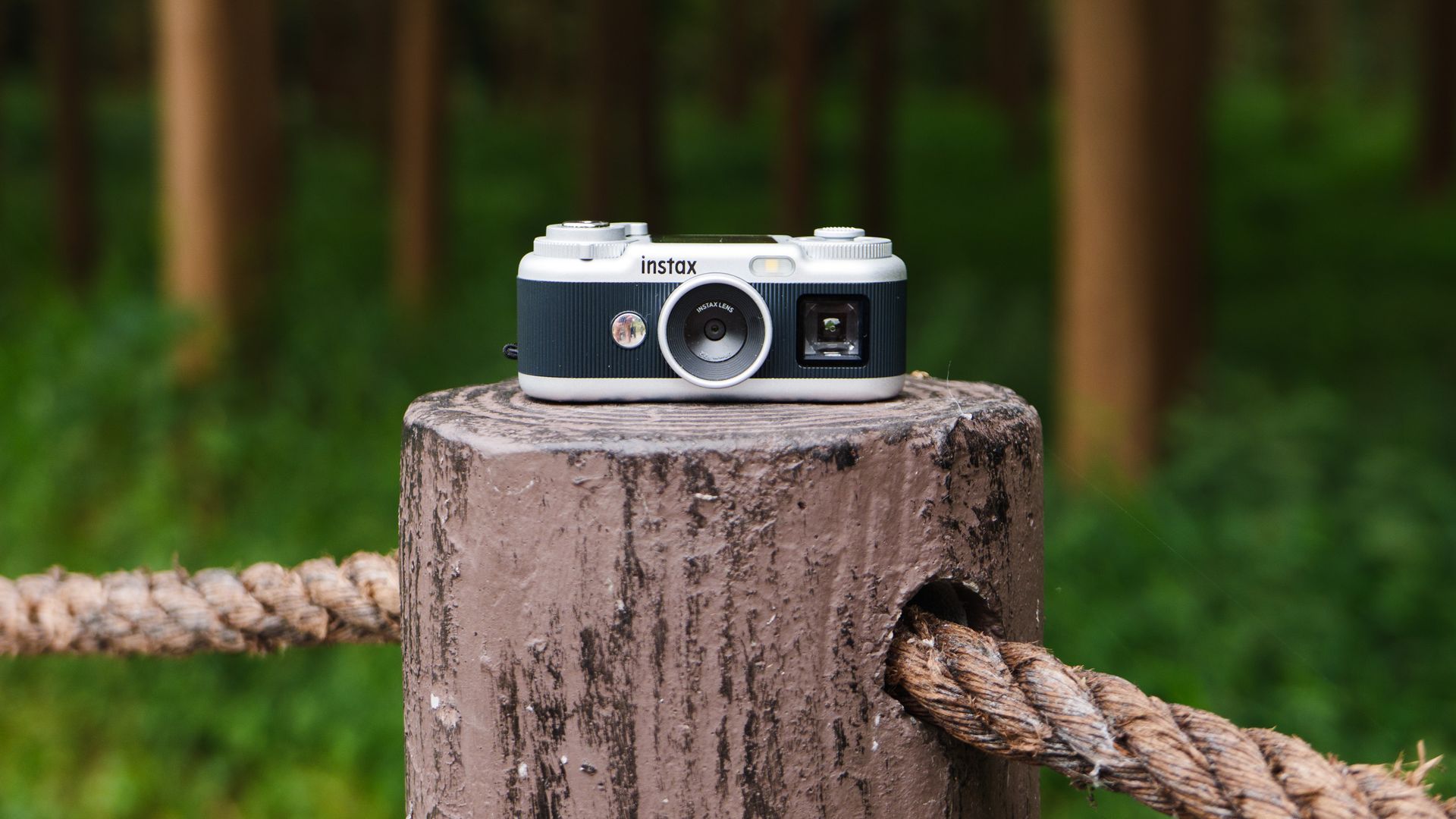
It’s tactile and sensory, with its exaggerated sound effects, clicky winding lever, joystick, dampened dial, and pop-out USB-C connector. For my son, it was like a fidget toy. And I have to confess it was for me too.
The emphasis here is on toy, mind you — he could happily fiddle with the controls for hours without taking a single photo.
Even with my Serious Camera Reviewer hat on, I’m enamored with the Pal 2; it's cute, it's dinky, and there’s enough here to keep my attention.
There's the winding lever that scrolls through the Instax mini, square and wide film formats (or no border at all); the dampened dial for the various picture effects; the joystick that you use to navigate a sub-menu with options for self-timer, flash and display modes, and which you can also press to open the main menu.
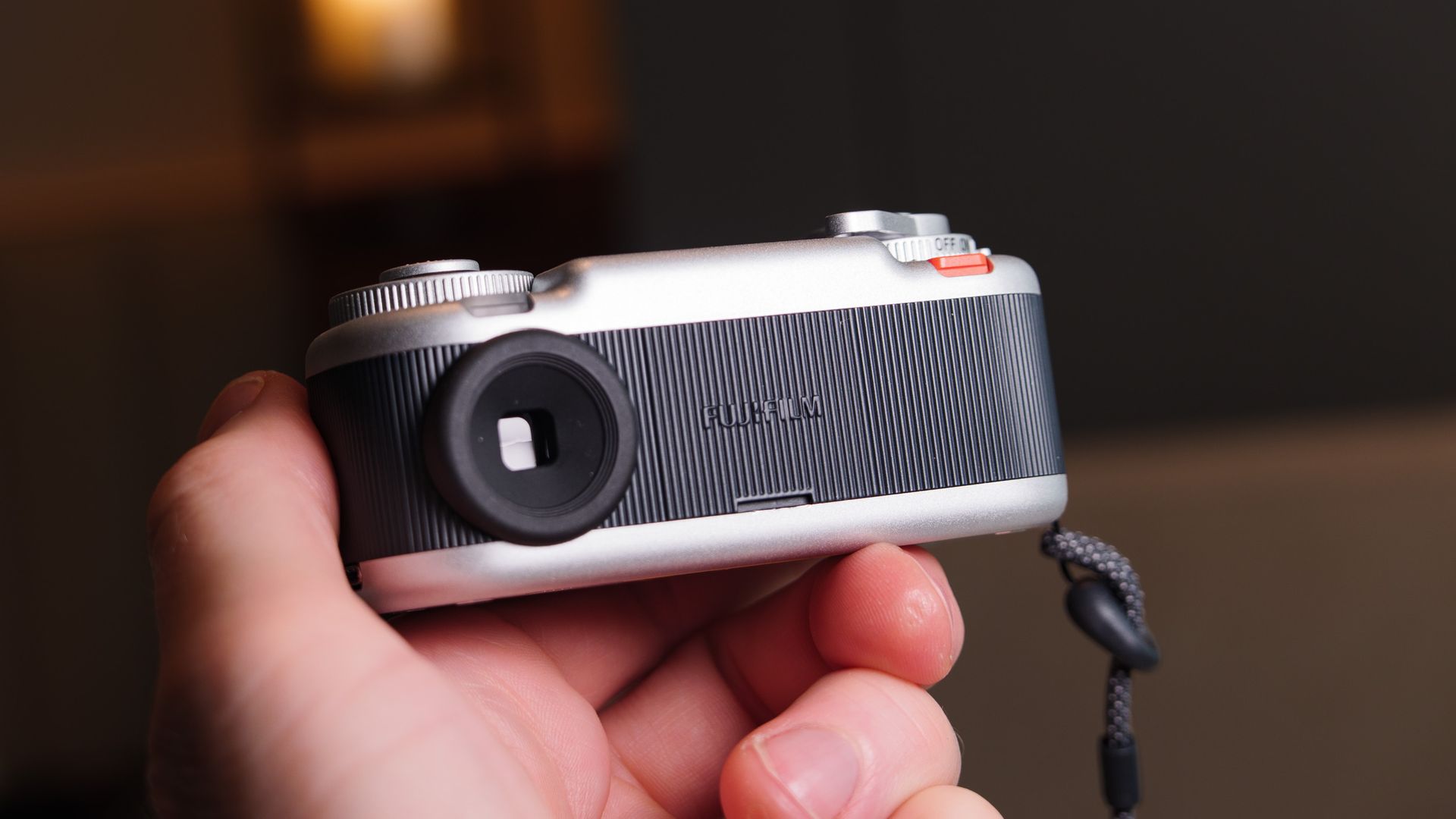
Then there’s the cut-out optical viewfinder, and a top-down, 1.3-inch screen for waist-level photography, a red playback button and clear ‘back’ button. Every control is unique, and characterful.
Fujifilm’s design department clearly knows its market — the Pal 2 is latest in a long line of quirky, retro fun models that include the original Pal, the X half and the Instax Mini Evo Cinema.
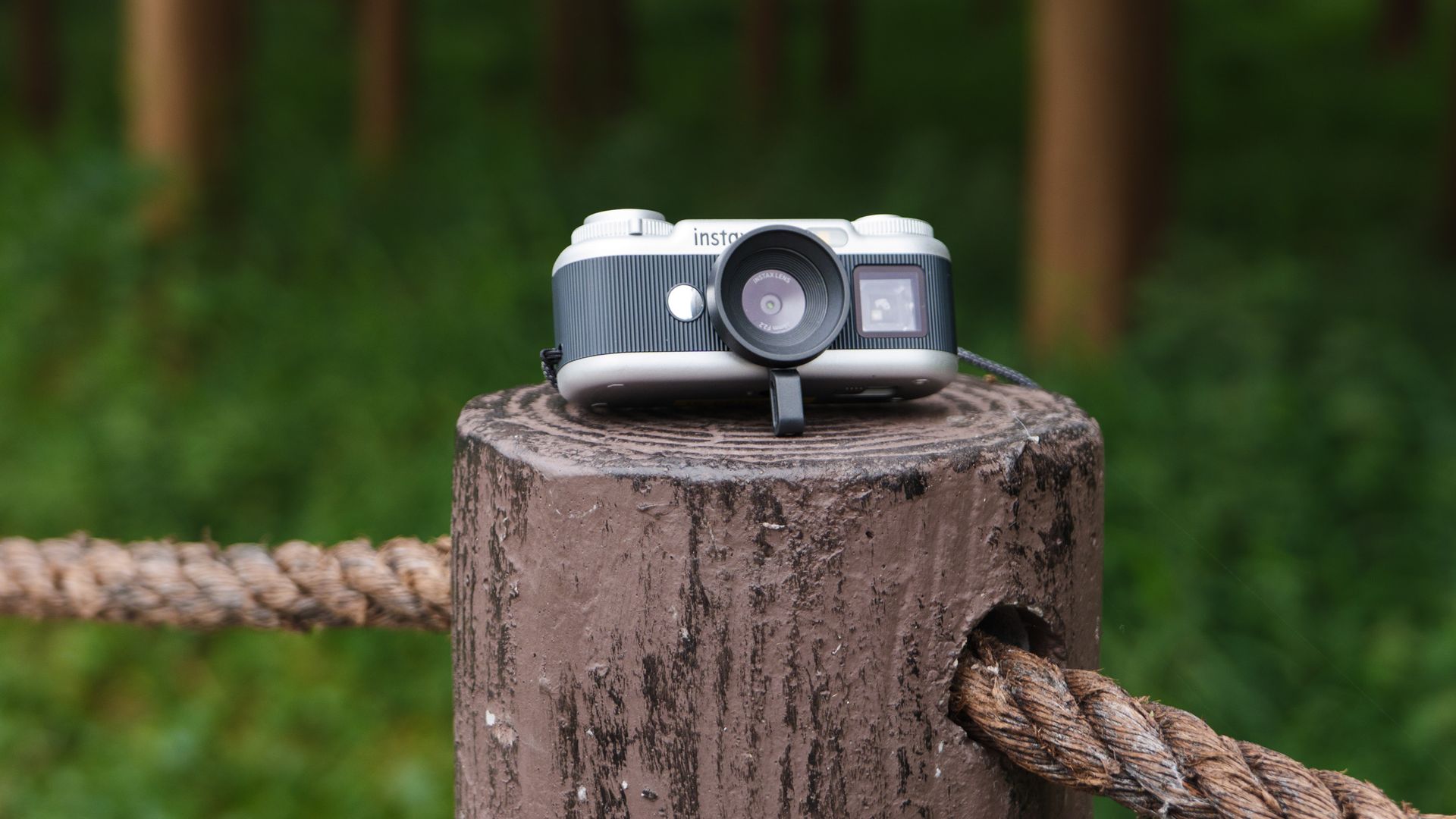
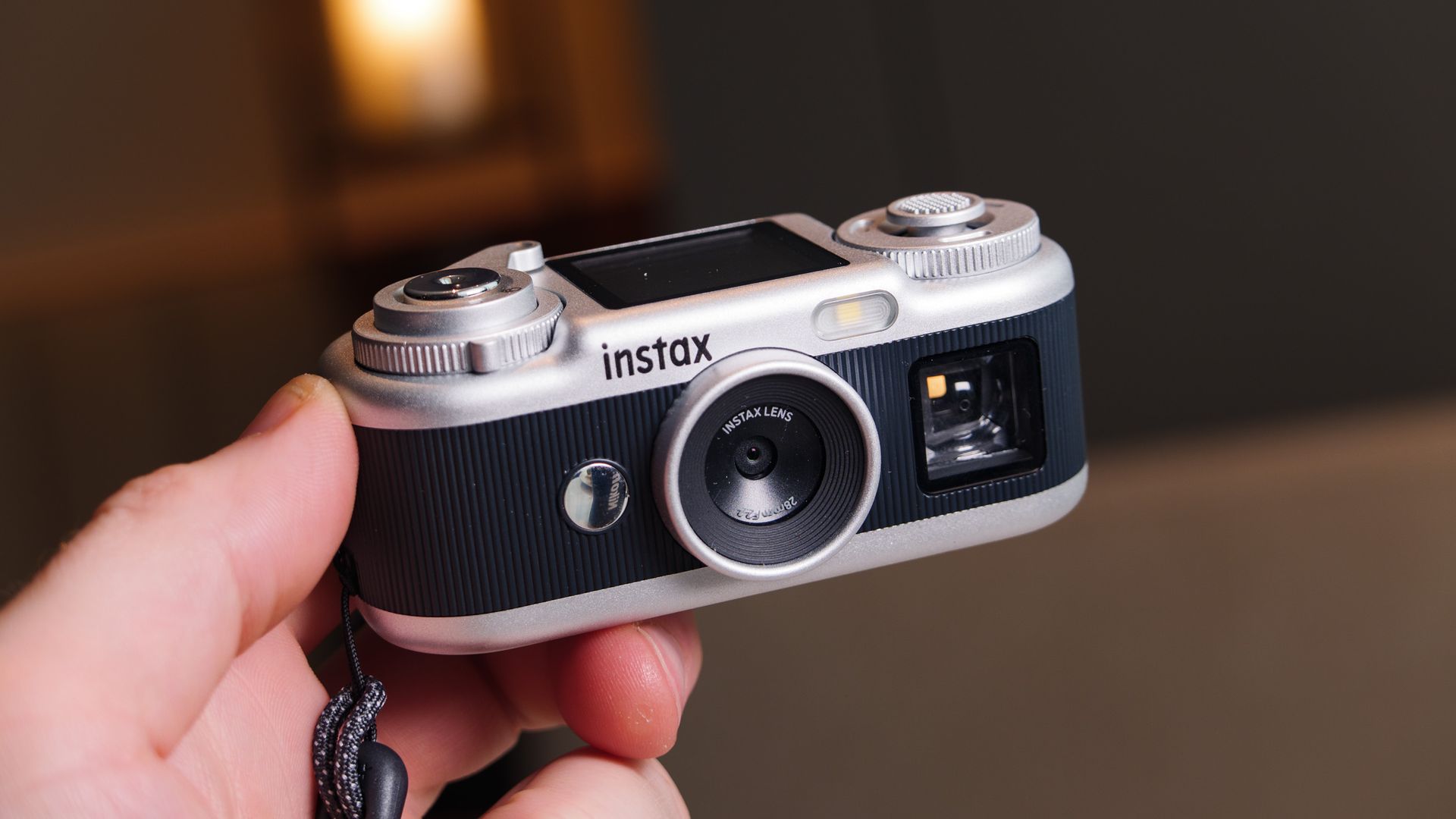
In a way it’s easy to forget that this palm-sized bundle of retro fun is a camera at all; but that's what it is, and it’s one with very basic tech inside: a tiny 1/3.06-inch sensor with 10MP JPEG photos, shot through a 28mm equivalent f/2.2 lens, with an LED flash for close-up low-light shots. There's no video here, just a 10-shot Animation mode.
It’s also Wi-Fi / Bluetooth-equipped, meaning users can wirelessly connect to a smart device and use the Instax Pal app for image uploads and sharing (the Pal app wasn't updated for the Pal 2 at the time of my review), or to one of Fujifilm’s Instax link printers for uploads or direct printing onto Instax film. There’s that pop-out USB-C for charging, too.
But — and it's a big but — it’s very expensive. The Pal 2 is not priced like the toy camera it is.
You can get four Kodak Charmeras for the price of one Instax Pal 2 and have some change left over. Yes, the Pal 2 is more camera than the Charmera in every way, but they are in the same novelty camera category, and the Charmera knows its place better.
Yes, my son loves the Pal 2, but it’s not in pocket-money saving territory, and it would be a stretch as a birthday gift.
It's easy to be won over by the Pal 2 — this is a retro, pocket digital camera with wireless image uploads and Instax printing. But when the Instax Mini Evo costs the same, and that camera has a larger body and screen, and can print images selected from the gallery directly, the Pal 2 feels like a stretch. If its price comes down, like the X half's did (by about 40%), then it might be a different picture.
Fujifilm Instax Pal 2 review: Price and release date
- Announced in September 2026
- Priced at $169.95 / £149.99 / AU$249
- Available in two colorways; black with silver trim, or white with silver trim
The Fujifilm Instax Pal 2 costs $169.95 / £149.99 / AU$249 and is available in two colorways: black with silver trim, or white with silver trim. It comes with a small rubber selfie stand, which fixes in place by slotting around the lens, and a wrist strap.
Fujifilm Instax Pal 2 review: specs
Type: | Digital compact camera |
Lens | 28mm f/2.2 |
Sensor | 1/3.06-inch CMOS |
Photo resolution: | 10MP |
Video resolution: | N/A |
Storage: | Internal memory up to 100 shots, microSD card slot |
Screen: | 1.3-inch LCD, 170k dots |
Connectivity: | USB-C |
Dimensions: | 37 x 42 x 92.3mm (excluding projecting parts) |
Weight: | 3oz / 87g |
Fujifilm Instax Pal 2 review: Design
- Weighs just 3oz / 87g, fits in a pocket
- Cool retro look and multi-sensory controls
- Twin displays: LCD and cutout optical viewfinder
It might share the name as the original Pal, but the two cameras bear little resemblance to each other. The original Pal’s golf ball-like exterior is cast aside in favor of retro-style, mini Fujifilm camera-like body.
Fujifilm has packed a lot of controls and features into the tiny, palm-sized body, including a cut-out viewfinder, 1.3-inch top LCD, winding lever, on/off dial, a joystick set within another dial, playback and back buttons, a pop-out USB-C, and a tiny selfie mirror, tripod mount, microSD card slot, and LED flash.
Each control has its own distinct character, and it took me no time at all to memorize each one, meaning I could instinctively locate them.
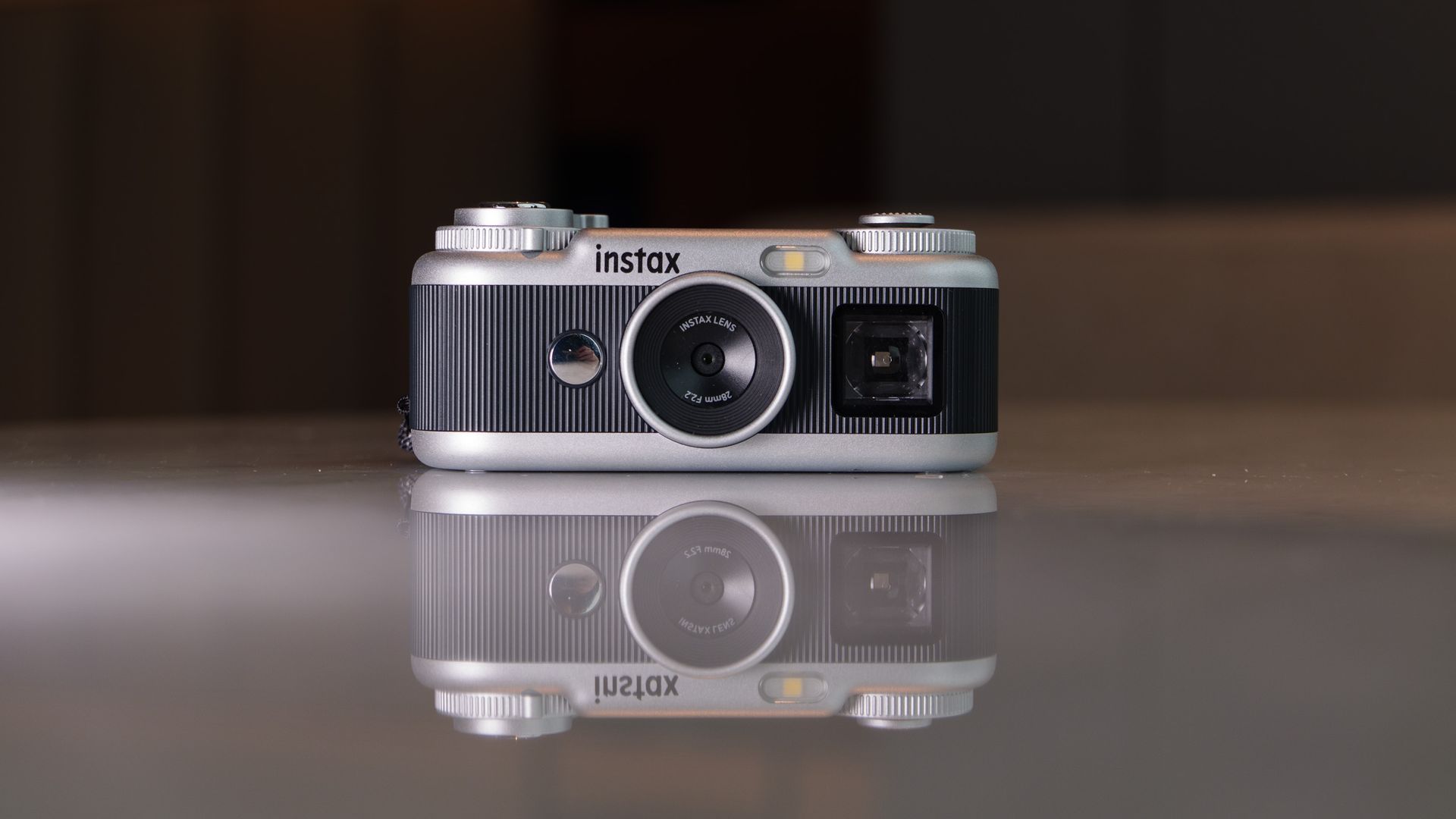
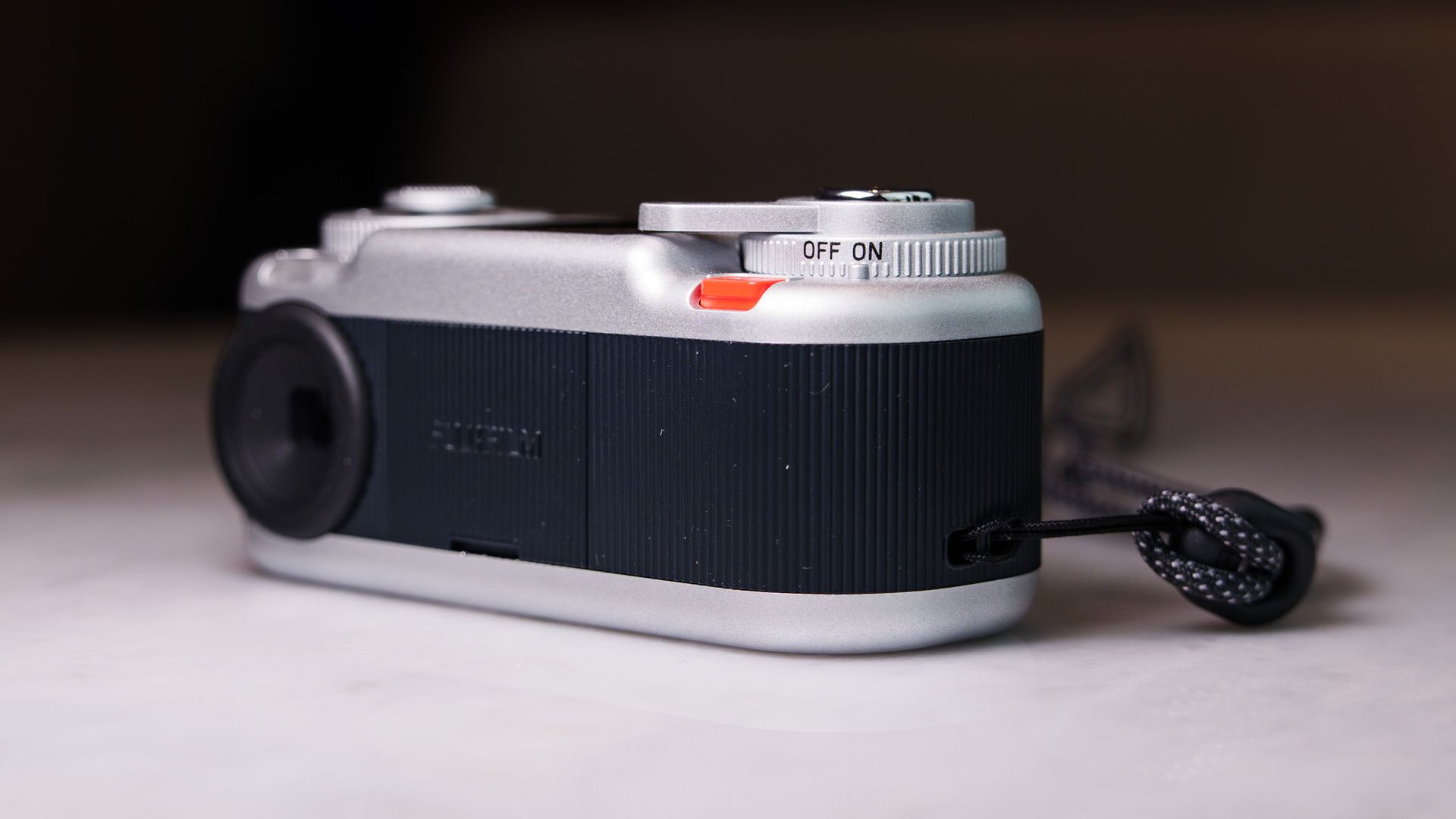
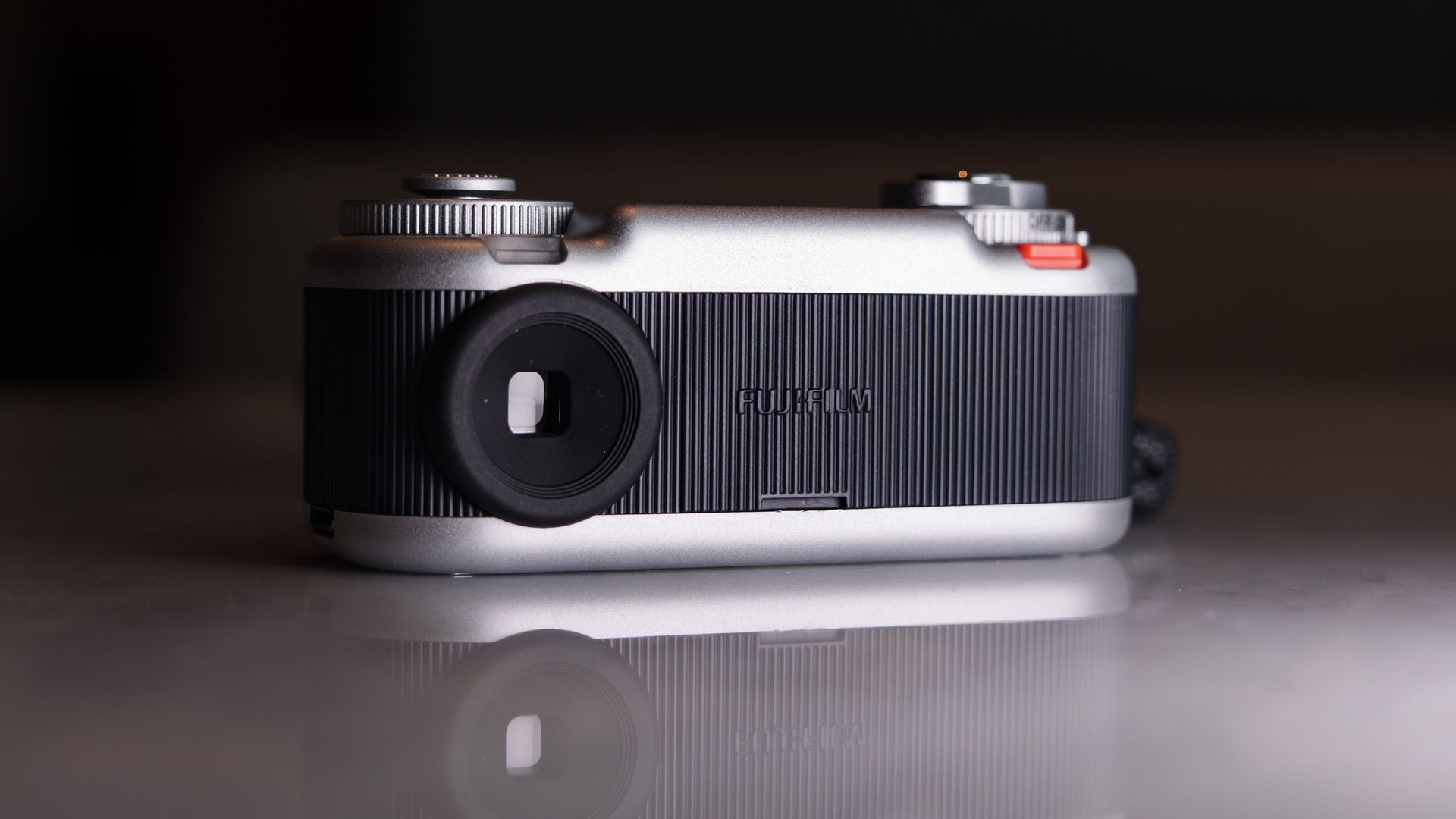
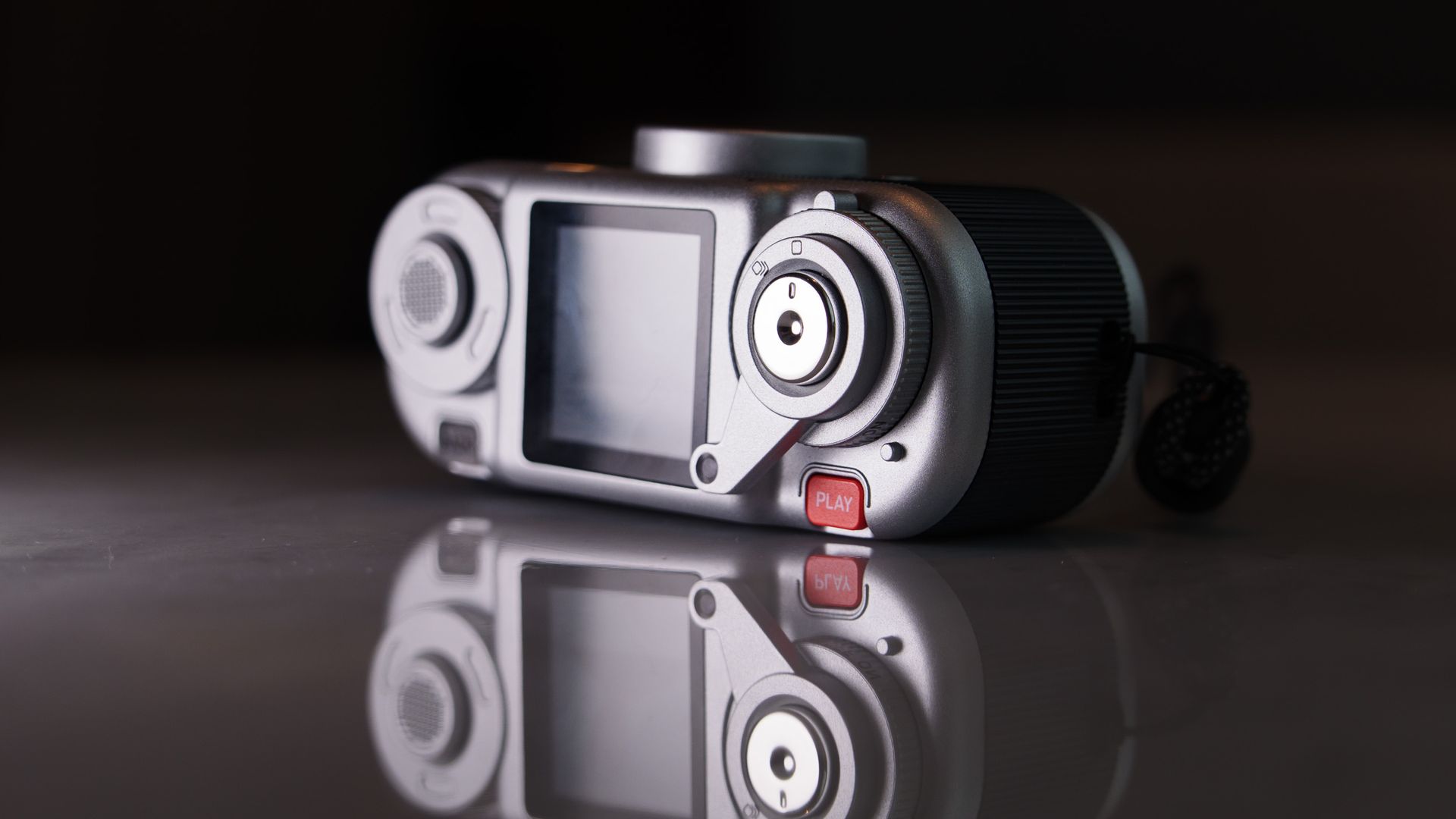
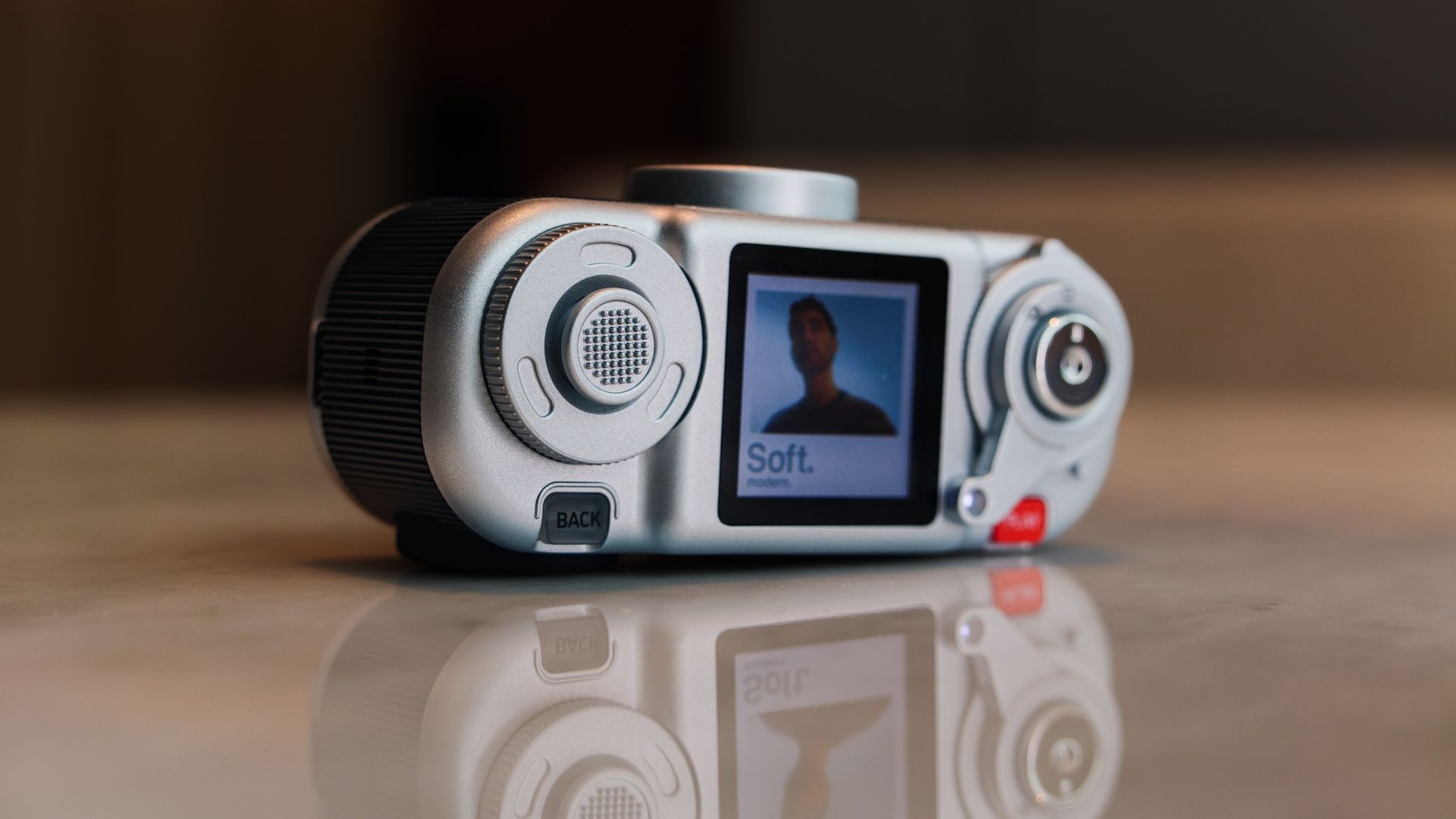
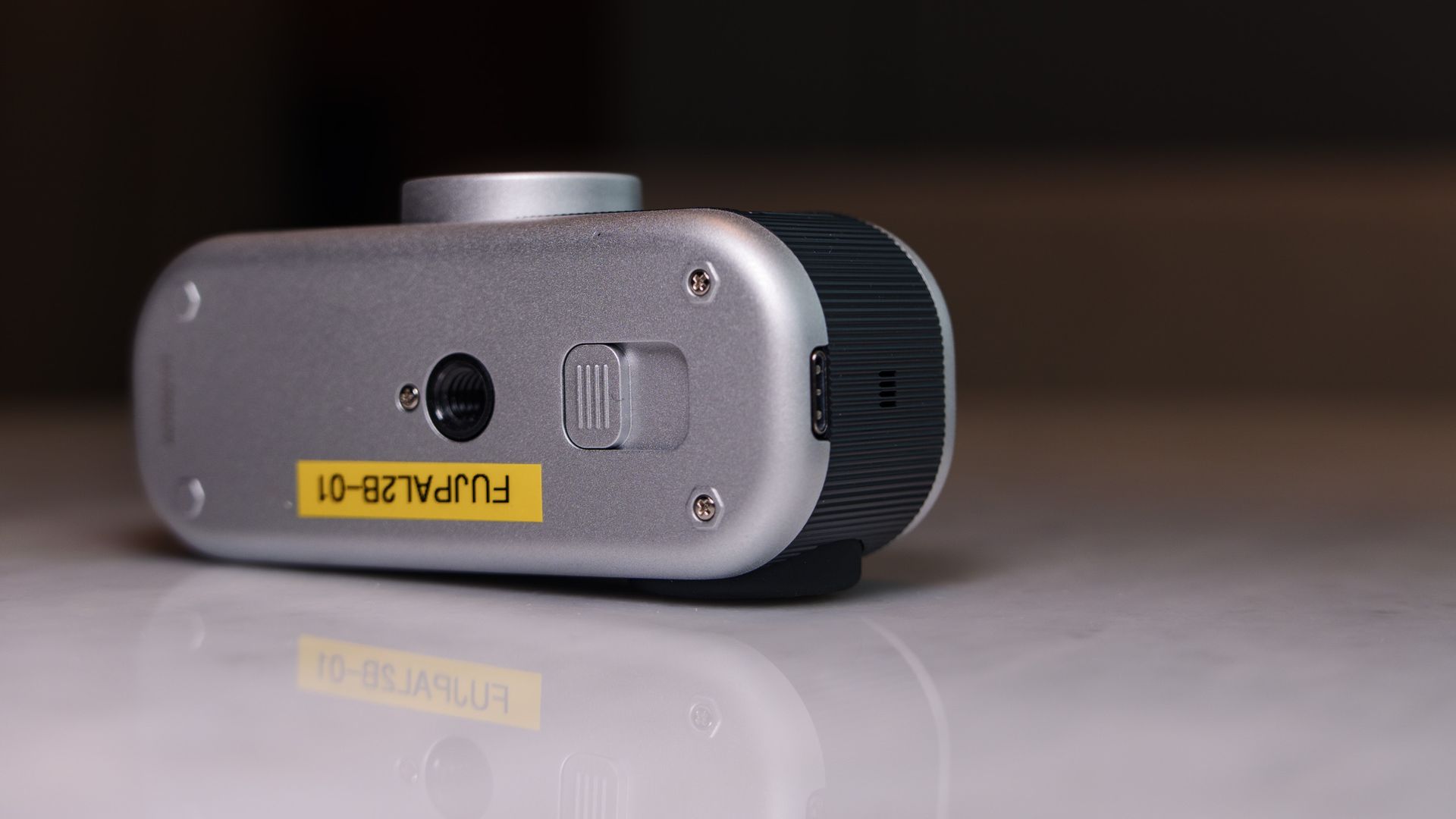
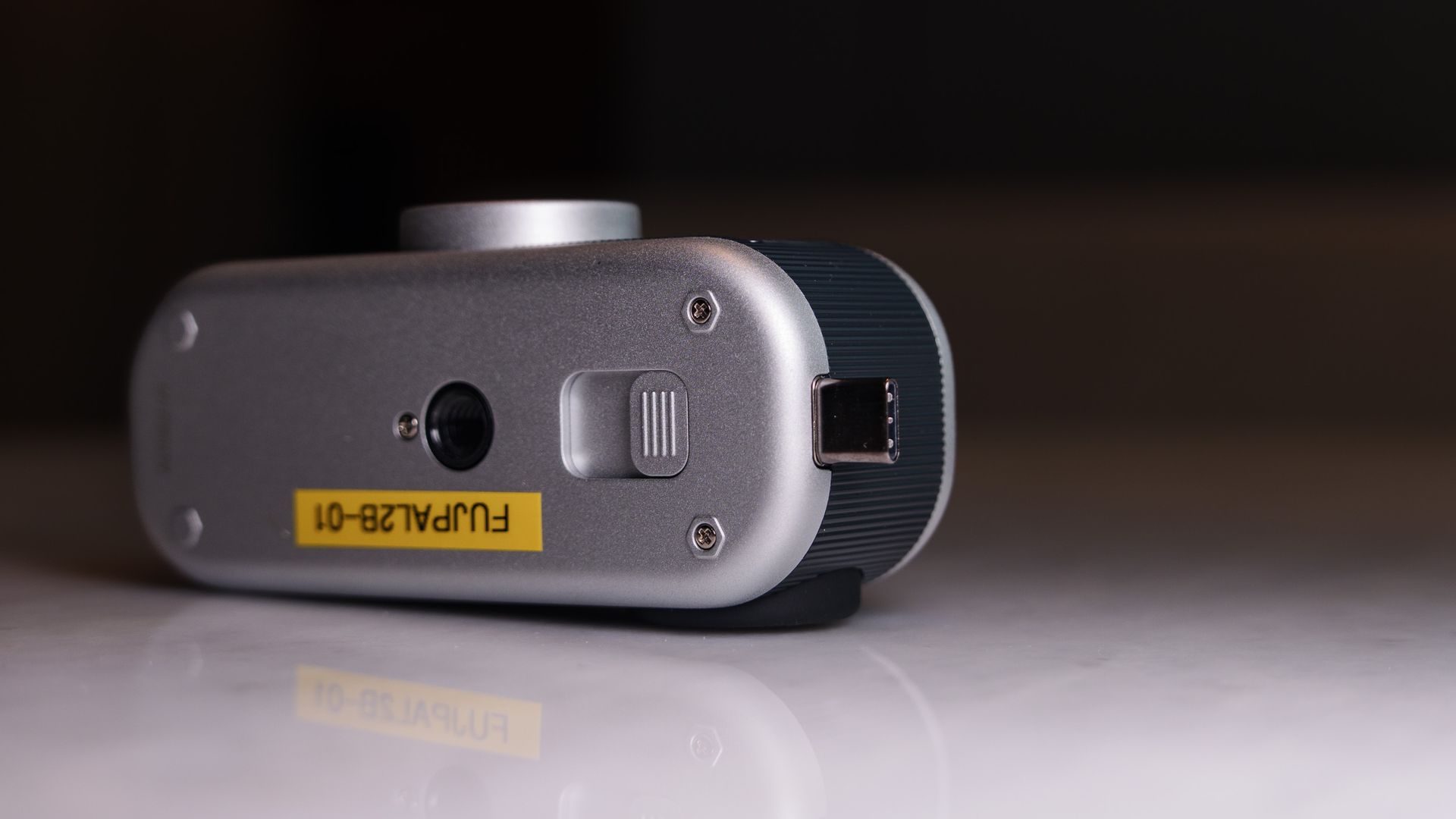
For the most part, I only found myself scrolling through the Instax film types (glorified aspect ratios) using the winding lever, and using the six picture styles, and the flash settings, self-timer and display mode options in the sub-menu. There’s little else to experiment with, besides perhaps exposure compensation, which is buried in the menu.
You can choose whether to display the selected picture style on the LCD display (kind of like a film roll), or the live view, when composing images. I'd hardly say composition is critical though, because the lens is a wide-angle 28mm optic, meaning you can blindly point the Pal 2 in the direction of your subject and it will be in the shot.
There’s plenty to like about the design of the Instax Pal 2. It’s a highly enjoyable camera to play around with, and it earned plenty of admiring comments from other tech journalists when I was attending another event.
Fujifilm Instax Pal 2 review: Performance

- Wide-angle 28mm f/2.2 lens
- 10MP JPEGs, plus a 10-shot animation mode
- Bluetooth / Wi-Fi equipped for wireless image uploads and printing
The charming, tactile and dinky design is the major appeal of the Instax Pal 2 — you’re not buying it for its technically impressive images and high-speed performance.
Take the JPEG-only photos (up to 10MP, depending on the aspect ratio) from the tiny 1/3.06-inch sensor and 28mm f/2.2 lens. There's no getting away from the fact they're lo-fi images; they're Better than the Charmera’s, but no match for your phone’s.
Don’t expect much detail in highlights, either — they blow out with the camera’s exposure metering left to its own devices, although ±2EV exposure compensation is buried in the camera’s main menu, so it is possibly to go for dark, moody photos too.
The six color profiles are all towards the vintage end of the scale, with options for Soft, Muted, Cool, Flare, Mono and Pure (see below). If you want a punchy, vivid setting, you’re out of luck. The picture style and aspect ratio used at the time of shooting, whether that’s mini, square, wide or no border, are locked in.
Technically this is a photo-only camera, but if you turn the winding lever clockwise (instead of counter clockwise for the Instax film borders), you can enter a burst-shooting 'animation' mode that takes up to 10 photos in a sequence and then pieces them into a single stop motion-like clip (see above).






There’s a built-in battery that's recharged through USB-C — and you’ll need to do that regularly, because battery life is poor. A combination of me playing around with the camera settings and taking around 50-75 images saw battery life depleted by three quarters, so you’ll struggle to get through a full day of shooting.
Shutter lag — the time between pressing the shutter button and the camera actually taking the photo — can get really frustrating, and it’s made worse with the LED flash active. You'll need to hold the camera steady after pressing the shutter, and hope that your subject stays still, otherwise you'll miss the shot
I had the flash mostly set to auto, and it mostly only fired in low light — this isn’t a flash-on for every photo setup, as is the case with some Instax mini cameras.
As with any wide-angle camera, but especially so with the Pal 2's small picture size, it pays to have your subject close and filling the frame to maximize the impact of the photo — this isn’t a camera for taking landscape images, in which detail will be lost.
A curiosity is that the camera limits users to 100 shots between connections to the Pal app, whether that's shooting onto the internal memory or the microSD card. This isn't an issue when shooting onto the internal memory, since there's only space for 100 shots, but I found it a frustrating and unnecessary restriction when shooting to the card.
The original Instax Pal app is also designed for the Pal 2, but at the time of writing there wasn't an update for the app, so I haven't been able to try it out with the latest camera yet. I'll update this review once I've tried wireless uploads and printing.












Should I buy the Fujifilm Instax Pal 2?
Buy it if...
You love fun, tactile, cute cameras
The Pal 2 got lots of admiring looks during my test period, and the multi-sensory controls are super-fun.View Deal
You want an Instax-like experience, but control over what you print
As a digital-only camera, you choose which photos you'd like to print through the app, or via direct wireless connection with a mini Link Instax printer. View Deal
Don't buy it if...
You just want a cheap toy camera
At over four times the price of the Kodak Charmera, the Pal 2 is one expensive toy. View Deal
You need a responsive camera
For me, shutter lag was the major drawback of the Pal 2 — there were many occasions when I missed a moment, or the camera shot a photo after I'd moved the camera. View Deal
Fujifilm Instax Pal 2 review: also consider
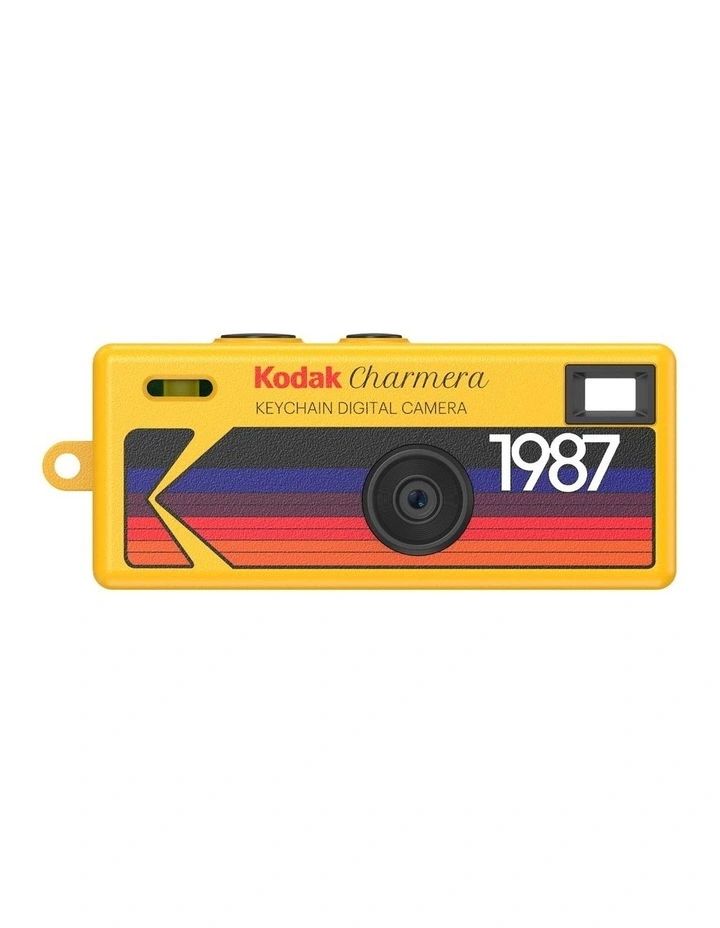
Kodak Charmera
If you simply want a tiny lo-fi camera, and really don’t care about picture quality or app connectivity, the Charmera is a much more affordable alternative.
Read our Kodak Charmera reviewView Deal
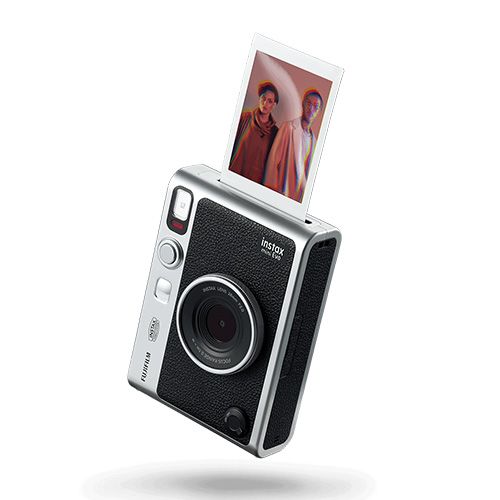
Fujifilm Instax Mini Evo
Also retro-styled, the Mini Evo is a digital camera with instant printer built in, and is all-round larger, including its screen. It's a similar price to the Instax Pal 2, and so it feels like better value, but it’s not pocketable in the same way.
See our Instax Mini Evo reviewView Deal
How I tested the Fujifilm Instax Pal 2
- Fujifilm loaned me the black and silver version of the Instax Pal 2 for three weeks
- I kept the camera with me at all times, and took it to China for a work trip
- I've shot around 150 photos using the various picture styles and aspect ratios (Instax borders)
Instax loaned me the black-with-silver-trim version of the Pal 2 for a few weeks, during which time I’ve kept it on me as an everyday camera, and taken it to China on a work trip.
I’ve used the various picture effects, aspect ratios (Instax film types), the self-timer and the LED flash, and tried the 10-frame animation mode.
At the time of my review, the Instax Pal app wasn't updated for use with the Pal 2 (on Android, at least). I'll update this review once I've paired the camera with the app and used it properly.
- First reviewed: September 2026
- Read more about how we test